3.6.2 Universal Theme Reference App
Bookmark the Universal Theme reference app at oracleapex.com/ut to quickly consult a live reference for many
aspects of APEX user interface development.
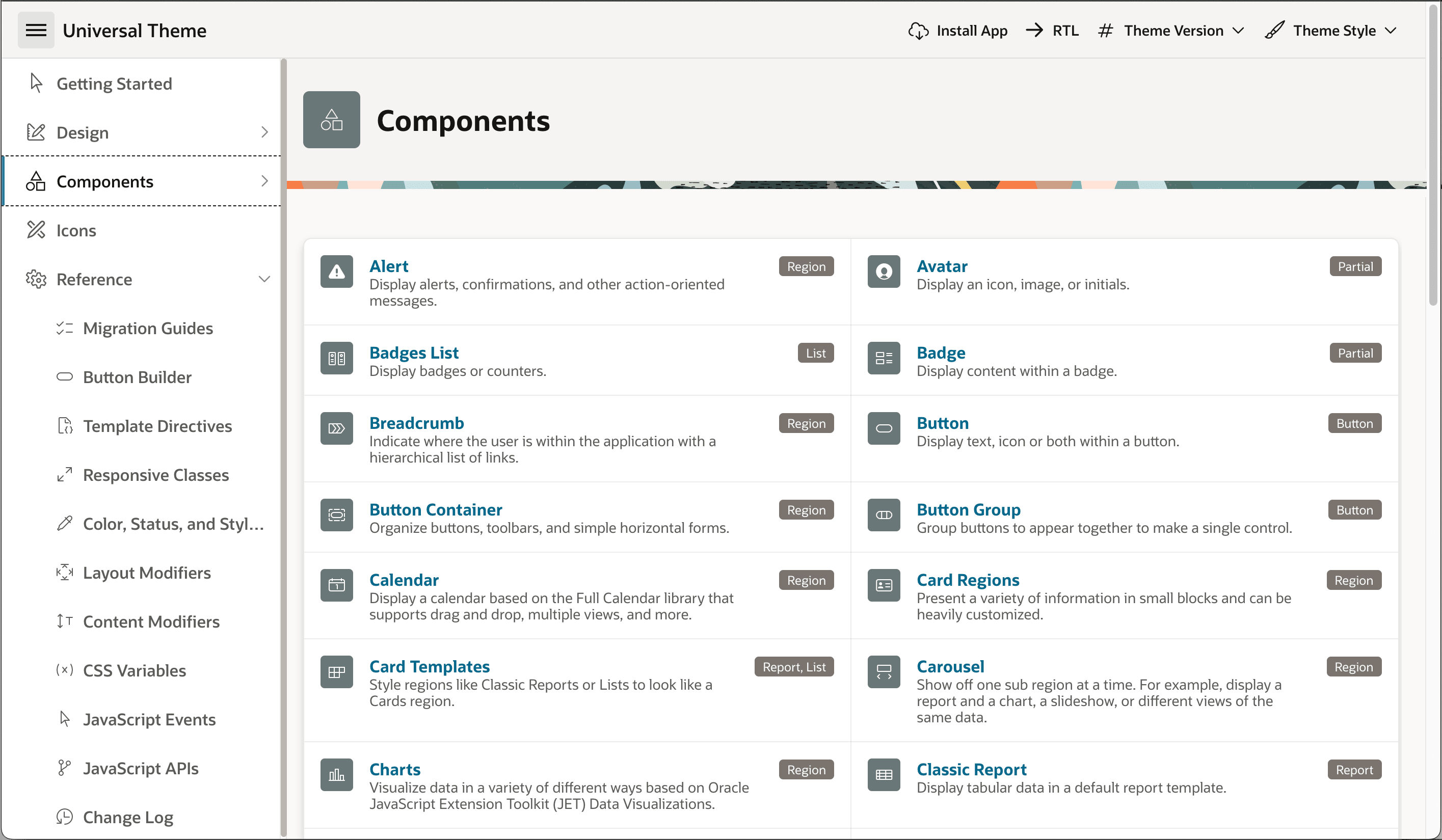
The Components section shown below lists all the native APEX visual components you can use in your apps. Click on any component to see a live example along with steps to add the component to your page. In the Icons section, you can browse or search the library of predefined icons you can use on various UI elements to clarify their functionality for end-users.
Each subsection under the Reference heading documents an important facet of APEX UI development you will find useful. For example, there you can learn about pre-defined CSS style variables and classes useful for adjusting your page elements' look and feel in a declarative way, template directives syntax for easy conditional formatting, a handy button builder, and more.
Figure 3-27 Universal Theme Components Reference
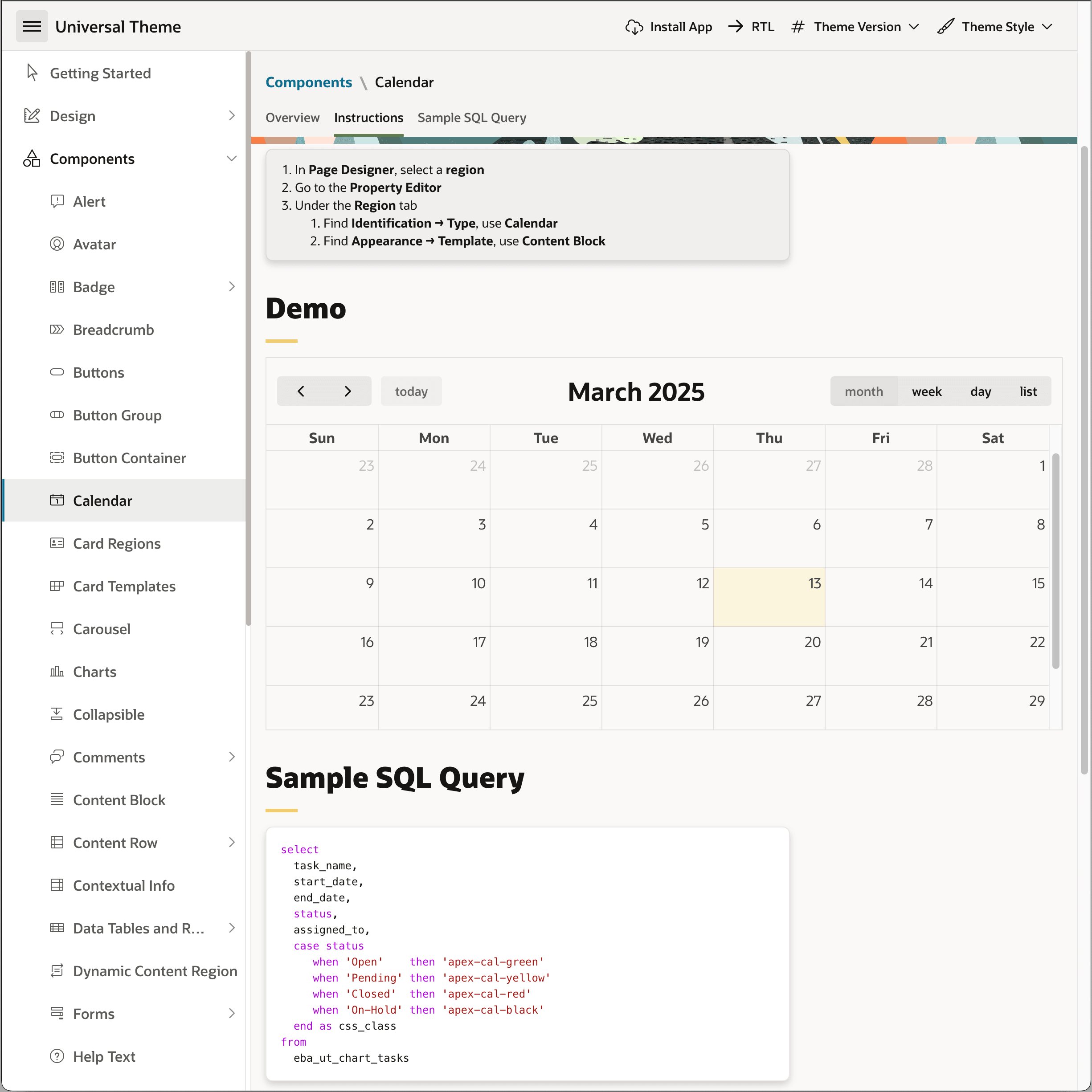
The figure below shows the reference for the Calendar region. Where relevant, you can also experiment interactively with different template options that control how the component looks and behaves. You can then set the same options in Page Designer after finding the combination that's best for your use case.
Notice it also suggests an example SQL SELECT statement to show the basic data the region requires. In the case of a calendar, you can see the data source needs a text value like task_name to give each calendar event a user-friendly label along with date (with time) values like start_date and end_date to define the event's start and duration. The query can also contain other columns whose data can appear in the event tooltip or in its customized event display text.
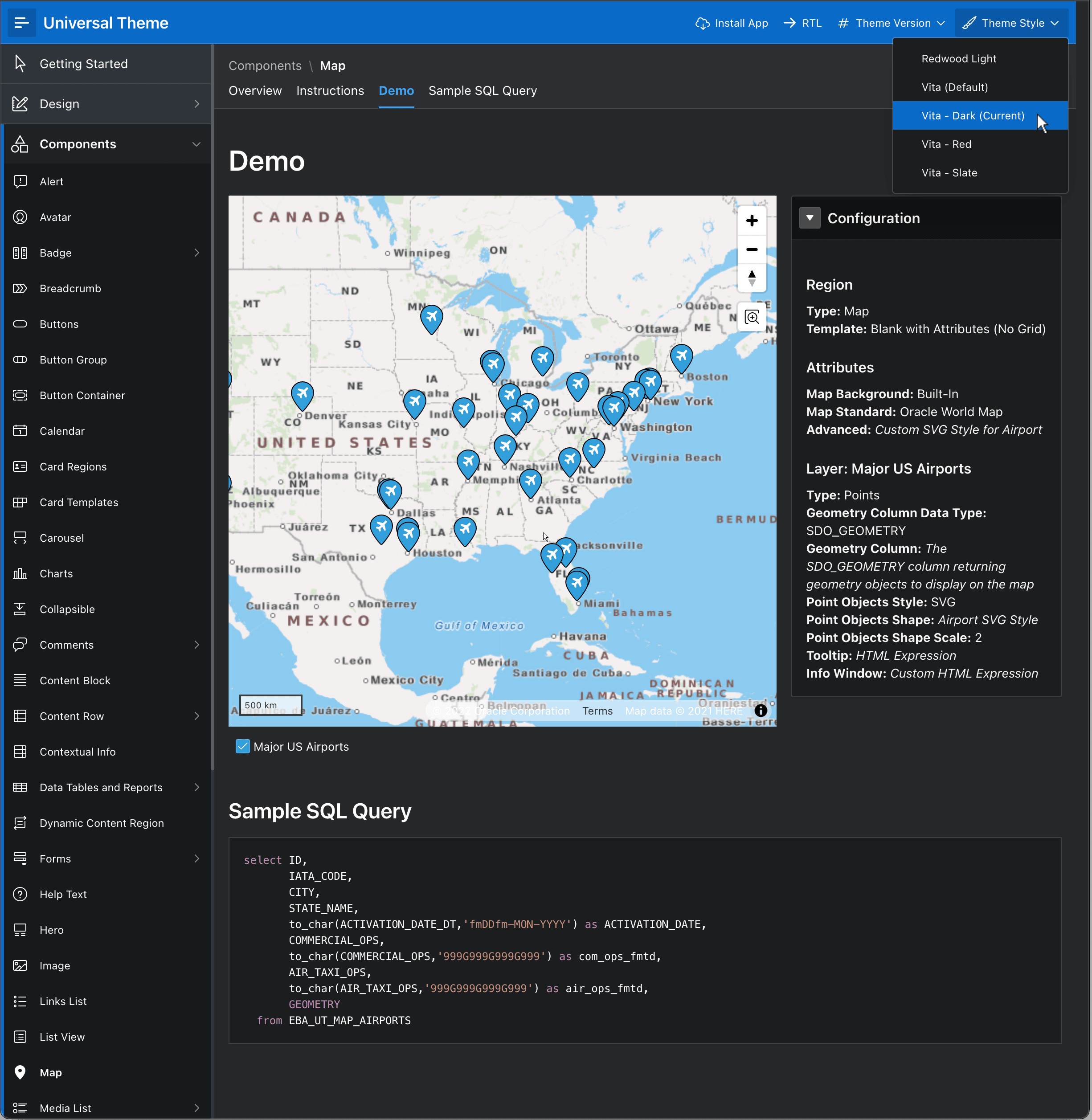
Using the reference app's navigation bar controls, you can toggle the writing direction and theme style. For example, the figure below shows the Map region reference page in the "Vita - Dark" theme style.
Figure 3-29 Map Region Reference in "Vita Dark" Theme Style
Parent topic: Universal Theme Design System