17.4.2 Using a Data Loading Page
Run a generated Data Loading page to upload, preview, and load external employee data.
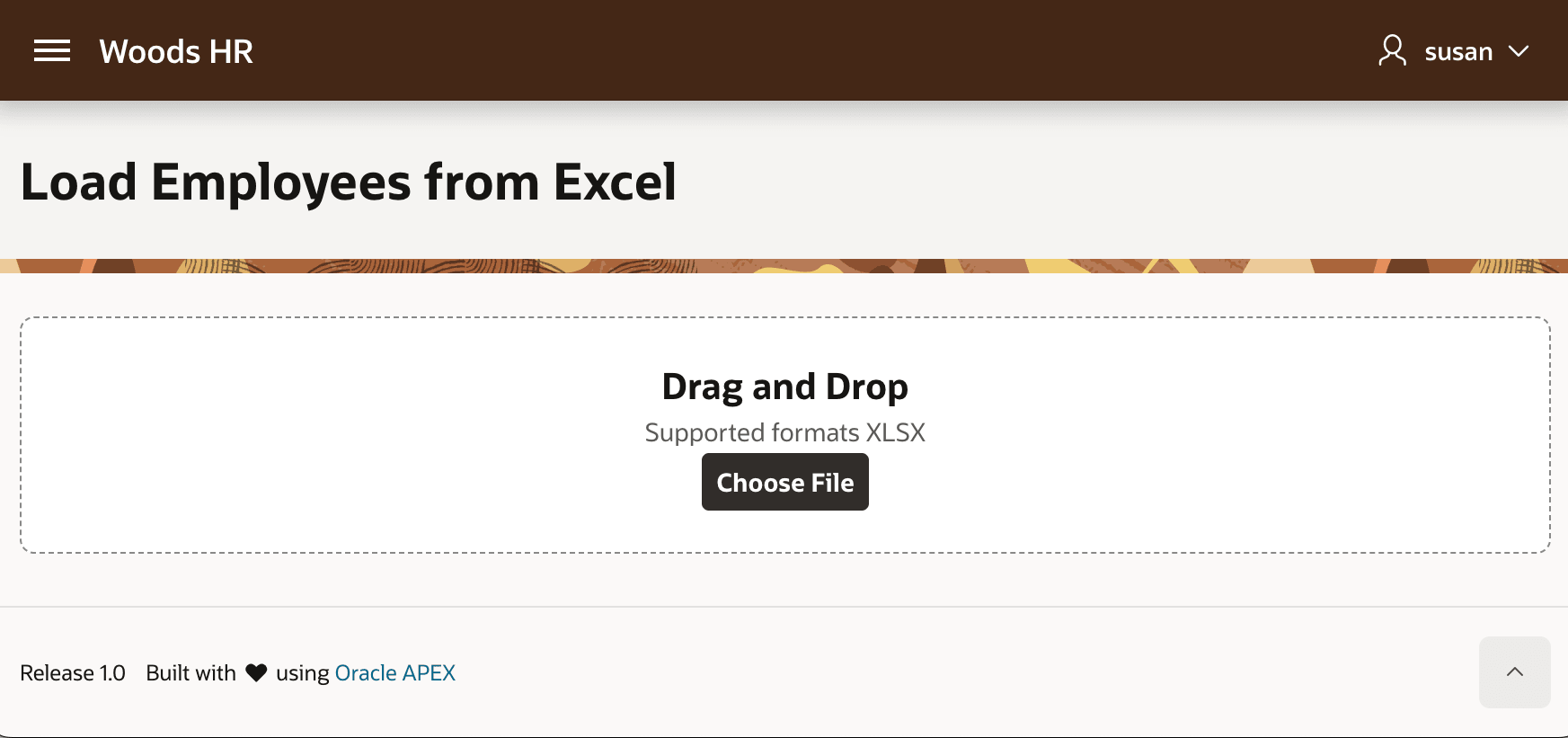
Running the generated Data Loading page, it displays a file drop zone as shown below.
Figure 17-9 Data Loading Page File Drop Zone
After dragging and dropping an emp.xlsx Excel spreadsheet file onto
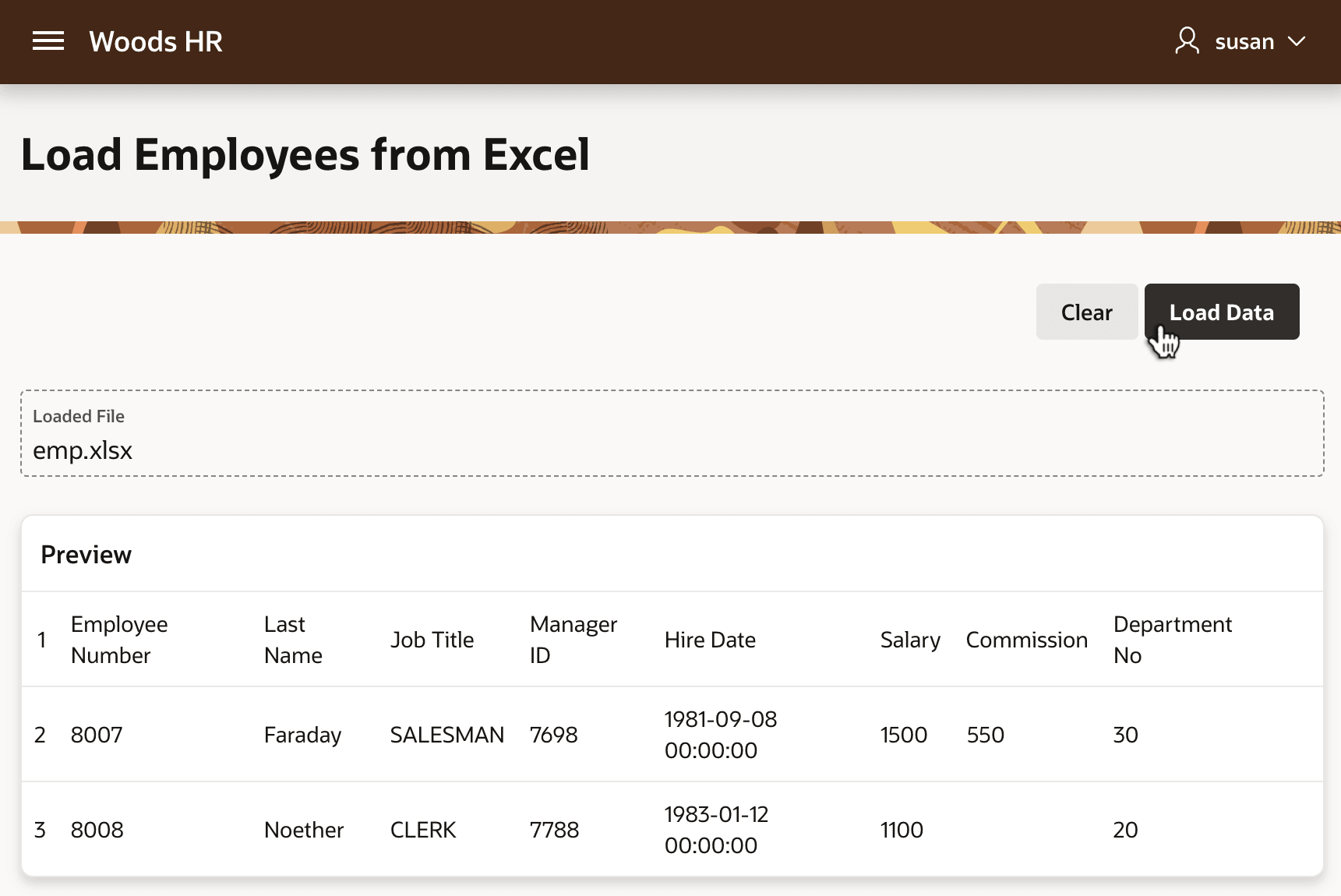
the drop zone, the page uploads the file straight away and previews the data to load.
Clicking (Load Data) completes the operation. The figure shows the generated Data
Loading page's preview of the uploaded spreadsheet data.
Figure 17-10 Preview of Excel Spreadsheet Data to Load
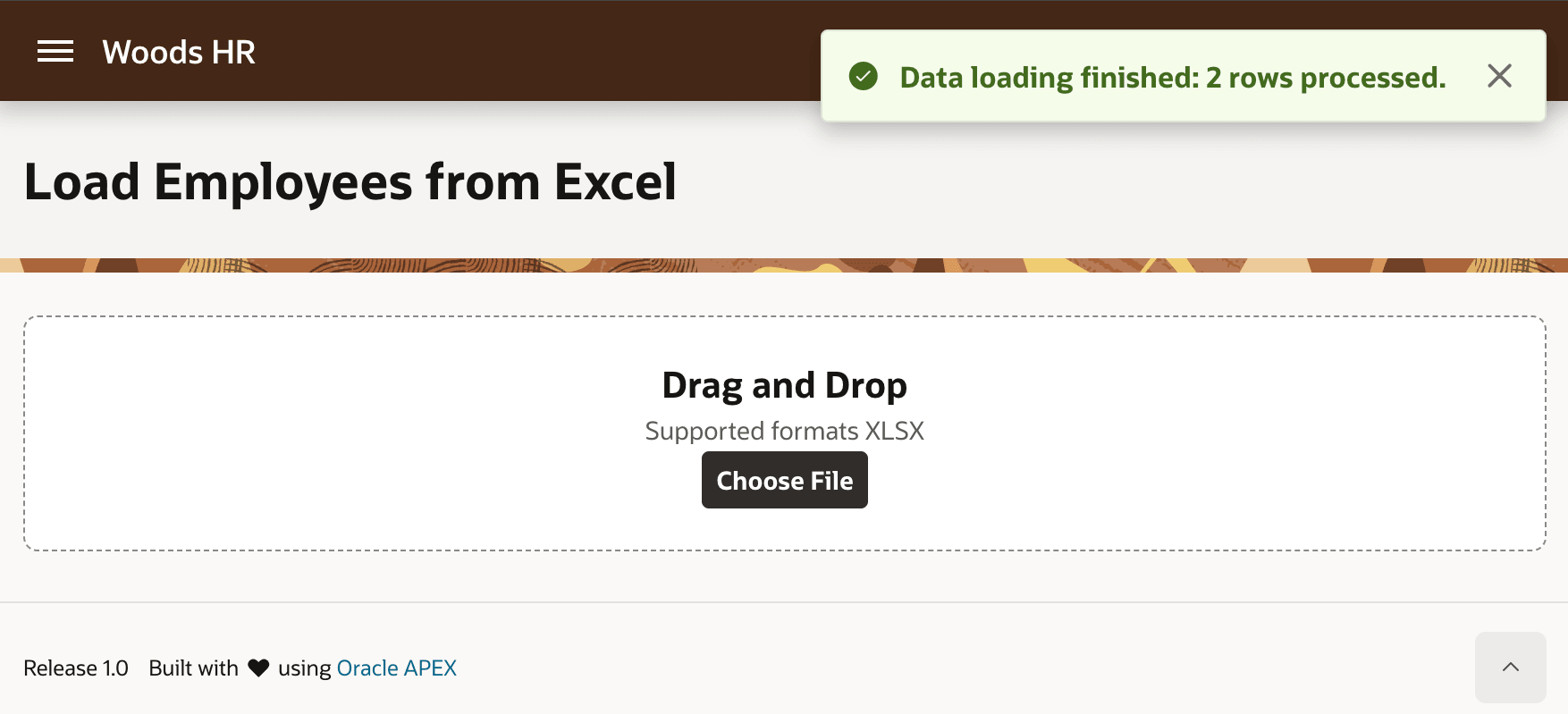
The success message shown below confirms the number of rows processed.
Figure 17-11 Success Message Confirms Number of Rows Loaded
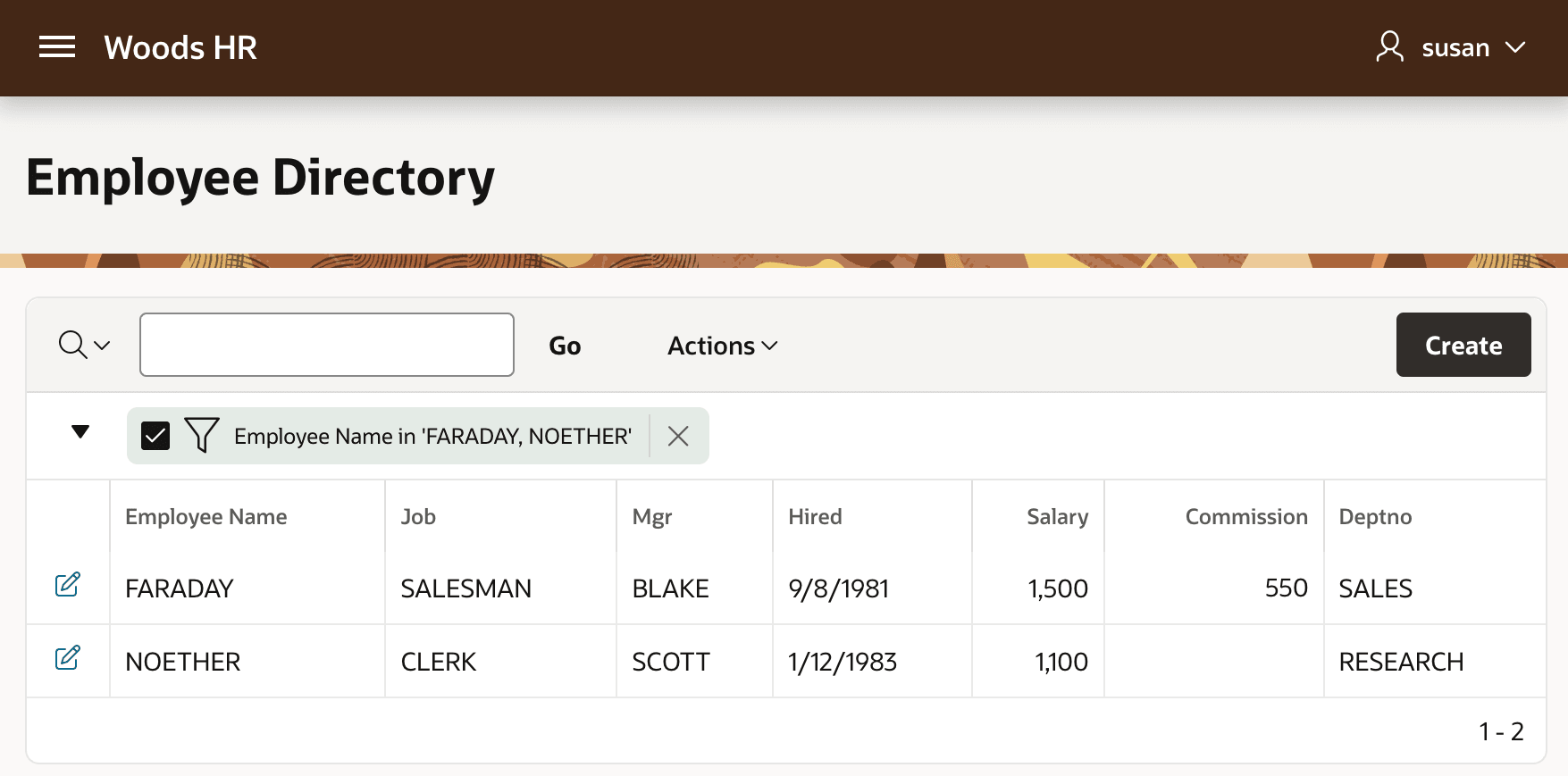
When Susan, the HR Representative, visits the Employee Directory page, she sees the two new employees, with Employee Name values in uppercase, so the SQL Expression data profile column explained in Augmenting Data Load Profile Columns functioned as expected. The figure shows the Woods HR Employee Directory page, with its Interactive Report filtered to show employees with names FARADAY and NOETHER.
Figure 17-12 Loaded Employees as HR Rep Susan in Employee Directory
Parent topic: Generating and Using a Data Loading Page