13.3.1 Using a Simple HTTP REST Data Source
The Simple HTTP service is the most generic and flexible REST Data Source type APEX offers. By understanding its capabilities and how to configure them, you can confidently integrate with any necessary API.
If the service you need to use supports a GET method, then the Create REST Data Source wizard gives you a head start by automatically discovering the data profile columns based on the JSON response payload. If not, you can always create and configure the REST Data Source manually.
https://example.com/ords/cloudcompanion/empcurl:$ curl -L https://example.com/ords/cloudcompanion/emp⋮ replaces repeating elements. There are 14 employees total: notice a count value of 14 and hasMore value of false.{
"items": [
{
"empno": 7839,
"ename": "KING",
"job": "PRESIDENT",
"mgr": null,
"hiredate": "1981-11-17T00:00:00Z",
"sal": 5000,
"comm": null,
"deptno": 10,
"links": [
{
"rel": "self",
"href": "https://example.com/ords/cloudcompanion/emp/7839"
}
]
},
⋮
],
"hasMore": false,
"limit": 25,
"offset": 0,
"count": 14,
"links": [
{
"rel": "self",
"href": "https://example.com/ords/cloudcompanion/emp/"
},
⋮
]
}
Before defining a REST Data Source for the endpoint, consult the documentation for the service to understand whether it supports retrieving data in pages. This service supports using the limit query string parameter to set a page size, and the offset parameter to indicate a number of rows to skip.
curl command:$ curl -L "https://example.com/ords/cloudcompanion/emp?limit=2"curl command that skips the
first 2 and retrieves up to two
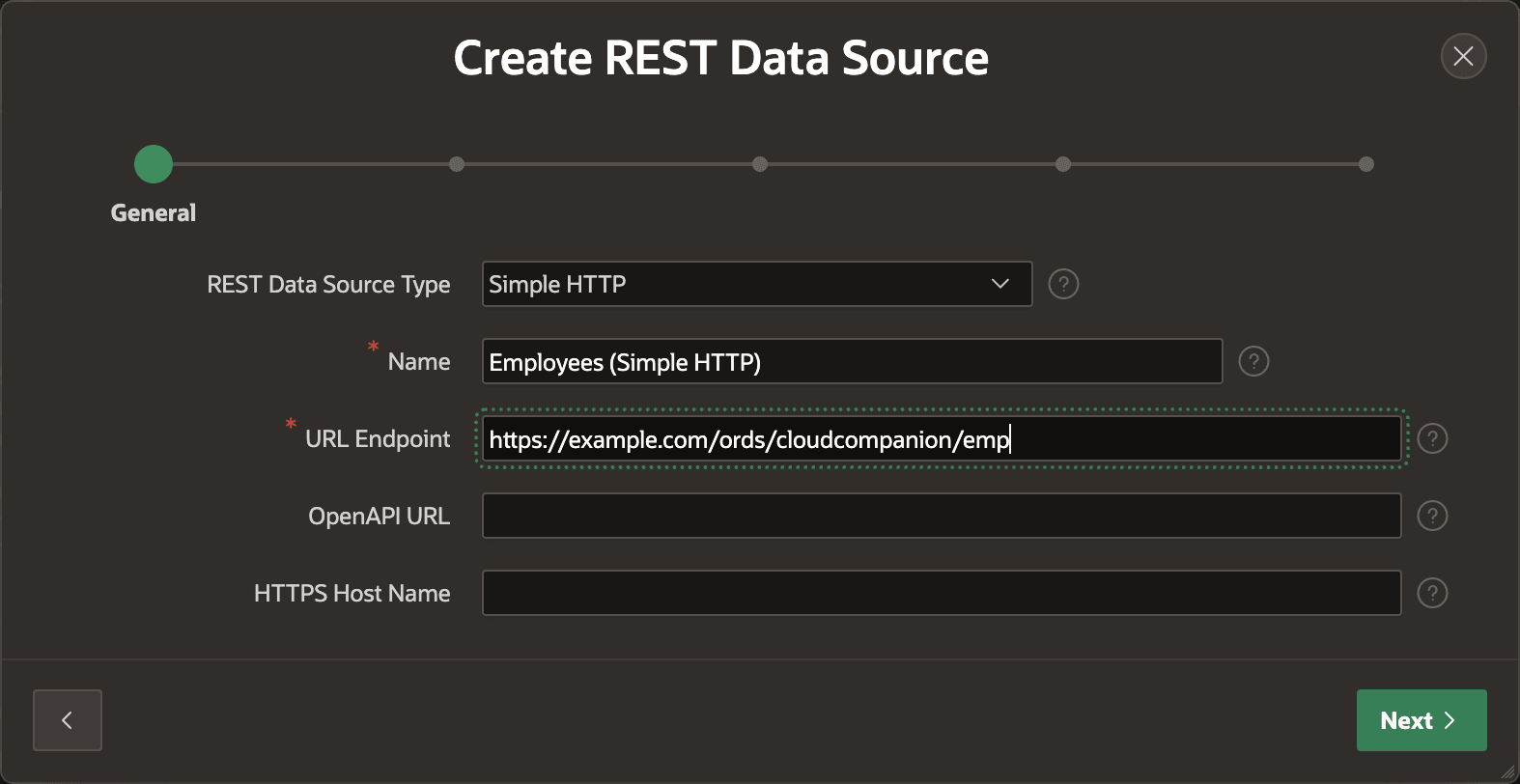
more:$ curl -L "https://example.com/ords/cloudcompanion/emp?offset=2&limit=2"To create a REST Data Source to work with this API in your APEX application, as shown below, just use Create REST Data Source wizard from the Shared Components > REST Data Sources page. To get started, all you need to enter is the endpoint URL and proceed to the subsequent wizard steps.
Figure 13-5 Defining a New REST Data Source Using Its Endpoint URL
Parent topic: Using REST APIs as Data Sources