15.1.7.8 Using Translatable Text in JavaScript
Consider using a translatable Text Message when setting a dynamic dialog title from JavaScript.
app helper function "namespace" is available application-wide, your Employee Address modal drawer page's Page Load dynamic action can now set its dynamic title using the one-liner below:app.setDialogTitle('Address for Employee ' + $v('P60_ENAME'));However, if your application may ever need to be translated, rather than hard-coding
the dialog title text, use a shared component Text Message instead. For the
dialog title in this example, navigate to Shared Components
> Text Messages to create a translatable text message as
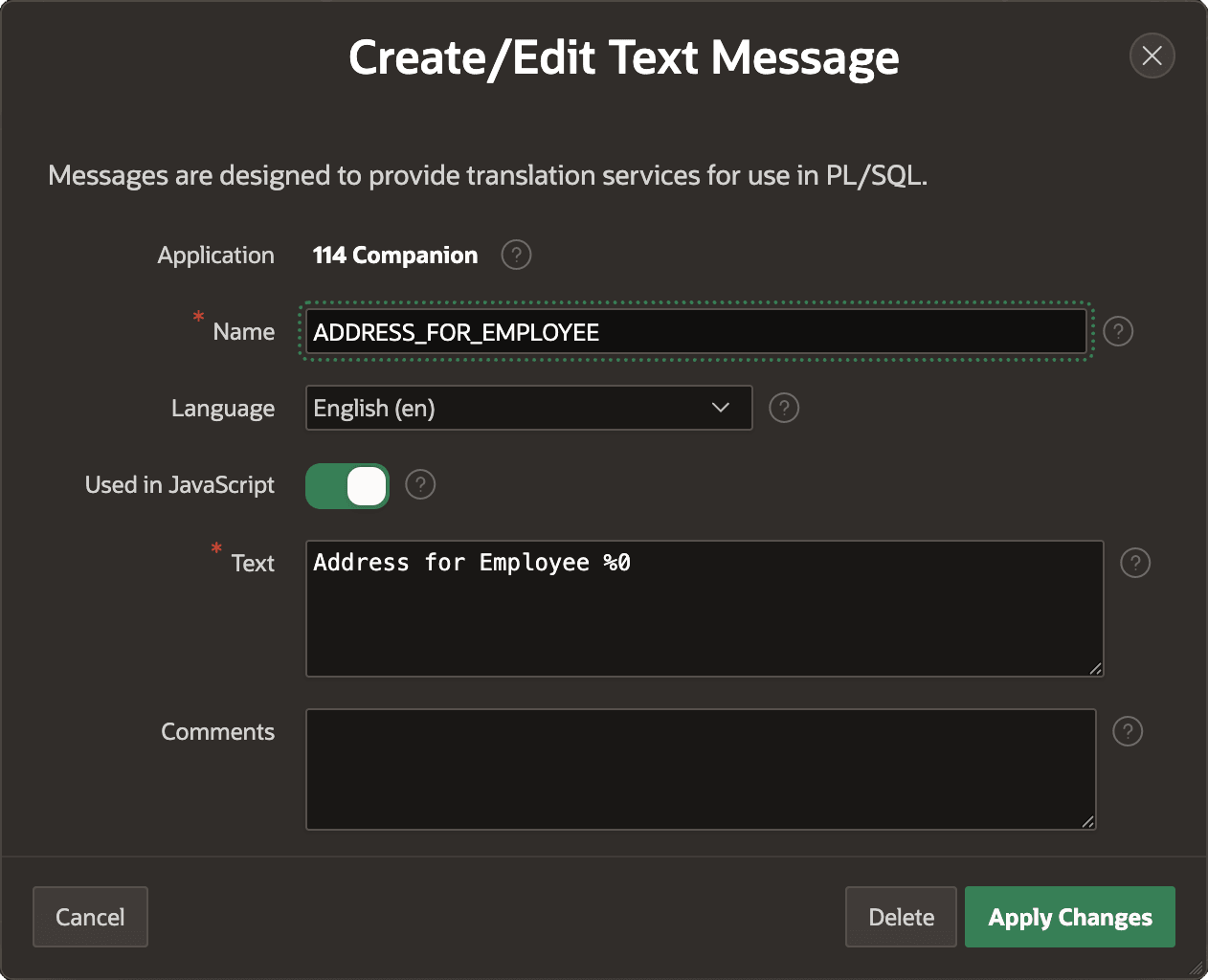
shown below with name ADDRESS_FOR_EMPLOYEE. Notice its corresponding
Text for the English (en) language is the following. It includes the
numbered parameter %0 as a placeholder.
Address for Employee %0Importantly, you enable the Used in JavaScript switch since your call to set
the dynamic dialog title happens in JavaScript. The figure shows the
Create/Edit Text Message dialog for the
ADDRESS_FOR_EMPLOYEE text message with this switch enabled.
Figure 15-26 Configuring a Translatable Text Message for Use in JavaScript
app.setDialogTitle(
    apex.lang.formatMessage(
        'ADDRESS_FOR_EMPLOYEE',
        apex.items.P60_ENAME.value));
Parent topic: Exploring Additional Page Features