16.5.1.1 Using Trigger Actions to Set Selected Job Info
Use triggered actions to set the selected primary key and refresh other regions when the user clicks a card.
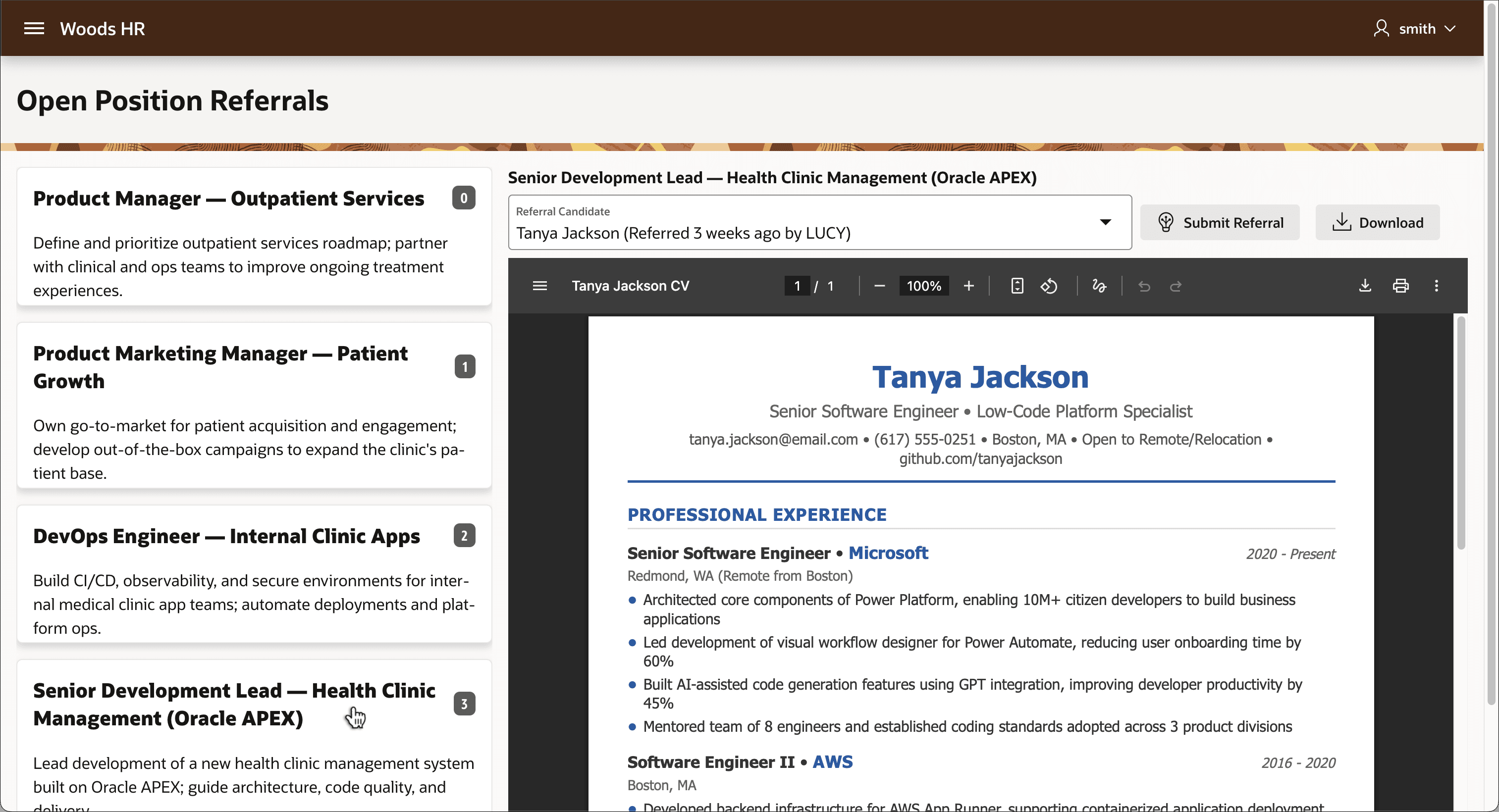
The open jobs appear on cards along the left side of the page as shown below. The small "badge" on each card reflects the count of existing referrals employees have submitted for that job. Clicking on a card sets the current job ID and updates the right side of the page based on how many referrals the selected job has. For example, the Senior Development Lead job has 3 referrals, so the right side updates to show the selected job title, a Referral Candidate Select List, a (Submit Referral) button, and a (Download) button. An inline preview of the selected referral candidate's CV also appears.
Figure 16-40 Selecting an Open Job Card with Existing Referrals
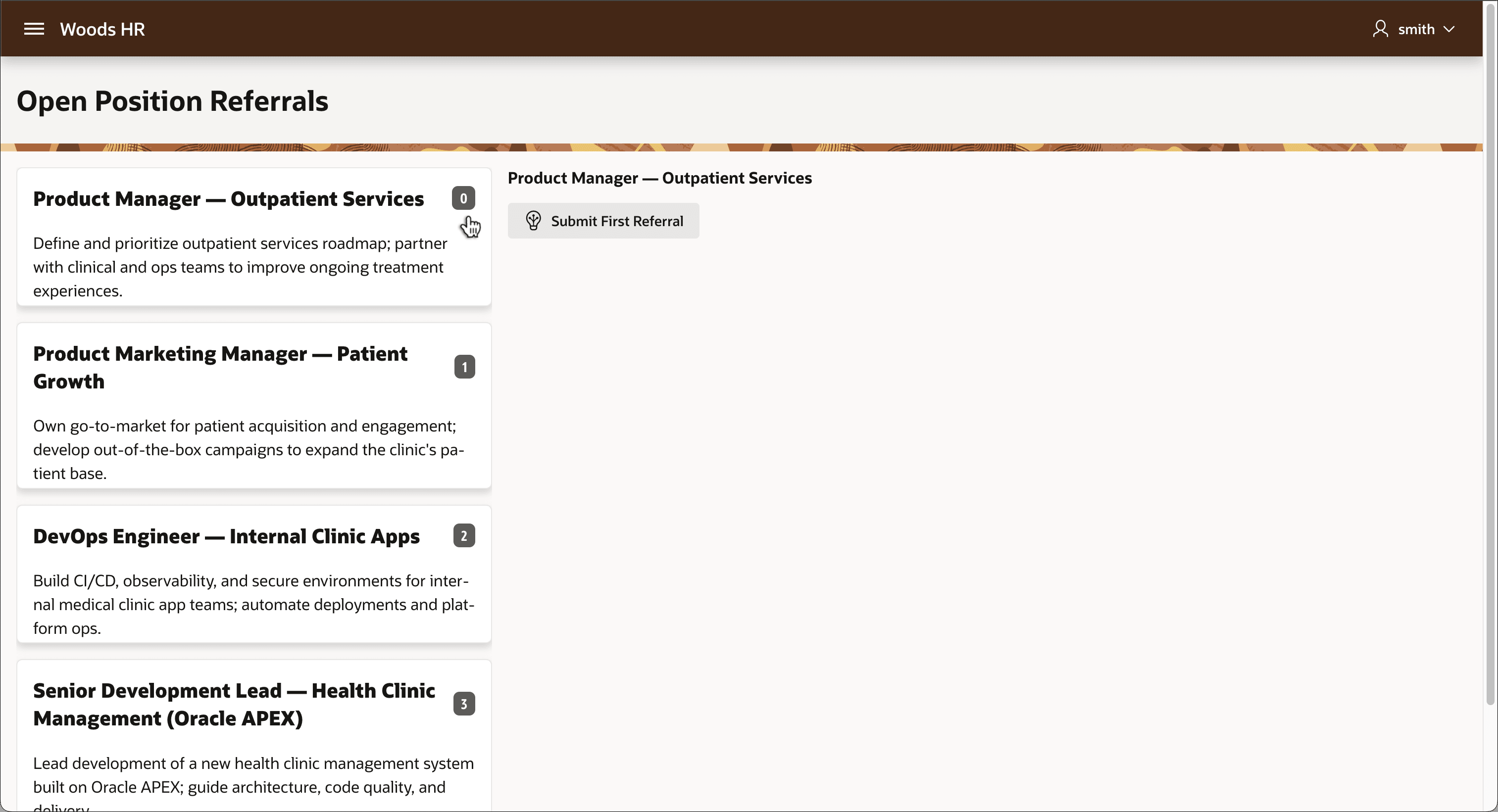
When clicking on a job card like Product Manager - Outpatient Services with no referrals yet, the right side updates as seen below to show the selected job title and a (Submit First Referral) button.
Figure 16-41 Selecting an Open Job with No Referrals Yet
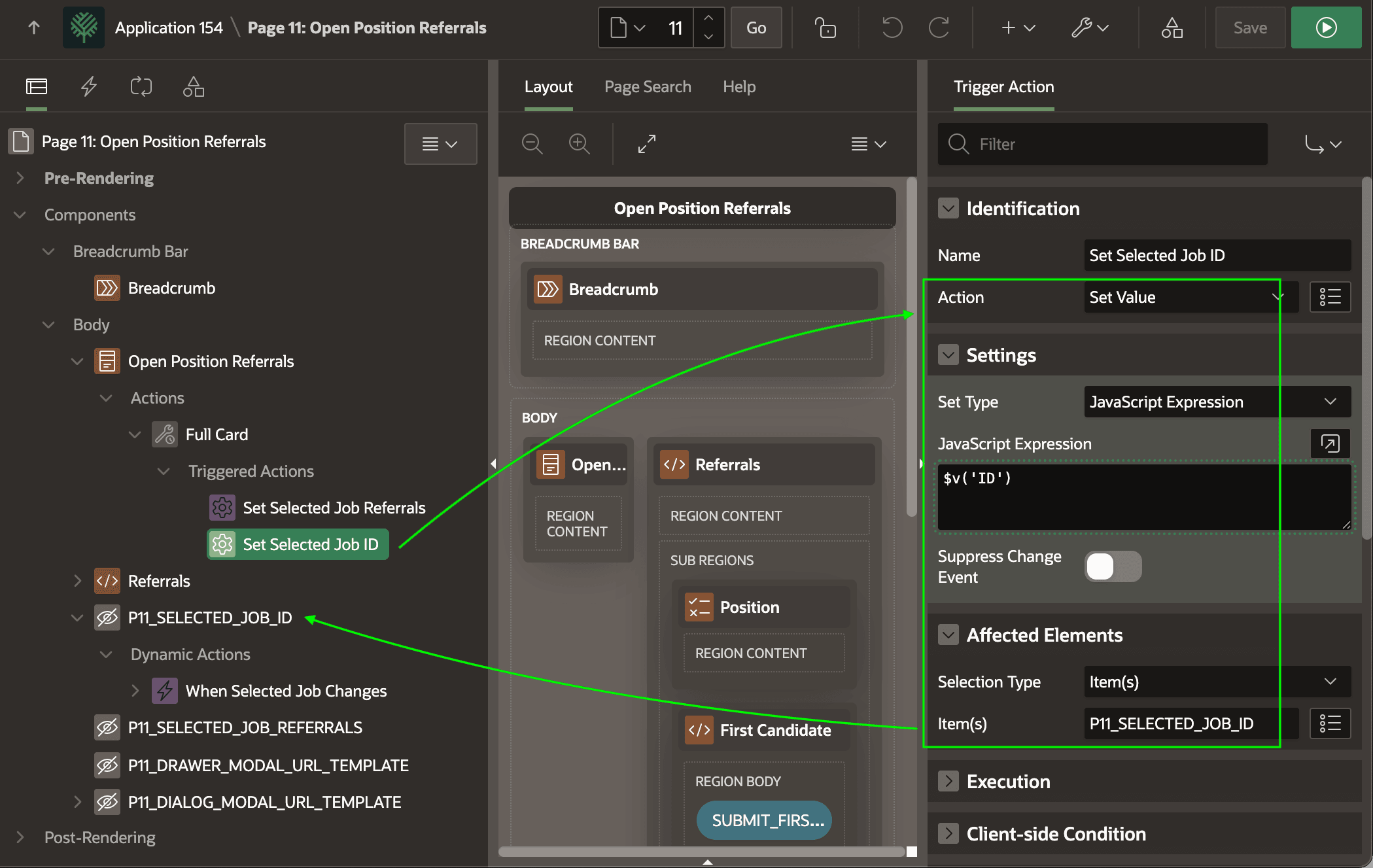
Declarative Trigger Actions set the value of the selected job's referral count and ID. As shown below, the Set Selected Job ID action step of type Set Value assigns the hidden page item P11_SELECTED_JOB_ID to the ID of the selected job using the JavaScript expression $v('ID'). The companion Set Selected Job Referrals action step does the same to set the hidden page item P11_SELECTED_JOB_REFERRALS page item to $v('REFERRALS') column value.
Figure 16-42 Full Card Action Sets Select Job Referral Count and ID
Parent topic: Selecting an Open Job to Add Referral