20.1.2.1 Validating By Returning True/False Result
Validate input with a PL/SQL expression that returns true
for valid data and false for invalid data.
The Error Message you configure on a PL/SQL Expression-type
validation shows if the expression evaluates to false. A validation
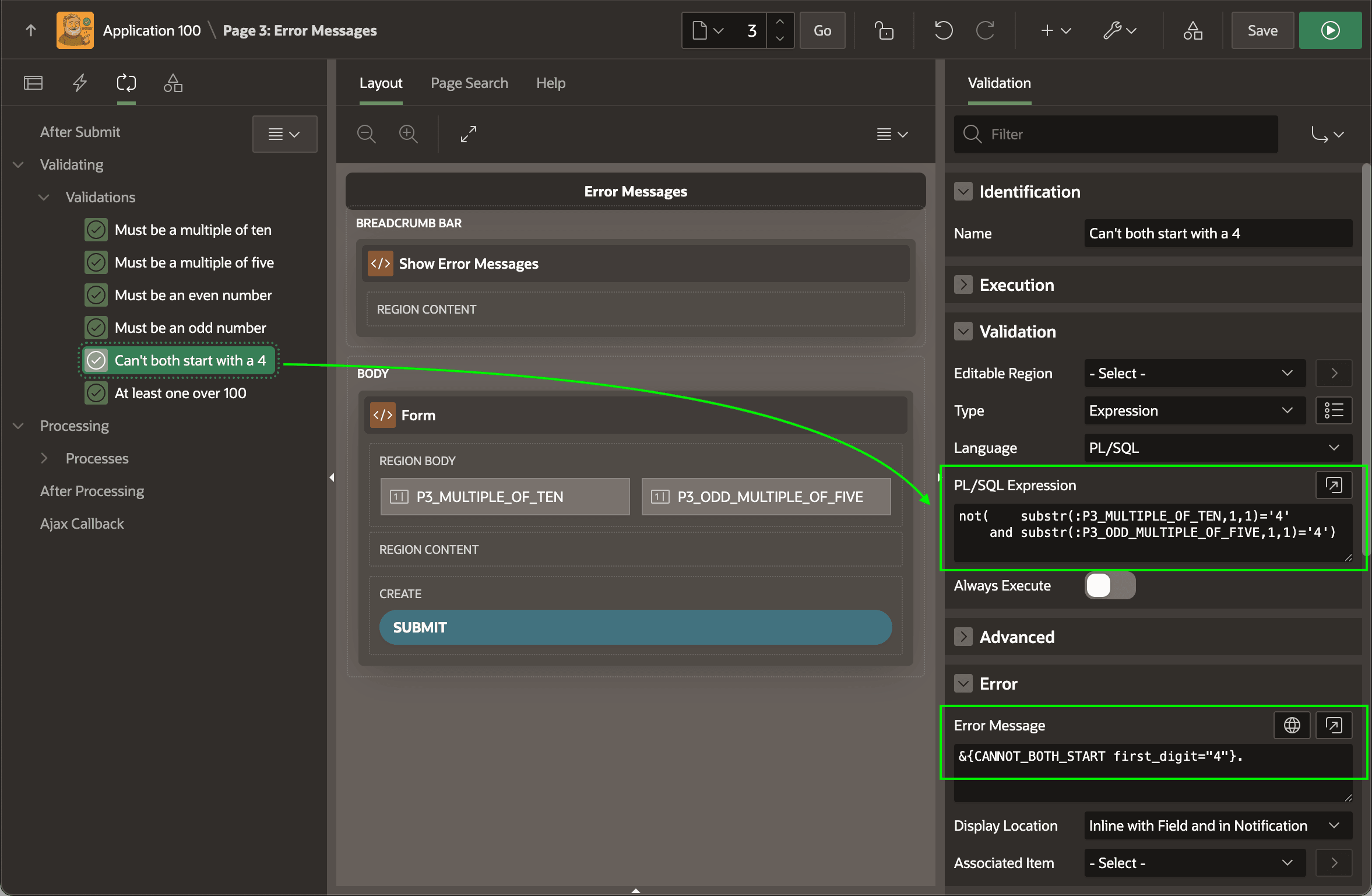
named Can't both start with a 4 uses the expression below. You can read it:
- the data is valid if it's "not the case that both page items' first character is a
4"
not(    substr(:P3_MULTIPLE_OF_TEN,1,1)      = '4'
    and substr(:P3_ODD_MULTIPLE_OF_FIVE,1,1) = '4')
Tip:
Logically, this is identical to the alternative expression below that you can read:
- the data is valid "if either one has a first character that's not equal to
4":
   substr(:P3_MULTIPLE_OF_TEN,1,1)      != '4'
or substr(:P3_ODD_MULTIPLE_OF_FIVE,1,1) != '4'CANNOT_BOTH_START has a single placeholder named first_digit:Cannot both start with a %first_digit4 for the named placeholder:&{CANNOT_BOTH_START first_digit="4"}.The figure shows the Can't both start with a 4 validation selected
in the processing tree and highlights the PL/SQL Expression it
uses to test validity as well as the Error Message configured to
display when the validation fails by evaluating to false.
Figure 20-5 Error Message Displays When Expression Evaluates to False
Parent topic: Using Validations for Multiple Errors