20.1.2 Using Validations for Multiple Errors
All validation errors show at once so users can review and fix them in one step.
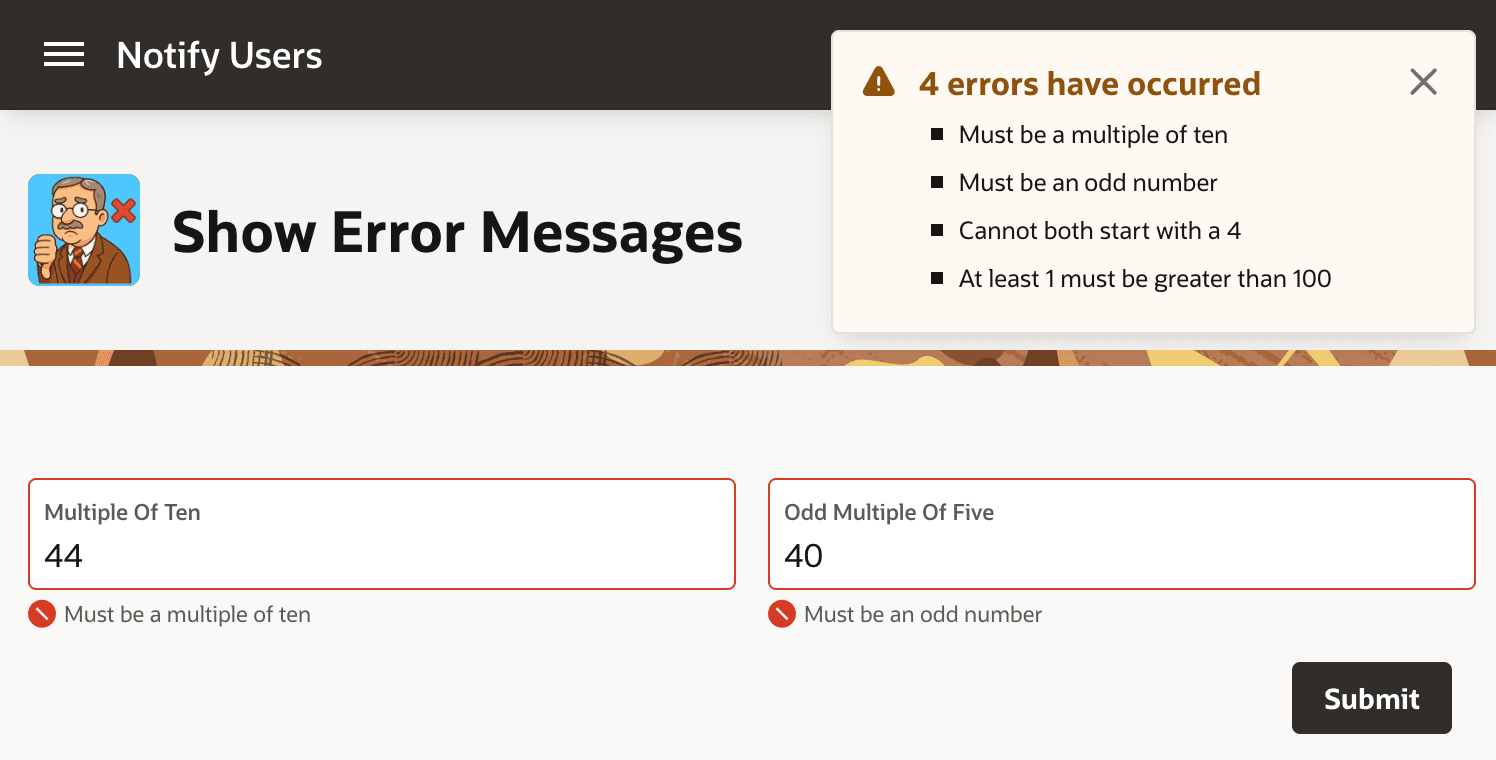
All failed validations automatically display as shown below. You can associate
field-specific validations with the relevant page item, and configure them to show
inline with the field. Validation error messages with no specific field show in the
notification area. The figure shows a page with two number input fields
Multiple of Ten and Odd Multiple of
Five. The user has entered
44 in the
Multiple of Ten field, and 40 in the
Odd Multiple of Five one and clicked
(Submit). A field-specific validation error message shows
just below each field. Four error messages display in the error notification area as a
bulleted list:
- Must be a multiple of ten
- Must be an odd number
- Cannot both start with a 4
- At least 1 must be greater than 100
Figure 20-4 All Failed Validation Error Messages Display on Submit
- Validating By Returning True/False Result
Validate input with a PL/SQL expression that returnstruefor valid data andfalsefor invalid data. - Validating By Returning Error Text
Validate input with a function body that returns null for success or error text for failure.
Parent topic: Displaying Success and Error Messages