19.2.7 Viewing the Automation Log
Use the Execution Log tab of the Automations list to review recent runs.
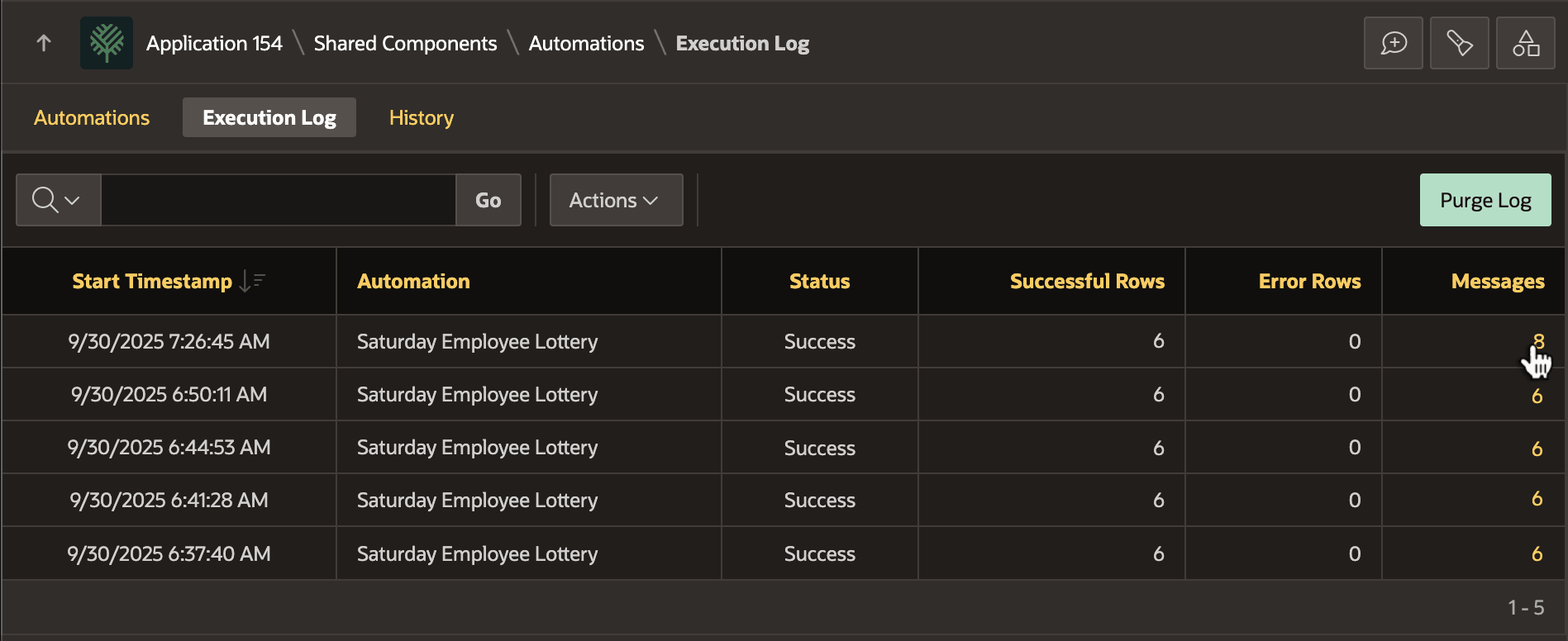
As shown below, click on the count in the Messages column to review log messages for that run. The figure shows the Execution Log tab of the Automations page under Shared Components. It lists recent automation runs, how many rows were processed, and provides a link to view automation messages written to the log during each run.
Figure 19-9 Viewing the Automation Execution Log List
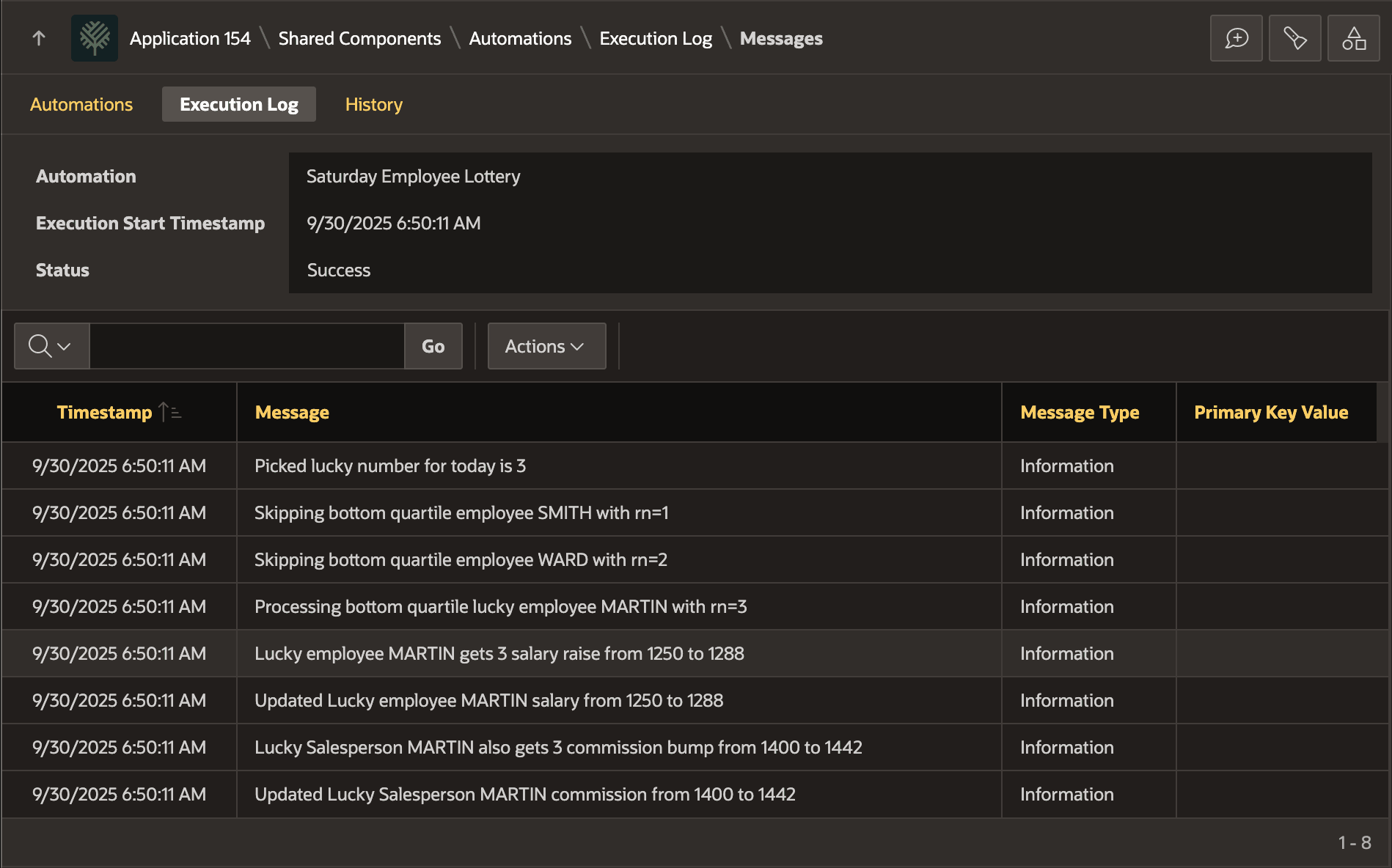
In the Messages page, you can inspect them, sort them, and download them to any of the formats an Interactive Report supports. The figure shows the Messages page you visit when clicking on a particular automation run. Logged messages display in an Interactive Report.
Figure 19-10 Inspecting Automation Execution Log Messages
Parent topic: Exploring an Automation Example