25.2.6.9 Waiting Until Patient Completes Profile
Wait for the approved patient to complete portal registration before the workflow continues.
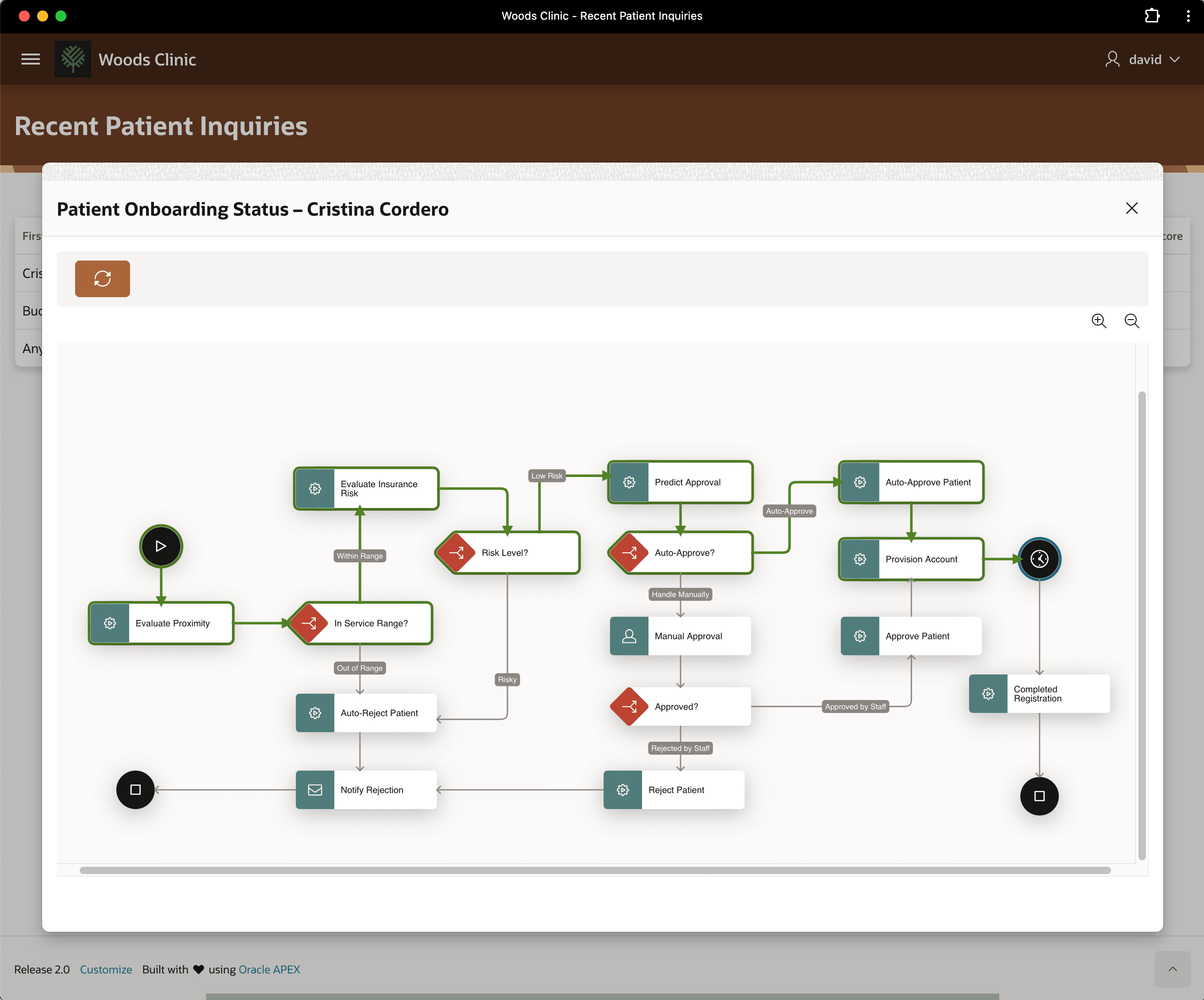
As shown below, patient Cristina Cordero's request is waiting for her to provide her date
of birth and proof of insurance on the portal. The diagram show the activity path the
workflow took to get to this moment:
- Evaluate Proximity and In Service Range? determined she was within range
- Evaluate Insurance Risk and Risk Level? determined her insurance was low risk
- Predict Approval and Auto-Approve? approved her based on historical data
- Provision Account set up her account and mailed her initial credentials for registration.
Now it's clear in the diagram that the Patient Onboarding workflow for Cristina Cordero is waiting for her to complete her registration, before proceeding on to the last leg of the "journey": marking her registration as completed.
Figure 25-103 Cristina Cordero's Request Was Auto-Approved and Is Now Waiting
- Waiting Indefinitely for a Custom Signal
Use a Wait activity without a timeout to pause until custom application logic continues it. - Completing the New Patient Profile
Complete portal registration by entering birth date and insurance details. - Signaling the Workflow to Continue
Save the patient’s registration data and signal the waiting workflow to continue. - Understanding Onboarding is Complete
Confirm that completing registration updates the portal and finishes the onboarding workflow.
Parent topic: Building Patient Onboarding Visually