2.5.1 Accessing App Builder
Access App Builder by selecting App Builder on the Workspace home page.
To access App Builder:
- On the Workspace home page, select App Builder.
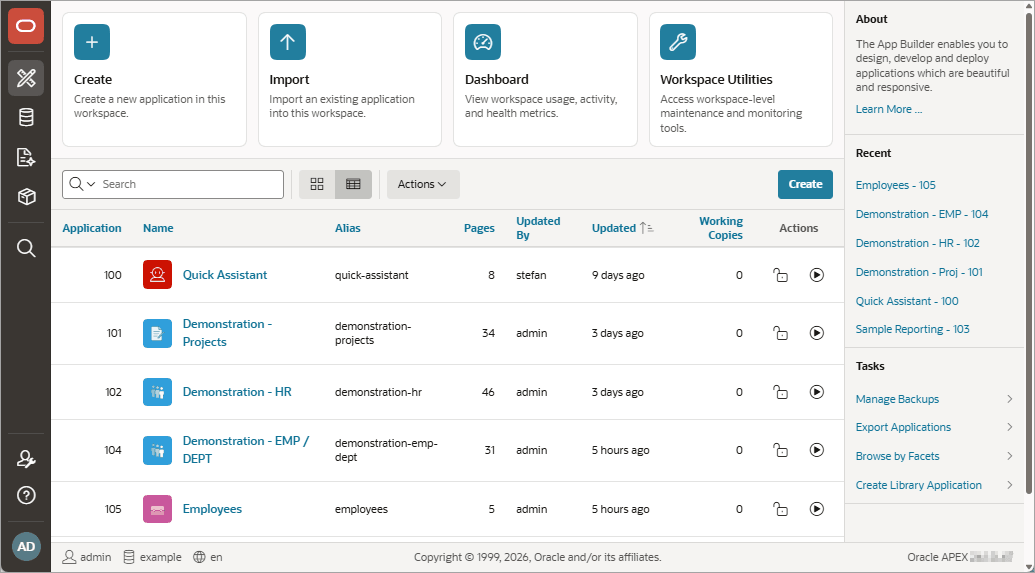
The App Builder home page appears.
Use the App Builder home page create new applications, select an application to edit, import previously exported applications, view the Dashboard, or access workspace utilities. In the above image, currently installed applications display as report.
Tip:
In a new workspace, the bottom of the page displays two additional regions. Click Create a New App to access the Create Application Wizard and create a new application. Click Install a Starter or Sample App to access the Gallery and install sample apps, plug-ins, and pre-built apps you can use as is or customize.
Related Topics
Parent topic: Understanding App Builder