Connection Details
This topic provides an overview of the general settings of a database connection.
Once a database connection is successfully established, you can configure other details of that connection from the DB Navigator - Settings window> Connection > Details tab.
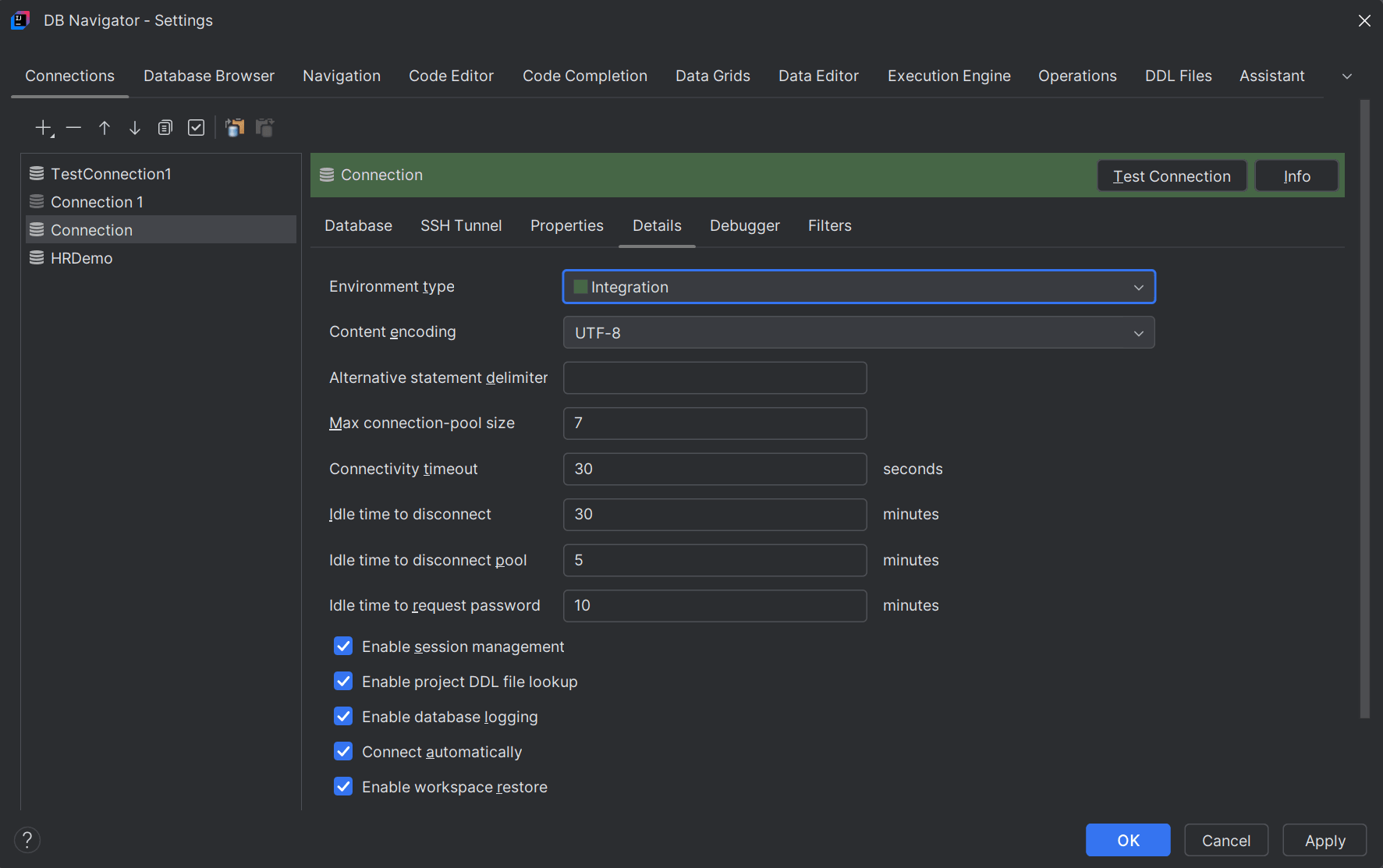
Few connection initialization settings include:
- Specifying the database environment (Development/Integration/Production/Other)
- Content encoding
- Setting the maximum connection pool size or the cache of database connections (that can be reused) at a given time
- Configuring the time duration (in seconds) after which an active connection should get closed.
- Configuring the time duration (in seconds) after which an idle connection (with no activity) should get closed.
- Configuring the time duration (in seconds) after which user credentials (password) to reconnect to the DB is prompted.
- Enabling connection session management
- Enabling log creation for DB events
- Enabling auto-connection to databases that are already successfully connected (every time you open the IDE instance)
- Enabling restoration of workspaces through backups
- Enabling DDL file lookup for DB objects and creating or attaching DDL files to data source
Parent topic: Database Configuration