Database Objects
This topic provides an overview of database objects that can be viewed in the DB Browser window.
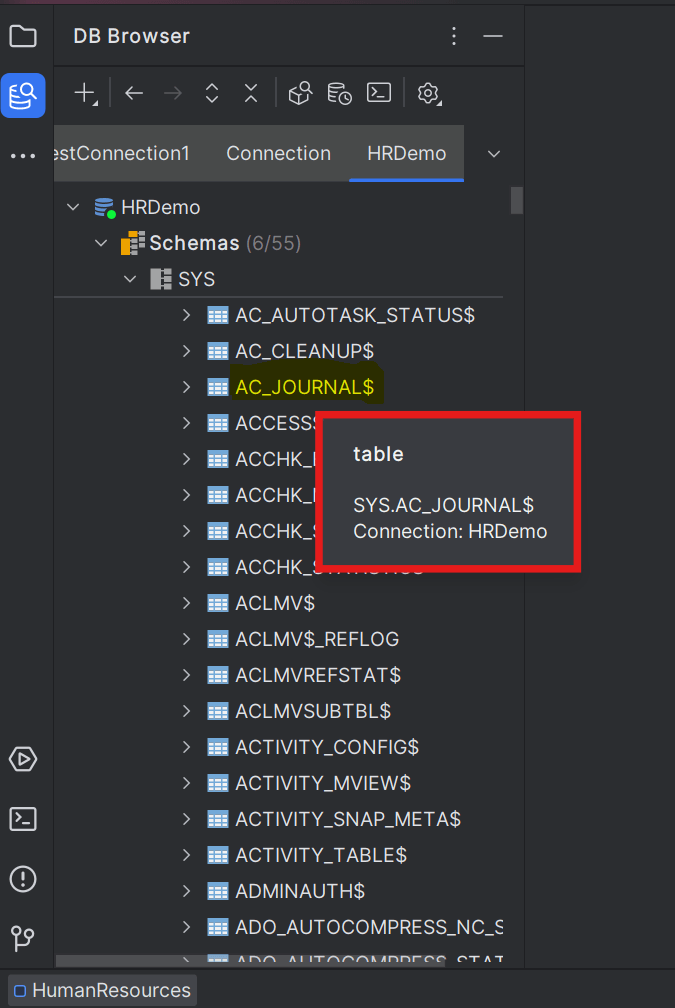
The Database Browser window displays the hierarchical structure of database objects for every individual connection. You can filter and select the type of database objects you want to view in the database structure from Database Browser settings.

Database object types that can be viewed are as follows:
- Consoles
- Schemas
- Tables
- Columns
- Constraints
- Indexes
- Triggers
- Nested Tables
- Views
- Columns
- Constraints
- Triggers
- Json views
- Materialized views
- Columns
- Constraints
- Indexes
- Triggers
- Synonyms
- Sequences
- Procedures
- Arguments
- Functions
- Arguments
- Packages
- Procedures
- Functions
- Types
- Types
- Attributes
- Procedure
- Functions
- Java classes
- Fields
- Methods
- Inner Classes
- Triggers
- Java resources
- Dimensions
- Clusters
- Database links
- Credentials
- AI Profiles
- Tables
- Users
- Roles
- System privileges
- Charsets
You can set the maximum Navigation History Size to view items at a time in the DB tree structure. Selecting or hovering the cursor over a database object in the browser displays its details in the object details widget below. You can enable/disable this widget setting using the DB Navigator - Settings window > Database Browser > Show detailed object information check box.
- Creating Global Filters for Data Objects
This topic explains filtering data object types in the DB Browser window. - Default Editor Views for Object Types
This topic describes the viewing modes available for different object types.
Parent topic: Database Browser