DDL File Management
This topic explains configuration and synchronization of DDL script files.
Oracle® Database Navigator allows you to view and synchronize DDL files used in the creation and modification of the database objects in the schema. To manage the DDL files in your projects, from the Main menu of the Oracle® Database Navigator toolbar, select DB Navigator > Settings > DDL Files tab.
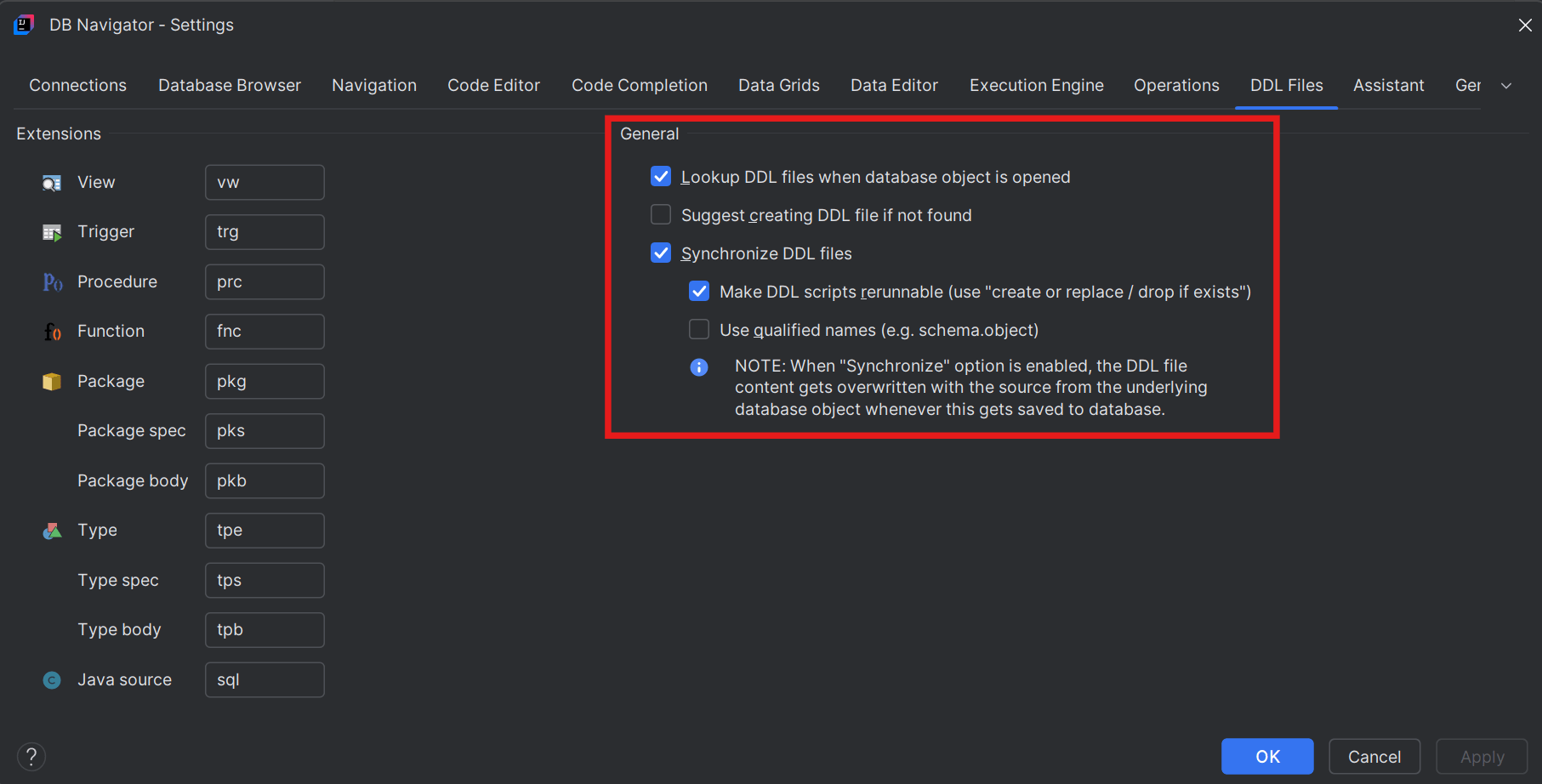
You can configure the following on the DDL Files settings window:
- File extensions for all data objects (such as Views, Functions, Procedures, Packages, etc.) that use DDL files for data interpretation.
- Extraction of DDL file(s) if associated with a data object
- Creation of DDL file and associate it with the corresponding data object (if attached DDL is not found)
- Synchronization of DDL files by:
- re-running of DDL scripts in the SQL editor and/or
- using qualified names for the database objects
Parent topic: Workspace Integration