Enabling Notification for Data Change
This topic describes the procedure for enabling/disabling notifications for data change operations that occur in database tables.
Enabling notifications for a database table to capture the events triggered by activities such as insertion, modification, and deletion requires creating a listener to that table. You must have required system privileges to enable notifications on a DB table.
To enable notifications for data change in DB tables:
- Open the database schema in the DB Browser window and right-click the database table for which you want to enable the data change notification.
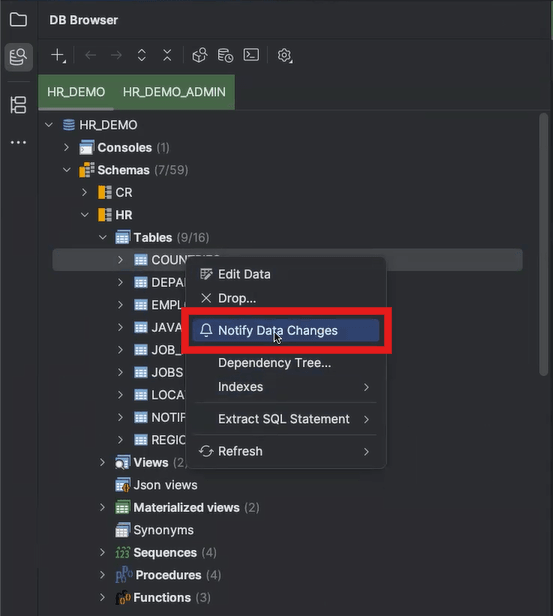
- From the context menu select the Notify Data Change option. The DB Navigator - Event Listener Registration dialog box opens.

The listener can be registered only for one database table at a given time.
- Click OK.
A new listener registration is successfully created, and its corresponding details is displayed on the Registration tab of the DB Events window.
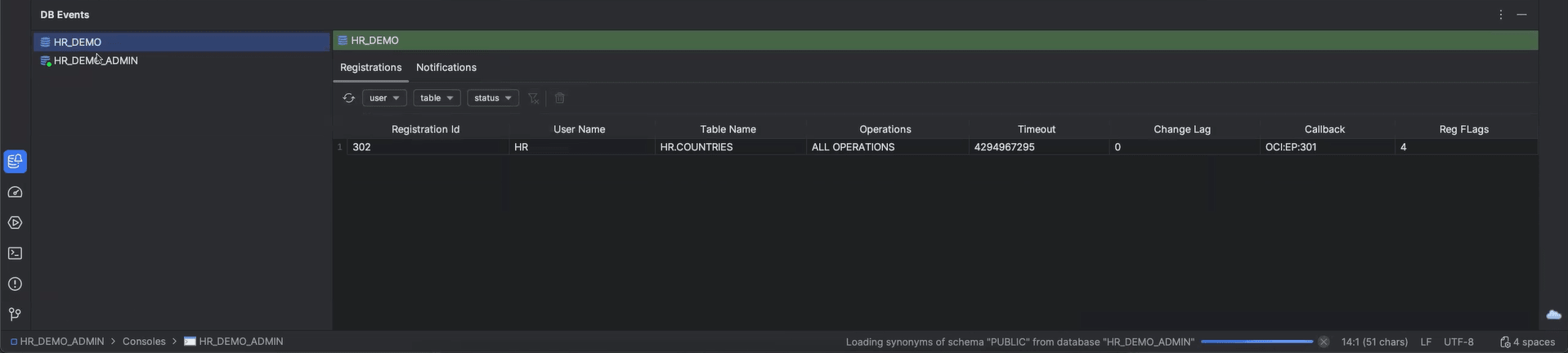 Events corresponding to every data change that takes place in the DB table whenever any one of the selected operations is performed now gets monitored. The Notifications tab of the DB Events window lists the notifications for all such events.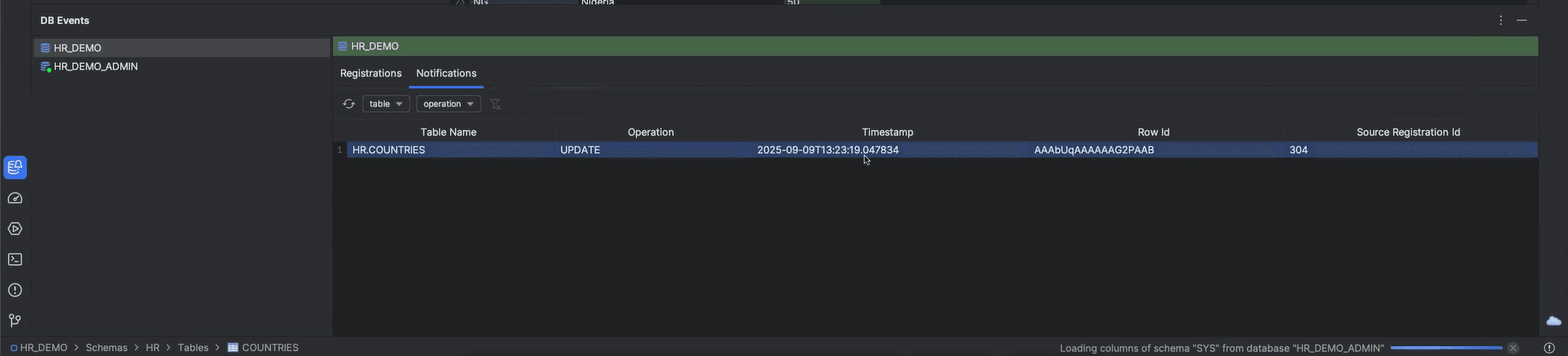
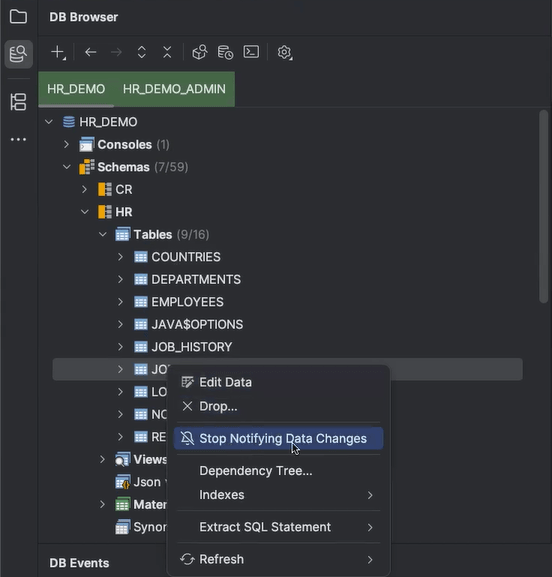
To stop the notifications, from the context menu of the database table where notification are currently enabled, select the Stop Notifying Data Changes option.
In case, sufficient privileges are not met for creating a listener registration for the DB table, the DB Navigator - Missing Prerequisites dialog opens when you select the Notify Data Change option for that table.
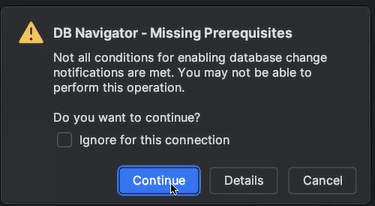
If you click Continue, the "Pre-requisite resolution" is presented in the DB Navigator - Prerequisites Verification dialog box.
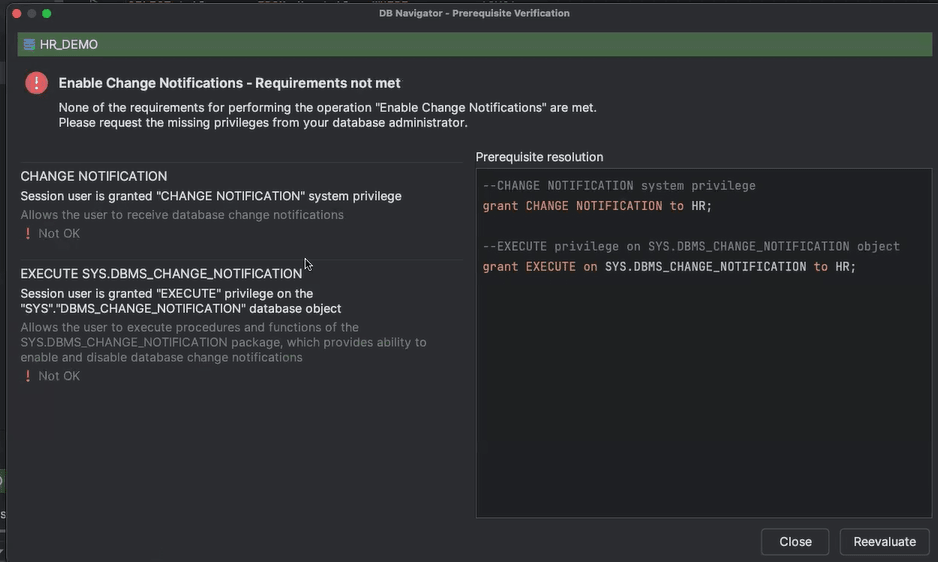
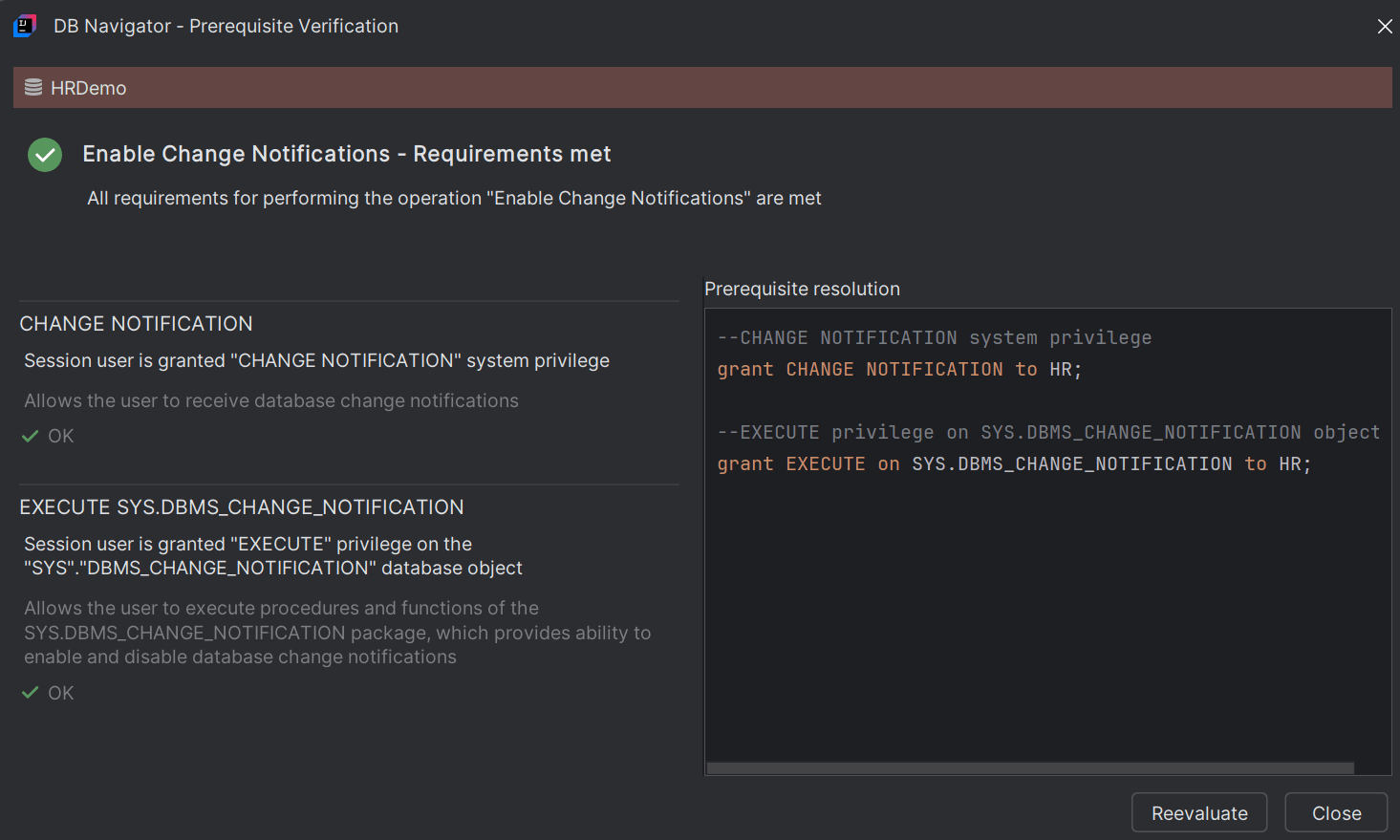
The mentioned privileges must be provided to the user by the database administrator for a database connection before proceeding with the creation of a listener registration. If all the requirements are met, the same is displayed on the Prerequisite Verification dialog box.
Parent topic: Events Monitor