Transaction Handling
This topic describes handling any open or uncommitted database transaction.
Oracle® Database Navigator allows you to handle multiple open transactions and uncommitted changes through the Transaction Manager. You can commit changes to the database using the following two modes:
- Auto-Commit mode - In this mode the uncommitted changes are immediately transferred to the database after the transactions are executed, without the need of any manual commits
- Manual Commit mode - In this mode you can commit or rollback changes manually after reviewing those changes
To configure the Transaction Manager settings, from the Main menu of Oracle® Database Navigator, select DB Navigator > Settings > Operations tab.
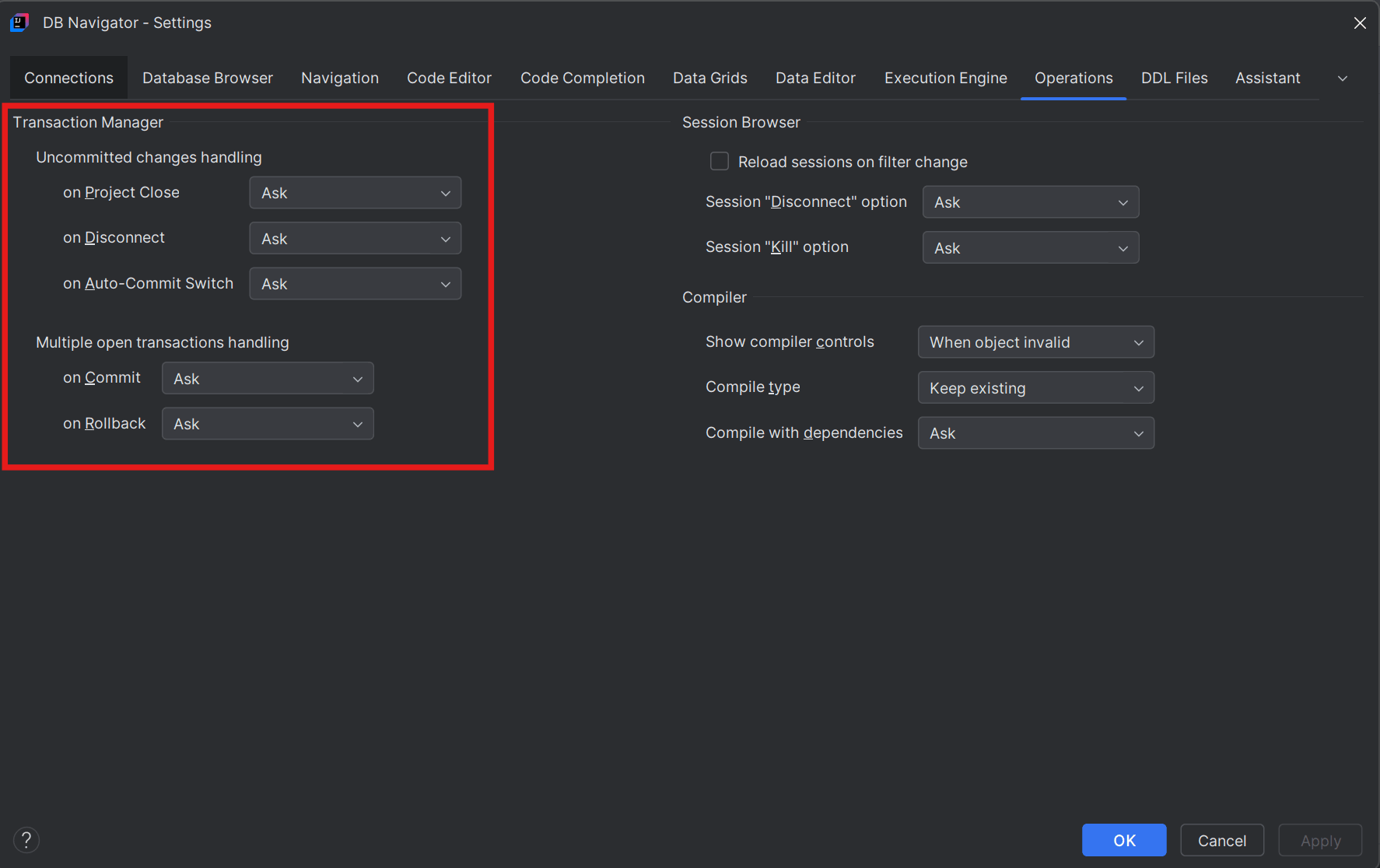
You can control the following from the Transaction Manager settings section.
Handle uncommitted changes when:
- you close a project
- the database session is disconnected
- you switch from manual mode to auto-commit mode
Handle multiple open transactions when:
- you try to commit multiple open transaction
- you try to roll back multiple open transactions
For any of the above-mentioned scenarios, you can set the configurations to one of the following:
| Options | Description |
|---|---|
| Ask | A confirmation message is displayed for committing the changes into the database. If you confirm the changes are committed immediately without you to do any manual commits or review the changes. |
| Commit | Uncommitted changes are immediately transferred to the database. Not applicable if you try to rollback multiple uncommitted changes. |
| Rollback | Uncommitted changes are rolled back automatically and not transferred to the database. Not applicable if you try to commit multiple uncommitted changes. |
| Review Changes | Uncommitted changes are displayed for you to review them before you manually commit those changes. |
Parent topic: Transaction Management