Resource Monitor
This topic describes the usage of resource monitor in the Database Navigator plug-in.
The Resource Monitor displays information about resource allocation of database sessions and all the open or uncommitted transactions (on any open cursor) in those sessions. Database sessions are isolated instances of a database connection that are assigned to active transactions. Based on your user privileges, you can either view only the session(s) to which you have access or all/multiple sessions in the database connection.
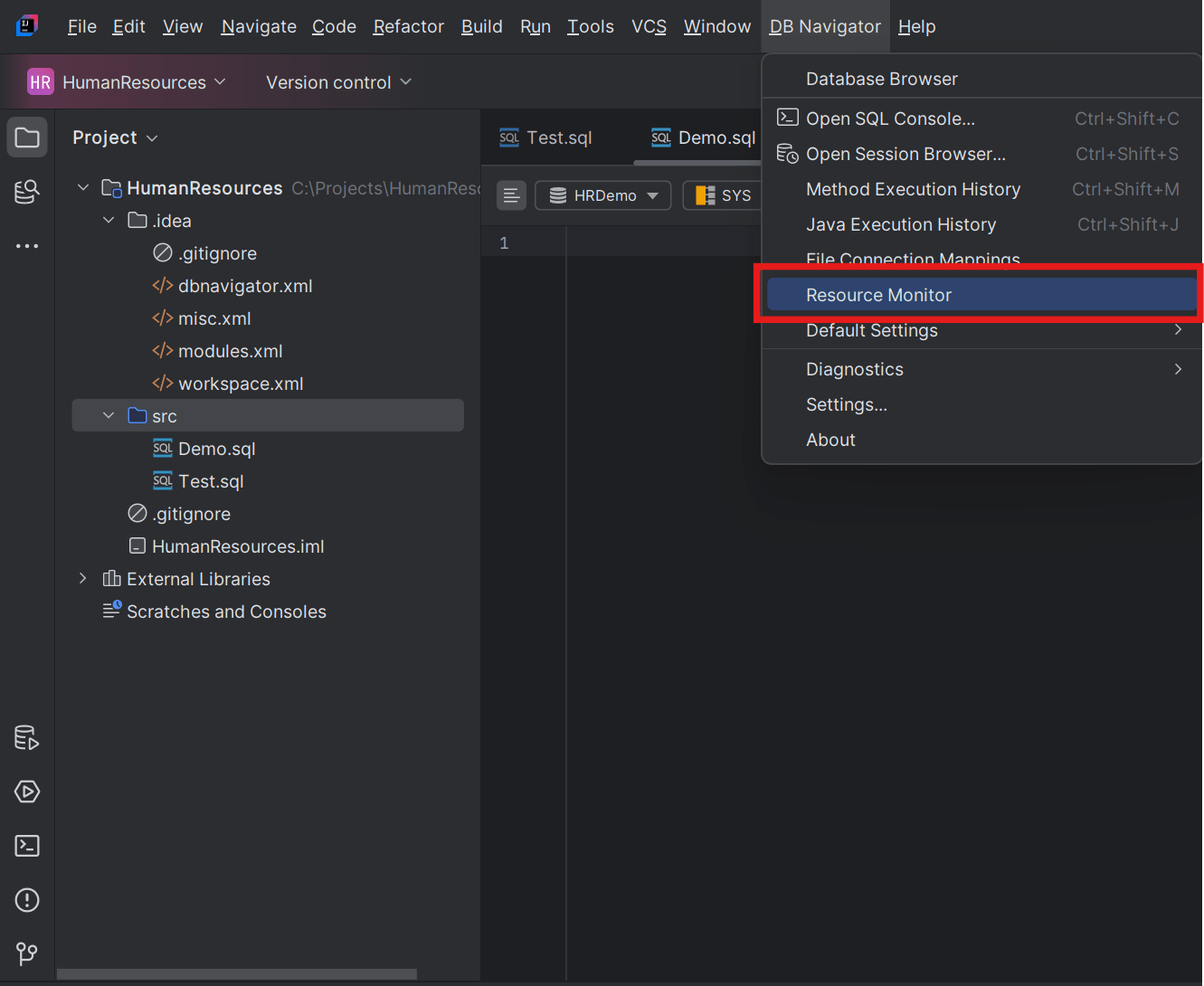
To access the Resource Monitor window, from the Main menu of Oracle® Database Navigator toolbar, select DB Navigator > Resource Monitor.
The DB Navigator - Resource Monitor window opens listing all the connected databases and their corresponding active sessions with open transactions.
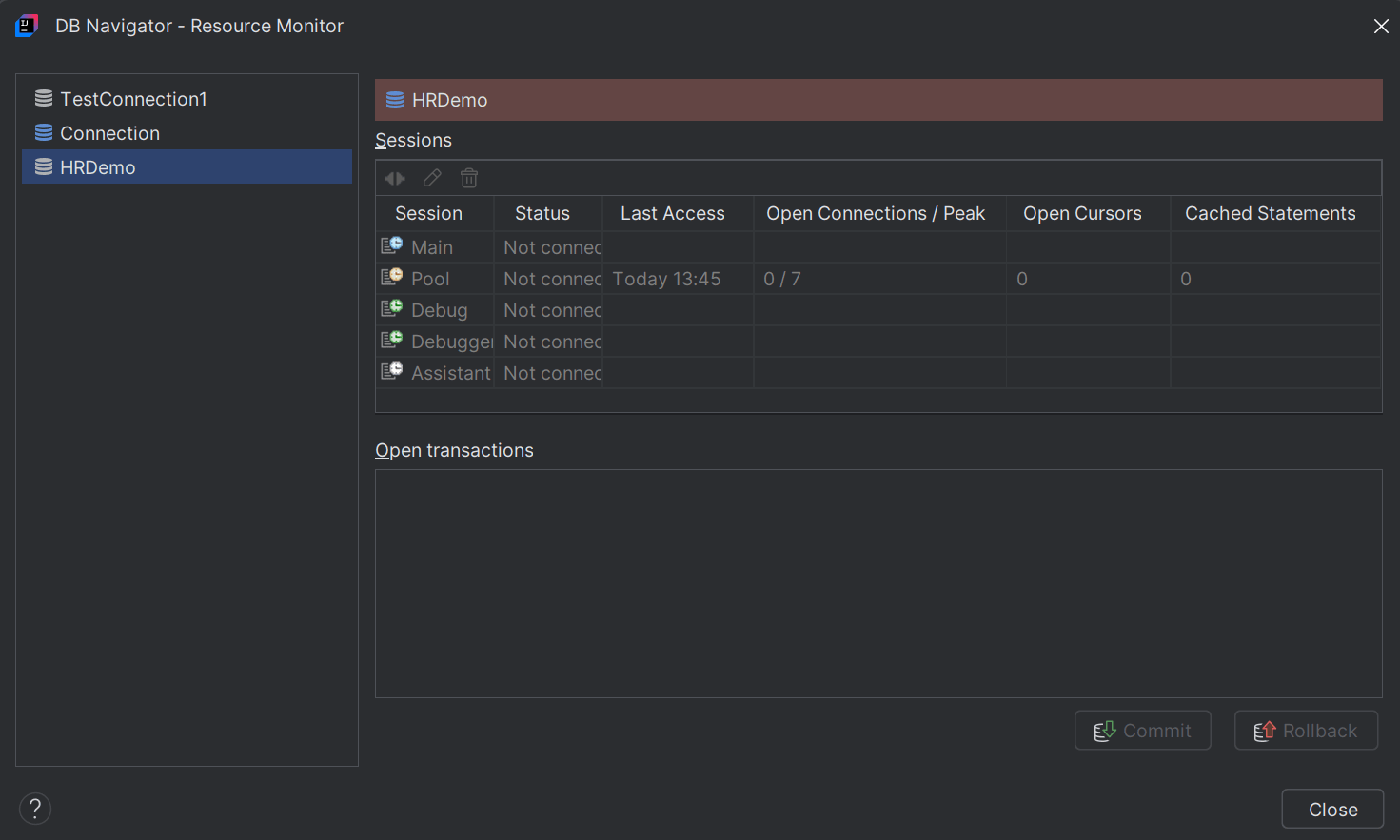
| Database Sessions | Description |
|---|---|
| Main | The Main session is a dedicated workspace (in logical context) within the database connection that is used for handling read/write operations such as querying, updating or managing data in the database. The Main session begins when the database is connected and ends when the database is disconnected. |
| Pool | Used for background tasks (read-only) such as loading data dictionary for the DB connections. A Pool session is assigned to the transaction (or client) requesting for the DB connection for a specific duration, and after the transaction is complete the session is returned to the pool of open database connections. The maximum number of pool sessions (Peak) that the Database Navigator tool can access at a time is configurable from DB Navigator - Settings > Connections > Details tab > Max connection-pool size field, for that DB connection. |
| Debug | A Debug session (corresponding to the application or code/query/method being debugged) begins when the database connects to a debugging session running in the background and ends once the debugging is complete. |
| Debugger | This session corresponds to the debugger agent used to execute the debugging of the program/query. |
| Assistant | Used for the DB Assistant module of Oracle® Database Navigator (using Oracle Select AI features) as a reserved connection. This special session is accessed when you interact with the DB Assistant chat feature (Interactive) to query a data model using natural language prompts. For more information, see Use Select AI for Natural Language Interaction with your Database |
Parent topic: Transaction Management