Vector Database Tables
This topic provides an overview of vector embeddings stored in database tables.
Files uploaded as Data Source in the Vector Toolbox are first staged in a dedicated database file after which the Chunking Configurations are applied to the uploaded data. The chunked data is then processed using the set Embedding Model to generate the vector embeddings. Generated vector embeddings are stored in the database table as set in the Embedding Destination section.
You can access the table where the embeddings are stored, from the DB Browser window.
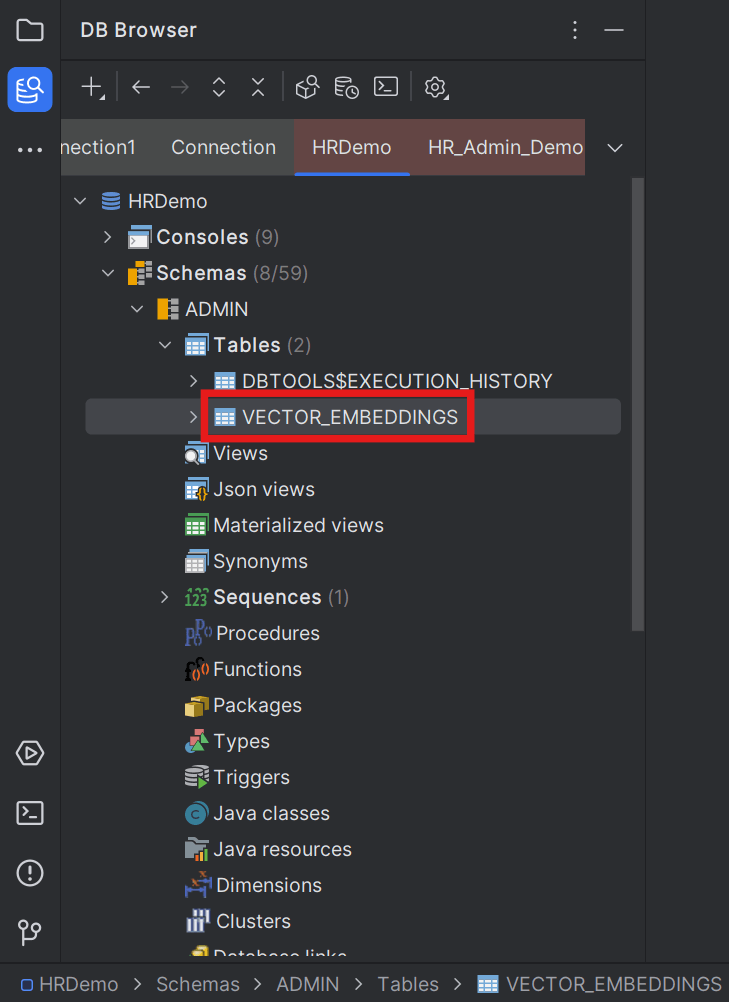
Open the table in Table Editor to view the generated Vector Embeddings.
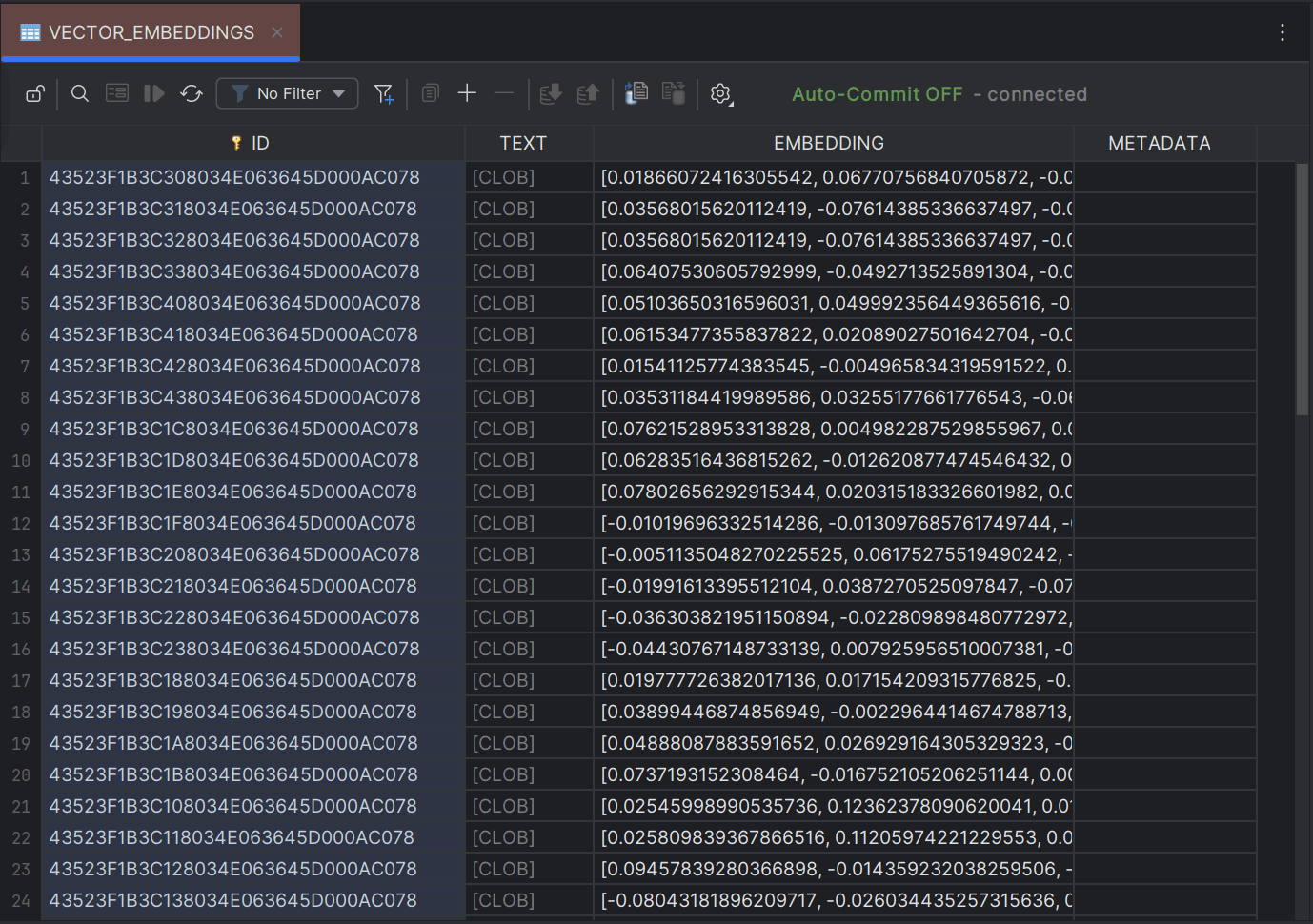
Note:
The column names can be customized from Vector Toolbox > Embedding Destination configuration.| Column | Description |
|---|---|
| ID | Contains the unique IDs corresponding to each vector embedding. |
| TEXT | Contains the chunks of raw data corresponding to the converted vector embedding. |
| EMBEDDING | Contains the converted vector embeddings of the source data as vector data type. Clicking any of the embedding prompts you to open the embedding in a separate editor window. |
| METADATA | Contains the metadata associated with the source data. Metadata information is available only when the source data is an external file and not when the source data is from database table. |
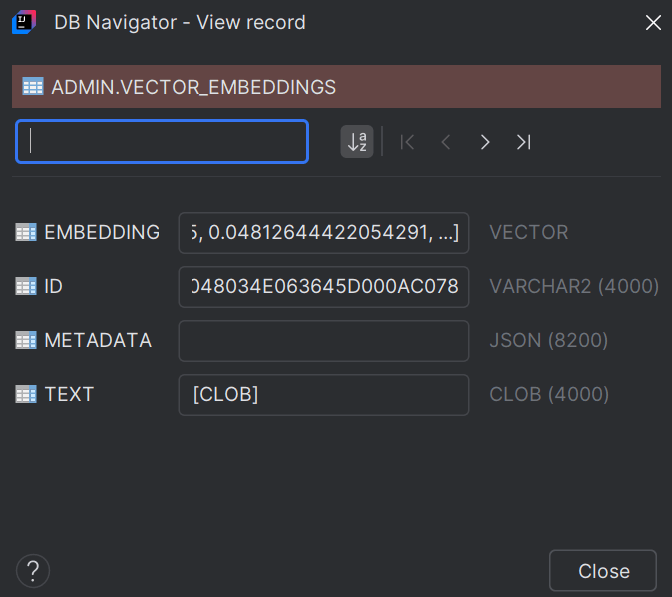
Clicking a record in any of the columns prompts you to open that record in a separate editor window. Double-clicking a record opens the DB Navigator - View Record dialog box with column details of the table (such as column names, column values, and column data type). You can navigate through the table records or filter and search for specific records from this dialog box.
- Vector Data Type Support
This topic provides an overview of Vector data types supported in Oracle® Database Navigator.
Parent topic: Vector Embeddings