Viewing Database Records

This topic describes the procedure for viewing database records and their details in the data viewer.

  1. Double-click the table cell in the Data Viewer window.
    The DB Navigator - View Record dialog box opens displaying the qualified name of the database object (table/view/materialized view) you selected.
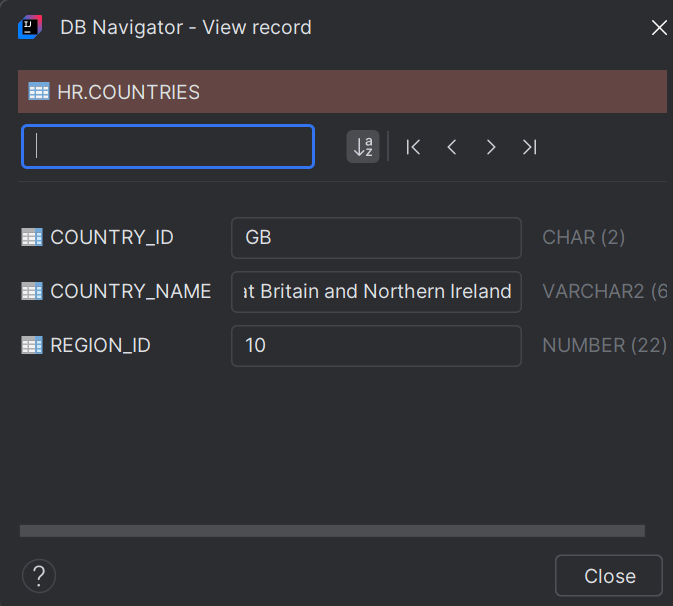

    View Record dialog box

  2. The following information is displayed in the dialog box:
    • Column Names
    • Record value for those columns
    • Character Types of the columns
    • Maximum character length of each column within parenthesis
  3. Use the search box to search for a specific record in the table.
  4. Navigate to the previous or next record, or to the first or last record of the table using the respective icons. You can also sort the table columns alphabetically.