MCP Server Build Project
This topic explains the components generated as a result of an MCP Server build.
Upon successful completion of the MCP Server build process, the builder generates a deployable MCP server project. The generated artifacts are stored in the output directory you specified during saving the MCP Server configurations. You can access the MCP server project folder under the Project directory of Database Navigator.
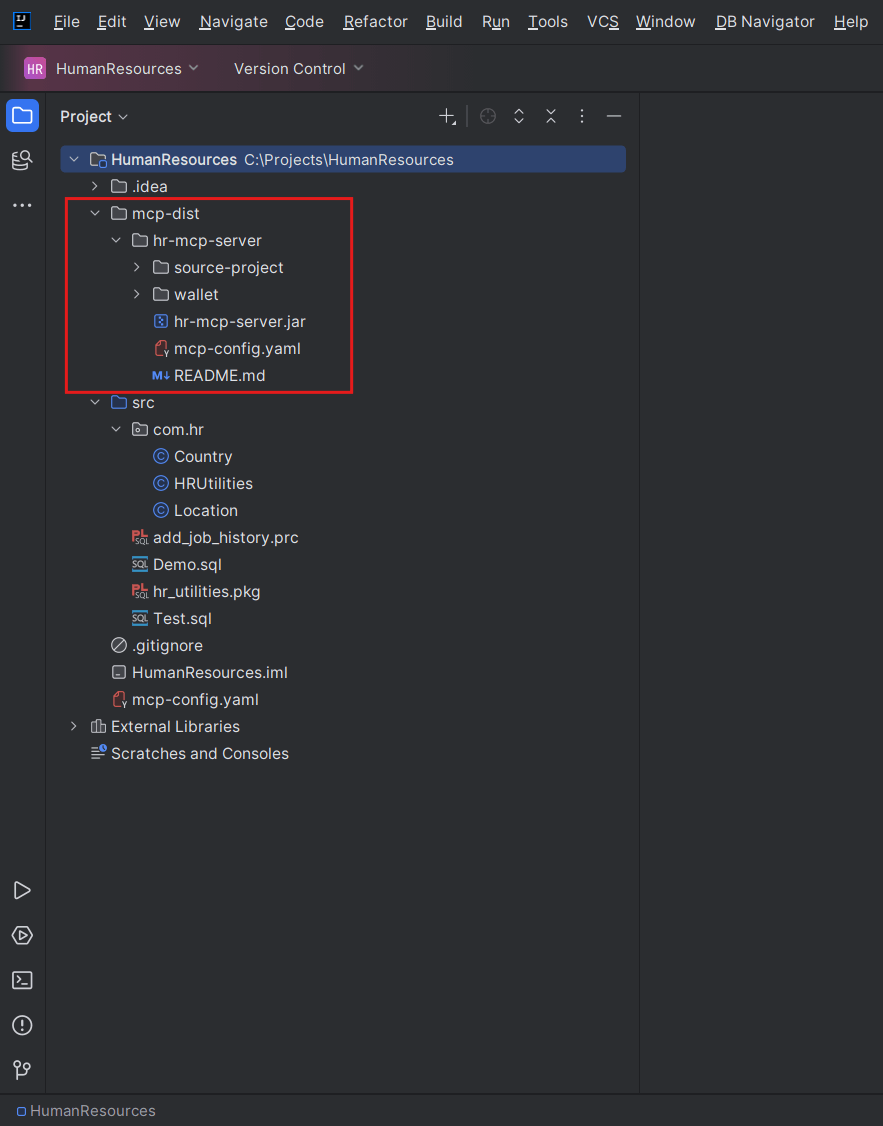
| MCP Build Output Component | Purpose | Location |
|---|---|---|
| Runnable JAR | Starts the generated MCP server. | <project>/mcp-dist/<server-name>/<server-name>.jar |
| Runtime Configuration | Contains transport, database URL, and tool definitions. | <project>/mcp-dist/<server-name>/mcp-config.yaml |
| Oracle wallet | Stores generated Oracle wallet credentials for the server runtime. | <project>/mcp-dist/<server-name>/wallet/ |
| Source project | Contains Maven project files and generated Java source for customization. | <project>/mcp-dist/<server-name>/source-project/ |
| README file | Documents run commands, client snippets, credential behavior, and customization. | <project>/mcp-dist/<server-name>/README.md |
Note:
By default, generated credentials are stored inwallet/. If direct credentials are added to mcp-config.yaml, treat the file as sensitive. During build-time mcp-config.yaml is written in the project base path before copying it into the generated server output folder.
Consumer and Client Integration
- Consumer products - Integrate the generated server as a local or service-side MCP process that exposes only the SQL-backed tools you packaged.
- Internal platforms - Provide approved lookup, reporting, metadata, or diagnostic queries to internal agents without rebuilding database connectivity from scratch.
- Third-party AI clients - Use generated snippets for clients such as Claude Desktop or Cline, or adapt the
STDIOcommand andHTTPendpoint to another MCP-capable client. - Agent frameworks - Register the generated server wherever the framework accepts MCP servers and tool schemas.
- DBN Generic Assistant - Optionally consume the generated server after registering it as an
HTTPorSTDIOMCP server and approving its tools.
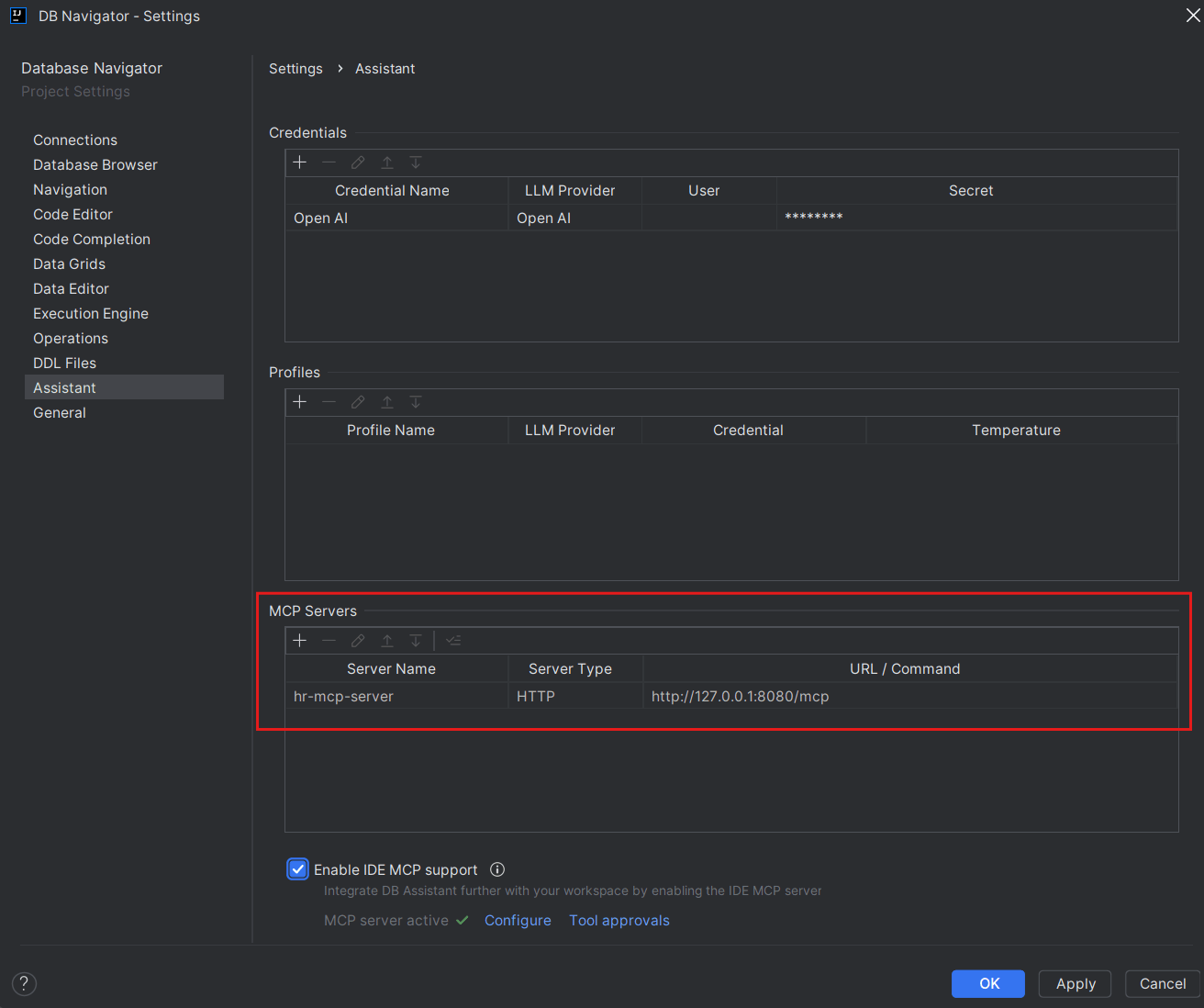
For using the MCP server with the DB Assistant module of Database Navigator tool, register the generated server through the Main menu > DB Navigator > Settings > Assistant > MCP Servers settings.
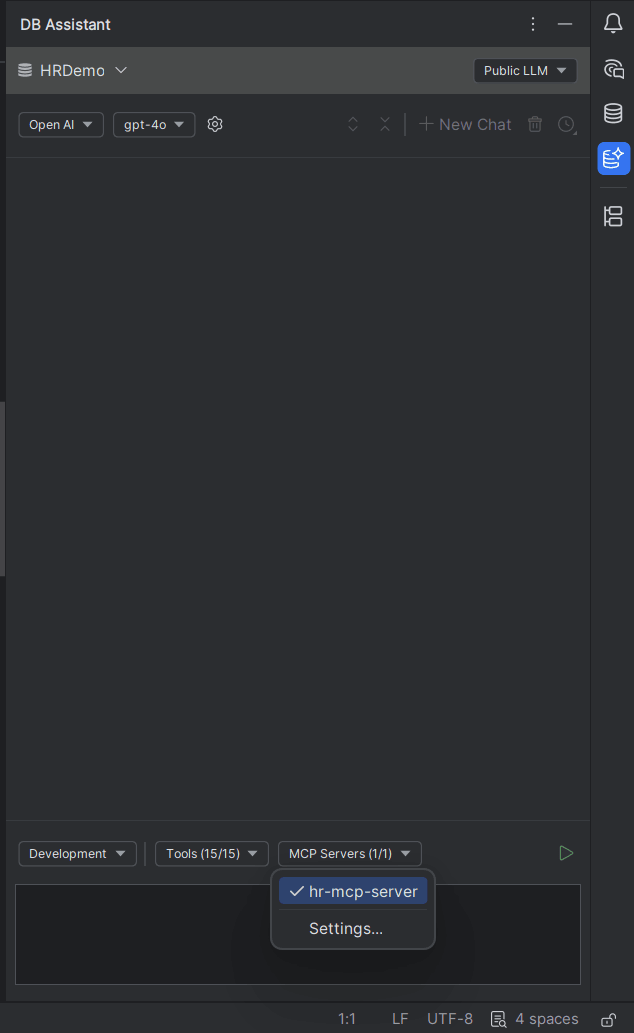
You can then select it from the DB Assistant chat window in Development or Analytics mode.
Note:
Oracle Select AI does not use MCP Server Builder. Select AI runs through Oracle database-native DBMS_CLOUD_AI profiles.
Customizing the Generated MCP Server
- Open the generated
README.mdfile available under<project>/mcp-dist/<server-name>/folder. - Adjust
mcp-config.yamlfor SQL, descriptions, parameters, transport, or direct credentials. - Use
source-project/if Java or build customization is needed. - Reconnect the MCP client after changing runtime configuration.
Parent topic: Building MCP Servers