Configure Select AI Provider Network Access Dialog
The Configure Select AI Provider Network Access Dialog enables the database to allow network access to an AI Provider for a specific database user. This dialog is typically only used one time per user when first setting up access. If you do not have the required permissions to execute this dialog, then you can generate the required SQL using the dialog and provide it to your Database Administrator to execute.
See Also:
Opening the Configure Select AI Provider Network Access Dialog
To open the Configure Select AI Provider Network Access Dialog, right click on the database connection node in Server Explorer and in the menu choose Select AI and then Configure Select AI Provider Network Access.
Using the Configure Select AI Provider Network Access Dialog
The Configure Select AI Provider Network Access Dialog appears as follows:
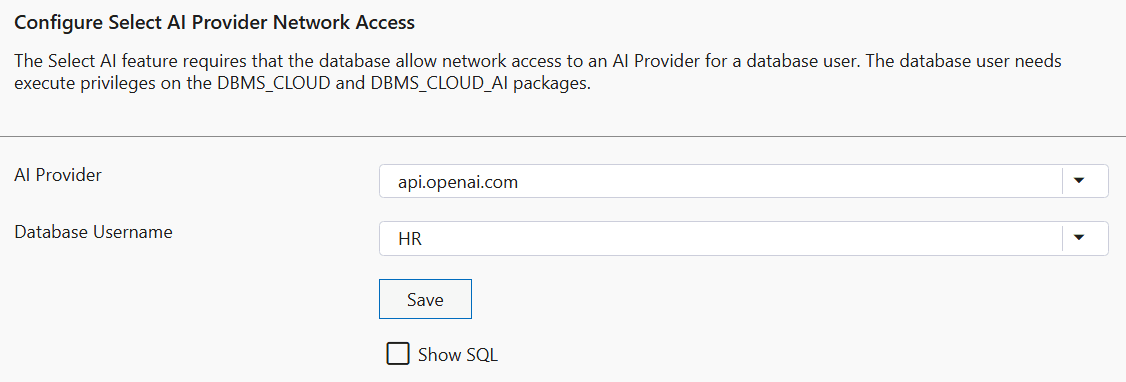
The Configure Select AI Provider Network Access Dialog has the following controls:
| Control | Description |
|---|---|
|
AI Provider |
Choose your AI provider from the dropdown list |
|
Database Username |
Select the Database User that will be using Select AI |
|
Save |
Executes the commands required to configure Select AI provider network access and then closes the dialog |
|
Show SQL |
Check this checkbox to show the SQL that will be executed when the Save button is pressed. If you lack the privileges to execute this SQL you can copy it and provide it to your Database Administrator to execute. |