Configure Select AI Profile Dialog
The Configure Select AI Profile Dialog creates a new profile to be used with Select AI. A profile requires a Credential and so this dialog also allows you to create a credential if one does not already exist. Before using this dialog the first time you will need to grant privileges using the Configure Select AI Provider Network Access Dialog.
See Also:
Opening the Configure Select AI Profile Dialog
To open the Configure Select AI Profile Dialog, right click on the database connection node in Server Explorer and in the menu choose Select AI and then Configure Select AI Profile.
Using the Configure Select AI Profile Dialog
The Configure Select AI Profile Dialog appears as follows:
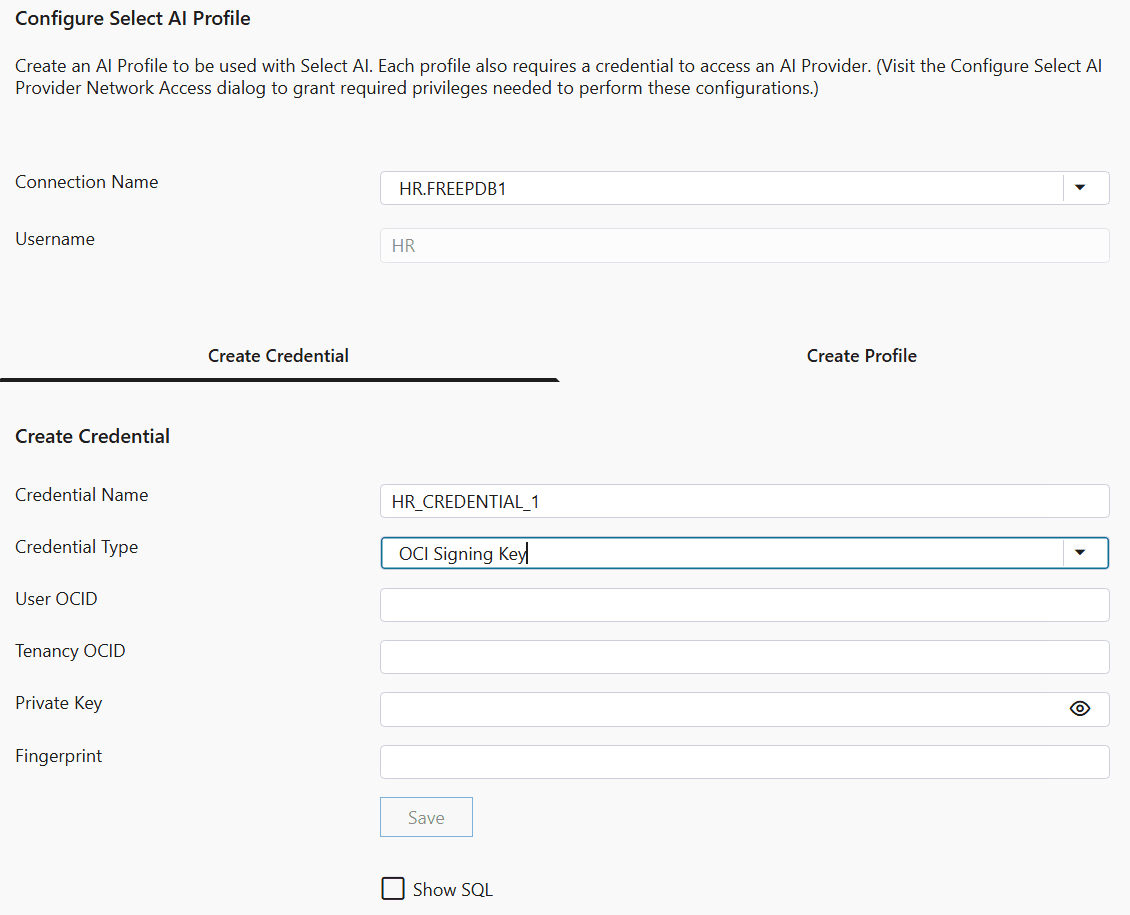
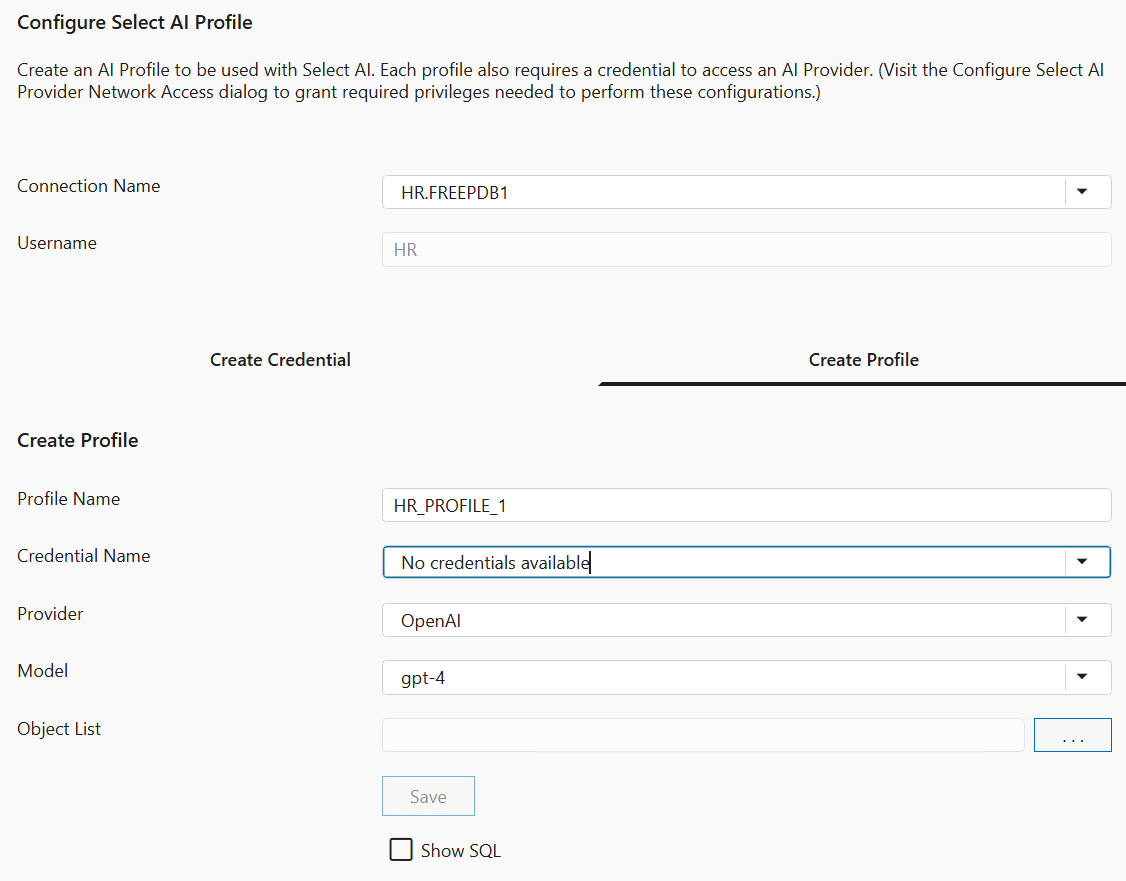
The Configure Select AI Profile Dialog has the following controls:
| Control | Description |
|---|---|
|
Connection Name |
This is the database connection that will be used when creating the profile. |
|
Username |
This is the database username that will own and use the profile. |
The Configure Select AI Profile Dialog (Create Credential tab) has the following controls:
| Control | Description |
|---|---|
|
Credential Name |
This is the name the credential will be stored under. You will reference this name when creating a profile. |
|
Credential Type |
This is the type of credential that will be used. Depending on the type, this dialog will show several additional fields specific to that credential type. |
|
Save |
Executes the commands required to create the credential. |
|
Show SQL |
Check this checkbox to show the SQL that will be executed when the Save button is pressed. |
The Configure Select AI Profile Dialog (Create Profile tab) has the following controls:
| Control | Description |
|---|---|
|
Profile Name |
Enter the name of the profile you wish to create. |
|
Credential Name |
Select a credential from the dropdown list. If none exist, click on the Create Credential tab and create a credential first. |
|
Provider |
Select the AI provider you wish to use. |
|
Model |
Select the name of the model you wish to use. If the model name does not appear in the list you may type it in the field instead. |
|
Object list |
Shows the list of database object whose metadata will be provided to the model. |
|
Select Database Objects button |
Click this button to open the Select AI Object List Dialog to select which Database Objects will have their metadata provided to the model. The model requires this metadata to be able to construct SQL queries in response to natural language queries. |
|
Save |
Executes the commands required to create the profile. |
|
Show SQL |
Check this checkbox to show the SQL that will be executed when the Save button is pressed. |