IntelliSense Settings Options Page
The IntelliSense Settings Options Page provides options controlling the behavior of IntelliSense in the SQL and PL/SQL File Editor and the PL/SQL Code Editor.
Accessing the IntelliSense Settings Options Page
To access the IntelliSense Settings Options Page, select Options... from the Tools menu. From the Options menu, select Oracle Developer Tools. Then select IntelliSense Settings.
Using the IntelliSense Settings Options Page
The IntelliSense Settings Options Page appears similar to the following:
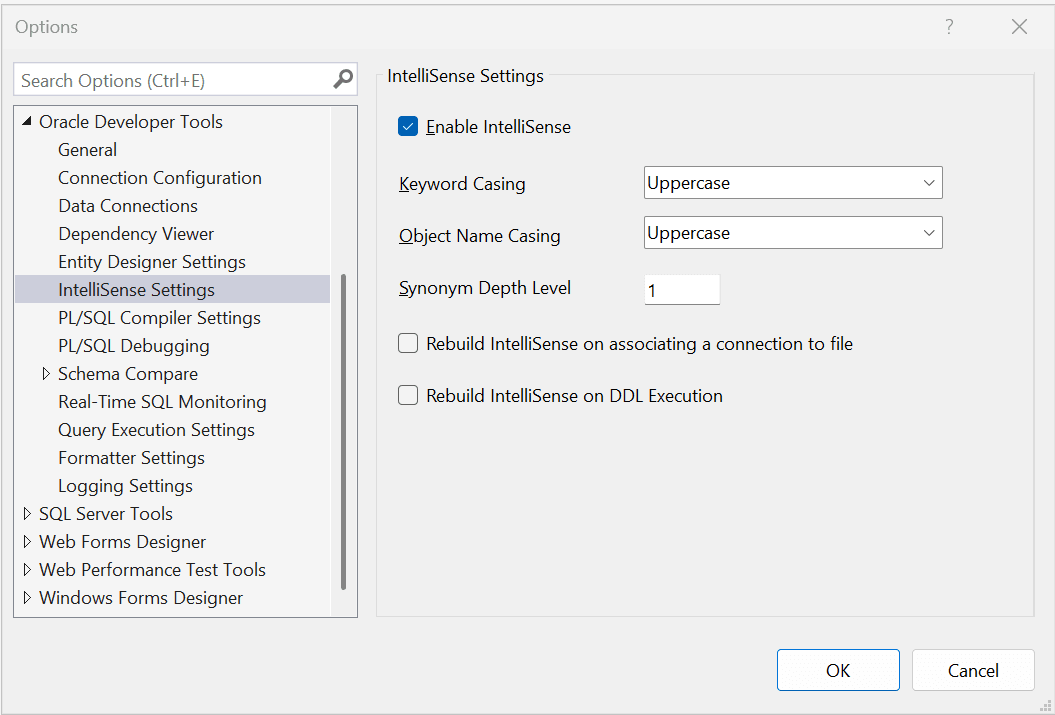
The controls of the IntelliSense Settings Options are as follows:
| Control | Description |
|---|---|
|
Enable IntelliSense |
Check this box to enable IntelliSense. Uncheck it to disable IntelliSense. |
|
Keyword Casing |
Select whether suggested keywords should be in uppercase, lowercase, or titlecase. |
|
Object Casing |
Select whether suggested object names should be in uppercase, lowercase, or titlecase. |
|
Synonym depth level |
Specify the maximum depth when performing synonym resolving. Synonyms can refer to other synonyms which can refer to other synonyms. Higher values of the synonym depth level can impact the performance of IntelliSense. |
|
Rebuild IntelliSense on associating a connection to a file |
Rebuilds the IntelliSense cache when a file is associated with a connection. Note that IntelliSense may be also manually rebuilt from the editor if desired. |
|
Rebuild IntelliSense on DDL Execution |
Rebuilds the IntelliSense cache when SQL is executed in the editor which creates, updates or destroys database object definitions. |