Advanced Queues Node
This section covers the following topics:
About Advanced Queues Node
The Advanced Queues node appears under the connection node in the Object view and under individual schema nodes in Schema View. See About Oracle Streams Advanced Queueing. This section of the Server Explorer is similar to the following:
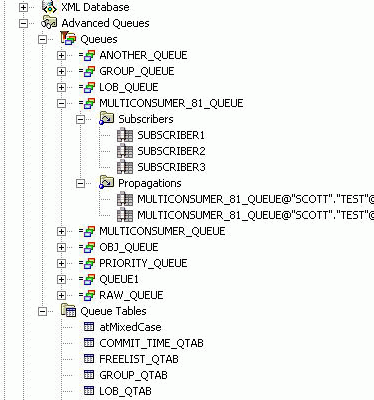
Description of the illustration se_tree_with_aq.gif
How Advanced Queues Node Works
To perform actions on this node, right-click the node and from the menu, choose the appropriate command. To view the node’s properties, select the node and/or click Properties in the node’s menu.
Menu Options
| Menu Options | Description |
|---|---|
| Refresh | Refreshes the node. |
| Properties | Shows properties for the node. |
See Also About Oracle Streams Advanced Queueing | Queue Table Designer | Queue Designer