Import Table Wizard
The Import Table Wizard lets you import table definitions and table data from an external data source to Oracle database.
This section covers the following topics:
Starting the Import Table Wizard
To start the Import Table Wizard, from an Oracle Developer Tools connection in Server Explorer, right-click on the connection node or Tables node, and from the menu, select Import Table.
The Import Table Wizard’s opening screen appears as follows:
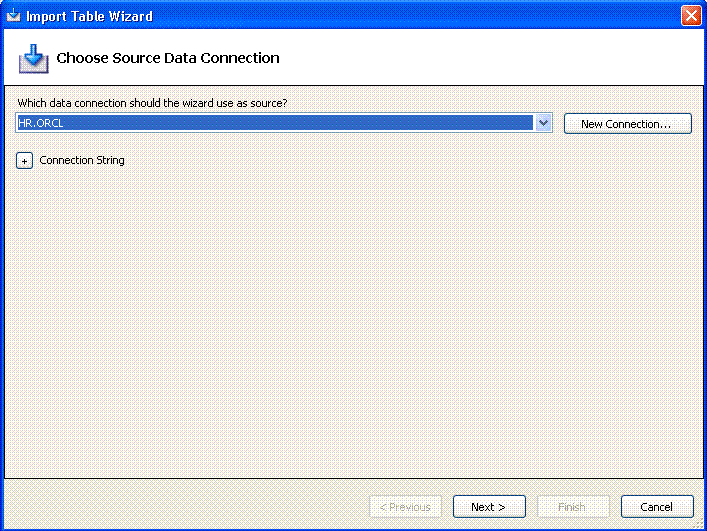
Description of the illustration import_table_wizard.gif
Using the Import Table Wizard
The Import Table wizard allows you to do the following:
-
Select the existing external data source or create a new external data source in Server Explorer.
-
Select one or more tables to import from the external data source.
-
Select the columns to import for the specified table.
-
View or modify the table definitions of the selected tables in the Oracle database. Only the following table properties are used to create the table in the Oracle database:
-
All columns in the table
-
Table name
-
Column name
-
Column Type
-
Primary Key
-
Allow Null (indicates whether or not the column can be nullable)
-
-
Create the selected tables and import the table data from the external data source to the Oracle database.
You can import table and data using this wizard only from the following Server Explorer data sources.
| Data Source | Data Provider |
|---|---|
| Oracle Database Server | Oracle Data Provider for .NET |
| Microsoft SQL Server | .NET Framework Data Provider for SQL Server |
| Microsoft Access Database File | .NET Framework Data Provider for OLE DB |
| Microsoft Excel File | .NET Framework Data Provider for OLE DB |
For information on how to connect to the Microsoft SQL Server, Access Database file, and Excel file, please see Microsoft documentation.
The windows in the Import Table wizard are as follows.
| Window | Description |
|---|---|
| Choose Your Source Data Connection | Specify the data connection for the external data source. |
| Select Tables to Import | Select the tables and table columns to import to Oracle database. Use Ignore Errors when Importing Table Data to continue importing the next row of data into a table regardless of error. Check the Import Data column to import table data. |
| Customize Column Settings | For each selected table, customize the name and data type properties for table columns to import to the Oracle database. |
| Progress Report | Display results after creating tables and importing table data. Click OK to exit the wizard. |