Role Designer
Creating a Role in Oracle Developer Tools
Use the Role Designer to create new database roles.
Starting the Role Designer
In the Server Explorer, right-click on the Roles node, and select new Role.
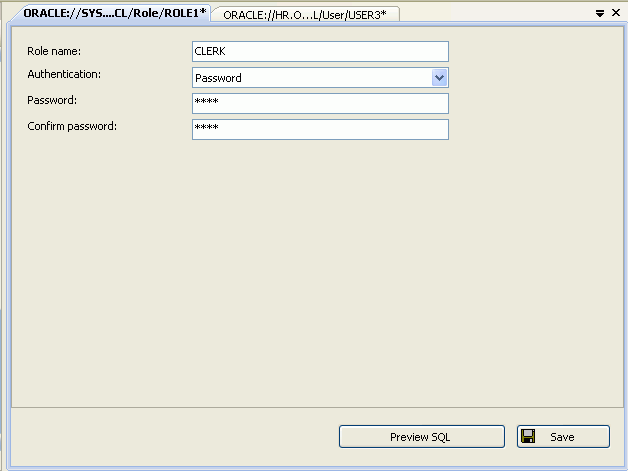
Description of the illustration role_designer01.gif
Using the Role Designer
The controls in the Role Designer are as follows:
| Control | Description |
|---|---|
| Role name | Enter the role name or accept the autogenerated name. |
| Authentication | Enter or select the authentication type. The valid values are: None (default), Password, External, and Global.
If a non- For more information on authentication with roles, see |
| Password | Enter the password for the user. This is only enabled when the Authentication type is password. |
| Confirm Password | Enter the password. This is only enabled when the Authentication type is password. |
| Preview SQL | Displays the Verifies that role name, password authentication, password, and confirm password are not empty and that password and confirm password are the same |
| Save | Verifies that role name, password authentication, password, and confirm password are not empty and that password and confirm password are the same Save the changes. |
See Also Role Nodes | About Users, Roles, and Privileges