Access Oracle Machine Learning User Interface
You can access Oracle Machine Learning User Interface from Autonomous AI Database.
To access Oracle Machine Learning User Interface (UI) from Autonomous AI Database:
-
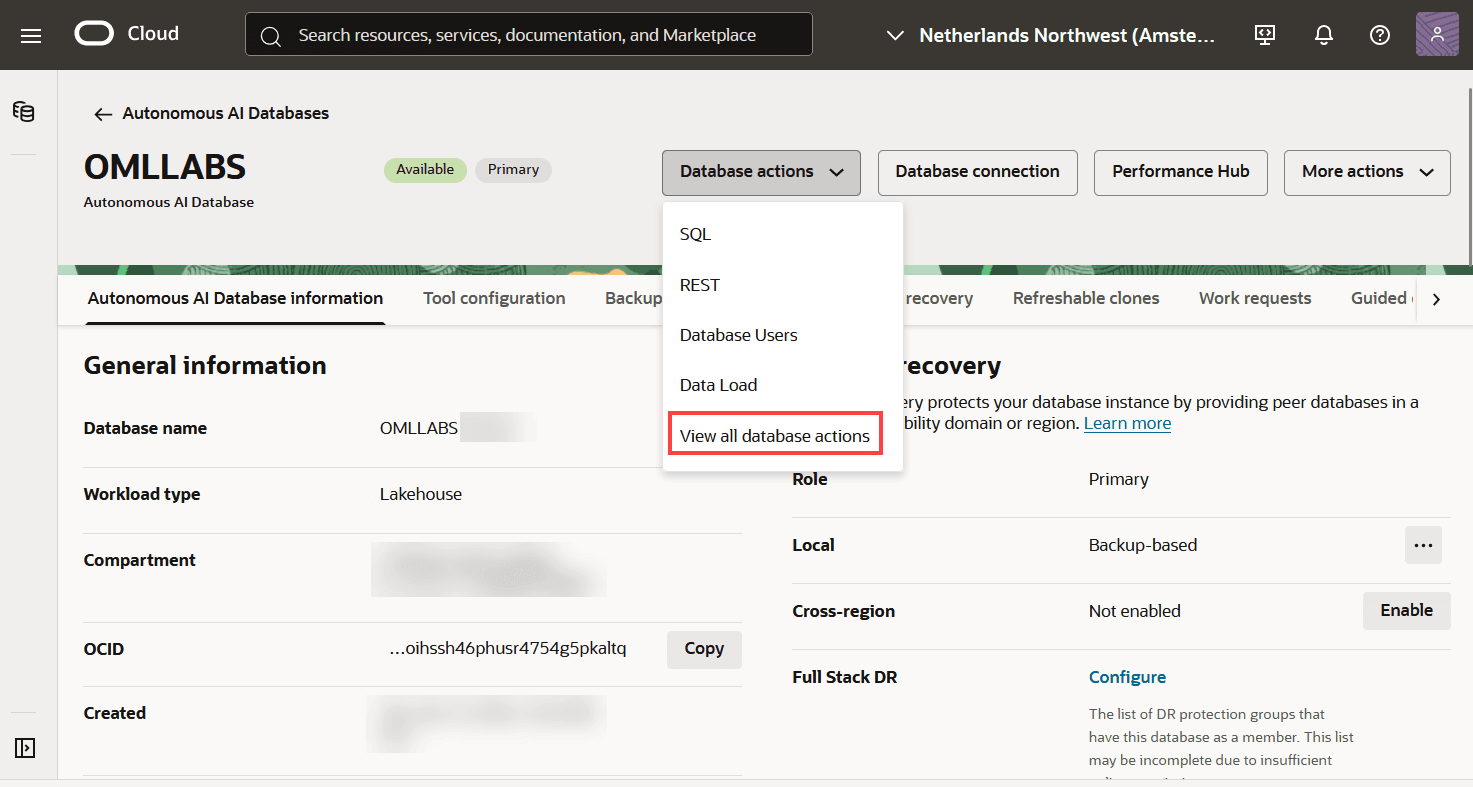
Select your Oracle Autonomous AI Database instance and on the Autonomous AI Database information page ,click Database Actions and then click View all database actions.
Figure 1: Database Actions
-
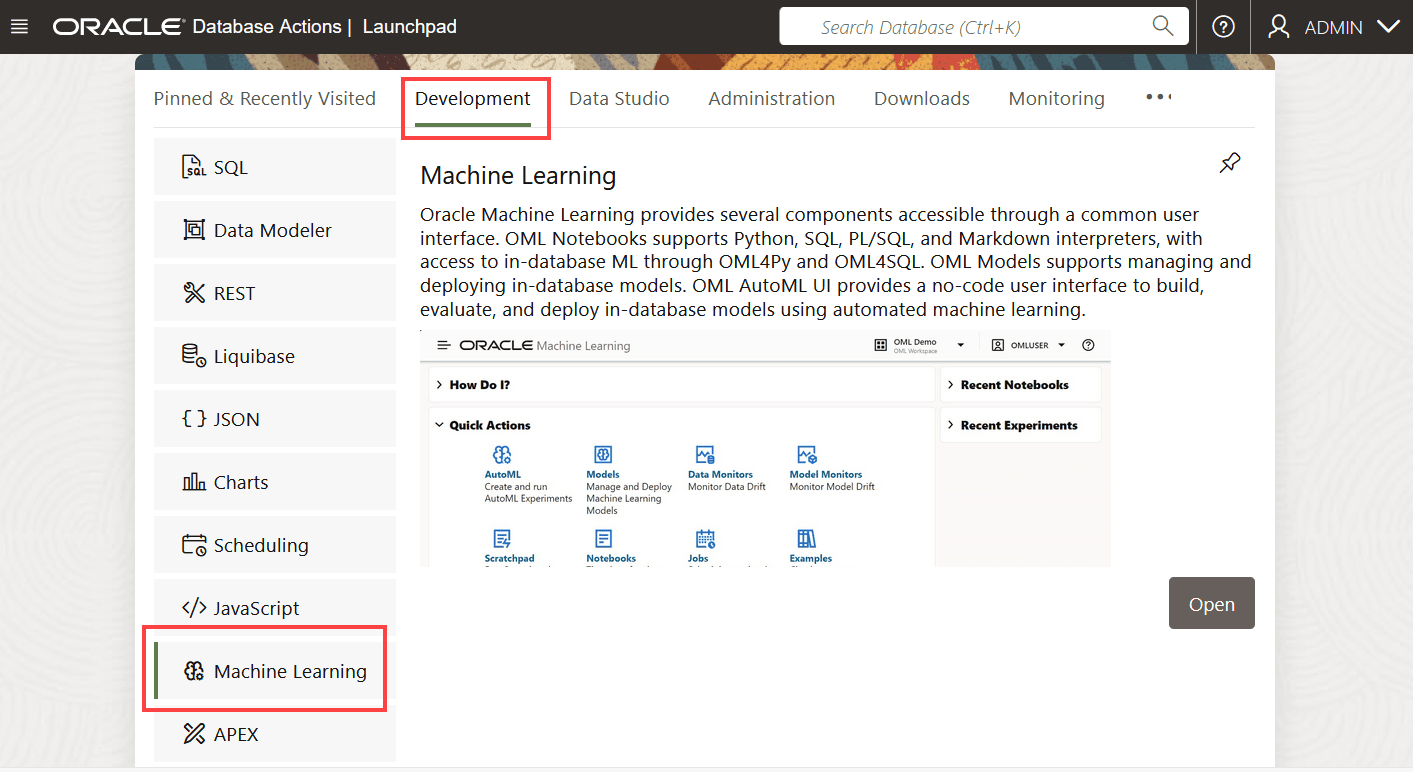
On the Database Actions page, go to the Development section and click Machine Learning. The Oracle Machine Learning sign in page opens.
Figure 2: Oracle Machine Learningoption on Database Actions - Development tab
-
On the Oracle Machine Learning sign in page, enter your username and password.
-
Click Sign In.
This opens the Oracle Machine Learning user application.
- About Oracle Machine Learning Password Policy All Oracle Machine Learning users must follow the password policy to create a strong and secure password.
About Oracle Machine Learning Password Policy
All Oracle Machine Learning users must follow the password policy to create a strong and secure password.
When changing or modifying your Oracle Machine Learning password, ensure that you follow these conditions:
-
The password must be between 12 and 30 characters long. It must include at least one uppercase letter, one lowercase letter, and one numeric character.
-
The password cannot contain the username.
-
The password cannot be one of the last 4 passwords used for the same username.
-
The password cannot contain the double quote (“) character.
-
The password must not be the same password that is set less than 24 hours ago.