Example of a Conversation with Data Science Agent
This example demonstrates how Data Science Agent supports a data analyst in exploring a dataset, and in building and evaluating a machine learning model. It also shows the effectiveness of Natural Language to SQL (NL2SQL) in Data Science Agent.
OMLUSER schema to specific ones on
model training, model building and scoring. Broadly, the conversation flow can be
categorized into these sections:
- Goal setting for the conversation
- Explanation of the dataset in the tables
CLIENTS,CONTACTS,PAST_CAMPAIGNS, andPROSPECTS. - Data preparation for model building
- Training and building a model
- Computation of model accuracy
- Interpretation of the model's prediction
- Making prediction by using the trained model
Highlights:
- Efficiency in performing machine learning tasks—data preparation, model building, model training, model evaluation, data analysis and so on
- Natural language to SQL capabilities
- Visualization capabilities
- Intelligence to suggest the next steps and options to the user
1. Goal and context setting
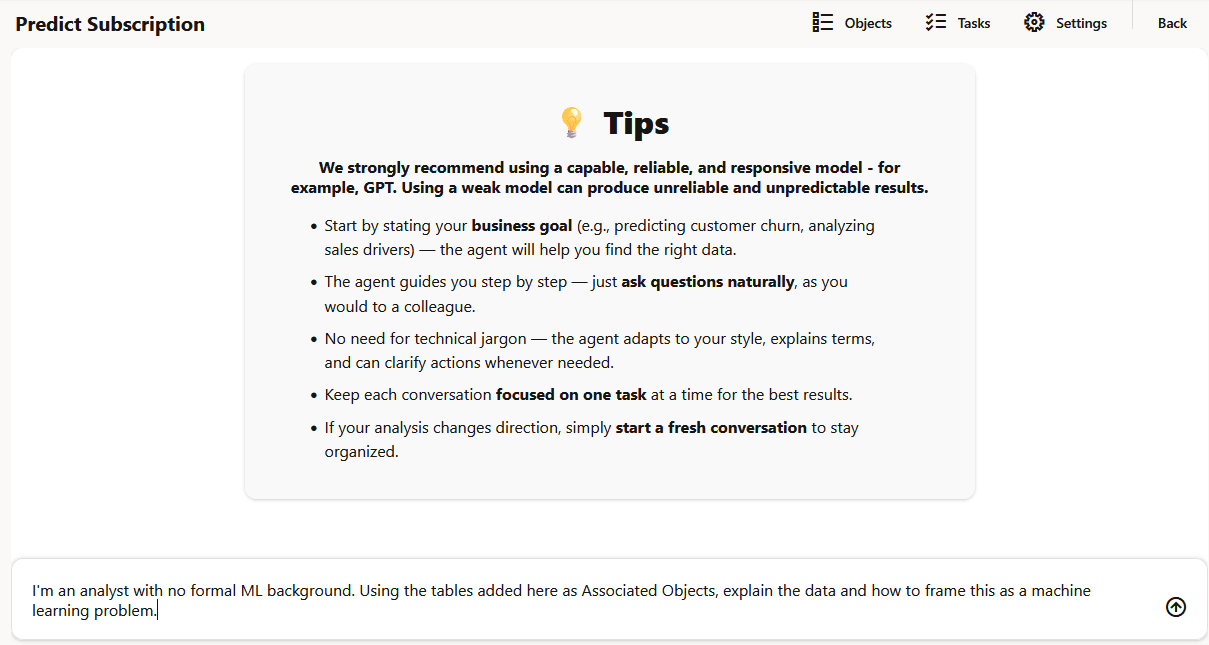
For every new conversation, Data Science Agent opens the chat interface with some important tips for you. Get started to interact with the agent with a prompt that sets your goal and context for the conversation. Start the conversation with an introduction with specific information to set the goal and context.
Prompt 1:
I'm an analyst with no formal ML background. Using the tables added here as
                    Associated       Objects, explain the data and how to frame this as a machine
                    learning     problem.
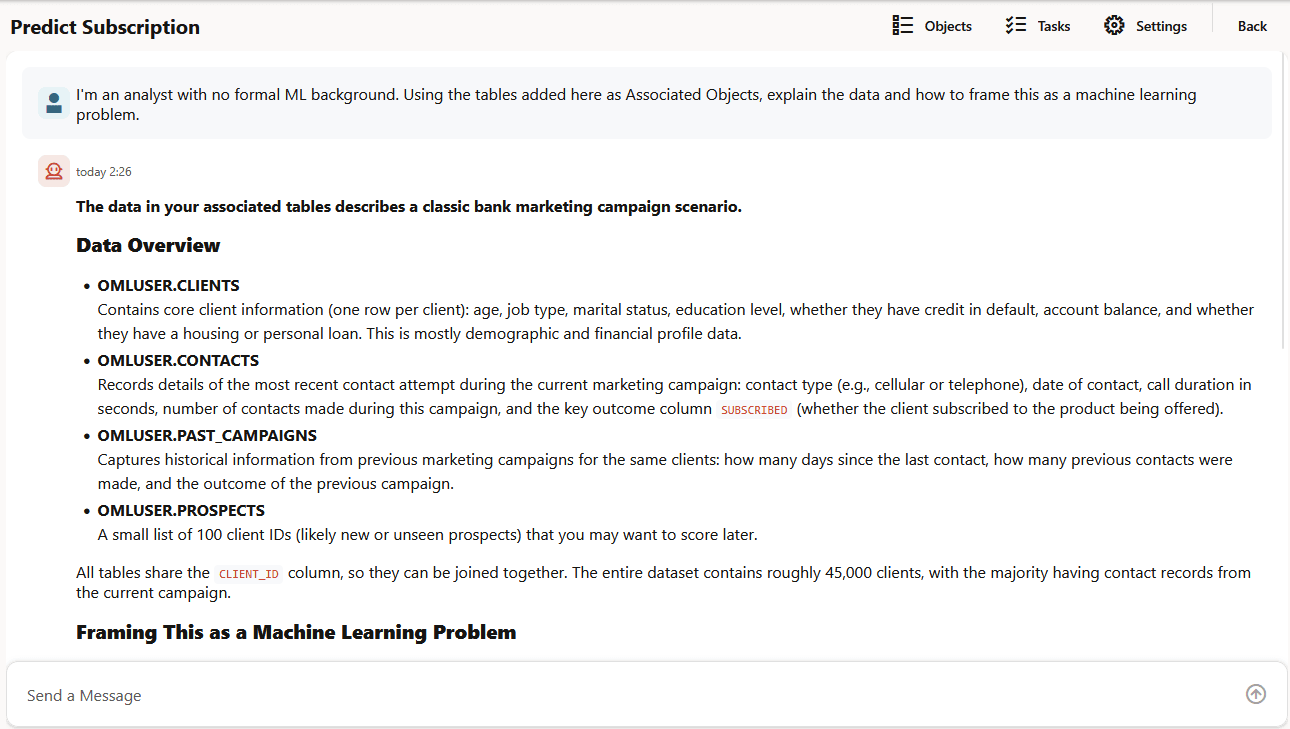
- Summary of the data in each table and the key columns
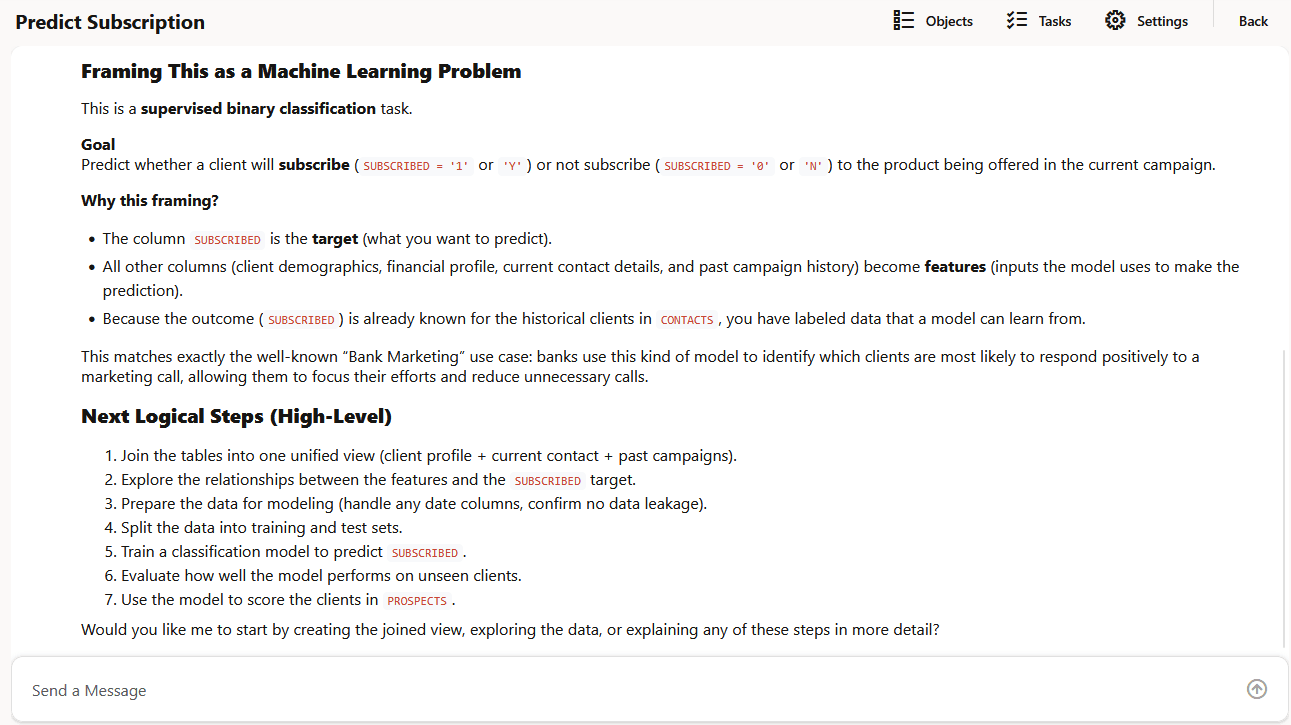
- How to frame a machine learning problem
- Steps to frame ML problem
- A summary of the dataset
2. Data Science Agent explores the dataset
Here, let's explore the dataset.
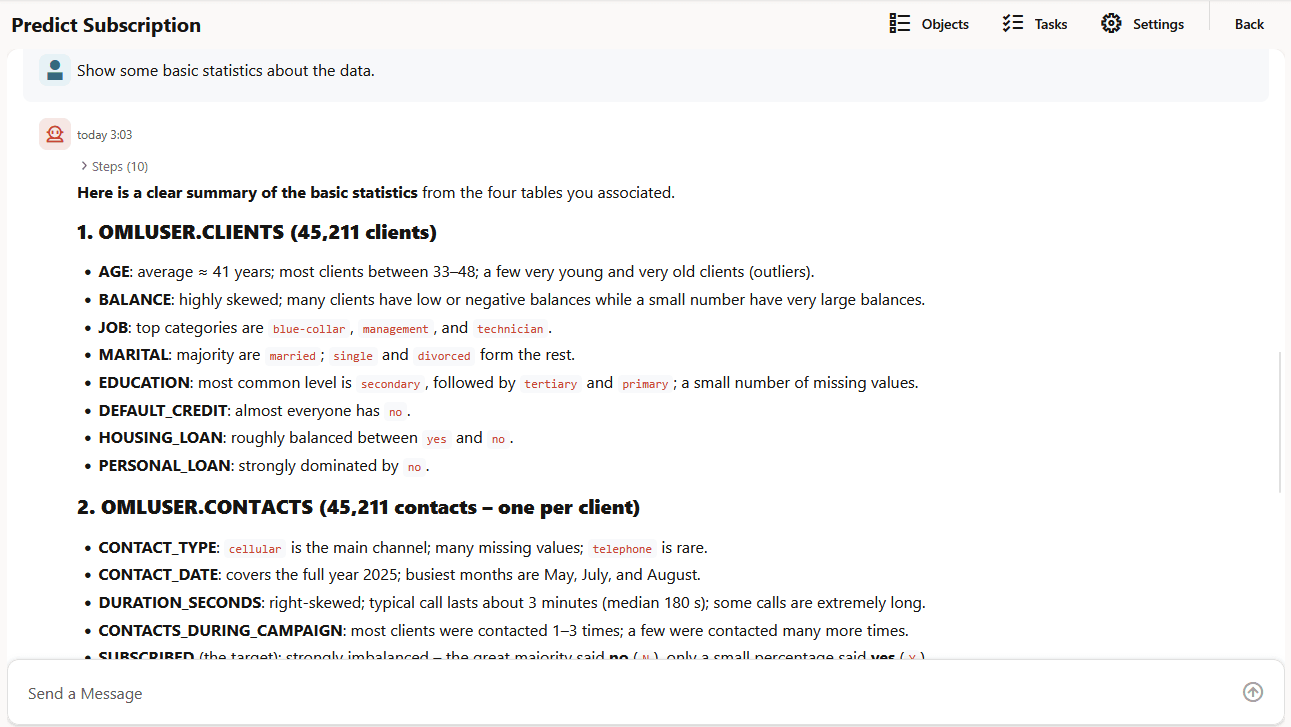
Prompt 2:
Show some basic statistics about the data.
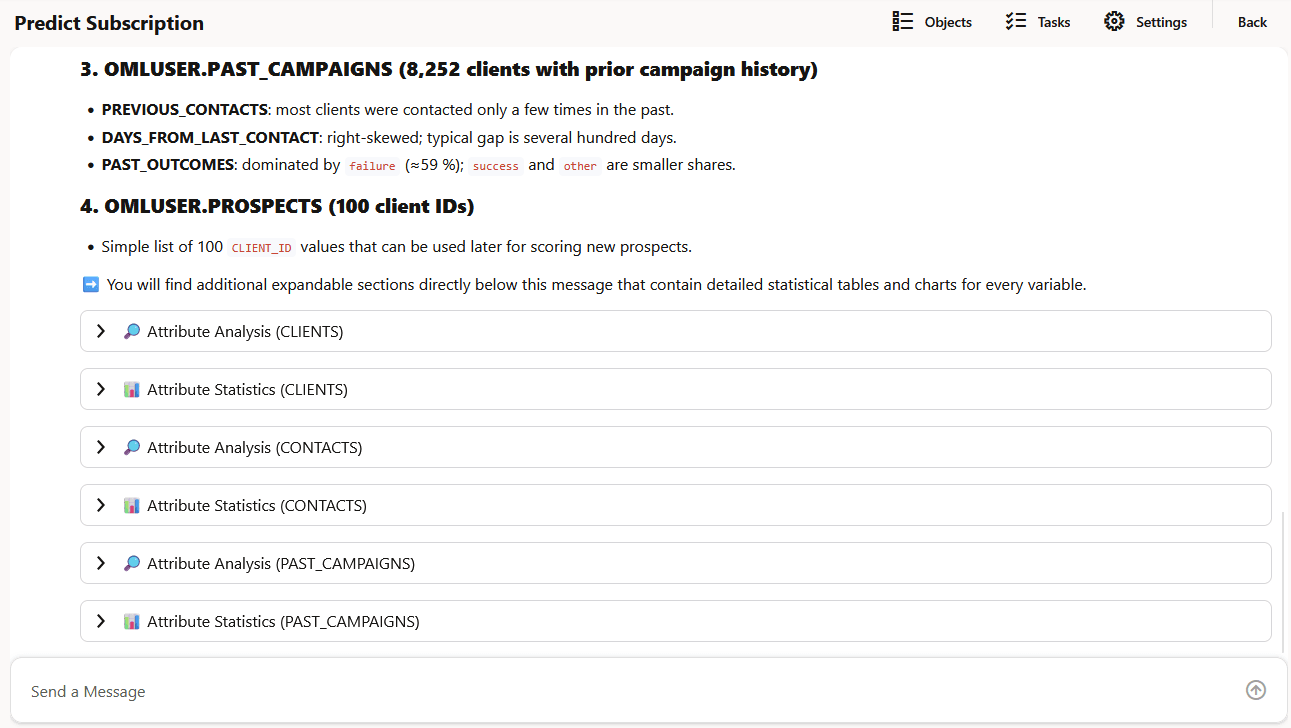
Agent's response: Data Science Agent responds to this prompt in a structured format. It provides the following information:
- An insight on the tables
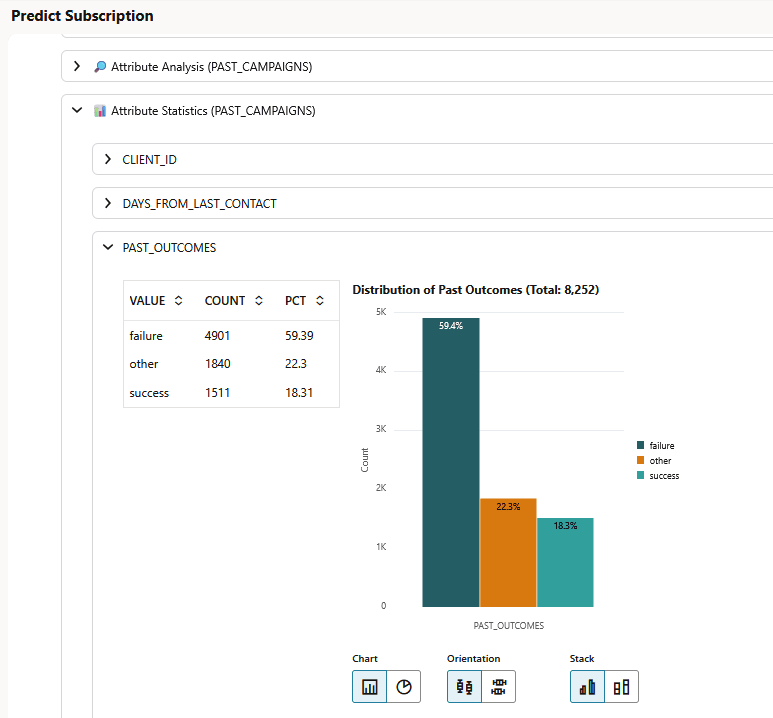
CLIENTS,CONTACTS,PAST_CAMPAIGNSandPROSPECTS. - Provides statistical analysis of each table. Click Attribute Statistic (table name) to expand the section. It presents the information in a tabular format and also in a graph, as applicable.
- Provides an attribute analysis of each table. Click Attribute Analysis (table name). It presents the information in a tabular format and also in a graph, as applicable.
3. Data Science Agent explains how to use the data to frame a machine learning problem
Prompt 3:
Explain how to frame this as a machine learning problem to predict
                    subscription likelihood. Explain the target variable and the possible input
                    features.
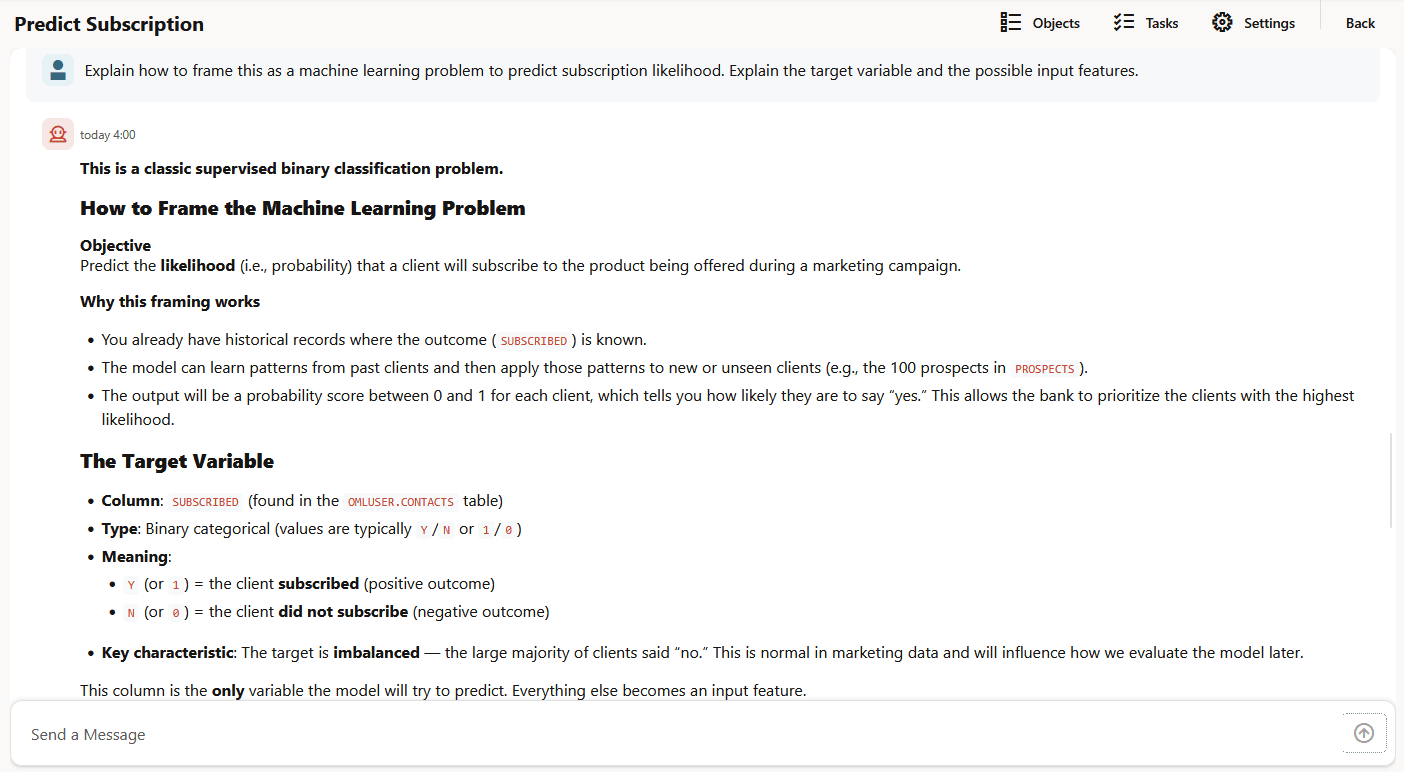
- Explains how to frame the machine learning problem
- Describes the target variable in the machine learning problem
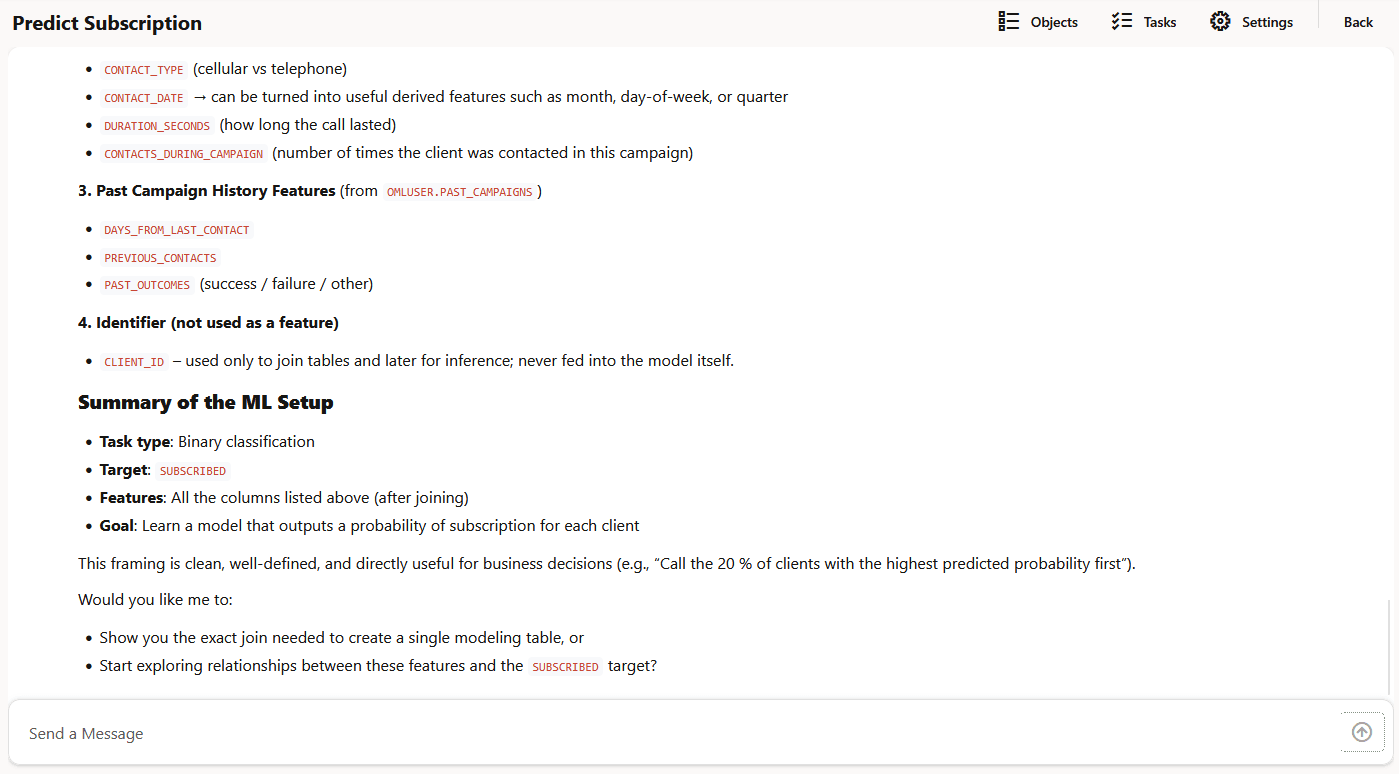
- Describes the input features in the context of making predictions in an ML problem and how to use all these features to solve an ML problem
- A crisp summary of the machine learning setup
- The next steps
Figure 7-24 Response to prompt 3 (concluded)
4. Data Science Agent creates a single modeling table
Prompt 4:
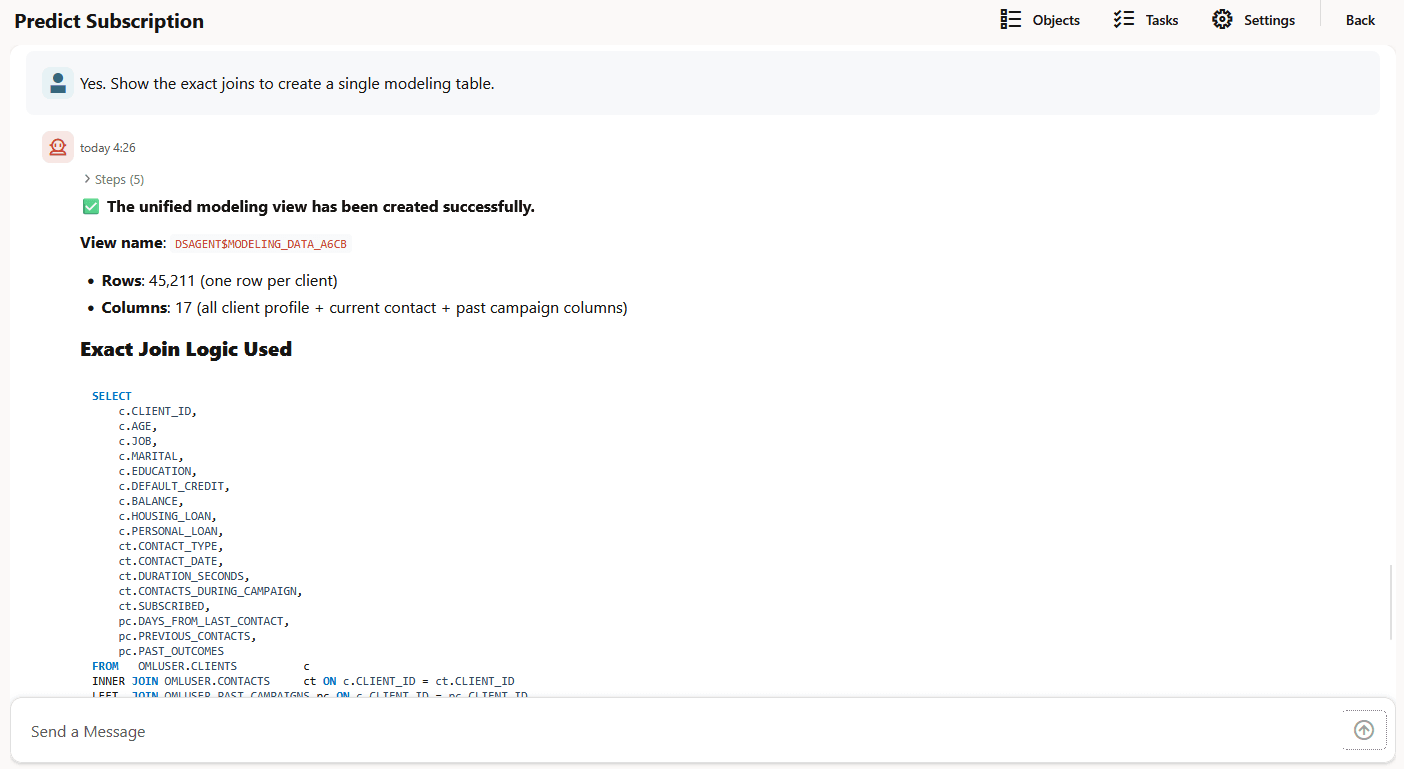
Yes. Show the exact joins to create a single modeling table.
- Data Science Agent creates the unified modeling view
DSAGENT$MODELING_DATA_A6CBNote:
Views and objects created by Data Science Agent have the prefixDSAGENT$. - Provides a summary of the view
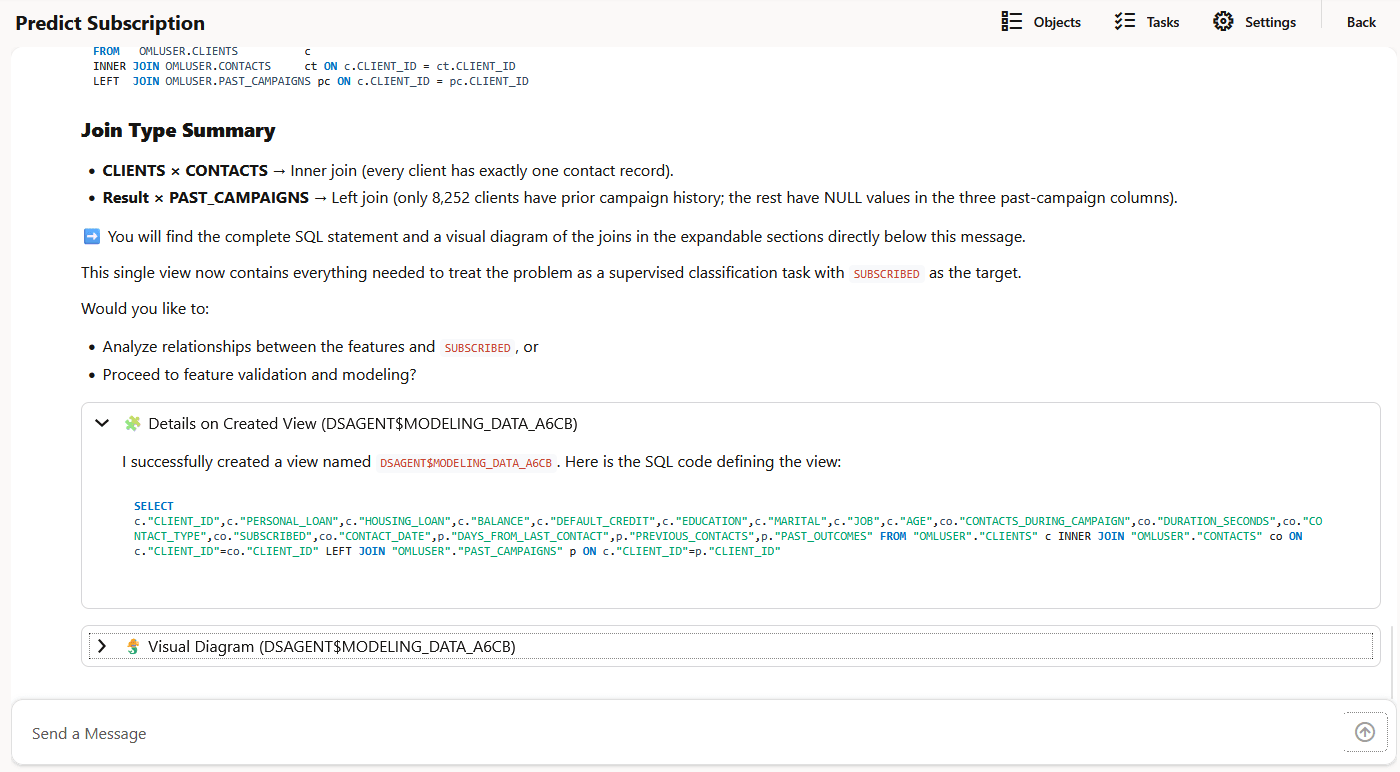
- Explains the exact logic behind the join used
- Provides a summary of the join type
- Provides the SQL code and a visual diagram for the view.
5. Data Science Agent performs feature validation and modeling
Prompt 5:
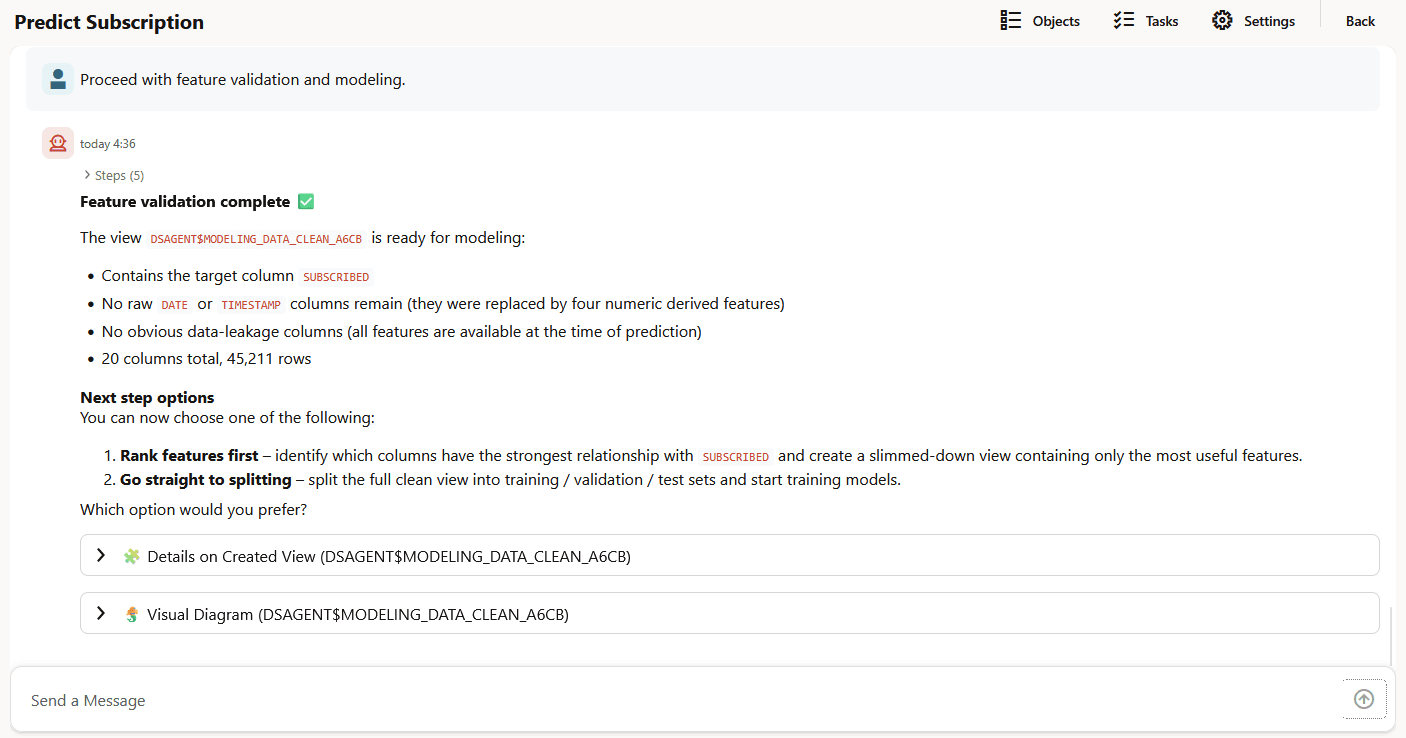
Proceed with feature validation and modeling.
Agent's response:
- Data Science Agent creates a new database view
DSAGENT$MODELING_DATA_CLEAN_A6CB - Makes this view
DSAGENT$MODELING_DATA_CLEAN_A6CBready for modeling. - Provides the SQL code and a visual diagram for the view.
- Provides the next step options
6. Data Science Agent performs data split, model training and model evaluation
Data Science Agent uses the view
DSAGENT$MODELING_DATA_CLEAN_A6CB for data split. It splits the
data into 70% training, 10% validation and 20% test.
Prompt 6:
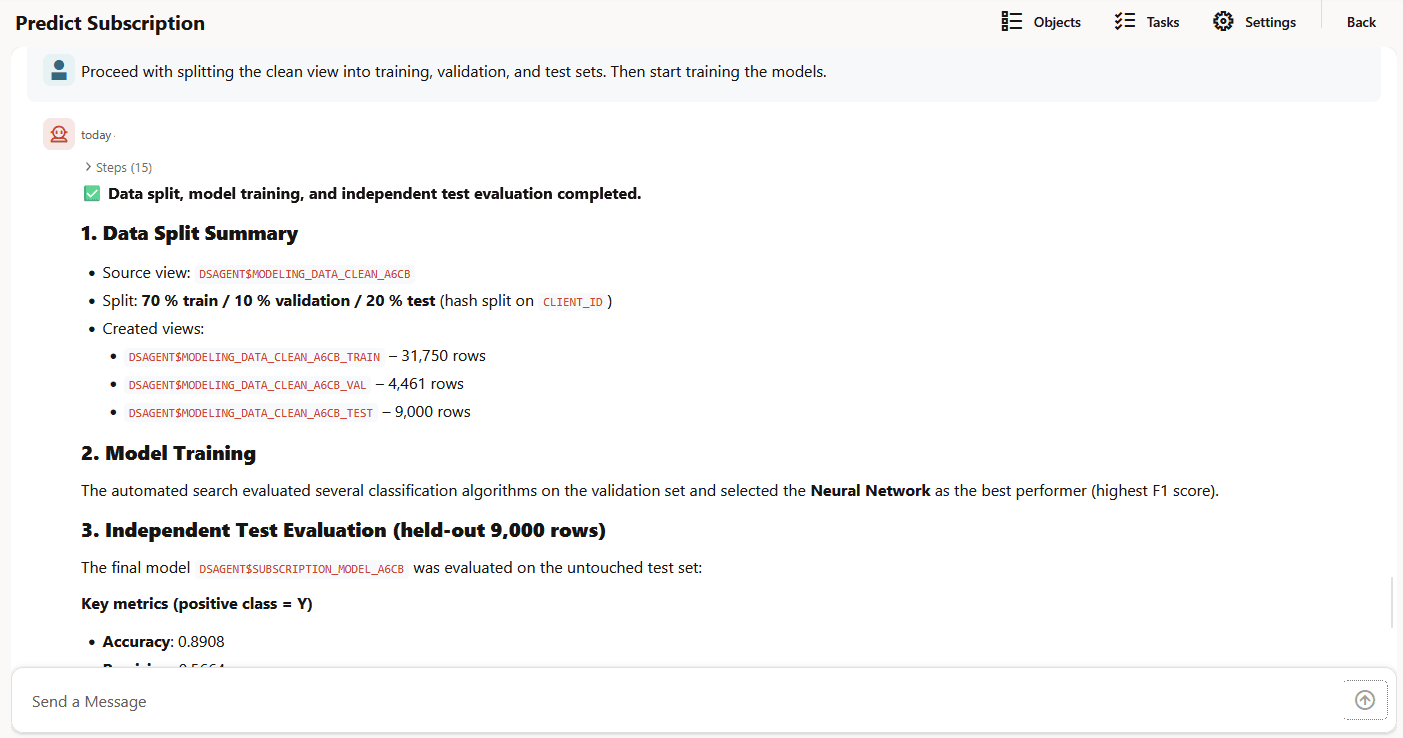
Proceed with splitting the clean view into training, validation, and test
                    sets. Then start training the models.
Agent's response:
- Splits the data and creates the following views
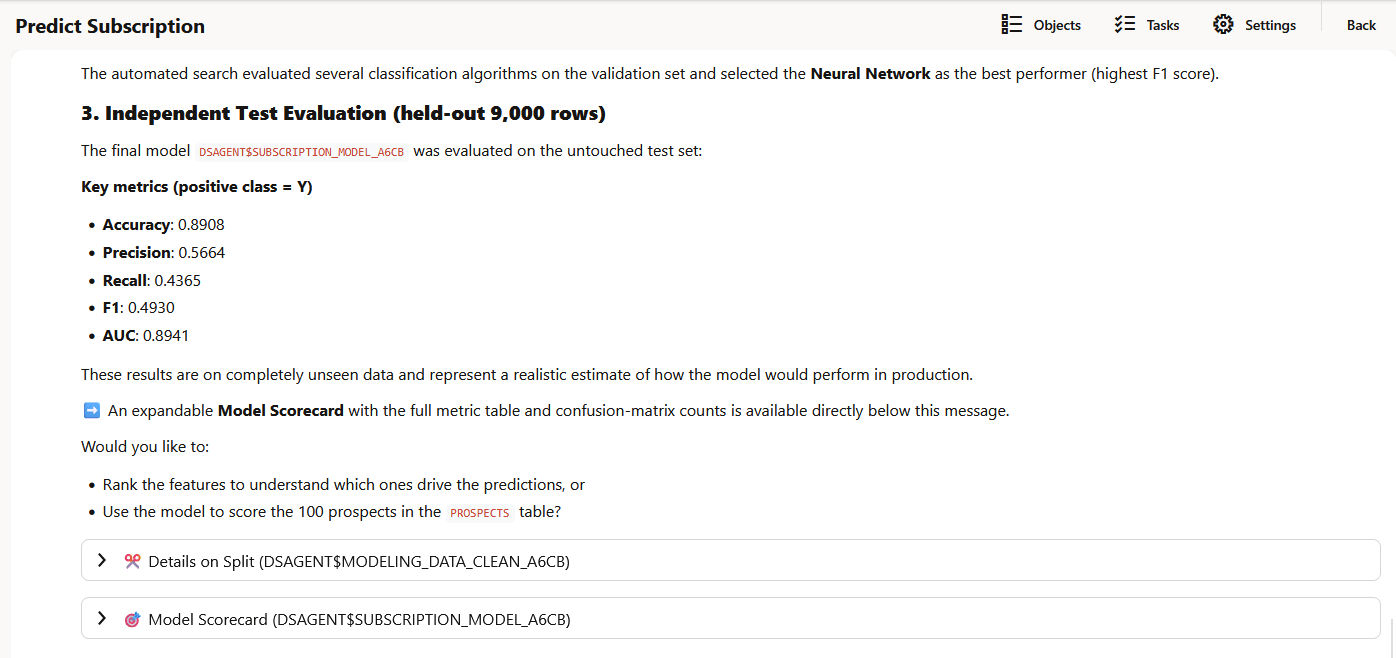
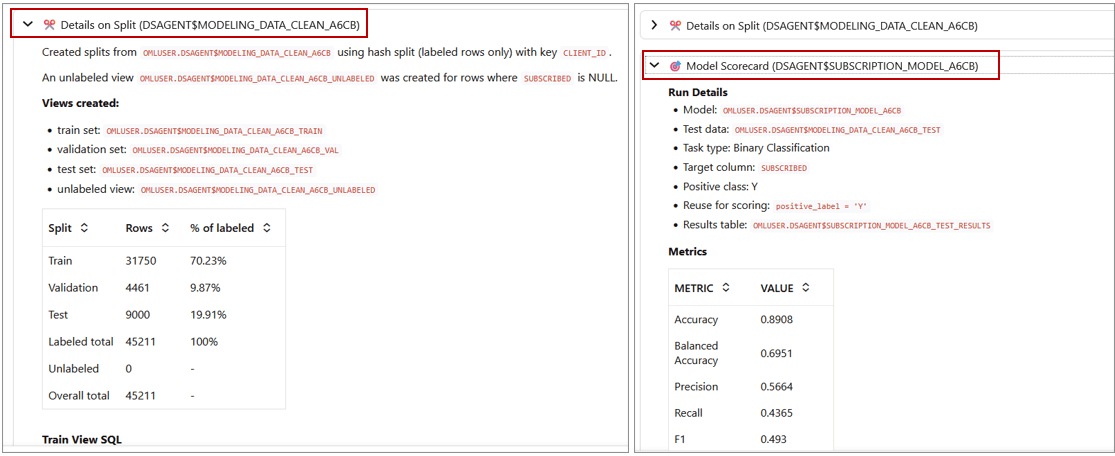
DSAGENT$MODELING_DATA_CLEAN_A6CB_TRAINwith 31,750 rows,DSAGENT$MODELING_DATA_CLEAN_A6CB_VALwith 4,461 rows, andDSAGENT$MODELING_DATA_CLEAN_A6CB_TESTwith 9,000 rows. - Provides a summary of the data split. The agent splits the data into 70% training, 10% validation and 20% test.
- Conducts model training and uses Neural Network as the best algorithm for this machine learning problem
- Builds and evaluates the final model
DSAGENT$SUBSCRIPTION_MODEL_A6CB - Provides details on data split done on
OMLUSER.DSAGENT$MODELING_DATA_CLEAN_A6CB - Shows the scorecard for the model
OMLUSER.DSAGENT$SUBSCRIPTION_MODEL_A6CB. It contains the metrics and binary confusion matrix.
OMLUSER.DSAGENT$SUBSCRIPTION_MODEL_A6CB
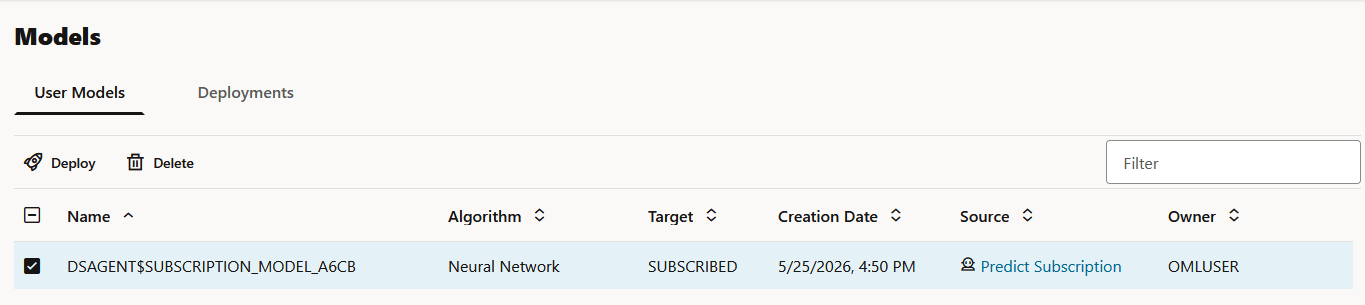
is also listed on the Models page, as shown in the screenshot here:
Figure 7-31 DSAGENT$SUBSCRIPTION_MODEL_A6CB model listed on the Models page
7. Data Science Agent performs scoring to predict likelihood of subscription
Data Science Agent uses the model
DSAGENT$SUBSCRIPTION_MODEL_A6CB to predict the likelihood of
subscription.
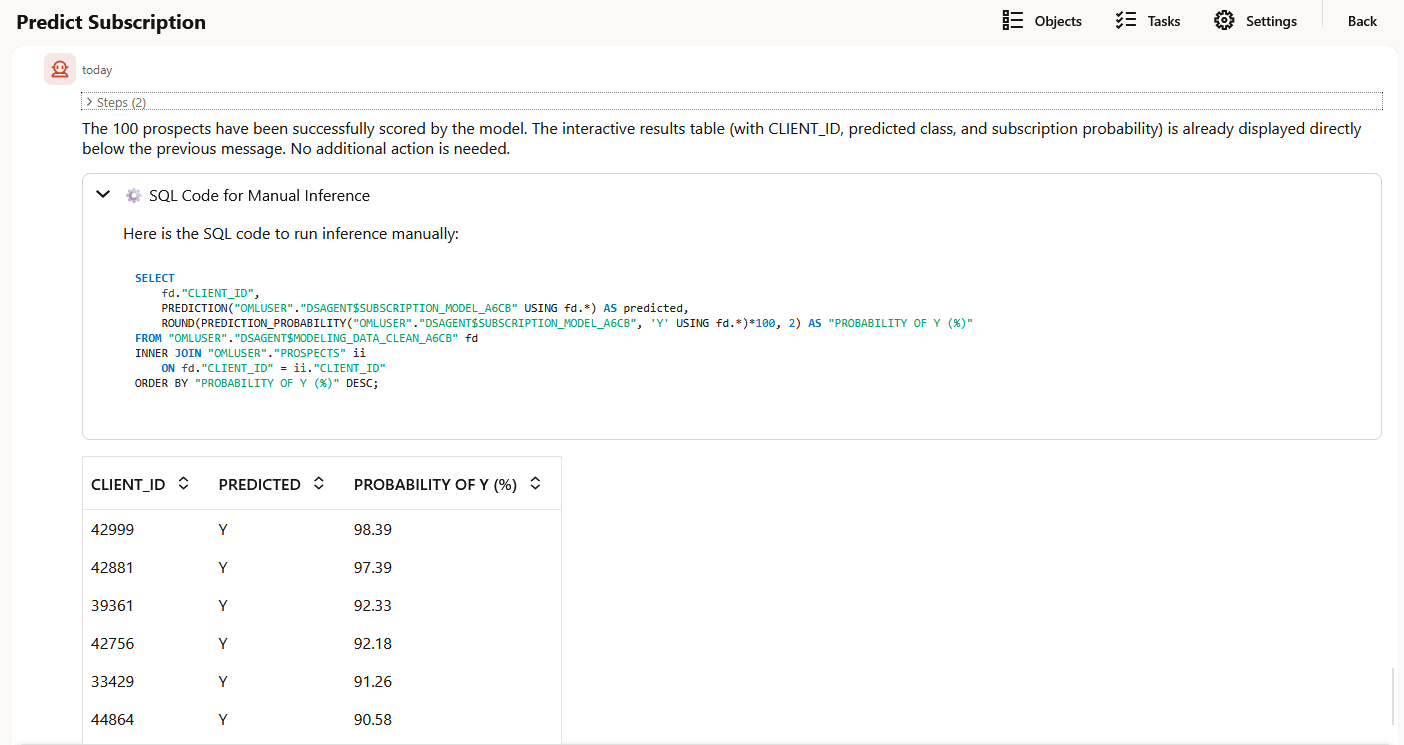
Prompt 7:
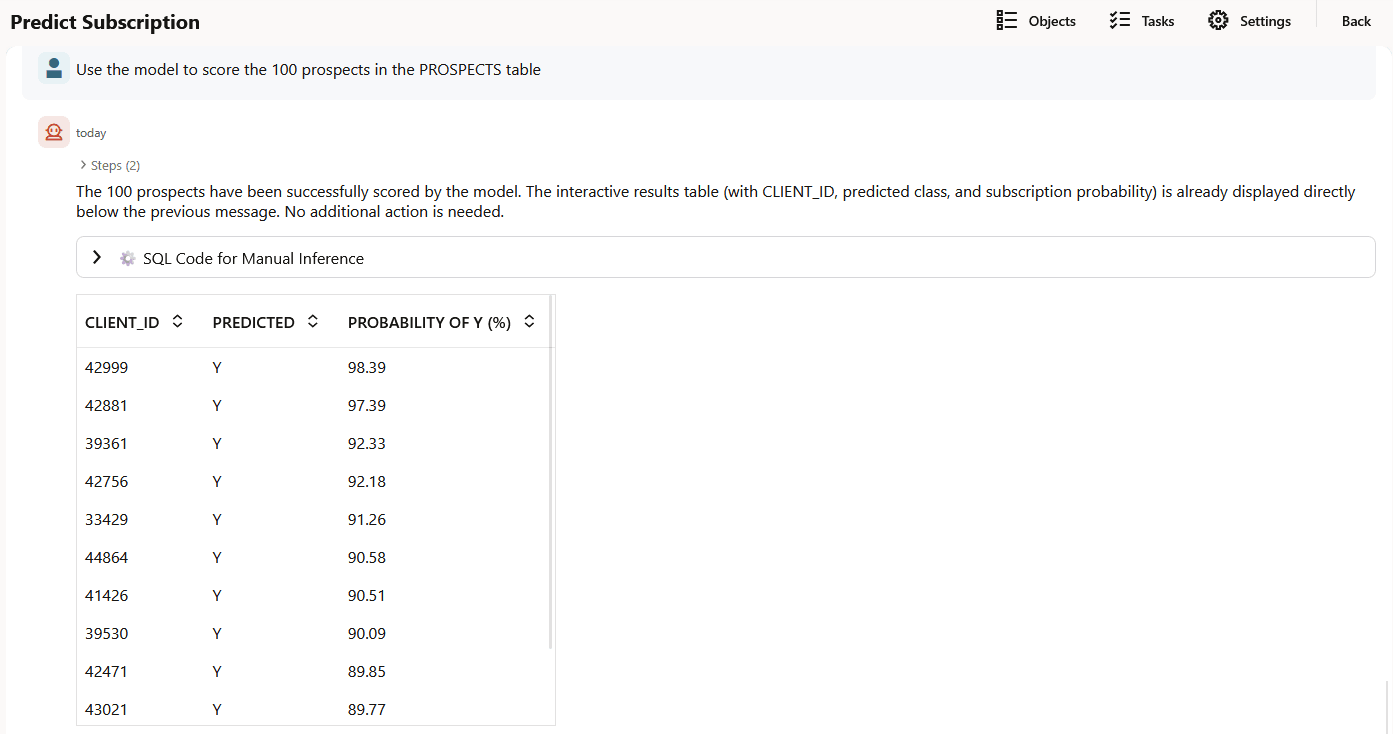
Use the model to score the 100 prospects in the PROSPECTS table
Agent's response: Data Science Agent performs scoring on 100 prospective clients in the PROSPECTS table.
- Predicts the probability of subscription and presents the
prediction data in a table.
- Provides the SQL query to run the inference manually
Parent topic: Data Science Agent