Building the JSP Web Application
This application models an online bookstore, where you can look up book titles and prices.
To create the JavaServer Pages (JSP) web application:
-
Create your table.
You must create the table to store such book information as title, publisher, and price. From SQL*Plus:
sqlplus>create table book_catalog ( id numeric, title varchar2(80), publisher varchar2(25), price numeric ) -
Load data by using SQL*Loader.
Load the book data from the operating system command line with SQL*Loader:
% sqlldr userid=ctxdemo/ctxdemo control=loader.ctl -
Create the index set.
You can create the index set from SQL*Plus:
sqlplus>begin ctx_ddl.create_index_set('bookset'); ctx_ddl.add_index('bookset','price'); ctx_ddl.add_index('bookset','publisher'); end; / -
Create the
CTXCATindex.You can create the
CTXCATindex from SQL*Plus as follows:sqlplus>create index book_idx on book_catalog (title) indextype is ctxsys.ctxcat parameters('index set bookset'); -
Try a simple search by using
CATSEARCH.You can test the newly created index in SQL*Plus as follows:
sqlplus>select id, title from book_catalog where catsearch(title,'Java','price > 10 order by price') > 0 -
Copy the
catalogSearch.jspfile to your JSP directory.When you do so, you can access the application from a browser. The URL is
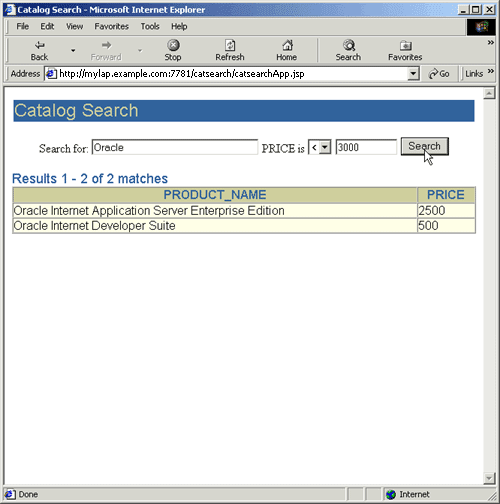
http://localhost:port/path/catalogSearch.jsp.The application displays a query field in your browser and returns the query results as a list of HTML links. See Figure B-1.
Figure B-1 Screenshot of the Web Query Application