2.2.8.2 Specify a Failure Workflow

Update the workflow definition to enter the name of the workflow that you want to trigger in case of any failure. Use failure workflows to perform clean up or other actions on failure.

Before you begin, ensure that you have created a failure workflow.
  1. Open the navigation menu and click Definitions.
  2. Click the Workflows tab.

    The Workflows list page opens and displays the workflow definitions that have been created.

  3. Identify the workflow definition that you want to update.
  4. Click edit(Edit).
  5. Select the version of the workflow definition that you want to update from the Version drop-down list. By default the latest version of the workflow definition is displayed.
  6. In the Failure Workflow Name field, specify the name of the workflow that is executed in case of any failures.
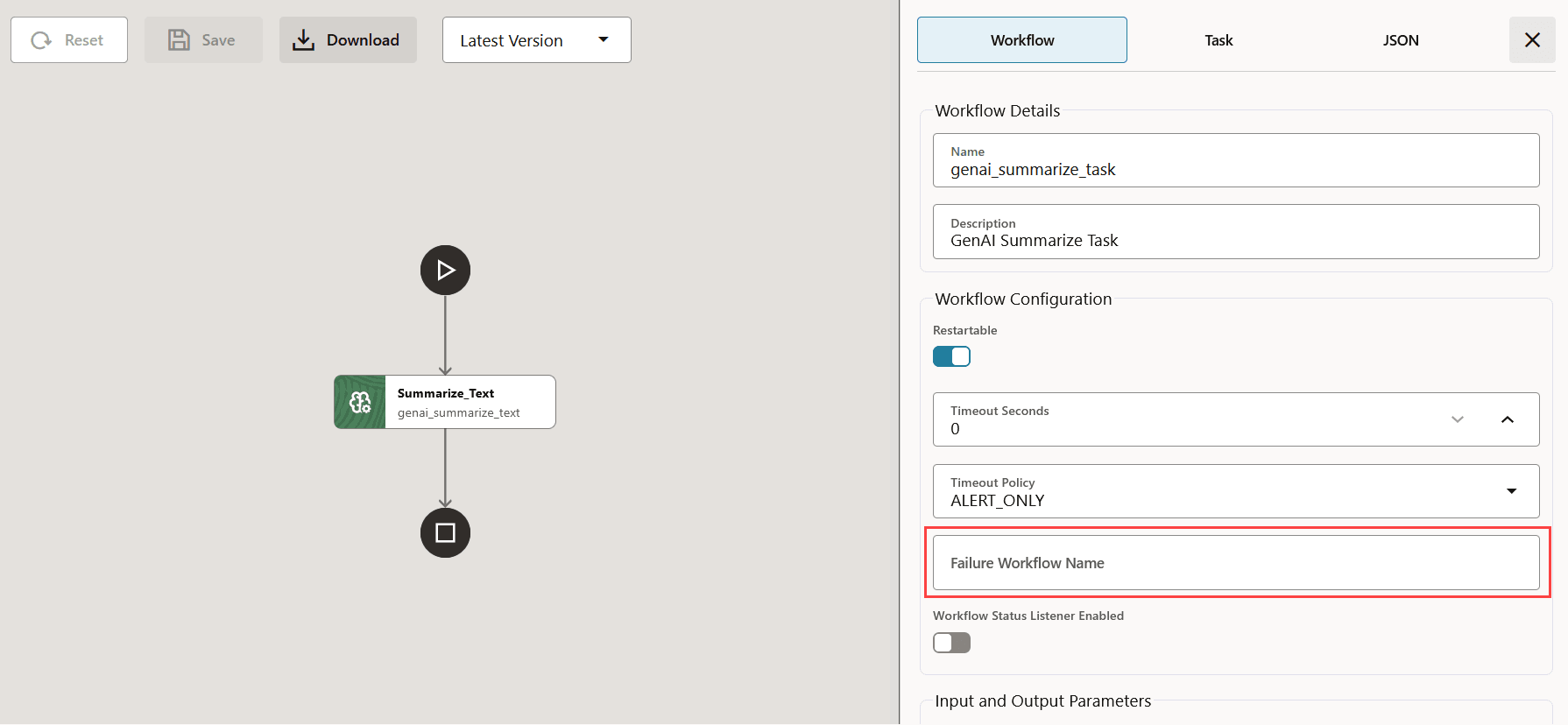
    failure workflow name

  7. Click Save.
  8. MicroTx Workflows displays the changes in JSON code as shown in the following figure. Review all the changes.
  9. Click Confirm Save to save the changes.