2.2.4 Update and Rerun a Workflow Execution
Workbench stores the details of the executed workflows in your browser's local storage.
After you run a workflow, a new workflow execution ID is displayed in
the pane on the right side of the window. You can search for a specific workflow by
providing its ID or name. Click a specific entry to view the parameters used to run that
workflow. You can edit the parameters, if required, and run the workflow again.
- Click a workflow ID.All the details, such as input parameters, that you had provided when you ran the workflow earlier are displayed on the screen as shown in the following image.
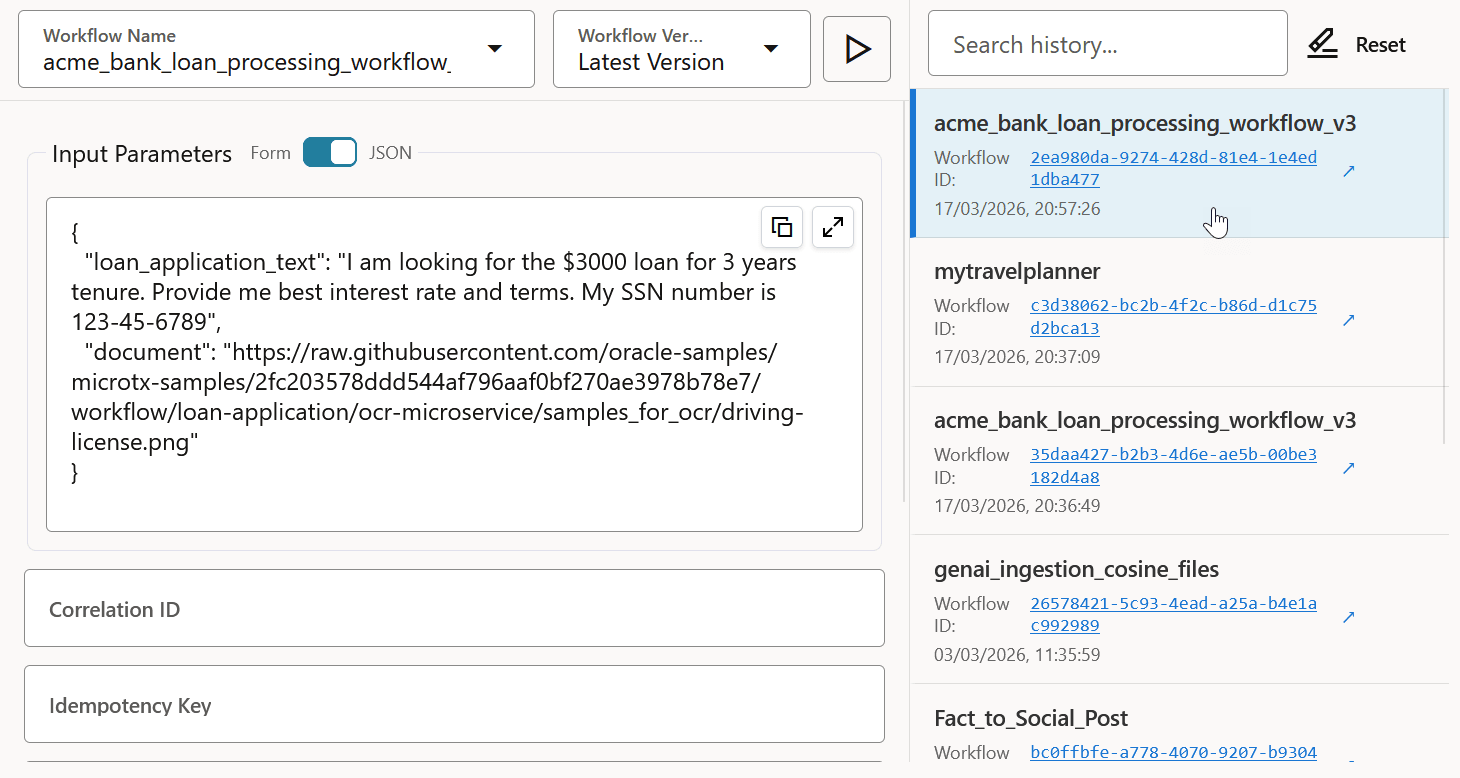
- View all the details, such as workflow version, input parameters, and the
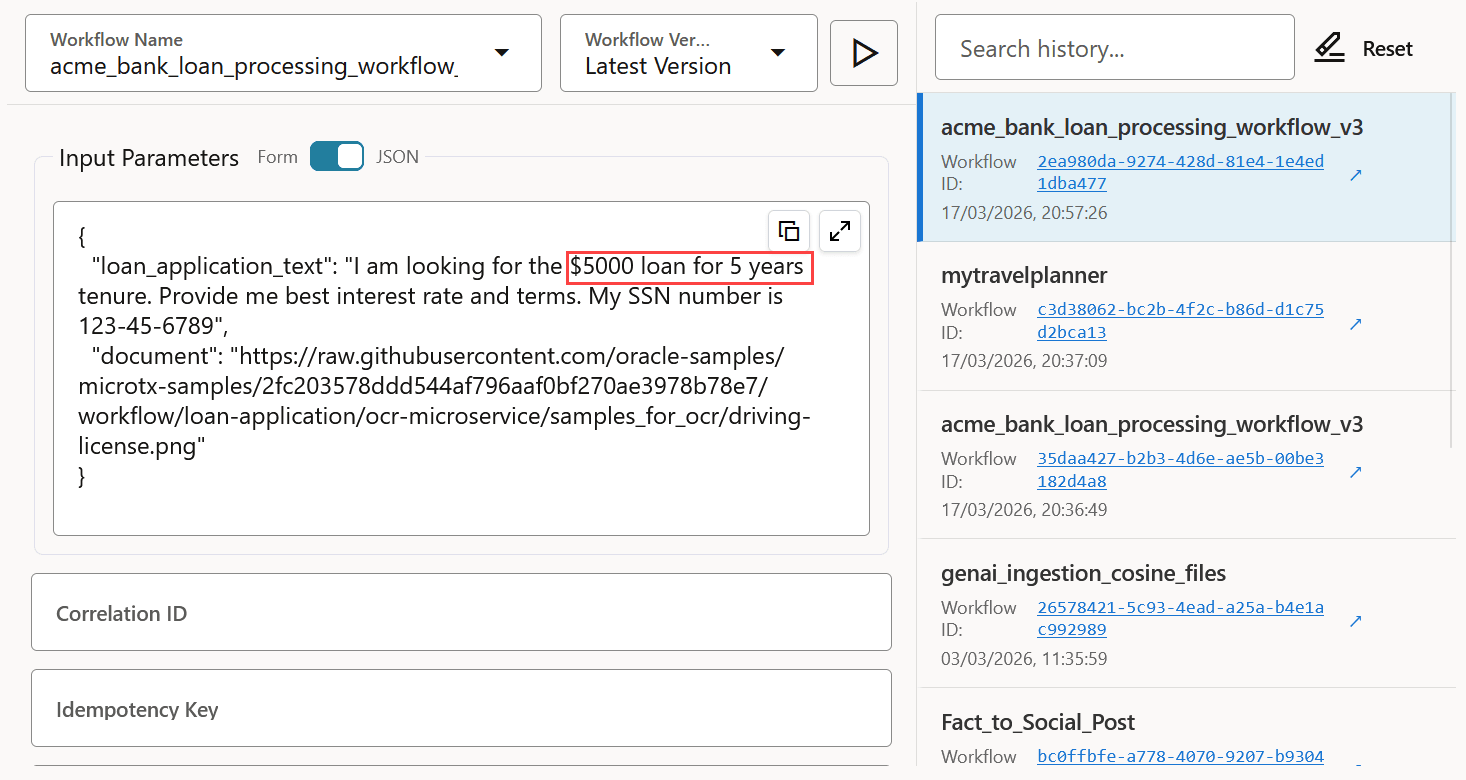
domains in which you want to run the task. If required, update the details. You
can update all workflow execution parameters, except the name of the
workflow.The following image displays the updated values of input parameters for the selected workflow.
- Click
 (Execute) to run the workflow.
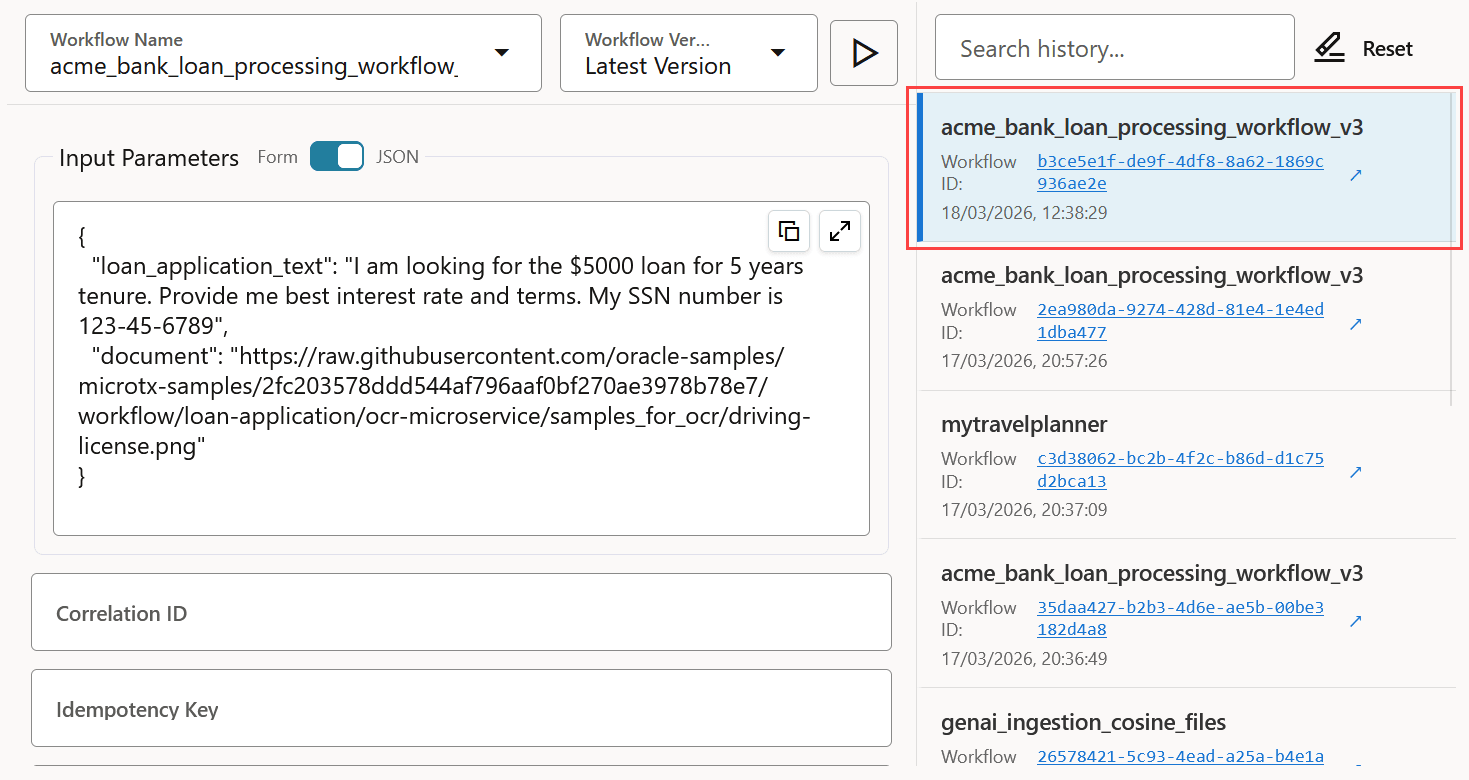
 A new workflow ID is created every time you run a workflow. In the pane on the right side of the window, a new workflow execution ID is displayed.
If you want to clear all the details of the executed workflows in your
browser's local storage, click Reset.
Parent topic: Manage Workflow Executions