3.6 Creating a Client for Oracle TSAM Plus Manager
- In the left navigation, click Clients
- Click Create client
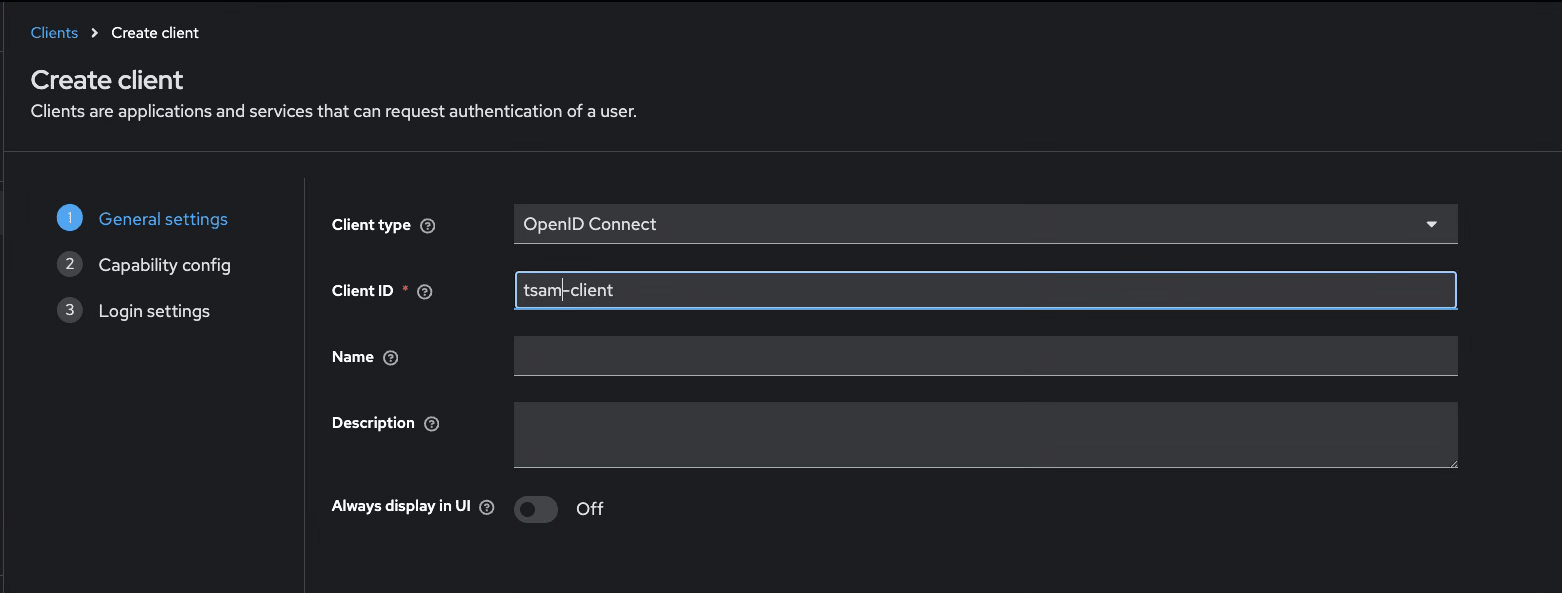
- Enter the client details:
Recommended Values:
Figure 3-3 Create a Client
- Click Next
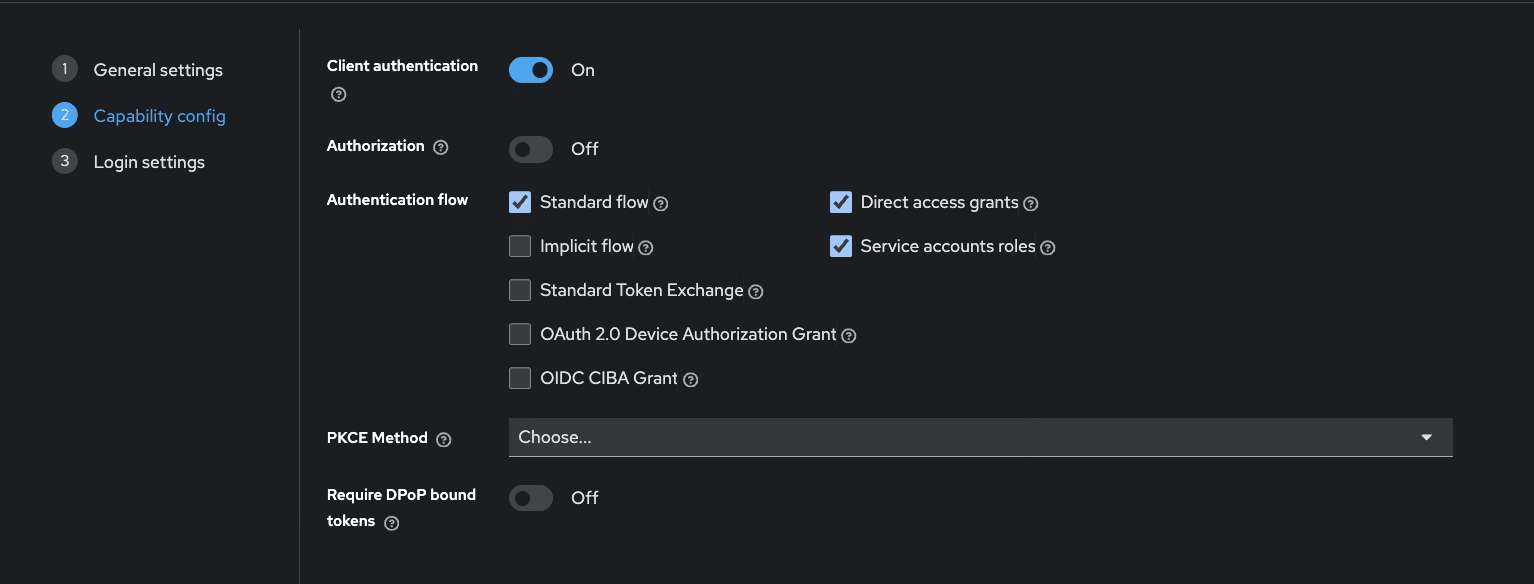
- Configure the client capability settings as required by your Keycloak version
Figure 3-4 Recommended Values
- Click Next to move onto Log in Settings.
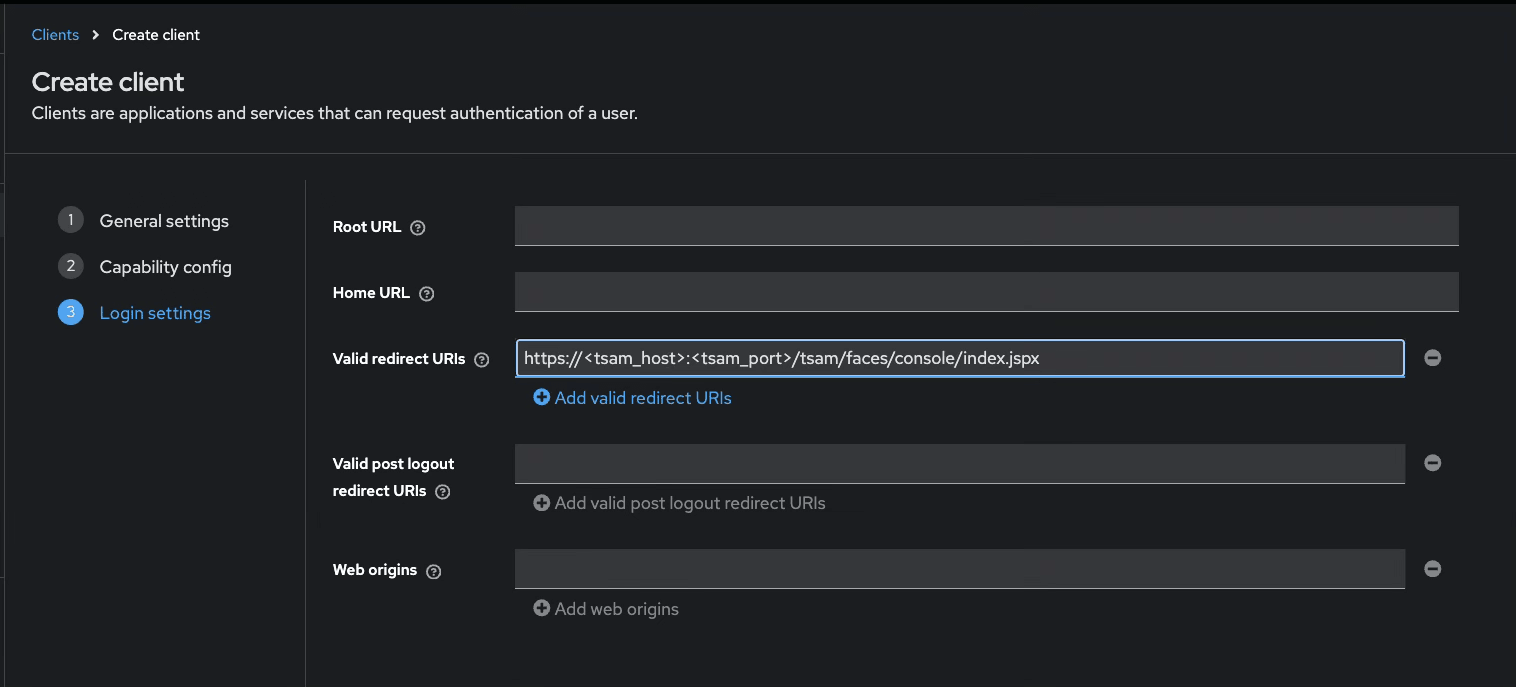
- Add the Valid redirect URIs in the Log in settings:
Figure 3-5 Valid redirect URIs
- Save the settings for the client.
After creating the client, note the following details:
- Client ID
- Client Secret