3.5 Creating a Realm for Oracle TSAM Plus Manager
Follow the steps below to create a Realm for Oracle TSAM Plus Manager:
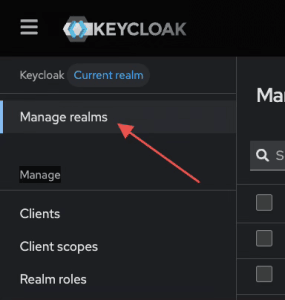
- In the left navigation, click on Manage Realms
Figure 3-2 Manage Realms
- Click Create realm
- Enter the realm name. For example, Oracle TSAM Plus Manager
- Click Create
Note:
After creating the realm for Oracle TSAM Plus Manager, you need to ensure that the active realm is the newly createdTSAM realm by clicking on the list of realms.