2.3 Target Home Page Introduction
When you select a Tuxedo target from the Enterprise Manager Cloud Control home page or Tuxedo Summary page, the Home page for the target is displayed. For example, when you click on a Tuxedo Domain target, the screen shown below appears.
Figure 2-2 Target Home Page
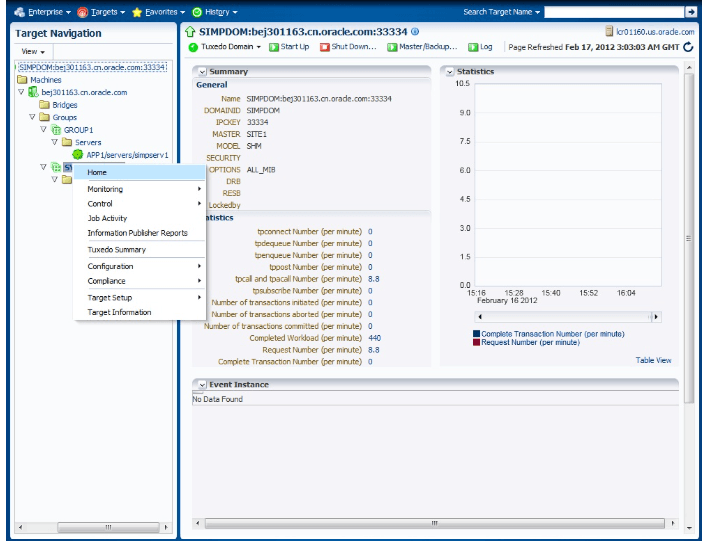
The image above shows the target navigation pane on the left and the content page on the right. From the target navigation pane, you can expand or collapse the tree. When you select a target, the target home page is displayed in the content pane and the target menu is displayed at the top of the page. You can also view the menu for a target by right-clicking the target in the navigation pane.
A typical target home page consists of the following items: