Other Issues
1. I cannot login using the username and password that have been provided
- Please wait for at least 15 minutes.
- Use the show password button and check for any whitespaces or extra characters.
- Try using a Chromium based browser, clearing your browser’s cookies or using the Incognito / Private Browsing option is also recommended.
If your issue remains unresolved (Requires Oracle Login):
2. I am not able to log in to my OCI lab environment
Check that you are using the credentials supplied in your Lab info tab within your learning subscription interface, and not your personal Single Sign-On (SSO) credentials that you use to log in to My Learn.
Check your Lab info tab to see whether you should connect to your lab by a direct login to the OCI Console via a URL.
The credentials displayed will indicate which method of connection you need. Use the show password button and check for any whitespaces or extra characters.
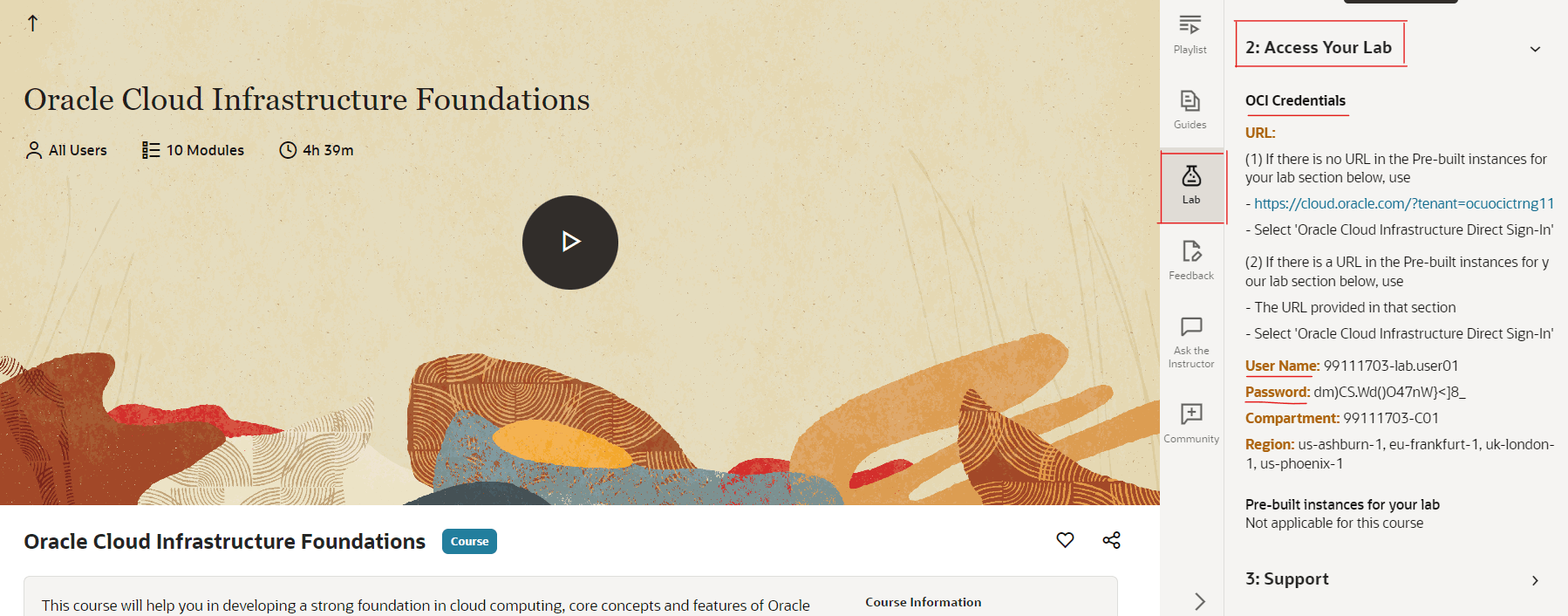
If your issue remains unresolved (Requires Oracle Login):
3. I notice a mismatch with the Activity Guide and the Lab Environment
Please use the Contact Support button above and make sure to provide the activity guide page number that has the mismatch.
4. I receive an “Authentication failed” error when I try to log in to the OCI lab
- Use the show password button and check for any whitespaces or extra characters.
- Try using a Chromium based browser, clearing your browser’s cookies or using the Incognito / Private Browsing option is also recommended.
If your issue remains unresolved (Requires Oracle Login):