Skip Step not Working
When trying to make a step skip based on the target element not being visible, sometime the guide does not skip the step as expected. When this happens, check to make sure that "Monitor Selector" is not chosen.
Instructions
Add the steps involved:
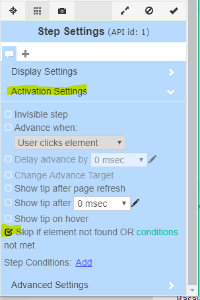
- Select "Skip if element no found..." option in the Activation Settings section
- Make sure that Monitor selector option in the Advanced Settings section is NOT checked