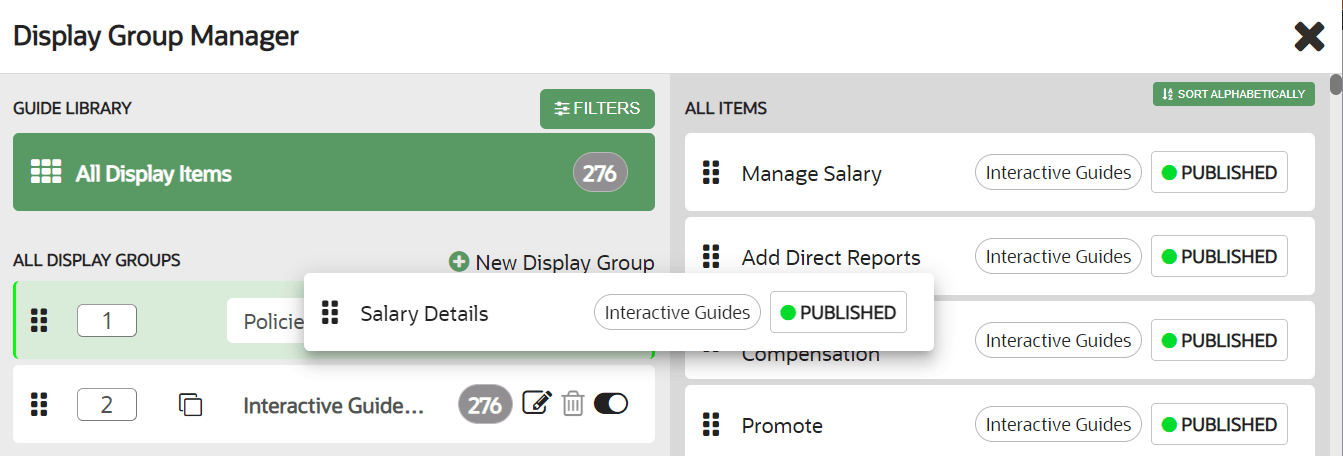
Adding Content to Display Groups
You can add content by dragging the item from the right side and dropping the item into the appropriate display group on the left. After the item is added to a display group, the display group association tag is updated next to the item name. To remove items from a display group, simply drag and drop the item into the new display group. To see the contents of a display group, select the group's name on the left of the Display Group Manager.