Creating Display Groups
When you create display groups in the Display Group Manager you provide a name and an icon, and then you can assign content.
To create a display group:
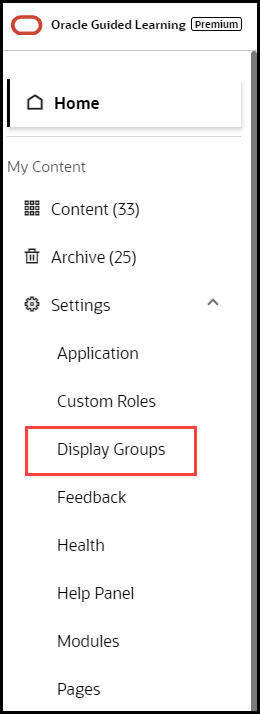
- On the OGL Console homepage, go to the left navigation panel.
You see the Settings section in the navigation panel.
- Select the Display Groups dropdown menu.
- Click
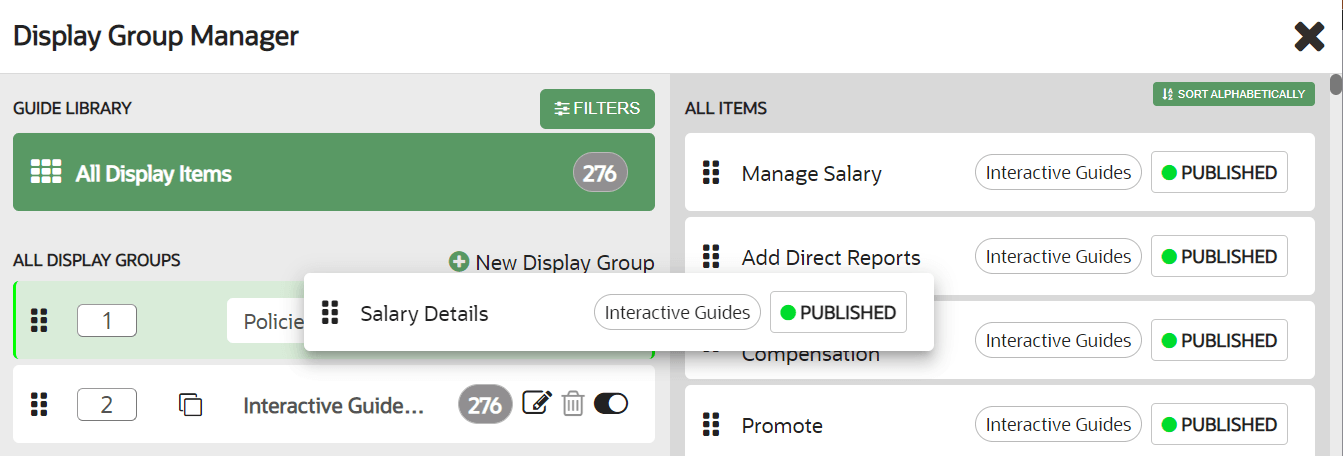
 New Display Group in the Display Group Manager
 - In the Display Group Manager window,
- Enter the Name of the display group
IMPORTANT: Your display group name cannot contain any special characters ( * | \ " : < > [ ] { } ` ( ) ' ; & $ )
- Select Save
- Add content to the display group by dragging & dropping to the
display group
- Select Save All to save the changes and close the Display Group Manager
