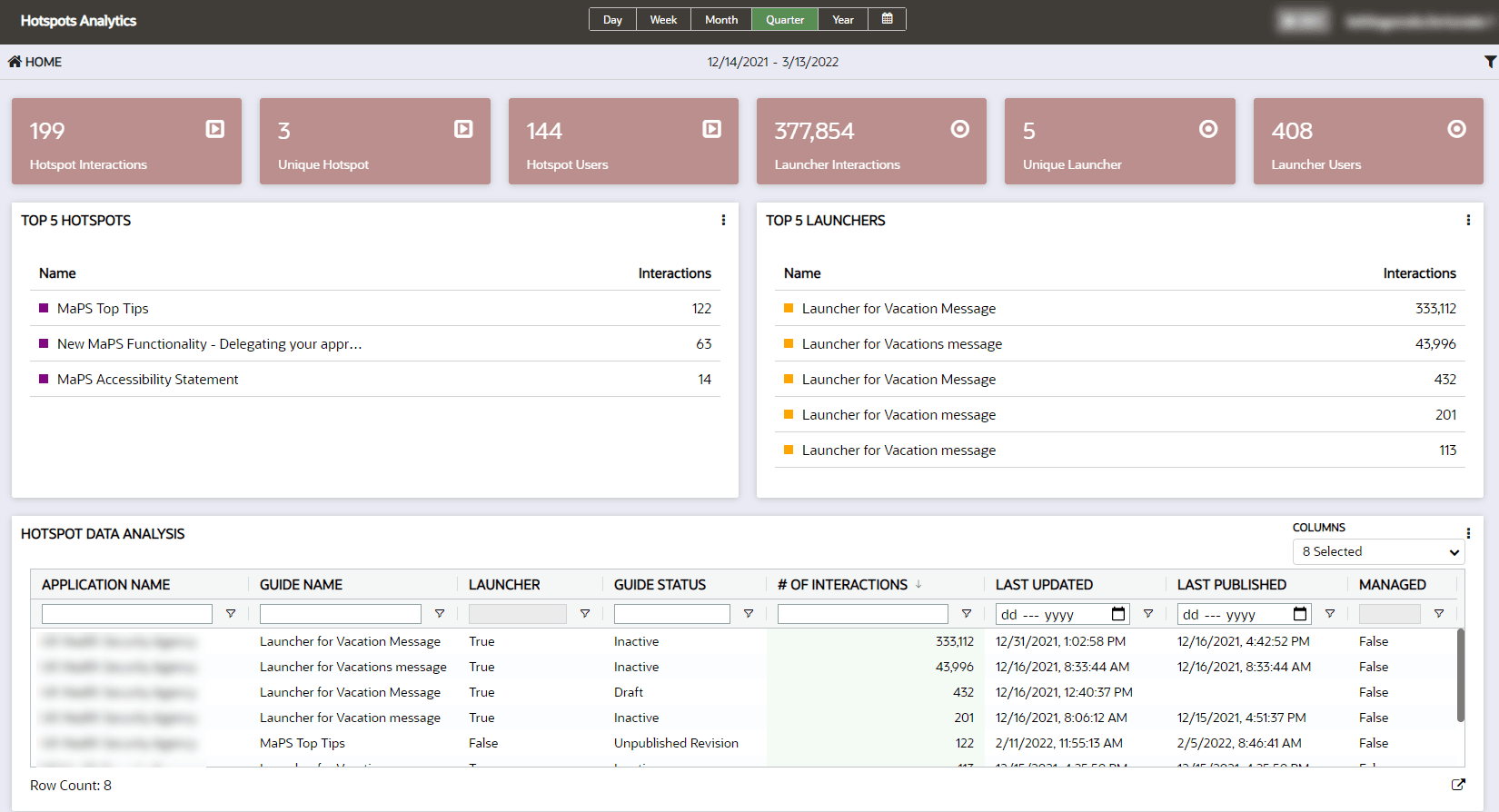
Hotspots Dashboard
Hotspots and Launchers can be used to gather information about how users are interacting in the cloud application. The Hotspot Dashboard highlights top-performing Hotspots and Launchers allowing a detailed analysis of the user behavior.
With this information, OGL content can be deployed based on user traffic.
-
Notifying users of upcoming changes: Hotspots can identify application usage to determine the best locations in the application to launch a message providing information and training to prepare impacted users for change.
-
Redirect user action: Hotspots can identify how users are navigating in the application in response to feedback on system functionality - the data may reveal users are selecting a less efficient option to navigate in the system, allowing the deployment of a content to share a more efficient navigation path with impacted users.
Accessing the Hotspots Analytics dashboard:
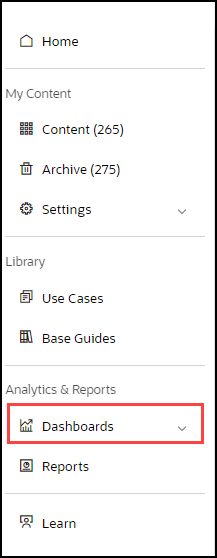
- On the OGL Console homepage, go to the left navigation panel.You can see the Analytics & Reports section in the navigation panel. in the OGL Console
- Select Dashboards dropdown menu.
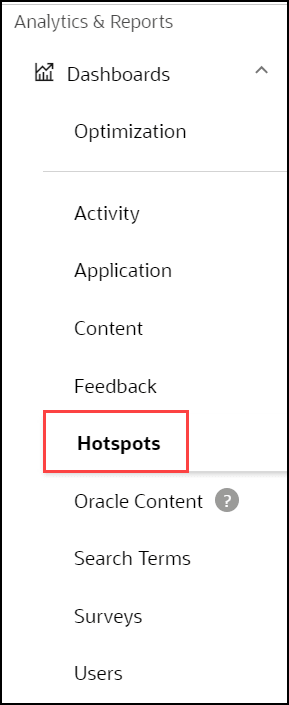
- Select Hotspots in the Dashboards area.
The Hotspots and Launcher capabilities introduce a new dashboard in analytics to provide key information relating to the activity being tracked by Launchers and Hotspots. You can maximize impact by continually monitoring and improving your hotspot tracking to make informed decisions and create highly effective content. This improves possible exposure to users based on user traffic. The dashboard highlights top-performing Hotspots, Launchers, and allows for a detailed analysis of user behavior.