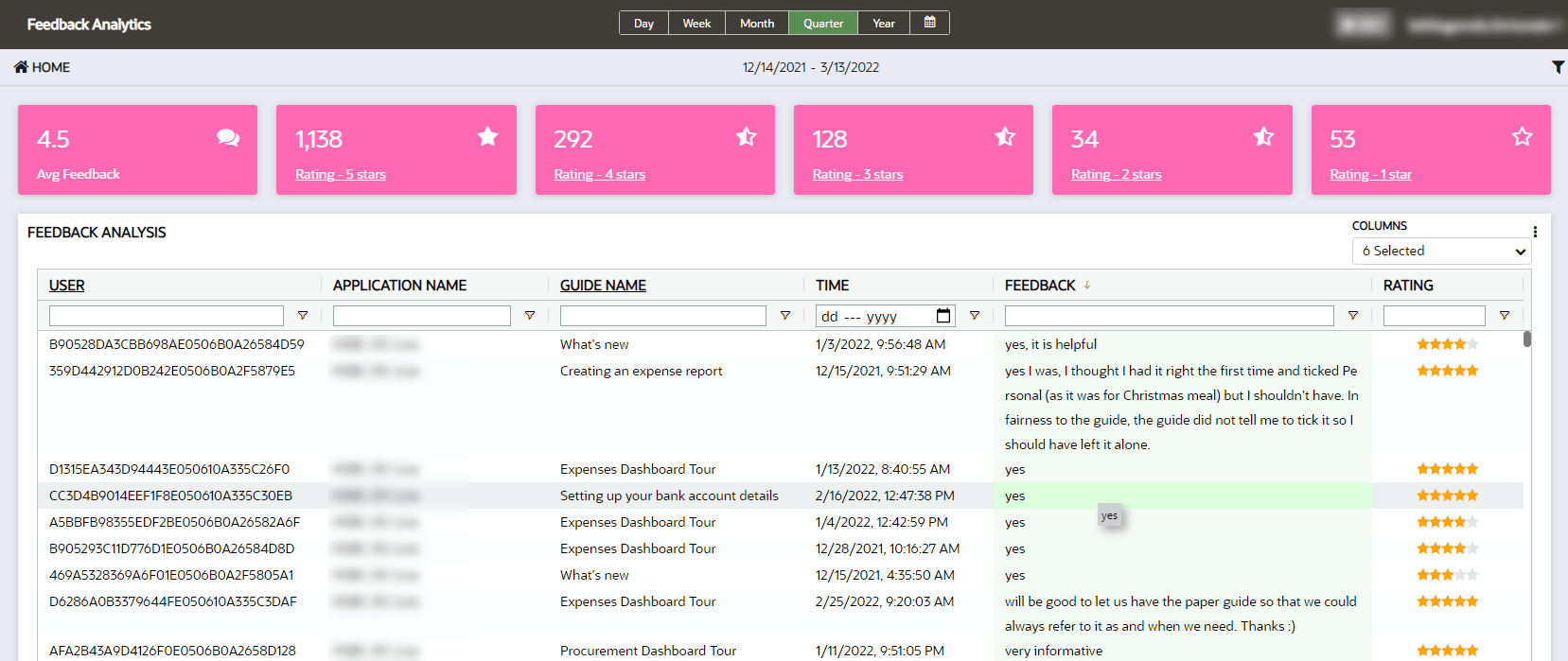
Feedback Dashboard
OGL Administrators can request feedback from users on OGL guides directly within the fusion environment by enabling the Feedback function in the OGL console, and view results via the Feedback dashboard.
While enabling OGL feedback, your team may set a strategy for requests, including:
- Frequency: Gather in any range of frequency from always (100%) to never (0%)
- Type: Information includes rating (1-5 stars) and optional free text response.
- Specificity: Once enabled, feedback can be toggled on or off for one or more specified items. You might use this feature to request feedback for a new or revised item.
Accessing the Feedback Analytics dashboard:
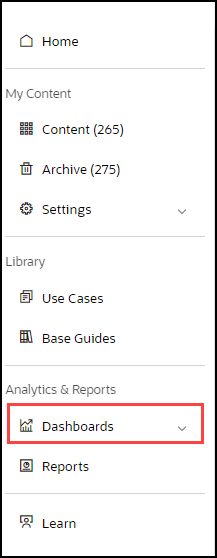
- On the OGL console homepage, go to the left naigation panel. You can see the Analytics & Reports section in the navigation panel. in the OGL Console
- Select Dashboards dropdown menu.
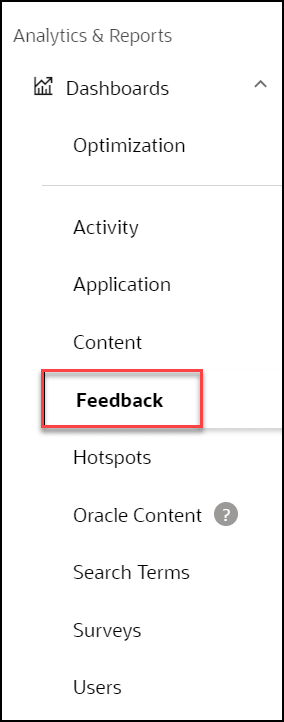
- Select Feedback in the Dashboards area.
Reviews allow you to gain valuable feedback from your users, use this to improve product and service offerings. OGL deployments with the feedback functionality enabled will enjoy the added benefit of having access to the new feedback dashboard to analyze user satisfaction and where content can be improved. The dashboard allows you to drill down into the feedback detail. Use this facility to further understand where and how to improve OGL items, address user concerns, and improve decision-making in building and provisioning OGL items.