Content Dashboard
Accessing the Content Analytics dashboard:
- On the OGL Console homepage, go to the left navigation panel.You can see the Analytics & Reports section in the navigation panel. in the OGL Console
- Select Dashboards dropdown menu.
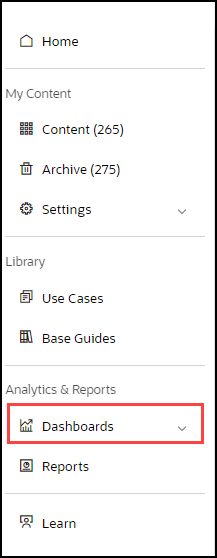
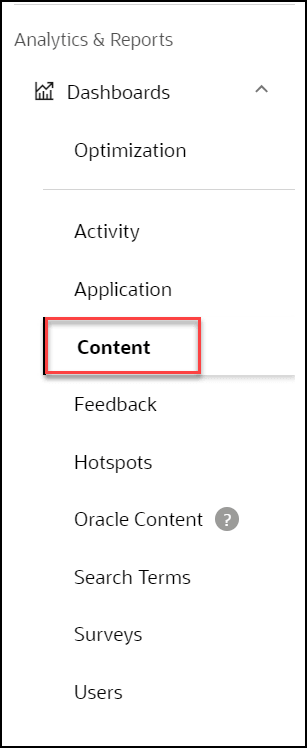
- Select Content in the Dashboards area.
The Content Dashboard replaces the information previously delivered in the left panel of the dashboard. The Content Dashboard provides data on how many of each type of guide is available in the Console (not including guides in the Archive section). There have been many requests to be able to download into a spreadsheet a list of the guides in the Console. This is now possible, along with useful information on each guide, by downloading the table on the Content Dashboard. The Content Dashboard table is fully sortable and can be filtered in many ways, allowing users to easily find information.
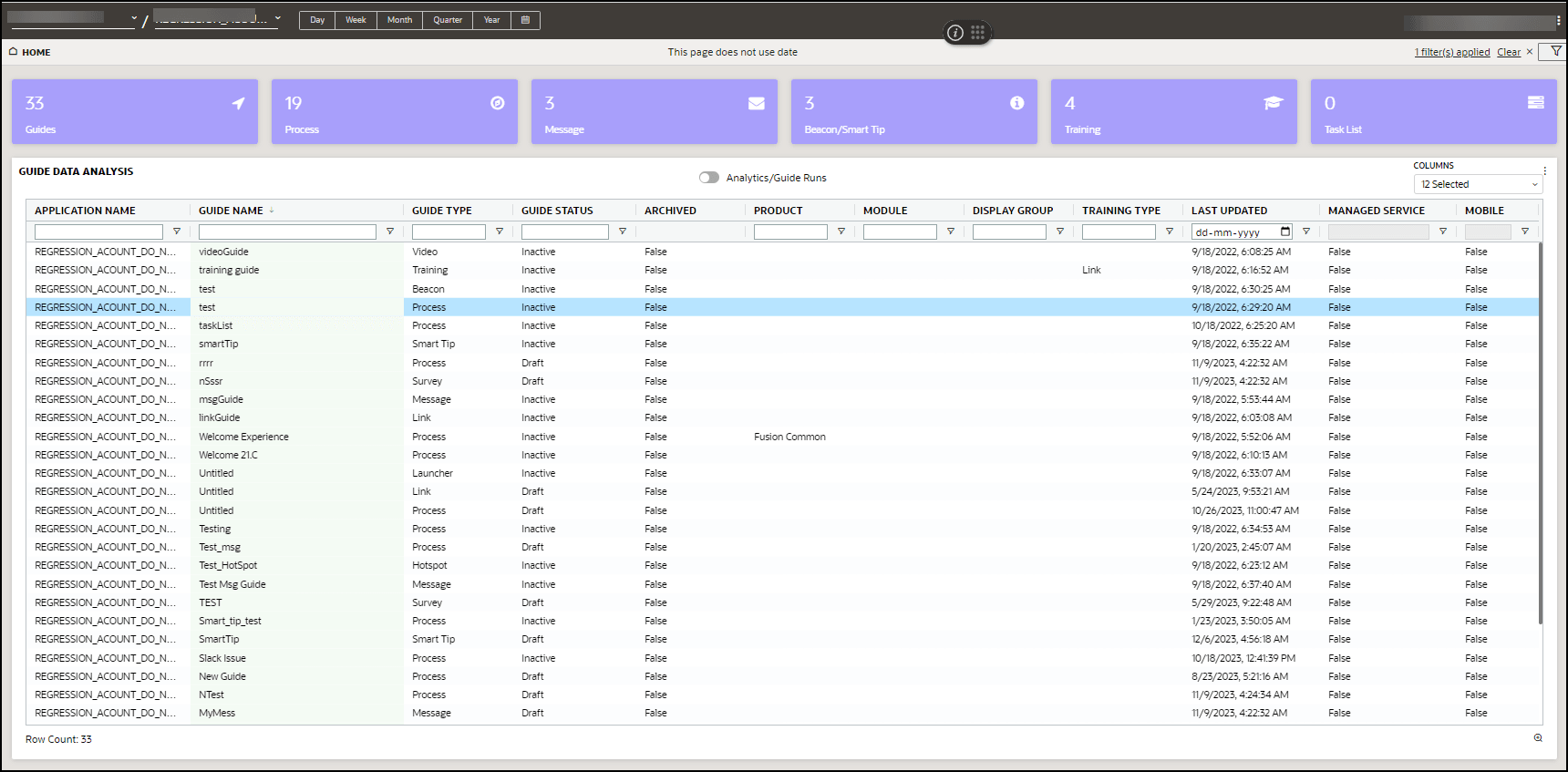
- Guides: Total number of OGL items
- Process:Total number of process guides
- Message: Total number of messages
- Beacon/Smart-Tip: Total number of beacons & smart-tips
- Training: Total number of training content
- Task List: Total number of task lists
