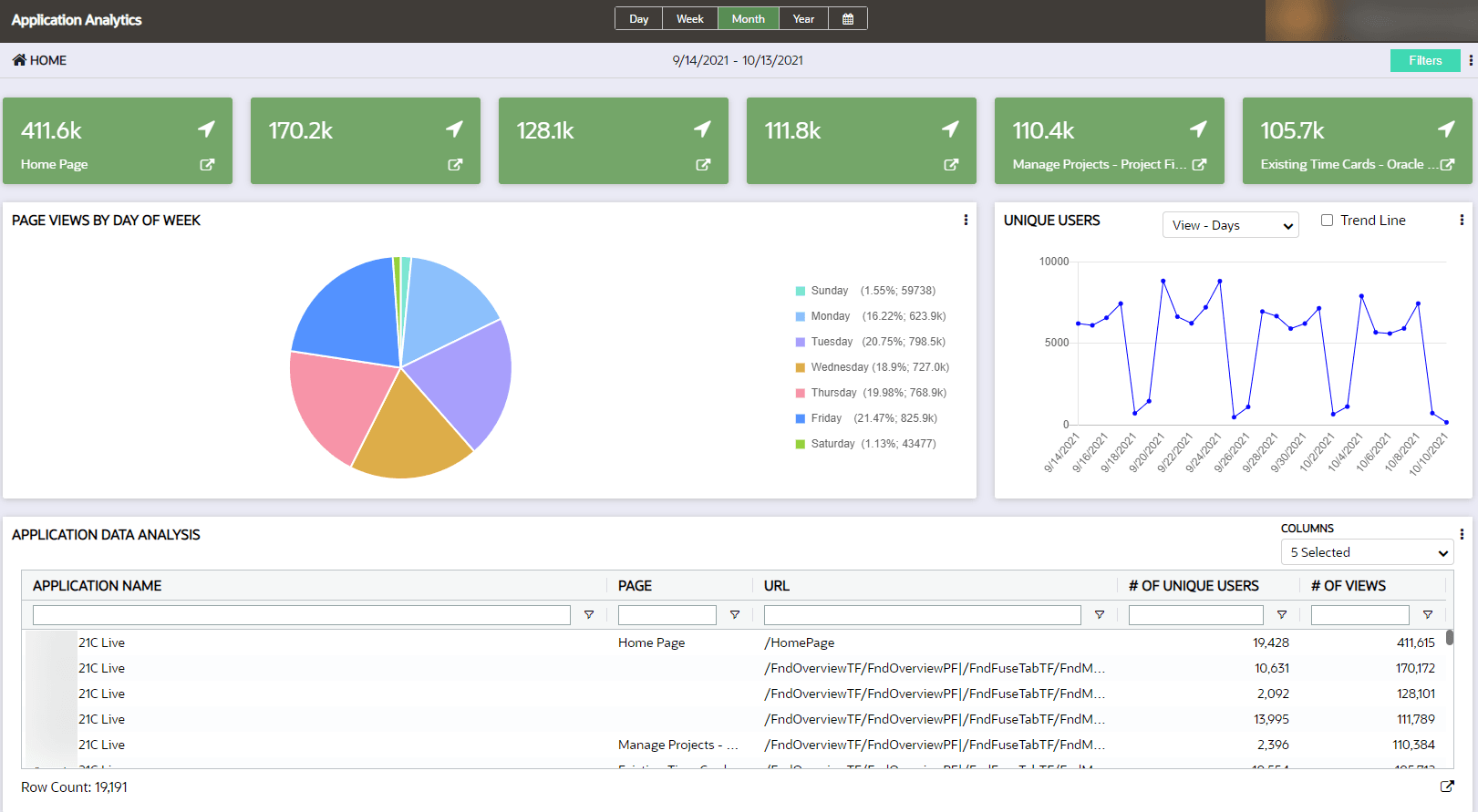
Application Dashboard
The Application Analytics dashboard allows analysts to view traffic on specific pages. This dashboard leverages the pages documented in the Pages manager and provides traffic information for those pages.
Accessing the Application Analytics dashboard:
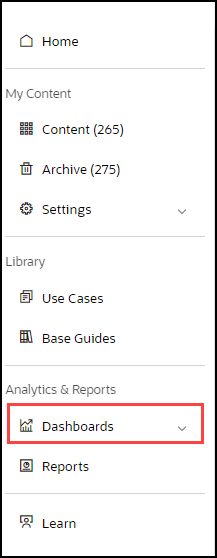
- On the OGL Console homepage, go to the left navigation panel.You can see the Analytics & Reports section in the navigation panel. in the OGL Console
- Select Dashboards dropdown menu.
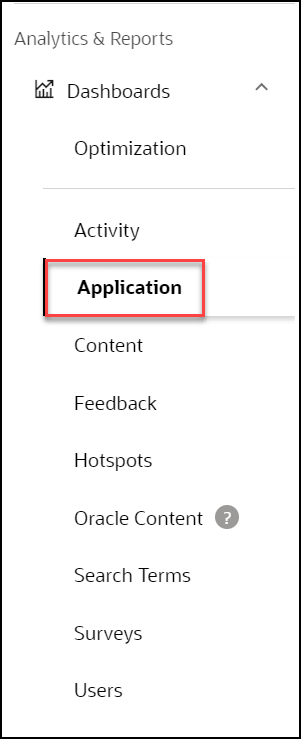
- Select Application in the Dashboards area.
The Application Analytics dashboard allows analysts to view traffic on specific pages, as defined in the Pages manager, and provides traffic information for those pages. Across the top of the dashboard, up to six of the most viewed pages are displayed. The second row displays the distribution of page views by day of the week and unique user numbers during the reporting time period. Finally, the table at the bottom provides the ability to download the data as well as filter and sort on an ad-hoc basis using multiple criteria.