Guide Runs by Type
To view guide runs by type within the Activity Analytics dashboard:
- On the OGL Console homepage, go to the left navigation panel.You can see the Analytics & Reports section in the navigation panel. in the OGL Console
- Select the Dashboards dropdown menu.
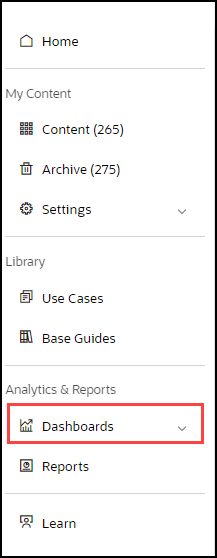
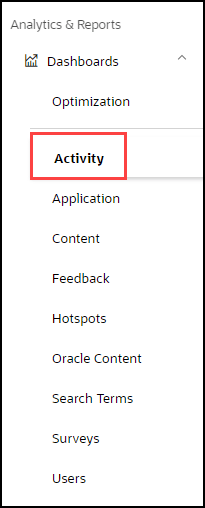
- Select Activity in the Dashboards area.
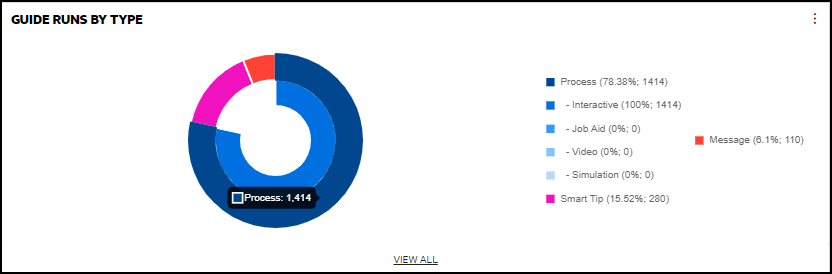
- Select the guide type by clicking on the color matching the guide type in
the pie chart.
For example, place your cursor on
 color which is a Process Guide type.
The detailed process guide analytics is displayed.
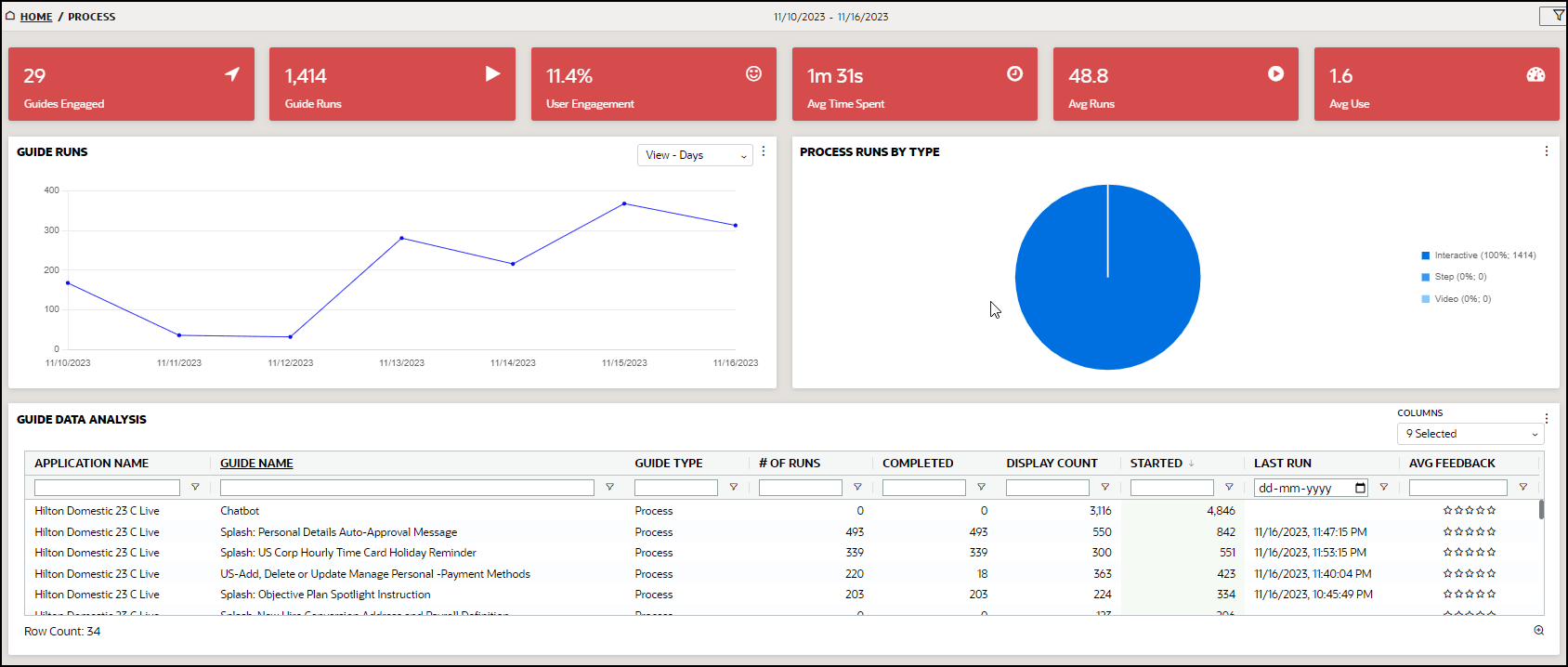
- Guides Engaged: Number of engaged guides during the time period. This number includes all content. Use the Filter button in the upper right-hand corner to view Process guides or Smart Tip guides only.
-
Guide Runs: Number of times a guide has been run. "Guide" includes all content, including:
- Process Guide Engagement: When a user launches a process guide from the Help Panel, this is recorded as guide engagement. This typically involves a step-by-step walkthrough of a specific process or task.
- Auto Launch Process Guide Engagement: When a user advances to the second step of an auto-launched process guide or selects "Done" in a splash guide, this is recorded as guide engagement.
- Message Engagement: When the user selects “Done” after interacting with the message, this action is recorded as a guide engagement.
- Video and Training Engagement: When a user selects "Done" after interacting with a video, or training guide, it is recorded as guide engagement.
- Smart Tip Engagement: When a user interacts with a smart tip, such as hovering over the tooltip or clicking on the help icon, it is recorded as guide engagement. Smart tips are one-step guides that include one or more tips presented as tooltips (element-based) or icons.
-
Beacon Engagement: When a user interacts with a beacon, such as hovering over the tooltip or clicking on the help icon, this is recorded as guide engagement. Beacons are one-step guides that provide guidance using visual cues or indicators.
- Users Engagement: Number of users who have engaged with OGL divided by the total number of users active in the host application during the selected time period
- Average Time Spent: Average time users have spent in a guide
- Average Runs: Number of guides run (see # in second red box) divided by the number of active guides (see # in first red box)
- Average Use: Number of all guide runs (second red box) divided by active users
