Activity Dashboard
The activity dashboard is a starting point for understanding a summary of guide activity for a specified time period by type as well as summarizing user engagement metrics during that period.
Accessing the Activity Analytics dashboard:
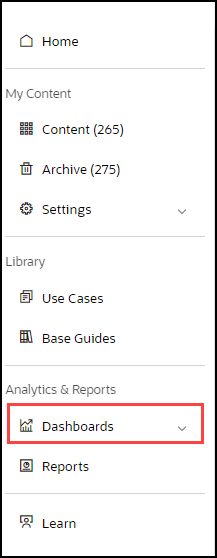
- On the OGL Console homepage, go to the left navigation panel.You can see the Analytics & Reports section in the navigation panel. in the OGL Console
- Select the Dashboards dropdown menu.
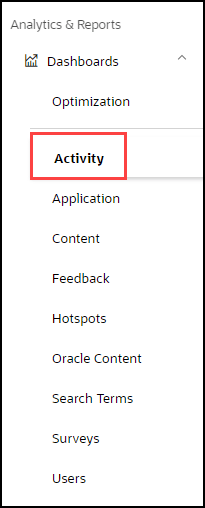
- Select Activity in the Dashboards area.
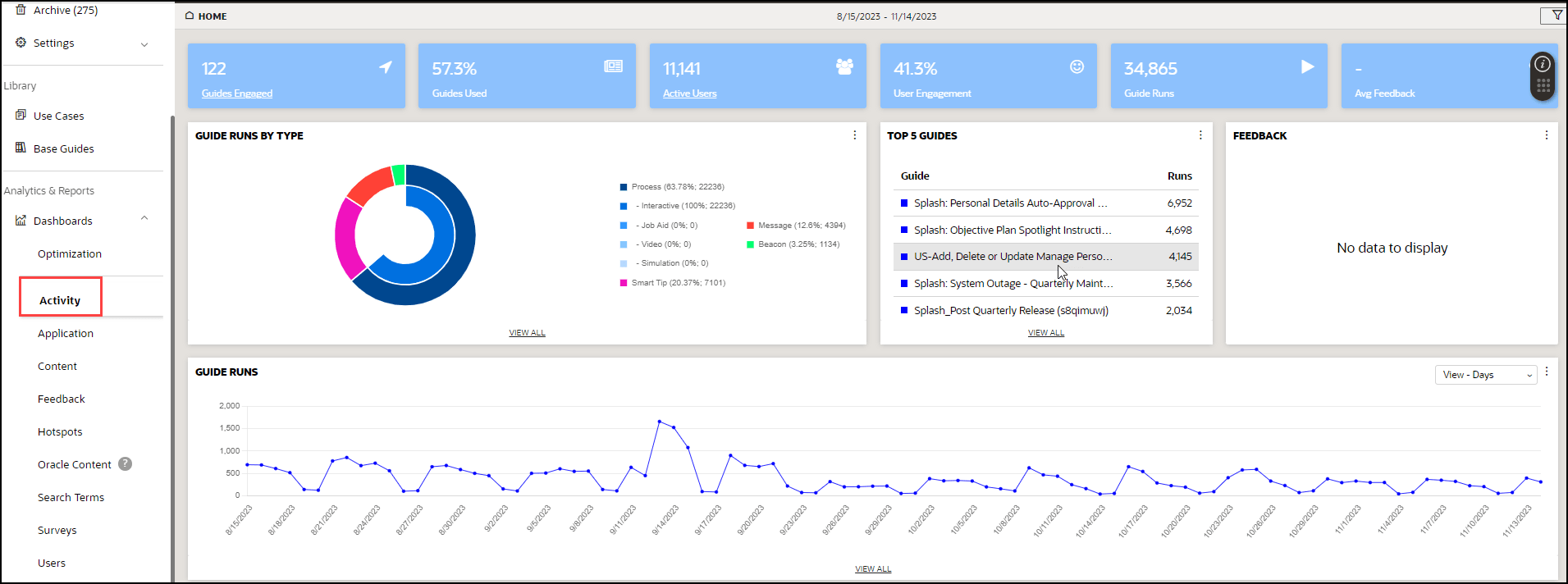
Activity Dashboard is displayed
-
Guides Engaged: A guide with which a user has engaged during the defined period. The definition of "engagement" varies for different Guide types.
(Note: For more information about how guide engagement is calculated, see the Guide Engagement Definitions section below)
- Guides Used: Guides Engaged/Total Guides
- Active Users: Unique users that have interacted with a guide during the reporting period
- User Engagement: Active Users/Host App Users during the reporting period
- Guide Runs: The number of times any guide has been engaged during the reporting period. A single guide engaged multiple times will count multiple times in this number.
- Average Feedback: Total Feedback Score/Total Feedback Responses
The center of the dashboard displays OGL consumption data in a graphical format:
- Guide Runs by Type: Pie chart with a detailed legend distinguishes the percentage of type of OGL items consumed
- Top 5 Guides: List of most-used guides by views. API Name is displayed in parenthesis
- Feedback: View and analyze user feedback on OGL content items.
Guide Runs Chart
The bottom of the Dashboard displays the chart of Daily Guide Runs for the selected reporting period; now you can also toggle the Trend Line over for the reporting period or use the daily, weekly, and monthly views.

