Reordering Display Groups
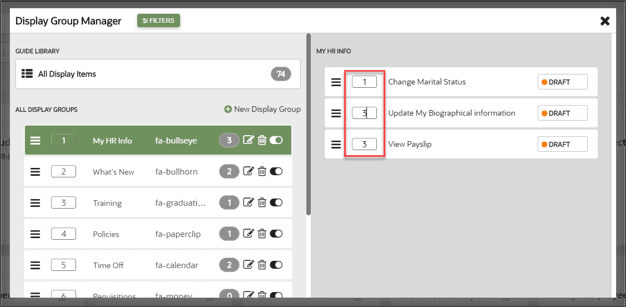
Use the Display Group Manager to configure the order of display groups and the content within them. You can reorder display groups and guides using drag and drop, or you can specify order by numbering them.
To reorder display groups:
- Drag and drop each display group in the order that you want them to be displayed.
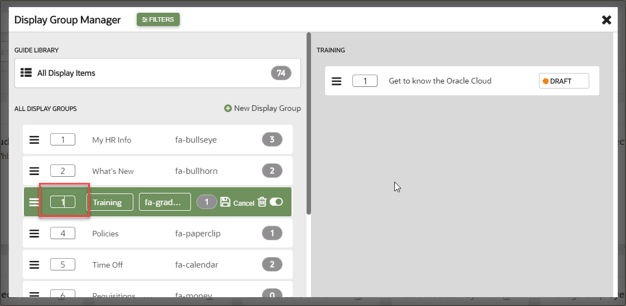
- Edit the display group
 and specify the order by entering numbers in the display group order
boxes.
and specify the order by entering numbers in the display group order
boxes.
To reorder guides:
- Specify guide order by selecting a display group then entering the numeric order of
each guide in the order boxes.