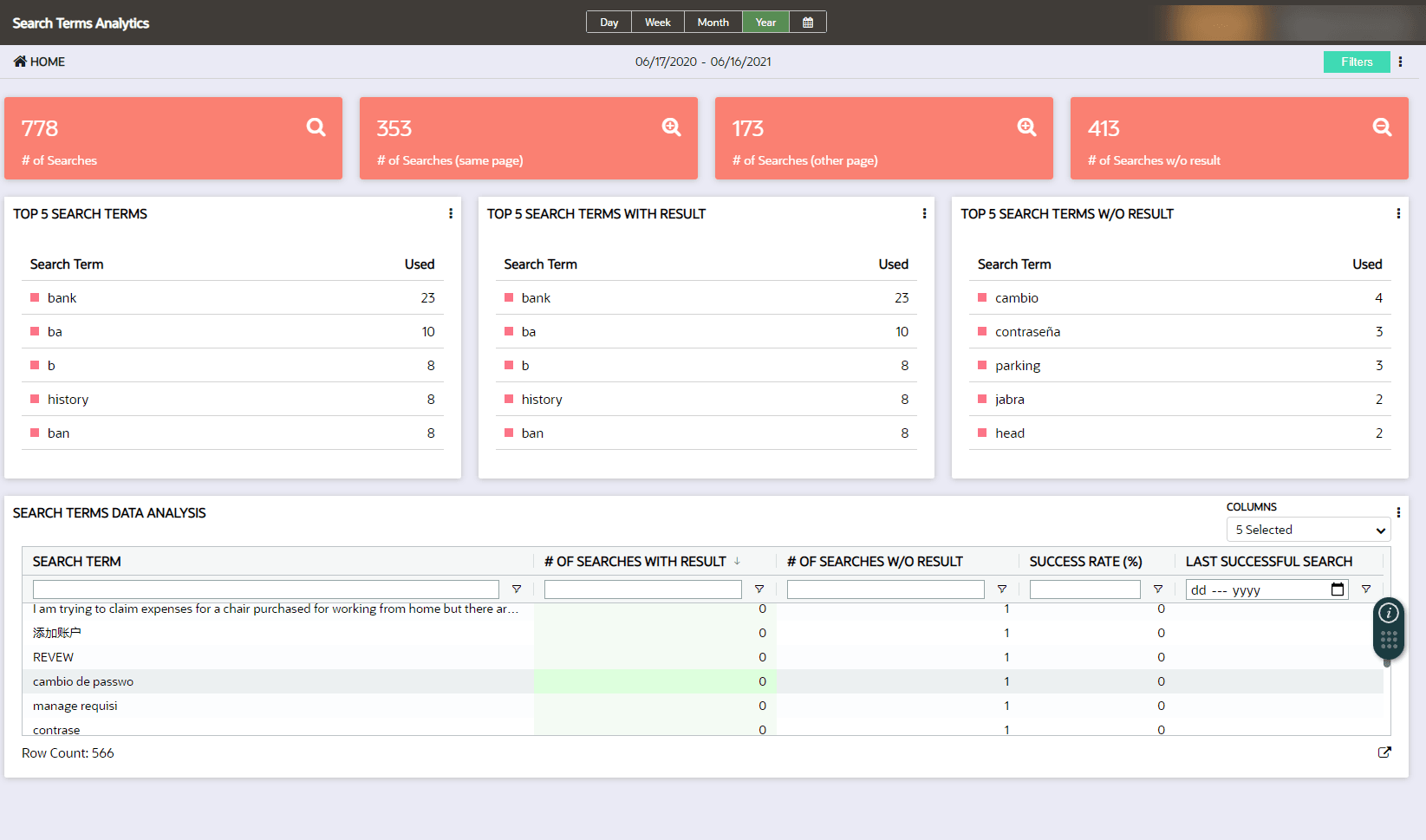
Search Terms Dashboard
Hotspots and Launchers can be used to gather information about how users are interacting in the cloud application. The Hotspot Dashboard highlights top-performing Hotspots and Launchers allowing a detailed analysis of the user behavior.
With this information, OGL content can be deployed based on user traffic.
Notifying users of upcoming changes: Hotspots can identify application usage to determine the best locations in the application to launch a message providing information and training to prepare impacted users for change.
Redirect user action: Hotspots can identify how users are navigating in the application in response to feedback on system functionality - the data may reveal users are selecting a less efficient option to navigate in the system, allowing the deployment of a content to share a more efficient navigation path with impacted users.
Accessing the Search Terms Analytics dashboard:
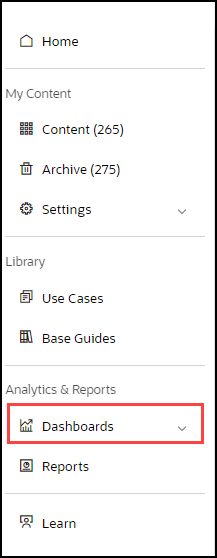
- On the OGL Console homepage, go to the left navigation panel.
You can see the Analytics & Reports section in the navigation panel.
Select the Dashboards dropdown menu. in the OGL Console - Select Dashboards dropdown menu.
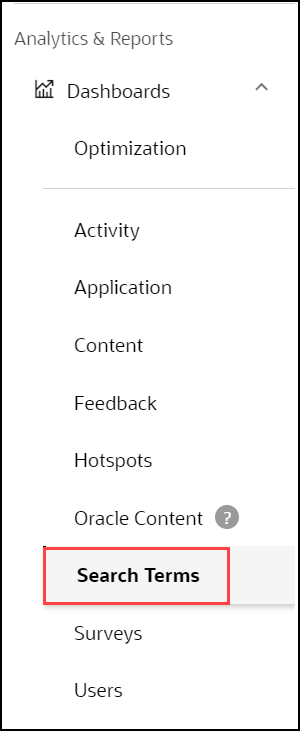
- Select Search Terms in the Dashboards area.
Whenever users search for content in the widget, OGL actively tracks all the search terms. Searches with results returned and those without results are reported to OGL analytics. This information is used to improve keywords associated with specific OGL items to maximize how easily users can locate and utilize items in the content library. Setup weekly/monthly/quarterly reviews of the search-term analytics to ensure the content library is continually aligned to what users are searching in the Widget. Since this feature provides visibility into the kind of help users are after, the dashboard becomes a valuable source of ideas on what content needs to be added by identifying gaps in the offering.