Step Control Basics
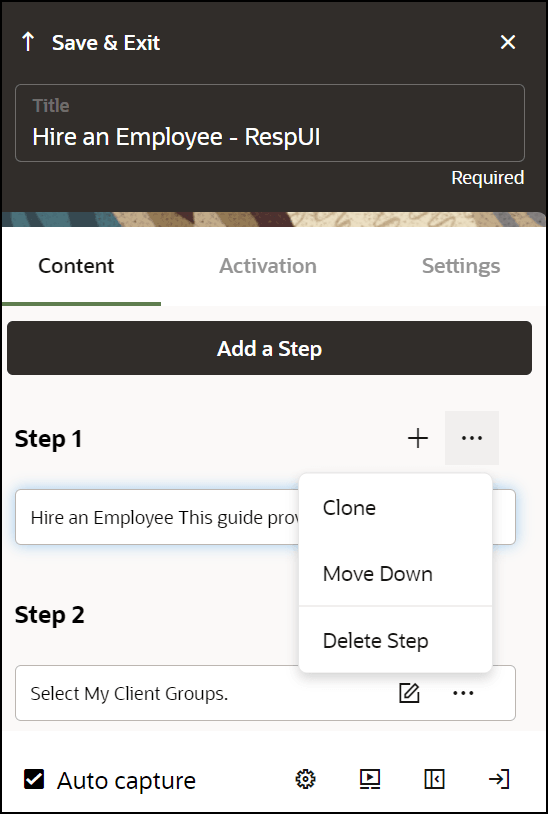
| Element | Description | Note |
|---|---|---|
| Clone | Copy step | If the step has multiple tips, this copies only the currently selected tip. |
| Move Up/Down | Move the step Up/Down to change the target. | |
| Delete Step | Delete step. | If the step has multiple tips, this deletes all tips. |
| Step Settings | Open Step Settings. | |
| Change Tip Placement | Change tip placement (above, below, left, right, and so on) relative to the target. | |
| Select / Change Tip Target | Select to change the target element. | |
| Edit Tip | Make edits to the existing tip. | |
| Save & Exit | Save changes and advance to next step. |
