Browsing through active time of a problem
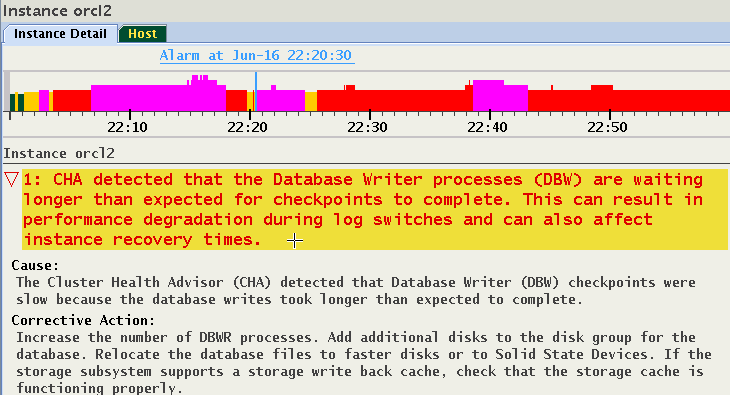
Once a problem is selected, the time periods in which it was active is marked by a magenta color on the status timeline. Press and hold the Shift key and use the left or right arrow key to fast forward to a previous or next active time point in which this problem was indicated. As shown in Figure 13-25, for example, at 22:17:55 a "DB Writer checkpoint" problem is displayed. The magenta color shows several time ranges in which this condition was also diagnosed.
Figure 6-25: Browsing through active time of a Problem
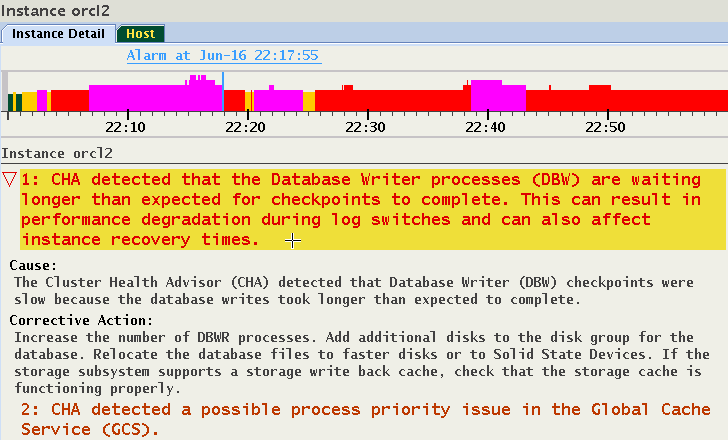
The selected timestamp is at the end of the magenta colored time range. Press Shift+Right Arrow keys and the cursor will move to the next later timestamp in which the same Problem was reported. In this case, it was 22:20:30, approximately two minutes later.
Figure 6-26: Browsing through active time of a Problem