2 Installing NRF
This chapter provides information about installing Oracle Communications Cloud Native Core, Network Repository Function (NRF) in a cloud native environment using Command Line Interface (CLI) procedures.
CLI provides an interface to run various commands required for NRF deployment processes.
The NRF installation is supported over the following platforms:
- Oracle Communications Cloud Native Core, Cloud Native Environment (CNE) - For more information about CNE, see Oracle Communications Cloud Native Core, Cloud Native Environment Installation, Upgrade, and Fault Recovery Guide.
- Oracle Cloud Infrastructure (OCI) - For more information about OCI, see Oracle Communications Cloud Native Core OCI Adaptor, NF Deployment on OCI Guide.
Note:
NRF supports fresh installation, and it can also be upgraded from 25.1.2xx, 25.1.1xx to 25.2.202. For more information on how to upgrade NRF, see the Upgrading NRF section.Table 2-1 NRF Installation Sequence
| Installation Sequence | Applicable for CNE Deployment (CLI) | Applicable for OCI Deployment |
|---|---|---|
| Prerequisites | Yes | Yes |
| Software Requirements | Yes | Yes |
| Environment Setup Requirements | Yes | Yes |
| Resource Requirements | Yes | Yes |
| Preinstallation Tasks | Yes | Yes |
| Downloading the NRF package | Yes | Yes |
| Pushing the Images to Customer Docker Registry | Yes | No |
| Pushing the NRF Images to OCI Docker Registry | No | Yes |
| Verifying and Creating Namespace | Yes | Yes |
| Creating Service Account, Role, and RoleBinding | Yes | Yes |
| Configuring Database, Creating Users, and Granting Permissions | Yes | Yes |
| Configuring Kubernetes Secret for Accessing NRF Database | Yes | Yes |
| Configuring Secrets for Enabling HTTPS | Yes | Yes |
| Configuring Secret for Enabling CCA Header | Yes | Yes |
| Configuring Secret to Enable Access Token Service | Yes | Yes |
| Configuring NRF to Support ASM | Yes | Yes |
| Creating Secrets for DNS NAPTR - Alternate route service | Yes | Yes |
| Configuring Network Policies | Yes | Yes |
| Installation Tasks | Yes | Yes |
| Postinstallation Tasks | Yes | Yes |
2.1 Prerequisites
Before installing and configuring NRF, ensure that the following prerequisites are met.
2.1.1 Software Requirements
This section lists the software that must be installed before installing NRF:
Note:
Tables Table 2-2 and Table 2-4 in this section offer a comprehensive list of software necessary for the proper functioning of NRF during deployment. However, these tables are indicative, and the software used can vary based on the customer's specific requirements and solution.
Software Requirement column in Table 2-2 and Table 2-4 tables indicates one of the following:
- Mandatory: Absolutely essential; the software cannot function without it.
- Recommended: Suggested for optimal performance or best practices but not strictly necessary.
- Conditional: Required only under specific conditions or configurations.
- Optional: Not essential; can be included based on specific use cases or preferences.
Table 2-2 Preinstalled Software Versions
| Software | 25.2.2xx | 25.1.2xx | 25.1.1xx | Software Requirement | Usage Description |
|---|---|---|---|---|---|
| Helm | 3.19.1 | 3.17.1 | 3.16.2 | Mandatory |
Helm, a package manager, simplifies deploying and managing NFs on Kubernetes with reusable, versioned charts for easy automation and scaling. Impact: Preinstallation is required. Without this capability, management of NF versions and configurations becomes time-consuming and error-prone, impacting deployment consistency. |
| Kubernetes | 1.34.1 | 1.32.0 | 1.31.0 | Mandatory |
Kubernetes orchestrates scalable, automated NF deployments for high availability and efficient resource utilization. Impact: Preinstallation is required. Without orchestration capabilities, deploying and managing network functions (NFs) can become complex, leading to inefficient resource utilization and potential downtime. |
| Podman | 5.6.0 | 5.2.2 | 5.2.2 | Recommended |
Podman is a part of Oracle Linux. It manages and runs containerized NFs without requiring a daemon, offering flexibility and compatibility with Kubernetes. Impact: Preinstallation is required. Without efficient container management, the development and deployment of NFs could become cumbersome, impacting agility. |
Table 2-3 Preinstalled Software
| Software | Version |
|---|---|
| OKE (on OCI) | 1.27.x |
Note:
NRF 25.2.202 supports OKE managed clusters on OCI.kubectl versionhelm versionpodman versionNote:
This guide covers the installation instructions for NRF when Podman is the container platform with Helm as the Packaging Manager. For non-CNE, the operator can use commands based on their deployed Container Runtime Environment, see Oracle Communications Cloud Native Core, Cloud Native Core Installation, Upgrade, and Fault Recovery Guide.If you are deploying NRF in a cloud native environment, these following additional software are to be installed before installing NRF.
Table 2-4 Additional Software Versions
| Software | 25.2.2xx | 25.1.2xx | 25.1.1xx | Software Requirement | Usage Description |
|---|---|---|---|---|---|
| AlertManager | 0.28.0 | 0.28.0 | 0.27.0 | Recommended |
Alertmanager is a component that works in conjunction with Prometheus to manage and dispatch alerts. It handles the routing and notification of alerts to various receivers. Impact: Not implementing alerting mechanisms can lead to delayed responses to critical issues, potentially resulting in service outages or degraded performance. |
| Calico | 3.30.3 | 3.29.1 | 3.28.1 | Recommended |
Calico provides networking and security for NFs in Kubernetes, ensuring scalable, policy-driven connectivity. Impact: Calico is a popular Container Network Interface (CNI) and CNI is mandatory for the functioning of 5G NFs. Without a CNI plugin, the network could witness security vulnerabilities and inadequate traffic management, impacting the reliability of NF communications. |
| cinder-csi-plugin | 1.33.0 | 1.32.0 | 1.31.1 | Mandatory |
Cinder CSI (Container Storage Interface) plugin is used for provisioning and managing block storage in Kubernetes. It is often used in OpenStack environments to provide persistent storage for containerized applications. Impact: Without the CSI plugin, provisioning block storage for NFs would be manual and inefficient, complicating storage management. |
| containerd | 2.0.5 | 1.7.24 | 1.7.22 | Recommended |
Containerd manages container lifecycles to run NFs efficiently in Kubernetes. Impact: A lack of a reliable container runtime could lead to performance issues and instability in NF operations. |
| CoreDNS | 1.12.0 | 1.11.13 | 1.11.1 | Recommended |
CoreDNS is the DNS server in Kubernetes, which provides DNS resolution services within the cluster. Impact: DNS is an essential part of deployment. Without proper service discovery, NFs would struggle to communicate with each other, leading to connectivity issues and operational failures. |
| Fluentd | 1.17.1 | 1.17.1 | 1.17.1 | Recommended |
Fluentd is an open source data collector that streamlines data collection and consumption, ensuring improved data utilization and comprehension. Impact: Not utilizing centralized logging can hinder the ability to track NF activity and troubleshoot issues effectively, complicating maintenance and support. |
| Grafana | 7.5.17 | 9.5.3 | 9.5.3 | Recommended |
Grafana is a popular open source platform for monitoring and observability. It provides a user-friendly interface for creating and viewing dashboards based on various data sources. Impact: Without visualization tools, interpreting complex metrics and gaining insights into NF performance would be cumbersome, affecting effective management. |
| Jaeger | 1.72.0 | 1.65.0 | 1.60.0 | Recommended |
Jaeger provides distributed tracing for 5G NFs, enabling performance monitoring and troubleshooting across microservices. Impact: Not utilizing distributed tracing may hinder the ability to diagnose performance bottlenecks, making it challenging to optimize NF interactions and user experience. |
| Kyverno | 1.15.0 | 1.13.4 | 1.12.5 | Recommended |
Kyverno is a Kubernetes policy engine that allows to manage and enforce policies for resource configurations within a Kubernetes cluster. Impact: Without the policy enforcement, there could be misconfigurations, resulting in security risks and instability in NF operations, affecting reliability. |
| MetalLB | 0.15.2 | 0.14.4 | 0.14.4 | Recommended |
MetalLB is used as a load balancing solution in CNE, which is mandatory for the solution to work. MetalLB provides load balancing and external IP management for 5G NFs in Kubernetes environments. Impact: Without load balancing, traffic distribution among NFs may be inefficient, leading to potential bottlenecks and service degradation. |
| metrics-server | 0.7.2 | 0.7.2 | 0.7.2 | Recommended |
Metrics server is used in Kubernetes for collecting resource usage data from pods and nodes. Impact: Without resource metrics, auto-scaling and resource optimization would be limited, potentially leading to resource contention or underutilization. |
| Multus | 4.2.1-thick | 4.1.3 | 3.8.0 | Recommended |
Multus enables multiple network interfaces in Kubernetes pods, allowing custom configurations and isolated paths for advanced use cases such as NF deployments, ultimately supporting traffic segregation. Impact: Without this capability, connecting NFs to multiple networks could be limited, impacting network performance and isolation. |
| OpenSearch | 2.18.0 | 2.15.0 | 2.11.0 | Recommended |
OpenSearch provides scalable search and analytics for 5G NFs, enabling efficient data exploration and visualization. Impact: Without a robust analytics solution, there would be difficulties in identifying performance issues and optimizing NF operations, affecting overall service quality. |
| OpenSearch Dashboard | 2.18.0 | 2.15.0 | 2.11.0 | Recommended |
OpenSearch dashboard visualizes and analyzes data for 5G NFs, offering interactive insights and custom reporting. Impact: Without visualization capabilities, understanding NF performance metrics and trends would be difficult, limiting informed decision making. |
| Prometheus | 3.6.0 | 3.2.0 | 2.52.0 | Mandatory |
Prometheus is a popular open source monitoring and alerting toolkit. It collects and stores metrics from various sources and allows for alerting and querying. Impact: Not employing this monitoring solution could result in a lack of visibility into NF performance, making it difficult to troubleshoot issues and optimize resource usage. |
| prometheus-kube-state-metric | 2.16.0 | 2.15.0 | 2.13.0 | Recommended |
Kube-state-metrics is a service that generates metrics about the state of various resources in a Kubernetes cluster. It's commonly used for monitoring and alerting purposes. Impact: Without these metrics, monitoring the health and performance of NFs could be challenging, making it harder to proactively address issues. |
| prometheus-node-exporter | 1.9.1 | 1.8.2 | 1.8.2 | Recommended |
Prometheus Node Exporter collects hardware and OS-level metrics from Linux hosts. Impact: Without node-level metrics, visibility into infrastructure performance would be limited, complicating the identification of resource bottlenecks. |
| Prometheus Operator | 0.83.0 | 0.80.1 | 0.76.0 | Recommended |
The Prometheus Operator is used for managing Prometheus monitoring systems in Kubernetes. Prometheus Operator simplifies the configuration and management of Prometheus instances. Impact: Not using this operator could complicate the setup and management of monitoring solutions, increasing the risk of missed performance insights. |
| rook | 1.16.7 | 1.16.6 | 1.15.2 | Mandatory |
rook is the ceph orchestrator for Kubernetes, which provides storage solutions. It is used in BareMetal CNE solution. Impact: Not utilizing rook could increase the complexity of deploying and managing ceph, making it difficult to scale storage solutions in a Kubernetes environment. |
| snmp-notifier | 2.0.0 | 1.6.1 | 1.5.0 | Recommended |
snmp-notifier sends SNMP alerts for 5G NFs, providing real-time notifications for network events. Impact: Without SNMP notifications, proactive monitoring of NF health and performance could be compromised, delaying response to critical issues. |
| Velero | 1.13.2 | 1.13.2 | 1.13.2 | Recommended |
Velero backs up and restores Kubernetes clusters for 5G NFs, ensuring data protection and disaster recovery. Impact: Without backup and recovery capabilities, customers would witness a risk of data loss and extended downtime, requiring a full cluster reinstall in case of failure or upgrade. |
Note:
On OCI, the Prometheus Operator is not required. Metrics and alerts will be managed using OCI monitoring and alarm services. For more information, see Oracle Communications Cloud Native Core OCI Adaptor, NF Deployment in OCI.2.1.2 Environment Setup Requirements
This section describes the environment setup requirements for installing NRF.
2.1.2.1 Client Machine Requirement
This section describes the requirements for client machine, that is, the machine used by the user to run deployment commands.
- Helm repository configured.
- network access to the Helm repository and Docker image repository.
- network access to the Kubernetes cluster.
- required environment settings to run
the
dockerorpodman, andkubectl, commands. The environment must have the privileges to create a namespace in the Kubernetes cluster. - Helm client installed with the push plugin. Configure the environment in such a
manner that the
helm installcommand deploys the software in the Kubernetes cluster.
2.1.2.2 Network Access Requirement
The Kubernetes cluster hosts must have network access to the following:
- Local Helm repository: It contains the
NRF Helm charts.
To check if the Kubernetes cluster hosts can access the local Helm repository, run the following command:
helm repo update - Local Docker image repository: It contains the NRF Docker images.
To check if the Kubernetes cluster hosts can access the local Docker image repository, pull any image with an image-tag using either of the following commands:Where:
podman pull <podman-repo>/<image-name>:<image-tag>docker pull <docker-repo>/<image-name>:<image-tag><podman-repo>is the IP address or host name of the Podman repository.<docker-repo>is the IP address or host name of the Docker repository.<image-name>is the Docker image name.<image-tag>is the tag assigned to the Docker image used for the NRF pod.
podman pull
                                bumblebee-bastion-1:5000/occne/ocnrf/ocnrf-nfaccesstoken:25.2.202
docker pull bumblebee-bastion-1:5000/occne/ocnrf/ocnrf-nfaccesstoken:25.2.202
Note:
Run the kubectl and helm commands on a system based on the deployment infrastructure. For instance, they can be run on a client machine such as VM, server, local desktop, and so on.2.1.2.3 Server or Space Requirement
For information about the server or space requirements, see Oracle Communications Cloud Native Core, Cloud Native Environment Installation, Upgrade, and Fault Recovery Guide.
2.1.2.4 CNE Requirement
This section is applicable only if you are installing NRF on Cloud Native Environment (CNE). NRF supports CNE 25.2.2xx, 25.2.1xx, 25.1.2xx.
echo $OCCNE_VERSIONFor more information about CNE, see Oracle Communications Cloud Native Core, Cloud Native Environment Installation, Upgrade, and Fault Recovery Guide.
2.1.2.5 cnDBTier Requirement
NRF supports cnDBTier 25.2.2xx, 25.1.2xx. cnDBTier must be configured and running before installing NRF. For more information about cnDBTier installation procedure, see Oracle Communications Cloud Native Core, cnDBTier Installation, Upgrade, and Fault Recovery Guide.
For more information
about the cnDBTier customizations required for NRF, see the
ocnrf_dbtier_CNDBTIER_VERSION_custom_values_NRF_VERSION.yaml
file.
For more information about the resource requirement, see cnDBTier Resource Requirement.
Note:
In georedundant deployment, each site must have a dedicated cnDBTier.Recommended cnDBTier Configurations
Following are the modified or additional parameters for cnDBTier:
Table 2-5 cnDBTier Parameters
| Parameter | Modified or Added | Default Value | Recommended Value |
|---|---|---|---|
global.additionalndbconfigurations.ndb.NoOfFragmentLogFiles |
Modified | 128 | 32 |
global.ndb.datamemory |
Modified | 12G | 2G |
global.additionalndbconfigurations.ndb.MaxNoOfExecutionThreads |
Modified | 8 | 6 |
global.additionalndbconfigurations.mysqld.ndb_batch_size |
Modified | 2000000 | 2147483648 |
global.additionalndbconfigurations.mysqld.ndb_blob_write_batch_bytes |
Modified | 2000000 | 1073741824 |
global.additionalndbconfigurations.replmysqld.ndb_eventbuffer_max_alloc |
Modified | 0 | 1610612736 |
global.api.binlogpurgetimer |
Modified | 600s | 20000 |
global.api.binlogpurgesizecheckpercentage |
Added | NA | 10 |
global.api.binlogretentionsizepercentage |
Added | NA | 90 |
global.api.max_binlog_size |
Modified | 1073741824 | 1717986918 |
api.logrotate.rotateSize |
Added | NA | 50 |
api.logrotate.rotateQueryLogSize |
Added | NA | 200 |
api.logrotate.checkInterval |
Added | NA | 100 |
api.logrotate.maxRotateCounter |
Added | NA | 2 |
api.logrotate.maxRotateQueryLogCounter |
Added | NA | 5 |
global.additionalndbconfigurations.ndb.MaxNoOfOrderedIndexes |
Modified | 1024 | 5120 |
global.additionalndbconfigurations.mysqld.ndb_eventbuffer_max_alloc |
Modified | 0 | 1610612736 |
global.additionalndbconfigurations.mysqld.ndb_allow_copying_alter_table |
Modified | OFF | ON |
global.additionalndbconfigurations.ndb.MaxNoOfConcurrentScans |
Modified | 256 | 495 |
global.storageClassName |
Modified | occne-dbtier-sc | standard |
db-replication-svc.useClusterIpForReplication |
Modified | false | true |
db-backup-manager-svc.scheduler.cronjobExpression |
Modified | 0 0 */7 * * | 0 0 * * * |
global.geoReplicationRecovery.backupFailedSite.enable |
Modified | false | true |
global.additionalndbconfigurations.ndb.MaxNoOfAttributes |
Modified | 5000 | 14336 |
global.additionalndbconfigurations.mgm.TotalSendBufferMemory |
Modified | 16M | 208M |
global.additionalndbconfigurations.ndb.TotalSendBufferMemory |
Modified | 32M | 24M |
global.additionalndbconfigurations.ndb.MaxNoOfTables |
Modified | 1024 | 3072 |
global.additionalndbconfigurations.api.TotalSendBufferMemory |
Modified | 32M | 16M |
global.additionalndbconfigurations.tcpemptyapi.TotalSendBufferMemory |
Modified | 32M | 400M |
global.additionalndbconfigurations.tcpemptyapi.SendBufferMemory |
Modified | 2M | 84M |
global.additionalndbconfigurations.ndb.ndbdisksize |
Modified | 60Gi | 4Gi |
global.additionalndbconfigurations.ndb.ndbbackupdisksize |
Modified | 60Gi | 5Gi |
global.additionalndbconfigurations.ndb.datamemory |
Modified | 12G | 2G |
global.additionalndbconfigurations.ndb.retainbackupno |
Modified | 3 | 2 |
global.additionalndbconfigurations.api.ndbdisksize |
Modified | 100Gi | 90Gi |
global.additionalndbconfigurations.ndb.MaxNoOfUniqueHashIndexes |
Added | NA | 16K |
global.ndb.delayPerDataPod |
Added | NA | 60 |
Note:
The values for certain attributes which are mentioned above cannot be changed as part of cnDBTier software upgrade. This has to be performed as separate upgrades. For more information, see "Rolling Back cnDBTier" section in Oracle Communications Cloud Native Core, cnDBTier Installation, Upgrade, and Fault Recovery Guide.2.1.2.6 OCCM Requirements
NRF supports OCCM 25.2.2xx. To support automated certificate lifecycle management, NRF integrates with Oracle Communications Cloud Native Core, Certificate Management (OCCM) in compliance with 3GPP security recommendations. For more information about OCCM in NRF, see the "Support for Automated Certificate Lifecycle Management" section in Oracle Communications Cloud Native Core, Network Repository Function User Guide.
For more information about OCCM, see the following guides:
- Oracle Communications Cloud Native Core, Certificate Manager Installation, Upgrade, and Fault Recovery Guide
- Oracle Communications Cloud Native Core, Certificate Manager User Guide
2.1.2.7 OCI Requirements
NRF can be deployed in OCI.
While deploying NRF in OCI, the user must use the Operator instance/VM instead of Bastion Host.
For more information about OCI deployment, see Oracle Communications Cloud Native Core, OCI Deployment Guide.
2.1.2.8 OSO Requirement
NRF supports Operations Services Overlay (OSO) 25.2.2xx, 25.1.2xx for common operation services (Prometheus and components such as alertmanager, pushgateway) on a Kubernetes cluster, which does not have these common services. For more information about OSO installation, see Oracle Communications Cloud Native Core, Operations Services Overlay Installation and Upgrade Guide.
2.1.2.9 CNC Console Requirements
NRF supports CNC Console 25.2.2xx to configure and manage Network Functions.
For more information, see Oracle Communications Cloud Native Configuration Console Installation, Upgrade, and Fault Recovery Guide .
Note:
Before starting the CNC Console installation or upgrade, ensure that the
cnDBTier across all sites is updated with the latest maximum limit values. The
ocnrf_dbtier_CNDBTIER_VERSION_custom_values_NRF_VERSION.yaml
file is populated with the updated values and hence can be used as such for the
same. For cnDBTier limit references, see the values of the following parameters in
Table 2-5:
MaxNoOfAttributesMaxNoOfOrderedIndexesMaxNoOfTablesMaxNoOfUniqueHashIndexes
If your deployment shares a cnDBTier between NRF and the CNC Console, the NRF DB profile sizing should incorporate the CNC Console DB profile requirements, along with the new cnDBTier maximum limit values.
2.1.3 Resource Requirements
This section lists the resource requirements to install and run NRF.
Note:
The performance and capacity of the NRF system may vary based on the call model, Feature or Interface configuration, and underlying CNE and hardware environment.2.1.3.1 NRF Resource Requirement
This section provides the resource requirement for NRF deployment.
2.1.3.1.1 NRF Services
Table 2-6 NRF Services Resource Requirements
| Service Name | Min Pod Replica | Min CPU/Pod | Max CPU/Pod | Min Memory/Pod (in Gi) | Max Memory/Pod (in Gi) | Min (Mi) Ephemeral Storage | Max (Gi) Ephemeral Storage |
|---|---|---|---|---|---|---|---|
| Helm test | 1 | 1 | 2 | 1 | 2 | 78.1 | 1 |
| <helm-release-name>-nfregistration | 2 | 4 | 4 | 3 | 3 | 78.1 | 1 |
| <helm-release-name>-nfdiscovery | 2 | 8 | 8 | 5 | 5 | 78.1 | 2 |
| <helm-release-name>-nfsubscription | 2 | 2 | 2 | 3 | 3 | 78.1 | 1 |
| <helm-release-name>-nrfauditor | 2 | 2 | 2 | 3 | 3 | 78.1 | 1 |
| <helm-release-name>-nrfconfiguration | 1 | 2 | 2 | 2 | 2 | 78.1 | 1 |
| <helm-release-name>-nfaccesstoken | 2 | 2 | 2 | 2 | 2 | 78.1 | 1 |
| <helm-release-name>-nrfartisan | 1 | 2 | 2 | 2 | 2 | 78.1 | 1 |
| <helm-release-name>-nrfcachedata | 2 | 4 | 4 | 4 | 4 | 78.1 | 1 |
| <helm-release-name>-ingressgateway | 2 | 4 | 4 | 5 | 5 | 78.1 | 1 |
| <helm-release-name>-egressgateway | 2 | 4 | 4 | 4 | 4 | 78.1 | 1 |
| <helm-release-name>-alternate-route | 2 | 2 | 2 | 4 | 4 | 78.1 | 1 |
| <helm-release-name>-appinfo | 2 | 1 | 1 | 1 | 1 | 78.1 | 1 |
| <helm-release-name>-perfinfo | 2 | 1 | 1 | 1 | 1 | 78.1 | 1 |
Where, <helm-release-name> is prefixed in each microservice name. For example, if helm-release-name is "ocnrf", then nfregistration microservice name is "ocnrf-nfregistration".
2.1.3.1.2 Upgrade
Table 2-7 Upgrade Resource Requirements
| Service Name | Pod replica | CPU/Pod | Memory/Pod (in Gi) | |||
|---|---|---|---|---|---|---|
| Min | Max | Min | Max | Min | Max | |
| Helm test | 0 | 0 | 0 | 0 | 0 | 0 |
| <helm-release-name>-nfregistration | 1 | 1 | 2 | 2 | 3 | 3 |
| <helm-release-name>-nfdiscovery | 1 | 11 | 4 | 4 | 3 | 3 |
| <helm-release-name>-nfsubscription | 1 | 1 | 2 | 2 | 3 | 3 |
| <helm-release-name>-nrfauditor | 1 | 1 | 2 | 2 | 3 | 3 |
| <helm-release-name>-nrfconfiguration | 1 | 1 | 2 | 2 | 2 | 2 |
| <helm-release-name>-nfaccesstoken | 1 | 1 | 2 | 2 | 2 | 2 |
| <helm-release-name>-nrfartisan | 1 | 1 | 2 | 2 | 2 | 2 |
| <helm-release-name>-nrfcachedata | 1 | 1 | 4 | 4 | 3 | 3 |
| <helm-release-name>-ingressgateway | 1 | 5 | 4 | 4 | 4 | 4 |
| <helm-release-name>-egressgateway | 1 | 3 | 4 | 4 | 4 | 4 |
| <helm-release-name>-alternate-route | 1 | 1 | 2 | 2 | 4 | 4 |
| <helm-release-name>-appinfo | 1 | 1 | 1 | 1 | 1 | 1 |
| <helm-release-name>-perfinfo | 1 | 1 | 1 | 1 | 1 | 1 |
2.1.3.1.3 Common Services Container
Table 2-8 Resources for Containers
| Container Name | CPU Request and Limit Per Container | Memory Request and Limit Per Container | Kubernetes Init Container (Job) |
|---|---|---|---|
| init-service | 1 cpu | 1 gb | Yes |
2.1.3.1.4 Service Mesh Sidecar
NRF leverages the Platform Service Mesh (for example, Aspen Service Mesh) for all internal and external TLS communication. If ASM Sidecar injection is enabled during NRF deployment or upgrade, this container is injected to each pod (or selected pod, depending on the option chosen during deployment or upgrade). These containers stay till pod or deployment exist.
Table 2-9 Service Mesh Sidecar Resource Requirements
| Service Name | CPU/Pod | Memory/Pod (in G) | Concurrency | ||
|---|---|---|---|---|---|
| Min | Max | Min | Max | ||
| Helm test | 0 | 0 | 0 | 0 | NA |
| <helm-release-name>-nfregistration | 2 | 2 | 3 | 3 | 2 |
| <helm-release-name>-nfdiscovery | 2 | 2 | 3 | 3 | 4 |
| <helm-release-name>-nfsubscription | 2 | 2 | 3 | 3 | 2 |
| <helm-release-name>-nrfauditor | 2 | 2 | 3 | 3 | 2 |
| <helm-release-name>-nrfconfiguration | 2 | 2 | 3 | 3 | 2 |
| <helm-release-name>-nfaccesstoken | 2 | 2 | 3 | 3 | 2 |
| <helm-release-name>-nrfartisan | 2 | 2 | 3 | 3 | 2 |
| <helm-release-name>-nrfcachedata | 2 | 2 | 3 | 3 | 2 |
| <helm-release-name>-ingressgateway | 4 | 4 | 3 | 3 | 8 |
| <helm-release-name>-egressgateway | 4 | 4 | 3 | 3 | 8 |
| <helm-release-name>-alternate-route | 2 | 2 | 3 | 3 | 2 |
| <helm-release-name>-appinfo | 2 | 2 | 3 | 3 | 2 |
| <helm-release-name>-perfinfo | 2 | 2 | 3 | 3 | 2 |
2.1.3.1.5 Debug Tool Container
The Debug Tools Container provides third-party troubleshooting tools for debugging the runtime issues in a lab environment. If Debug Tool Container injection is enabled during NRF deployment or upgrade, this container is injected to each NRF pod (or selected pod, depending on the option chosen during deployment or upgrade). These containers stay till pod or deployment exist. For more information about Debug Tool, see Oracle Communications Cloud Native Core, Network Repository Function Troubleshooting Guide.
Table 2-10 Debug Tool Container Resource Requirements
| Service Name | CPU/Pod | Memory/Pod (in G) | Ephemeral Storage | |||
|---|---|---|---|---|---|---|
| Min | Max | Min | Max | Min (Mi) | Max (Gi) | |
| Helm test | 0 | 0 | 0 | 0 | 512 | 0.5 |
| <helm-release-name>-nfregistration | 0.5 | 0.5 | 1 | 2 | 512 | 0.5 |
| <helm-release-name>-nfdiscovery | 0.5 | 0.5 | 1 | 2 | 512 | 0.5 |
| <helm-release-name>-nfsubscription | 0.5 | 0.5 | 1 | 2 | 512 | 0.5 |
| <helm-release-name>-nrfauditor | 0.5 | 0.5 | 1 | 2 | 512 | 0.5 |
| <helm-release-name>-nrfconfiguration | 0.5 | 0.5 | 1 | 2 | 512 | 0.5 |
| <helm-release-name>-nfaccesstoken | 0.5 | 0.5 | 1 | 2 | 512 | 0.5 |
| <helm-release-name>-nrfartisan | 0.5 | 0.5 | 1 | 2 | 512 | 0.5 |
| <helm-release-name>-nrfcachedata | 0.5 | 0.5 | 1 | 2 | 512 | 0.5 |
| <helm-release-name>-ingressgateway | 0.5 | 0.5 | 1 | 2 | 512 | 0.5 |
| <helm-release-name>-egressgateway | 0.5 | 0.5 | 1 | 2 | 512 | 0.5 |
| <helm-release-name>-alternate-route | 0.5 | 0.5 | 1 | 2 | 512 | 0.5 |
| <helm-release-name>-appinfo | 0.5 | 0.5 | 1 | 2 | 512 | 0.5 |
| <helm-release-name>-perfinfo | 0.5 | 0.5 | 1 | 2 | 512 | 0.5 |
Note:
<helm-release-name> is the Helm release name. For
example, if helm-release-name is "ocnrf", then nfsubscription microservice name will
be "ocnrf-nfsubscription".
2.1.3.1.6 NRF Hooks
Table 2-11 NRF Hooks Resource Requirements
| Service Name | CPU/Pod | Memory/Pod (in G) | Ephemeral Storage | |||
|---|---|---|---|---|---|---|
| Min | Max | Min | Max | Min (Mi) | Max (Gi) | |
| <helm-release-name>-nfregistration-pre-install | 1 | 1 | 1 | 2 | 78.1 | 1 |
| <helm-release-name>-nfregistration-post-install | 1 | 1 | 1 | 2 | 78.1 | 1 |
| <helm-release-name>-nfregistration-pre-upgrade | 1 | 1 | 1 | 2 | 78.1 | 1 |
| <helm-release-name>-nfregistration-post-upgrade | 1 | 1 | 1 | 2 | 78.1 | 1 |
| <helm-release-name>-nfregistration-pre-rollback | 1 | 1 | 1 | 2 | 78.1 | 1 |
| <helm-release-name>-nfregistration-post-rollback | 1 | 1 | 1 | 2 | 78.1 | 1 |
| <helm-release-name>-nfregistration-pre-delete | 1 | 1 | 1 | 2 | 78.1 | 1 |
| <helm-release-name>-nfregistration-post-delete | 1 | 1 | 1 | 2 | 78.1 | 1 |
| <helm-release-name>-nfsubscription-pre-install | 1 | 1 | 1 | 2 | 78.1 | 1 |
| <helm-release-name>-nfsubscription-post-install | 1 | 1 | 1 | 2 | 78.1 | 1 |
| <helm-release-name>-nfsubscription-pre-upgrade | 1 | 1 | 1 | 2 | 78.1 | 1 |
| <helm-release-name>-nfsubscription-post-upgrade | 1 | 1 | 1 | 2 | 78.1 | 1 |
| <helm-release-name>-nfsubscription-pre-rollback | 1 | 1 | 1 | 2 | 78.1 | 1 |
| <helm-release-name>-nfsubscription-post-rollback | 1 | 1 | 1 | 2 | 78.1 | 1 |
| <helm-release-name>-nfsubscription-pre-delete | 1 | 1 | 1 | 2 | 78.1 | 1 |
| <helm-release-name>-nfsubscription-post-delete | 1 | 1 | 1 | 2 | 78.1 | 1 |
| <helm-release-name>-nrfAuditor-pre-install | 1 | 1 | 1 | 2 | 78.1 | 1 |
| <helm-release-name>-nrfAuditor-post-install | 1 | 1 | 1 | 2 | 78.1 | 1 |
| <helm-release-name>-nrfAuditor-pre-upgrade | 1 | 1 | 1 | 2 | 78.1 | 1 |
| <helm-release-name>-nrfAuditor-post-upgrade | 1 | 1 | 1 | 2 | 78.1 | 1 |
| <helm-release-name>-nrfAuditor-pre-rollback | 1 | 1 | 1 | 2 | 78.1 | 1 |
| <helm-release-name>-nrfAuditor-post-rollback | 1 | 1 | 1 | 2 | 78.1 | 1 |
| <helm-release-name>-nrfAuditor-pre-delete | 1 | 1 | 1 | 2 | 78.1 | 1 |
| <helm-release-name>-nrfAuditor-post-delete | 1 | 1 | 1 | 2 | 78.1 | 1 |
| <helm-release-name>-nrfconfiguration-pre-install | 1 | 1 | 1 | 2 | 78.1 | 1 |
| <helm-release-name>-nrfconfiguration-post-install | 1 | 1 | 1 | 2 | 78.1 | 1 |
| <helm-release-name>-nrfconfiguration-pre-upgrade | 1 | 1 | 1 | 2 | 78.1 | 1 |
| <helm-release-name>-nrfconfiguration-post-upgrade | 1 | 1 | 1 | 2 | 78.1 | 1 |
| <helm-release-name>-nrfconfiguration-pre-rollback | 1 | 1 | 1 | 2 | 78.1 | 1 |
| <helm-release-name>-nrfconfiguration-post-rollback | 1 | 1 | 1 | 2 | 78.1 | 1 |
| <helm-release-name>-nrfconfiguration-pre-delete | 1 | 1 | 1 | 2 | 78.1 | 1 |
| <helm-release-name>-nrfconfiguration-post-delete | 1 | 1 | 1 | 2 | 78.1 | 1 |
| <helm-release-name>-ingressgateway-pre-install | 1 | 1 | 1 | 2 | 78.1 | 1 |
| <helm-release-name>-ingressgateway-post-install | 1 | 1 | 1 | 2 | 78.1 | 1 |
| <helm-release-name>-ingressgateway-pre-upgrade | 1 | 1 | 1 | 2 | 78.1 | 1 |
| <helm-release-name>-ingressgateway-post-upgrade | 1 | 1 | 1 | 2 | 78.1 | 1 |
| <helm-release-name>-ingressgateway-pre-rollback | 1 | 1 | 1 | 2 | 78.1 | 1 |
| <helm-release-name>-ingressgateway-post-rollback | 1 | 1 | 1 | 2 | 78.1 | 1 |
| <helm-release-name>-ingressgateway-pre-delete | 1 | 1 | 1 | 2 | 78.1 | 1 |
| <helm-release-name>-ingressgateway-post-delete | 1 | 1 | 1 | 2 | 78.1 | 1 |
| <helm-release-name>-egressgateway-pre-install | 1 | 1 | 1 | 2 | 78.1 | 1 |
| <helm-release-name>-egressgateway-post-install | 1 | 1 | 1 | 2 | 78.1 | 1 |
| <helm-release-name>-egressgateway-pre-upgrade | 1 | 1 | 1 | 2 | 78.1 | 1 |
| <helm-release-name>-egressgateway-post-upgrade | 1 | 1 | 1 | 2 | 78.1 | 1 |
| <helm-release-name>-egressgateway-pre-rollback | 1 | 1 | 1 | 2 | 78.1 | 1 |
| <helm-release-name>-egressgateway-post-rollback | 1 | 1 | 1 | 2 | 78.1 | 1 |
| <helm-release-name>-egressgateway-pre-delete | 1 | 1 | 1 | 2 | 78.1 | 1 |
| <helm-release-name>-egressgateway-post-delete | 1 | 1 | 1 | 2 | 78.1 | 1 |
| <helm-release-name>-alternate-route-pre-install | 1 | 1 | 1 | 2 | 78.1 | 1 |
| <helm-release-name>-alternate-route-post-install | 1 | 1 | 1 | 2 | 78.1 | 1 |
| <helm-release-name>-alternate-route-pre-upgrade | 1 | 1 | 1 | 2 | 78.1 | 1 |
| <helm-release-name>-alternate-route-post-upgrade | 1 | 1 | 1 | 2 | 78.1 | 1 |
| <helm-release-name>-alternate-route-pre-rollback | 1 | 1 | 1 | 2 | 78.1 | 1 |
| <helm-release-name>-alternate-route-post-rollback | 1 | 1 | 1 | 2 | 78.1 | 1 |
| <helm-release-name>-alternate-route-pre-delete | 1 | 1 | 1 | 2 | 78.1 | 1 |
| <helm-release-name>-alternate-route-post-delete | 1 | 1 | 1 | 2 | 78.1 | 1 |
| <helm-release-name>-appinfo-pre-install | 1 | 1 | 1 | 2 | 78.1 | 1 |
| <helm-release-name>-appinfo-post-install | 1 | 1 | 1 | 2 | 78.1 | 1 |
| <helm-release-name>-appinfo-pre-upgrade | 1 | 1 | 1 | 2 | 78.1 | 1 |
| <helm-release-name>-appinfo-post-upgrade | 1 | 1 | 1 | 2 | 78.1 | 1 |
| <helm-release-name>-appinfo-pre-rollback | 1 | 1 | 1 | 2 | 78.1 | 1 |
| <helm-release-name>-appinfo-post-rollback | 1 | 1 | 1 | 2 | 78.1 | 1 |
| <helm-release-name>-appinfo-pre-delete | 1 | 1 | 1 | 2 | 78.1 | 1 |
| <helm-release-name>-appinfo-post-delete | 1 | 1 | 1 | 2 | 78.1 | 1 |
| <helm-release-name>-perfinfo-pre-install | 1 | 1 | 1 | 2 | 78.1 | 1 |
| <helm-release-name>-perfinfo-post-install | 1 | 1 | 1 | 2 | 78.1 | 1 |
| <helm-release-name>-perfinfo-pre-upgrade | 1 | 1 | 1 | 2 | 78.1 | 1 |
| <helm-release-name>-perfinfo-post-upgrade | 1 | 1 | 1 | 2 | 78.1 | 1 |
| <helm-release-name>-perfinfo-pre-rollback | 1 | 1 | 1 | 2 | 78.1 | 1 |
| <helm-release-name>-perfinfo-post-rollback | 1 | 1 | 1 | 2 | 78.1 | 1 |
| <helm-release-name>-perfinfo-pre-delete | 1 | 1 | 1 | 2 | 78.1 | 1 |
| <helm-release-name>-perfinfo-post-delete | 1 | 1 | 1 | 2 | 78.1 | 1 |
Where,
<helm-release-name> is prefixed in each microservice name. For example, if helm-release-name is "ocnrf", then nfregistration microservice name is "ocnrf-nfregistration".
2.1.3.1.7 Total Ephemeral Resources
Table 2-12 Total Ephemeral Resources
| Service Name | Ephemeral Storage | |
|---|---|---|
| Min (Mi) | Max (Gi) | |
| Helm test | 590.1 | 1.5 |
| <helm-release-name>-nfregistration | 1770.3 | 4.5 |
| <helm-release-name>-nfdiscovery | 1770.3 | 205 |
| <helm-release-name>-nfsubscription | 1770.3 | 4.5 |
| <helm-release-name>-nrfauditor | 1770.3 | 4.5 |
| <helm-release-name>-nrfconfiguration | 1180.2 | 3 |
| <helm-release-name>-nfaccesstoken | 1770.3 | 4.5 |
| <helm-release-name>-nrfartisan | 1180.2 | 3 |
| <helm-release-name>-nrfcachedata | 1770.3 | 4.5 |
| <helm-release-name>-ingressgateway | 1770.3 | 51 |
| <helm-release-name>-egressgateway | 1770.3 | 28.5 |
| <helm-release-name>-alternate-route | 1770.3 | 4.5 |
| <helm-release-name>-appinfo | 1770.3 | 4.5 |
| <helm-release-name>-perfinfo | 1770.3 | 4.5 |
Where: <helm-release-name> is prefixed in each microservice name. For example, if helm-release-name is "ocnrf", then nfregistration microservice name is "ocnrf-nfregistration".
2.1.3.2 cnDBTier Resource Requirement
This section provides the cnDBTier resource requirement for NRF deployment.
2.1.3.2.1 cnDBTier Services
Table 2-13 cnDBTier Services Resource Requirements
| Service Name | Pod Replica # | CPU/Pod | Memory/Pod (in Gi) | PVC Size (in Gi) | Ephemeral Storage | ||||
|---|---|---|---|---|---|---|---|---|---|
| Min | Min | Max | Min | Max | PVC1 | PVC2 | Min (Mi) | Max (Gi) | |
| db-monitor-svc | 1 | 4 | 4 | 4 | 4 | 0 | NA | 200 | 1 |
| db-replication-svc (leader) | 1 | 2 | 2 | 12 | 12 | 4 | NA | 200 | 1 |
| db-replication-svc (other) | 1 | 1.1 | 1.1 | 2 | 2 | 0 | NA | 200 | 1 |
| db-backup-manager-svc | 1 | 1.1 | 1.1 | 1 | 1 | 0 | NA | 200 | 1 |
| ndbappmysqld (Access) | 2 | 8 | 8 | 3 | 3 | 1 | NA | 200 | 1 |
| ndbmgmd (Mgmt) | 2 | 4 | 4 | 10 | 10 | 15 | NA | 200 | 1 |
| ndbmtd (Data) | 4 | 4 | 4 | 5 | 5 | 4 | 5 | 200 | 1 |
| ndbmysqld (SQL Replication) | 4 | 4 | 4 | 20 | 20 | 90 | NA | 200 | 1 |
Note:
There is a change in the Memory/Pod resource requirement for Monitor Service (db-monitor-svc) and SQL (ndbappmysqld) services.For more information about other resource requirements and recommended parameter values, see Oracle Communications Cloud Native Core, Network Repository Function Installation, Upgrade, and Fault Recovery Guide.
2.1.3.2.2 cnDBTier Sidecars
Table 2-14 Sidecars per cnDBTier Service
| Service Name | init-sidecar | db-executor-svc | init-discover-sql-ips | db-infra-monitor-svc |
|---|---|---|---|---|
| MGMT (ndbmgmd) | No | No | No | Yes |
| DB (ndbmtd) | No | Yes | No | Yes |
| SQL (ndbmysqld) | Yes | No | No | Yes |
| SQL (ndbappmysqld) | Yes | No | No | Yes |
| Monitor Service (db-monitor-svc) | No | No | No | No |
| Backup Manager Service (db-backup-manager-svc) | No | No | No | No |
| Replication Service - Leader | No | No | Yes | Yes |
| Replication Service - Other | No | No | Yes | No |
Table 2-15 cnDBTier Additional Containers
| Sidecar | CPU/Pod | Memory/Pod (in Gi) | PVC Size (in Gi) | Ephemeral Storage | ||||
|---|---|---|---|---|---|---|---|---|
| Min | Max | Min | Max | PVC1 | PVC2 | Min (Mi) | Max(Gi) | |
| db-executor-svc | 1 | 1 | 2 | 2 | NA | NA | 200 | 2 |
| init-sidecar | 0.1 | 0.1 | 0.25 | 0.25 | NA | NA | 200 | 1 |
| init-discover-sql-ips | 0.2 | 0.2 | 0.5 | 0.5 | NA | NA | 200 | 1 |
| db-infra-monitor-svc | 0.2 | 0.2 | 0.25 | 0.25 | NA | NA | 200 | 1 |
2.1.3.2.3 Service Mesh Sidecar
Table 2-16 Service Mesh Sidecar
| Service Name | CPU | Memory (in Gi) | Concurrency | ||
|---|---|---|---|---|---|
| Min | Max | Min | Max | ||
| MGMT (ndbmgmd) | 2 | 2 | 1 | 1 | 8 |
| DB (ndbmtd) | 2 | 2 | 1 | 1 | 8 |
| SQL (ndbmysqld) | 2 | 2 | 1 | 1 | 8 |
| SQL (ndbappmysqld) | 4 | 4 | 1 | 1 | 8 |
| Monitor Service (db-monitor-svc) | 2 | 2 | 1 | 1 | 2 |
| Backup Manager Service (db-backup-manager-svc) | 2 | 2 | 1 | 1 | 2 |
| Replication Service-Leader | 2 | 2 | 1 | 1 | 2 |
| Replication Service-Other | 2 | 2 | 1 | 1 | 2 |
The following default values are added for the service mesh specific annotations in the
ocnrf_dbtier_CNDBTIER_VERSION_custom_values_NRF_VERSION.yaml
file.
Note: If the value
of istioSidecarInject parameter is set as all in the
ocnrf_dbtier_CNDBTIER_VERSION_custom_values_NRF_VERSION.yaml file,
the system will automatically add the following annotations:
traffic.sidecar.istio.io/excludeInboundPorts: <> and
sidecar.istio.io/inject: "true". Manual configuration of these
annotations is not required.
Table 2-17 Default Values for Service Mesh Specific Annotations
| Parameter Name | Annotations |
|---|---|
mgm.annotations |
|
ndb.annotations |
|
api.annotations |
|
ndbapp.annotations |
|
db-replication-svc.podAnnotations |
Note: The annotations for
|
db-replication-svc.podAnnotations |
traffic.sidecar.istio.io/excludeInboundPorts: "8081"The inbound ports are added only to the db-replication-svc (leader pod). |
db-monitor-svc.podAnnotations |
|
db-backup-manager-svc.pod.annotations |
|
2.1.3.2.4 Total Ephemeral Resources
Table 2-18 Total Ephemeral Resources
| Service Name | Ephemeral Storage | |
|---|---|---|
| Min(Mi) | Max(Gi) | |
| MGMT (ndbmgmd) | 1204 | 3 |
| DB (ndbmtd) | 2408 | 6 |
| SQL (ndbmysqld) | 1204 | 3 |
| SQL (ndbappmysqld) | 1204 | 3 |
| Monitor Service (db-monitor-svc) | 602 | 1.5 |
| Backup Manager Service (db-backup-manager-svc) | 602 | 1.5 |
| Replication Service-Leader | 602 | 1.5 |
| Replication Service-Other | 0 | 0 |
Note:
Node profiles in the above tables are for two-site replication cnDBTier clusters. Modify thendbmysqld and
Replication Service pods based on the number of georeplication
sites.
2.2 Installation Sequence
This section describes preinstallation, installation, and postinstallation tasks for NRF.
You must perform these tasks after completing Prerequisites and in the same sequence as outlined in the following table for CLI installation methods as applicable.
Table 2-19 NRF Installation Sequence
| Installation Sequence | Applicable for CLI |
|---|---|
| Preinstallation Tasks | Yes |
| Installation Tasks | Yes |
| Postinstallation Tasks | Yes |
2.2.1 Preinstallation Tasks
To install NRF through CLI methods, perform the tasks described in this section.
2.2.1.1 Downloading the NRF package
- Log in to My Oracle Support using your login credentials.
- Click the Patches & Updates tab to locate the patch.
- In the Patch Search console, click the Product or Family (Advanced) option.
- In the Product field, enter Oracle Communications Cloud Native Core - 5G and select the product from the Product drop-down list.
- From the Release drop-down list, select
Oracle Communications Cloud Native Core Network Repository Function
<release_number>.
Where, <release_number> indicates the required release number of NRF.
- Click Search.
The Patch Advanced Search Results list appears.
- Select the required patch from the list.
The Patch Details window appears.
- Click Download.
The File Download window appears.
- Click the
<p********_<release_number>_Tekelec>.zip file to
download the release package.
Where,
<p********>is the MOS patch number and<release_number>is the release number of NRF.
2.2.1.2 Pushing the Images to Customer Docker Registry
NRF deployment package includes ready-to-use images and Helm charts to orchestrate containers in Kubernetes in the customer docker registry.
Following table lists the Docker images of NRF.
Table 2-20 NRF Images
| Services | Image | Tag |
|---|---|---|
| <helm-release-name>-nfregistration | ocnrf-nfregistration
|
25.2.202 |
| <helm-release-name>-nfsubscription | ocnrf-nfsubscription
|
25.2.202 |
| <helm-release-name>-nfdiscovery | ocnrf-nfdiscovery
|
25.2.202 |
| <helm-release-name>-nrfauditor | ocnrf-nrfauditor
|
25.2.202 |
| <helm-release-name>-nrfconfiguration | ocnrf-nrfconfiguration
|
25.2.202 |
| <helm-release-name>-nrfcachedata | ocnrf-nrfcachedata |
25.2.202 |
| <helm-release-name>-appinfo | oc-app-info |
25.2.213 |
| <helm-release-name>-nfaccesstoken | ocnrf-nfaccesstoken
|
25.2.202 |
| <helm-release-name>-nrfartisan | ocnrf-nrfartisan |
25.2.202 |
| <helm-release-name>-alternate-route | alternate_route |
25.2.114 |
| <helm-release-name>-performance | oc-perf-info |
25.2.213 |
| <helm-release-name>-egressgateway | configurationinit
|
25.2.114 |
ocegress_gateway
|
25.2.114 | |
| <helm-release-name>-ingressgateway | configurationinit
|
25.2.114 |
ocingress_gateway
|
25.2.114 |
Note:
Ingress Gateway and Egress Gateway use the same configurationinit images.Apart from above images, the following additional images are available in
ocnrf-images-<release_number>.tar.
Table 2-21 Additional Images
| Image | Tag |
|---|---|
ocdebug-tools
|
25.2.207 |
helm-test
|
25.2.208 |
common_config_hook |
25.2.114 |
To push the images to the registry:
- Navigate to the location where you want to install NRF. Unzip the NRF release package
(<p********>_<release_number>_Tekelec.zip) to retrieve the following
CSAR package.
The NRF package is as follows:
Where,<ReleaseName>_csar_<Releasenumber>.zipReleaseNameis a name that is used to track this installation instance.
For example,Releasenumberis the release number.ocnrf_csar_25_2_202_0_0.zip - Untar the NRF CSAR
package to retrieve NRF image
tar
file:
tar -xvzf <ReleaseName>_csar_<Releasenumber>.zipFor example:tar -xvzf ocnrf_csar_25_2_202_0_0.zipThe directory consists of the following:. ├── Definitions │ ├── ocnrf_cne_compatibility.yaml │ └── ocnrf.yaml ├── Files │ ├── alternate_route-25.2.114.tar │ ├── ChangeLog.txt │ ├── common_config_hook-25.2.114.tar │ ├── configurationinit-25.2.114.tar │ ├── Helm │ │ ├── ocnrf-25.2.202.tgz │ │ ├── ocnrf-network-policy-25.2.202.tgz │ │ └── ocnrf-servicemesh-config-25.2.200.tgz │ ├── helm-test-25.2.208.tar │ ├── Licenses │ ├── oc-app-info-25.2.213.tar │ ├── ocdebug-tools-25.2.207.tar │ ├── ocegress_gateway-25.2.114.tar │ ├── ocingress_gateway-25.2.114.tar │ ├── ocnrf-nfaccesstoken-25.2.202.tar │ ├── ocnrf-nfdiscovery-25.2.202.tar │ ├── ocnrf-nfregistration-25.2.202.tar │ ├── ocnrf-nfsubscription-25.2.202.tar │ ├── ocnrf-nrfartisan-25.2.202.tar │ ├── ocnrf-nrfauditor-25.2.202.tar │ ├── ocnrf-nrfconfiguration-25.2.202.tar │ ├── ocnrf-nrfcachedata-25.2.202.tar │ ├── oc-perf-info-25.2.213.tar │ ├── Oracle.cert │ └── Tests ├── ocnrf.mf ├── Scripts │ ├── ocnrf_alertrules_25.2.202.yaml │ ├── ocnrf_alertrules_promha_25.2.202.yaml │ ├── ocnrf_configuration_openapi_25.2.202.json │ ├── ocnrf_custom_values_25.2.202.yaml │ ├── ocnrf_dashboard_25.2.202.json │ ├── ocnrf_dbresource_2site.sql │ ├── ocnrf_dbresource_3site.sql │ ├── ocnrf_dbresource_4site.sql │ ├── ocnrf_dbresource_standalone.sql │ ├── ocnrf_dbtier_25.2.202_custom_values_25.2.202.yaml │ ├── ocnrf_mib_25.2.202.mib │ ├── ocnrf_mib_tc_25.2.202.mib │ ├── ocnrf_network_policy_custom_values_25.2.202.yaml │ ├── ocnrf_servicemesh_config_custom_values_25.2.200.yaml │ └── toplevel_25.2.202.mib │ └── ocnrf_oci_alertrules_25.2.202.zip │ └── ocnrf_oci_metric_dashboard_25.2.202.json └── TOSCA-Metadata └── TOSCA.meta - Open the
Filesfolder and run one of the following commands to load the NRF images:podman load --input /IMAGE_PATH/<microservicename-releasenumber>.tardocker load --input /IMAGE_PATH/<microservicename-releasenumber>.tarWhere,
IMAGE_PATHis the location where the NRF docker image tar file is archived.Sample command:podman load --input /IMAGE_PATH/ocnrf-nfregistration-25.2.202.tar - Run one of the following commands to verify that the images are
loaded:
podman images
Verify the list of images shown in the output with the list of images shown in the table Table 2-20. If the list does not match, reload the image tar file.docker imagesSample output:podman images docker.io/ocnrf/ocnrf-nrfartisan 25.2.202 8518be6dad6e 8m42s ago 703 MB docker.io/ocnrf/ocnrf-nfaccesstoken 25.2.202 5e8d766476ec 8m42s ago 650 MB docker.io/ocnrf/ocnrf-nrfconfiguration 25.2.202 d6a39a514897 8m42s ago 653 MB docker.io/ocnrf/ocnrf-nrfauditor 25.2.202 5bbde830092e 8m42s ago 650 MB docker.io/ocnrf/ocnrf-nfdiscovery 25.2.202 0df8d9401674 8m42s ago 650 MB docker.io/ocnrf/ocnrf-nfsubscription 25.2.202 a4b04fe9a0b0 8m42s ago 650 MB docker.io/ocnrf/ocnrf-nfregistration 25.2.202 6ea2ccd0f568 8m42s ago 650 MB docker.io/ocnrf/oc-app-info 25.2.213 9d03147abf17 8m42s ago 486 MB docker.io/ocnrf/ocingress_gateway 25.2.114 879743d2a454 8m42s ago 605 MB docker.io/ocnrf/ocegress_gateway 25.2.114 b580eb8ded9b 8m42s ago 596 MB docker.io/ocnrf/common_config_hook 25.2.114 85a04360b8aa 8m42s ago 561 MB docker.io/ocnrf/alternate_route 25.2.114 3684cf6bc379 8m42s ago 546 MB docker.io/ocnrf/configurationinit 25.2.114 e791e48c4e7d 8m42s ago 559 MB docker.io/ocnrf/ocdebug-tools 25.2.207 ab0fd4202122 8m42s ago 592 MB docker.io/ocnrf/helm-test 25.2.208 d9b90fe68848 8m42s ago 549 MB docker.io/ocnrf/oc-perf-info 25.2.213 f8c4e7d18928 8m42s ago 600 MB - Run one of the following commands to tag the docker images to docker
registry:
podman tag <image-name>:<image-tag> <docker-repo>/ <image-name>:<image-tag>
Where,docker tag <image-name>:<image-tag> <docker-repo>/ <image-name>:<image-tag>image-nameis the NRF docker image name in the tar file.image-tagis the release number.docker-repois the docker registry address with Port Number, if registry has port attached. This is a repository to store the images.Sample command:docker tag ocnrf/ocnrf-nfaccesstoken:25.2.202 bumblebee-bastion-1:5000/occne/ocnrf/ocnrf-nfaccesstoken:25.2.202Note:
Perform this step for all the docker images. - Run the following command to push the image to docker
registry:
docker push <docker-repo>/<image-name>:<image-tag>Sample command:docker push bumblebee-bastion-1:5000/occne/ocnrf/ocnrf-nfaccesstoken:25.2.202Note:
- Perform this step for all the docker images.
- It is recommended to configure the Docker certificate before running the push command to access customer registry through HTTPS, otherwise docker push command may fail.
2.2.1.3 Pushing the NRF Images to OCI Docker Registry
NRF deployment package includes ready-to-use images and Helm charts to orchestrate containers in Kubernetes in the OCI docker registry.
Note:
The following steps must be run at the operator instance/VM.Following table lists the Docker images of NRF.
Table 2-22 NRF Images
| Services | Image | Tag |
|---|---|---|
| <helm-release-name>-nfregistration | ocnrf-nfregistration
|
25.2.202 |
| <helm-release-name>-nfsubscription | ocnrf-nfsubscription
|
25.2.202 |
| <helm-release-name>-nfdiscovery | ocnrf-nfdiscovery
|
25.2.202 |
| <helm-release-name>-nrfauditor | ocnrf-nrfauditor
|
25.2.202 |
| <helm-release-name>-nrfconfiguration | ocnrf-nrfconfiguration
|
25.2.202 |
| <helm-release-name>-nrfcachedata | ocnrf-nrfcachedata |
25.2.202 |
| <helm-release-name>-appinfo | oc-app-info |
25.2.213 |
| <helm-release-name>-nfaccesstoken | ocnrf-nfaccesstoken
|
25.2.202 |
| <helm-release-name>-nrfartisan | ocnrf-nrfartisan |
25.2.202 |
| <helm-release-name>-alternate-route | alternate_route |
25.2.114 |
| <helm-release-name>-performance | oc-perf-info |
25.2.213 |
| <helm-release-name>-egressgateway | configurationinit
|
25.2.114 |
ocegress_gateway
|
25.2.114 | |
| <helm-release-name>-ingressgateway | configurationinit
|
25.2.114 |
ocingress_gateway
|
25.2.114 |
Note:
Ingress Gateway and Egress Gateway use the same configurationinit images.Apart from above images, the following additional images are available in
ocnrf-images-<release_number>.tar.
Table 2-23 Additional Images
| Image | Tag |
|---|---|
ocdebug-tools
|
25.2.207 |
helm-test
|
25.2.208 |
common_config_hook |
25.2.114 |
To push the images to the registry:
- Navigate to the location where you want to install NRF. Unzip the NRF release package
(<p********>_<release_number>_Tekelec.zip) to retrieve the following
CSAR package.
The NRF package is as follows:
Where,<ReleaseName>_csar_<Releasenumber>.zipReleaseNameis a name that is used to track this installation instance.
For example,Releasenumberis the release number.ocnrf_csar_25_2_202_0_0.zip - Untar the NRF CSAR
package to retrieve NRF image
tar
file:
tar -xvzf <ReleaseName>_csar_<Releasenumber>.zipFor example:tar -xvzf ocnrf_csar_25_2_202_0_0.zipThe directory consists of the following:. ├── Definitions │ ├── ocnrf_cne_compatibility.yaml │ └── ocnrf.yaml ├── Files │ ├── alternate_route-25.2.114.tar │ ├── ChangeLog.txt │ ├── common_config_hook-25.2.114.tar │ ├── configurationinit-25.2.114.tar │ ├── Helm │ │ ├── ocnrf-25.2.202.tgz │ │ ├── ocnrf-network-policy-25.2.202.tgz │ │ └── ocnrf-servicemesh-config-25.2.200.tgz │ ├── helm-test-25.2.208.tar │ ├── Licenses │ ├── oc-app-info-25.2.213.tar │ ├── ocdebug-tools-25.2.207.tar │ ├── ocegress_gateway-25.2.114.tar │ ├── ocingress_gateway-25.2.114.tar │ ├── ocnrf-nfaccesstoken-25.2.202.tar │ ├── ocnrf-nfdiscovery-25.2.202.tar │ ├── ocnrf-nfregistration-25.2.202.tar │ ├── ocnrf-nfsubscription-25.2.202.tar │ ├── ocnrf-nrfartisan-25.2.202.tar │ ├── ocnrf-nrfauditor-25.2.202.tar │ ├── ocnrf-nrfconfiguration-25.2.202.tar │ ├── ocnrf-nrfcachedata-25.2.202.tar │ ├── oc-perf-info-25.2.213.tar │ ├── Oracle.cert │ └── Tests ├── ocnrf.mf ├── Scripts │ ├── ocnrf_alertrules_25.2.202.yaml │ ├── ocnrf_alertrules_promha_25.2.202.yaml │ ├── ocnrf_configuration_openapi_25.2.202.json │ ├── ocnrf_custom_values_25.2.202.yaml │ ├── ocnrf_dashboard_25.2.202.json │ ├── ocnrf_dbresource_2site.sql │ ├── ocnrf_dbresource_3site.sql │ ├── ocnrf_dbresource_4site.sql │ ├── ocnrf_dbresource_standalone.sql │ ├── ocnrf_dbtier_25.2.202_custom_values_25.2.202.yaml │ ├── ocnrf_mib_25.2.202.mib │ ├── ocnrf_mib_tc_25.2.202.mib │ ├── ocnrf_network_policy_custom_values_25.2.202.yaml │ ├── ocnrf_servicemesh_config_custom_values_25.2.200.yaml │ └── toplevel_25.2.202.mib │ └── ocnrf_oci_alertrules_25.2.202.zip │ └── ocnrf_oci_metric_dashboard_25.2.202.json └── TOSCA-Metadata └── TOSCA.meta - Open the
Filesfolder and run one of the following commands to load the NRF images:podman load --input /IMAGE_PATH/<microservicename-releasenumber>.tardocker load --input /IMAGE_PATH/<microservicename-releasenumber>.tarWhere,
IMAGE_PATHis the location where the NRF docker image tar file is archived.Sample command:podman load --input /IMAGE_PATH/ocnrf-nfregistration-25.2.202.tar - Run one of the following commands to verify that the images are
loaded:
podman imagesdocker images - Verify the list of images shown in the output with the list of images
shown in the table Table 2-20. If the list does not match, reload the image tar file.
Sample output:
podman images docker.io/ocnrf/ocnrf-nrfartisan 25.2.202 8518be6dad6e 8m42s ago 703 MB docker.io/ocnrf/ocnrf-nfaccesstoken 25.2.202 5e8d766476ec 8m42s ago 650 MB docker.io/ocnrf/ocnrf-nrfconfiguration 25.2.202 d6a39a514897 8m42s ago 653 MB docker.io/ocnrf/ocnrf-nrfauditor 25.2.202 5bbde830092e 8m42s ago 650 MB docker.io/ocnrf/ocnrf-nfdiscovery 25.2.202 0df8d9401674 8m42s ago 650 MB docker.io/ocnrf/ocnrf-nfsubscription 25.2.202 a4b04fe9a0b0 8m42s ago 650 MB docker.io/ocnrf/ocnrf-nfregistration 25.2.202 6ea2ccd0f568 8m42s ago 650 MB docker.io/ocnrf/oc-app-info 25.2.213 9d03147abf17 8m42s ago 486 MB docker.io/ocnrf/ocingress_gateway 25.2.114 879743d2a454 8m42s ago 605 MB docker.io/ocnrf/ocegress_gateway 25.2.114 b580eb8ded9b 8m42s ago 596 MB docker.io/ocnrf/common_config_hook 25.2.114 85a04360b8aa 8m42s ago 561 MB docker.io/ocnrf/alternate_route 25.2.114 3684cf6bc379 8m42s ago 546 MB docker.io/ocnrf/configurationinit 25.2.114 e791e48c4e7d 8m42s ago 559 MB docker.io/ocnrf/ocdebug-tools 25.2.207 ab0fd4202122 8m42s ago 592 MB docker.io/ocnrf/helm-test 25.2.208 d9b90fe68848 8m42s ago 549 MB docker.io/ocnrf/oc-perf-info 25.2.213 f8c4e7d18928 8m42s ago 600 MB - Run the following
commands to log in to the OCI Docker
registry:
podman login -u <REGISTRY_USERNAME> -p <REGISTRY_PASSWORD> <REGISTRY_NAME>
where,docker login -u <REGISTRY_USERNAME> -p <REGISTRY_PASSWORD> <REGISTRY_NAME>REGISTRY_NAMEis<Region_Key>.ocir.ioREGISTRY_USERNAMEis<Object Storage Namespace>/<identity_domain>/email_idREGISTRY_PASSWORDis the Auth token generated by the user.
<Object Storage Namespace>is configured in OCI Console. To access it, navigate to OCI Console> Governanace & Administration> Account Management> Tenancy Details> Object Storage Namespace.<Identity Domain>is the domain where the user currently is present.- In OCI, each region is associated with a key. For the details about the
<Region_Key>, see the Regions and Availability Domains.
- Run one of the following commands to tag the images to the registry:
podman tag <image-name>:<image-tag> <REGISTRY_NAME>/<Object Storage Namespace>/<image-name>:<image-tag>
Where,docker tag <image-name>:<image-tag> <REGISTRY_NAME>/<Object Storage Namespace>/<image-name>:<image-tag>image-nameis the NRF docker image name in the tar file.image-tagis the release number.REGISTRY_NAMEis<Region_Key>.ocir.ioREGISTRY_USERNAMEis<Object Storage Namespace>/<identity_domain>/email_id
- Run the following command to push the image to the
registry:
docker push <REGISTRY_NAME>/<Object Storage Namespace>/<image-name>:<image-tag>podman push <REGISTRY_NAME>/<Object Storage Namespace>/<image-name>:<image-tag - All the image repositories must be public. Run the following steps to make all image
repositories public:
- Log in to OCI Console. Navigate to OCI Console> Developer Services > Containers & Artifacts> Container Registry.
- Select the root Compartment.
- In the Repositories and Images Search option, the images will be listed. Select each image and click Change to Public. This step must be performed for all the images sequentially.
2.2.1.4 Verifying and Creating Namespace
This section explains how to verify and create a namespace in the system.
Note:
This is a mandatory procedure, run this before proceeding further with the installation procedure. The namespace created or verified in this procedure is an input for the next procedures.- Run the following command to verify if the required
namespace already exists in the system:
kubectl get namespaceIn the output of the above command, if the namespace exists, continue with the Creating Service Account, Role, and RoleBinding section.
- If the required namespace is unavailable, create
the namespace using the following command:
kubectl create namespace <required namespace>Where,
For example:<required namespace>is the name of the namespace.kubectl create namespace ocnrfSample output:
namespace/ocnrf created - Update the
database.nameSpaceparameter in theocnrf-custom-values-25.2.202.yamlfile with the namespace that is created in the previous step.Here is the sample configuration snippet from theocnrf-custom-values-25.2.202.yamlfile:database: # Namespace where the Secret is created nameSpace: "ocnrf"
- start and end with an alphanumeric character.
- contain 63 characters or less.
- contain only alphanumeric characters or '-'.
Note:
It is recommended to avoid using the prefixkube- when creating a namespace. The prefix is reserved for
Kubernetes system namespaces.
2.2.1.5 Creating Service Account, Role, and RoleBinding
Note:
- The secret(s) should exist in the same namespace where NRF is getting deployed. This helps to bind the Kubernetes role with the given service account.
- This procedure is a sample. In case the service account with role and role binding is already configured or the user has any in-house procedure to create a service account, skip this procedure. In case the deployment has Service Mesh, see Configuring NRF with ASM for the details and skip this procedure.
- Run the following command to create an NRF resource file:
Where,vi <ocnrf-resource-file><ocnrf-resource-file>is the file name for service account resource.Example:
vi ocnrf-resource-template.yaml - Update the
ocnrf-resource-template.yamlwith release specific information:Note:
Copy and paste the following sample in theocnrf-resource-template.yamlfile and replace <helm-release> with your own release name and <namespace> with your own namespace value throughout the file. Save it.
Where,## Sample template start# apiVersion: v1 kind: ServiceAccount metadata: name: <helm-release>-ocnrf-serviceaccount namespace: <namespace> --- apiVersion: rbac.authorization.k8s.io/v1 kind: Role metadata: name: <helm-release>-ocnrf-role namespace: <namespace> rules: - apiGroups: - autoscaling resources: - horizontalpodautoscalers verbs: - get - watch - list - apiGroups: - apps resources: - deployments - replicasets - statefulsets verbs: - get - watch - list - apiGroups: - "" # "" indicates the core API group resources: - services - configmaps - pods - secrets - endpoints - deployments - persistentvolumeclaims verbs: - get - watch - list --- apiVersion: rbac.authorization.k8s.io/v1 kind: RoleBinding metadata: name: <helm-release>-ocnrf-rolebinding namespace: <namespace> roleRef: apiGroup: rbac.authorization.k8s.io kind: Role name: <helm-release>-ocnrf-role subjects: - kind: ServiceAccount name: <helm-release>-ocnrf-serviceaccount namespace: <namespace><helm-release>is a name provided by the user to identify the Helm deployment.<namespace>is a name provided by the user to identify the Kubernetes namespace of NRF. All the NRF microservices are deployed in this Kubernetes namespace.
Note:
autoscalingandappsapiGroups are required for Overload Control feature.PodSecurityPolicykind is required for Pod Security Policy service account. For more information, see Oracle Communications Cloud Native Core, Network Repository Function Troubleshooting Guide.
- Run the following command to create service account, role, and role
binding:
kubectl -n <ocnrf-namespace> create -f <ocnrf-resource-file>.yamlWhere,<ocnrf-namespace>is the name of the namespace.<ocnrf-resource-file>is the file name for service account resource.
For example:
kubectl -n ocnrf create -f ocnrf-resource-template.yaml - Update the
serviceAccountNameparameter in theocnrf_custom_values_25.2.202.yamlfile with the value updated innamefield underkind: ServiceAccount. For more information aboutserviceAccountNameparameter, see the Global Parameters section.
2.2.1.6 Configuring Database, Creating Users, and Granting Permissions
This section explains how database administrators can create users and database in a single and multisite deployment.
Note:
- Before running the procedure for georedundant sites, ensure that the cnDBTier for georedundant sites is already up and replication channels are enabled.
- While performing a fresh installation, if NRF is already deployed, purge the deployment and remove the database and users that were used for the previous deployment. For uninstallation procedure, see Uninstalling NRF.
NRF Databases
- NRF application database: This database consists of tables used by application to perform functionality of NRF network function.
- NRF network database: This database consists of tables used by NRF to store the network details such as system details and database backups.
- common configuration database: This database consists of tables used by common configuration. In case of georedundant deployments, each site must have a unique common configuration database.
- leaderElectionDB database: This database is used by the microservices
such as perf-info, appInfo, and auditor to detect the leader pod of the
respective microservices in case of multipod deployment. A unique table is
created for each of the microservice to monitor the leader pod of that
microservice. For georedundant deployments, each site must have a unique
leaderElectionDB database.
For example:
- For Site 1: ocnrf_leaderElectionDB_site1
- For Site 2: ocnrf_leaderElectionDB_site2
- For Site 3: ocnrf_leaderElectionDB_site3
- For Site 4: ocnrf_leaderElectionDB_site4
NRF Users
- NRF privileged user: This user has complete set of permissions. This user can perform create, alter, drop operations on tables to perform install, upgrade, rollback, delete operations.
- NRF application user: This user has limited set of permissions and is used by NRF application during service operations handling. This user can insert, update, get, and remove the records. This user cannot create, alter, and drop the database and the tables.
2.2.1.6.1 Single Site
This section explains how database administrator can create the database, users and grant permissions to the users for single NRF site.
- Log in to the machine where ssh keys are stored. The machine must have permission to access the SQL nodes of NDB cluster.
- Copy
ocnrf-db-resource-standalone.sqlfile to the current directory. This file is available in NRF CSAR package, see NRF Customization for more information.Note:
This MySQL script needs to be run only on one of the MySQL nodes of only one site. - Update the user name and password in the
ocnrf-db-resource-standalone.sqlfile. - Update the names of NRF application database, network database, and common configuration
database in the
ocnrf-db-resource-standalone.sqlfile. - Log in to the MySQL prompt using root permission or user.
- Check if NRF privileged user
already exists by running the following query in the MySQL
prompt:
mysql> select user from mysql.user where user='<OCNRF-Privileged-User-Name>';Note:
If the result is not an empty set, comment out the line which is creating the NRF privileged user in the script. - Check if NRF application user
already exists by running the following query in the MySQL
prompt:
mysql> select user from mysql.user where user='<OCNRF-Application-User-Name>';Note:
If the result is not an empty set, comment out the line which is creating the NRF application user in the script. - Copy the updated MySQL script to only one of the MySQL nodes of the site
where you want to run:
$ kubectl cp <sitename> ndbappmysqld-0:/home/mysql -n <cnDBTier namespace> -c mysqlndbclusterFor example:
$ kubectl cp ocnrf-db-resource-2-site.sql ndbappmysqld-0:/home/mysql -n chicago -c mysqlndbcluster - Connect to the MySQL node to which the script was copied.
- Assuming that this MySQL script is in the present working directory, it needs to be
run (as root MySQL User) as shown
below:
$ ls -lrt total 4 -rw-------. 1 mysql mysql 1695 Jun 10 04:12 ocnrf-db-resource-2-site.sql $ $ mysql -h 127.0.0.1 -uroot -p < ocnrf-db-resource-2-site.sql Enter password: $ - After successful running, the script returns to shell-prompt.
2.2.1.6.2 Multisite
Note:
For georedundant scenarios, change the parameter values of the unique databases inocnrf_custom_values_25.2.202.yaml file.
- Log in to the machine where ssh keys are stored. The machine must have permission to access the SQL nodes of NDB cluster.
- Copy
ocnrf-db-resource-<site_number>-site.sqlfile to the current directory. This file is available in NRF CSAR package, see NRF Customization for more information.Where,
<site_number>is the number of sites deployed. Copy the corresponding file based on the number of sites deployed:- In case of two sites, use
ocnrf-db-resource-2-site.sqlfile. - In case of three sites, use
ocnrf-db-resource-3-site.sqlfile. - In case of four sites, use
ocnrf-db-resource-4-site.sqlfile.
Note:
Run this MySQL script before the deployment of a georedundant NRF. The database replication must be up between the sites. This MySQL script must be run only on one of the MySQL nodes of only one site. - In case of two sites, use
- Update the user name and password in the
ocnrf-db-resource-<site_number>-site.sqlfile. - Update the names of NRF application database, network database, leaderElectionDB database, and
common configuration database in the
ocnrf-db-resource-<site_number>-site.sqlfile.Caution:
For each georedundant site, the common configuration database and leaderElectionDB name must be different. - Log in to the MySQL prompt using root permission or user.
- Check if NRF privileged user
already exists by running the following query in the MySQL
prompt:
mysql> select user from mysql.user where user='<OCNRF-Privileged-User-Name>';Note:
If output of the command displays the privileged user, comment the line in theocnrf-db-resource-<site_number>-site.sqlscript which is creating the NRF privileged user. - Check if NRF application user
already exists by running the following query in the MySQL
prompt:
mysql> select user from mysql.user where user='<NRF-Application-User-Name>';Note:
If output of the command displays the application user, comment the line in theocnrf-db-resource-<site_number>-site.sqlscript which is creating the NRF application user. - Copy the updated MySQL script to only one of the MySQL nodes of the site
where you want to run:
For example:
$ kubectl cp ocnrf-db-resource-<site_number>-site.sql ndbmysqld-0:/home/mysql -n chicago -c mysqlndbcluster - Connect to the MySQL node to which the script was copied.
- Assuming that this MySQL script is in the present working directory, run
the script (as root MySQL User) as shown
follows:
$ ls -lrt total 4 -rw-------. 1 mysql mysql 1695 Jun 10 04:12 ocnrf-db-resource-<site_number>-site.sql $ $ mysql -h 127.0.0.1 -uroot -p < ocnrf-db-resource-<site_number>-site.sql Enter password: $ - After successful running, the script returns to shell-prompt.
2.2.1.7 Configuring Kubernetes Secret for Accessing NRF Database
This section explains how to configure Kubernetes secrets for accessing NRF database.
2.2.1.7.1 Creating and Updating Secret for Privileged Database User
This section explains how to create and update Kubernetes secret for privileged user to access the database.
- Run the following command to create Kubernetes
secret:
$ kubectl create secret generic <privileged user secret name> --from-literal=dbUsername=<NRF Privileged Mysql database username> --from-literal=dbPassword=<NRF Privileged Mysql User database passsword> --from-literal=appDbName=<NRF Mysql database name> --from-literal=networkScopedDbName=<NRF Mysql Network database name> --from-literal=commonConfigDbName=<NRF Mysql Common Configuration DB> --from-literal=leaderElectionDbName=<leaderElectionDB for multipod service> -n <Namespace of NRF deployment>Where,
<privileged user secret
              name>
is the secret name of the Privileged User.<NRF Privileged Mysql database username>is the username of the Privileged User.<NRF Privileged Mysql User database passsword>is the password of the Privileged User.<NRF Mysql database name>is the database name.<NRF Mysql Network database name>is the MySQL network database name.<leaderElectionDB for multipod service>is the MySQL database name for multipod service.<Namespace of NRF deployment>is the namespace of NRF deployment.Note:
Note down the command used during the creation of Kubernetes secret, this command will be used for updating the secrets in future.For example:$ kubectl create secret generic privilegeduser-secret --from-literal=dbUsername=nrfPrivilegedUsr --from-literal=dbPassword=nrfPrivilegedPasswd --from-literal=appDbName=nrfApplicationDB --from-literal=networkScopedDbName=nrfNetworkDB --from-literal=commonConfigDbName=commonConfigurationDB --from-literal=leaderElectionDbName=leaderElectionDB -n ocnrfNote:
- The value of
commonConfigDbNameandleaderElectionDbNamemust have the same value as configured indatabase.commonConfigDbNameanddatabase.leaderElectionDbNameunder Global Parameters section respectively. - It is recommended to use the same secret name as mentioned in the
example. In case you change
<privileged user secret name>, then update theprivilegedUserSecretNameparameter in the ocnrf-custom-values-25.2.202.yaml file. For more information aboutprivilegedUserSecretNameparameter, see the Global Parameters section.
- The value of
- Run the following command to verify the secret
created:
$ kubectl describe secret <database secret name> -n <Namespace of NRF deployment>Where,
<database
              secret name>
is the secret name of the database.<Namespace of NRF deployment>is the namespace of NRF deployment.For example:$ kubectl describe secret privilegeduser-secret -n ocnrfSample output:Name: privilegeduser-secret Namespace: ocnrf Labels: <none> Annotations: <none> Type: Opaque Data ==== mysql-password: 10 bytes mysql-username: 17 bytes - To update the Kubernetes secret, update the command used in step 1
with string "
--dry-run -o yaml" and "kubectl replace -f - -n <Namespace of NRF deployment>". After the update is performed, use the following command:$ kubectl create secret generic <privileged user secret name> --from-literal=dbUsername=<NRF Privileged Mysql database username> --from-literal=dbPassword=<NRF Privileged Mysql database password> --from-literal=appDbName=<NRF Mysql database name> --from-literal=networkScopedDbName=<NRF Mysql Network database name> --from-literal=commonConfigDbName=<NRF Mysql Common Configuration DB> --dry-run -o yaml -n <Namespace of NRF deployment> | kubectl replace -f - -n <Namespace of NRF deployment>Where,
<privileged user secret name>is the secret name of the Privileged User.<NRF Privileged Mysql database username>is the username of the Privileged User.<NRF Privileged Mysql User database passsword>is the password of the Privileged User.<NRF Mysql database name>is the database name.<NRF Mysql Network database name>is the MySQL network database name.<NRF Mysql Common Configuration DB>is the MySQL common configuration database name.<leaderElectionDB for multipod service>is the MySQL database name for multipod service.<Namespace of NRF deployment>is the namespace of NRF deployment. - Run the updated command.
After the secret update is complete, the following message appears:
secret/<database secret name> replacedWhere,
<database secret name>is the updated secret name of the Privileged User.
2.2.1.7.2 Creating and Updating Secret for Application Database User
This section explains how to create and update Kubernetes secret for application user to access the database.
- Run the following command to create Kubernetes
secret:
$ kubectl create secret generic <appuser-secret name> --from-literal=dbUsername=<NRF Application User Name> --from-literal=dbPassword=<Password for NRF Application User> --from-literal=appDbName=<NRF Application Database> -n <Namespace of NRF deployment>Where,
<appuser-secret name>is the secret name of the Application User.<NRF Application User Name>is the username of the Application User.<Password for NRF Application User>is the password of the Application User.<NRF Application Database>is the database name.<Namespace of NRF deployment>is the namespace of NRF deployment.Note:
Note down the command used during the creation of Kubernetes secret, this command will be used for updating the secrets in future.For example:$ kubectl create secret generic appuser-secret --from-literal=dbUsername=nrfApplicationUsr --from-literal=dbPassword=nrfApplicationPasswd --from-literal=appDbName=nrfApplicationDB -n ocnrfNote:
It is recommended to use the same secret name as mentioned in the example. In case you change<appuser-secret name>, then update theappUserSecretNameparameter in the ocnrf-custom-values-25.2.202.yaml file. For more information aboutappUserSecretNameparameter, see the Global Parameters section. - Run the following command to verify the secret
created:
$ kubectl describe secret <appuser-secret name> -n <Namespace of NRF deployment>Where,
<appuser-secret name>is the secret name of the Application User.<Namespace of NRF deployment>is the namespace of NRF deployment.For example:$ kubectl describe secret appuser-secret -n ocnrfSample output:Name: appuser-secret Namespace: ocnrf Labels: <none> Annotations: <none> Type: Opaque Data ==== mysql-password: 10 bytes mysql-username: 7 bytes - To update the Kubernetes secret, update the command used in step 1
with string "
--dry-run -o yaml" and "kubectl replace -f - -n <Namespace of NRF deployment>". After the update is performed, use the following command:$ kubectl create secret generic <appuser-secret name> --from-literal=dbUsername=<NRF Application User Name> --from-literal=dbPassword=<Password for NRF Application User> --from-literal=appDbName=<NRF Application Database> -n <Namespace of NRF deployment>Where,
<appuser-secret name>is the secret name of the Application User.<NRF Application User Name>is the username of the Application User.<Password for NRF Application User>is the password of the Application User.<NRF Application Database>is the database name.<Namespace of NRF deployment>is the namespace of NRF deployment. - Run the updated command.
After the secret update is complete, the following message appears:
secret/<database secret name> replacedWhere,
<database secret name>is the updated secret name of the Application User.
2.2.1.8 Configuring Secrets for Enabling HTTPS
This section explains the steps to configure HTTPS at Ingress and Egress Gateways.
2.2.1.8.1 Managing HTTPS at Ingress Gateway
This section explains the steps to create and update the Kubernetes secret, and enable HTTPS at Ingress Gateway.
Note:
Creation process for private keys, certificates and passwords is based on discretion of user or operator.Creating and Updating Secrets at Ingress Gateway
To create Kubernetes secret for HTTPS, the following files are required:- ECDSA private key and CA signed certificate of
NRF, if the value of
ingressgateway.service.ssl.initialAlgorithmis ES256 or RSA private key and CA signed certificate of NRF, if the value ofingressgateway.service.ssl.initialAlgorithmis RS256. - TrustStore password file
- KeyStore password file
- CA Root File
Note:
- The passwords for TrustStore and KeyStore are stored in respective password files.
- The process to create private keys, certificates, and passwords is at the discretion of the user or operator.
- Managing secrets through OCCM
- Managing secrets manually
Managing Secrets Through OCCM
To create the secrets using OCCM, see "Managing Certificates" in Oracle Communications Cloud Native Core, Certificate Management User Guide.
- To patch the secrets created with the keyStore password file:
Where,
TLS_CRT=$(base64 < "key.txt" | tr -d '\n') kubectl patch secret server-primary-ocnrf-secret-occm -n nrfsvc -p "{\"data\":{\"key.txt\":\"${TLS_CRT}\"}}"key.txtis the password file that contains KeyStore password.server-primary-ocnrf-secret-occmis the secret created by OCCM.
- To patch the secrets created with the trustStore password
file:
Where,TLS_CRT=$(base64 < "trust.txt" | tr -d '\n') kubectl patch secret server-primary-ocnrf-secret-occm -n nrfsvc -p "{\"data\":{\"trust.txt\":\"${TLS_CRT}\"}}"trust.txtis the password file that contains TrustStore password.server-primary-ocnrf-secret-occmis the secret created by OCCM.
Note:
To monitor the lifecycle management of the certificates through OCCM, do not patch the Kubernetes secrets manually to update the TLS certificate or keys. It must be done through the OCCM GUI.Managing Secrets Manually
- Run the following command to create secret:
$ kubectl create secret generic <ocingress-secret-name> --from-file=<ssl_ecdsa_private_key.pem> --from-file=<rsa_private_key_pkcs1.pem> --from-file=<ssl_truststore.txt> --from-file=<ssl_keystore.txt> --from-file=<caroot.cer> --from-file=<ssl_rsa_certificate.crt> --from-file=<ssl_ecdsa_certificate.crt> -n <Namespace of NRF deployment>Where,
<ocingress-secret-name>is the secret name for Ingress Gateway.<ssl_ecdsa_private_key.pem>is the ECDSA private key.<rsa_private_key_pkcs1.pem>is the RSA private key.<ssl_truststore.txt>is the SSL truststore file.<ssl_keystore.txt>is the SSL keystore file.<ssl_cabundle.crt>is the CA bundle certificate.<caroot.cer>is the CA Root file.<ssl_rsa_certificate.crt>is the SSL RSA certificate.<ssl_ecdsa_certificate.crt>is the SSL ECDSA certificate.<Namespace of NRF deployment>is the namespace of NRF deployment.Note:
Note down the command used during the creation of the secret. Use the command for updating the secrets in future.For example:$ kubectl create secret generic ocingress-secret --from-file=ssl_ecdsa_private_key.pem --from-file=rsa_private_key_pkcs1.pem --from-file=ssl_truststore.txt --from-file=ssl_keystore.txt --from-file=caroot.cer --from-file=ssl_rsa_certificate.crt --from-file=ssl_ecdsa_certificate.crt -n ocnrfNote:
It is recommended to use the same secret name as mentioned in the example. In case you change<ocingress-secret-name>, then update thek8SecretNameparameter underingress-gateway attributessection in the ocnrf-custom-values-25.2.202.yaml file. For more information aboutingress-gateway attributes, see the Ingress Gateway Microservice section. - Run the following command to verify the secret
created:
$ kubectl describe secret <ocingress-secret-name> -n <Namespace of NRF deployment>Where,
<ocingress-secret-name>is the secret name for Ingress Gateway.<Namespace of NRF deployment>is the namespace of NRF deployment.For example:$ kubectl describe secret ocingress-secret -n ocnrfSample output:Name: ocingress-secret Namespace: ocnrf Labels: <none> Annotations: <none> Type: Opaque - (Optional) Perform the following tasks to add, delete, or modify TLS or SSL
certificates in the secret:
- To add a certificate, run the following
command:
TLS_CRT=$(base64 < "<certificate-name>" | tr -d '\n') kubectl patch secret <secret-name> -p "{\"data\":{\"<certificate-name>\":\"${TLS_CRT}\"}}"Where,<certificate-name>is the certificate file name.<secret-name>is the name of the secret, for example, ocnrf-secret.
Example:
If you want to add a Certificate Authority (CA) Root from the
caroot.cerfile to the ocnrf-secret, run the following command:TLS_CRT=$(base64 < "caroot.cer" | tr -d '\n') kubectl patch secret ocnrf-secret -p "{\"data\":{\"caroot.cer\":\"${TLS_CRT}\"}}" -n scpsvcSimilarly, you can also add other certificates and keys to the ocnrf-secret.
- To update an existing certificate, run the following
command:
TLS_CRT=$(base64 < "<updated-certificate-name>" | tr -d '\n')
kubectl patch secret <secret-name> -p "{\"data\":{\"<certificate-name>\":\"${TLS_CRT}\"}}"
Where,
<updated-certificate-name>is the certificate file that contains the updated content.Example:
If you want to update the privatekey present in the
rsa_private_key_pkcs1.pemfile to the ocnrf-secret, run the following command:TLS_CRT=$(base64 < "rsa_private_key_pkcs1.pem" | tr -d '\n') kubectl patch secret ocnrf-secret -p "{\"data\":{\"rsa_private_key_pkcs1.pem\":\"${TLS_CRT}\"}}" -n scpsvcSimilarly, you can also update other certificates and keys to the ocnrf-secret.
- To remove an existing certificate, run the following
command:
kubectl patch secret <secret-name> -p "{\"data\":{\"<certificate-name>\":null}}"Where,
<certificate-name>is the name of the certificate to be removed.The certificate must be removed when it expires or needs to be revoked.
Example:
To remove the CA Root from the ocnrf-secret, run the following command:kubectl patch secret ocnrf-secret -p "{\"data\":{\"caroot.cer\":null}}" -n scpsvcSimilarly, you can also remove other certificates and keys from the ocnrf-secret.
- To add a certificate, run the following
command:
- To update the secret, update the command used in step 1 with string
"
--dry-run -o yaml" and "kubectl replace -f - -n <Namespace of NRF deployment>".After the update is performed, use the following command:$ kubectl create secret generic <ocingress-secret-name> --from-file=<ssl_ecdsa_private_key.pem> --from-file=<rsa_private_key_pkcs1.pem> --from-file=<ssl_truststore.txt> --from-file=<ssl_keystore.txt> --from-file=<caroot.cer> --from-file=<ssl_rsa_certificate.crt> --from-file=<ssl_ecdsa_certificate.crt> --dry-run -o yaml -n <Namespace of NRF deployment> | kubectl replace -f - -n <Namespace of NRF deployment>For example:
$ kubectl create secret generic ocingress-secret --from-file=ssl_ecdsa_private_key.pem --from-file=rsa_private_key_pkcs1.pem --from-file=ssl_truststore.txt --from-file=ssl_keystore.txt --from-file=caroot.cer --from-file=ssl_rsa_certificate.crt --from-file=ssl_ecdsa_certificate.crt --dry-run -o yaml -n ocnrf | kubectl replace -f - -n ocnrfNote:
The names used in the aforementioned command must be as same as the names provided in the custom_values.yaml in NRF deployment. - Run the updated command.
After the secret update is complete, the following message appears:
secret/<ocingress-secret> replaced
Enabling HTTPS at Ingress Gateway
This step is required only when SSL settings need to be enabled on Ingress Gateway microservice of NRF.
- Enable
enableIncomingHttpsparameter in the ocnrf-custom-values-25.2.202.yaml file. For more information aboutenableIncomingHttpsparameter, see the Ingress Gateway Microservice section.Note:
EnableenablePodSecurityContextparameter in the ocnrf-custom-values-25.2.202.yaml file. For more information aboutenablePodSecurityContextparameter, see the Ingress Gateway Microservice section. - Configure the following details in the
sslsection underingress-gateway attributes, in case you have changed the attributes while creating secret:- Kubernetes namespace
- Kubernetes secret name holding the certificate details
- Certificate information
service:
    # configuration under ssl section is mandatory if enableIncomingHttps is configured as "true"
    ssl:
      # comma-separated-values to specifies TLS version
      tlsVersion: TLSv1.2
      # OCNRF private key details for HTTPS
      # Secret Name, Namespace, Keydetails
      privateKey:
        k8SecretName: ocingress-secret
        k8NameSpace: ocnrf
        rsa:
          fileName: rsa_private_key_pkcs1.pem
        ecdsa:
          fileName: ssl_ecdsa_private_key.pem

      # OCNRF certificate details for HTTPS
      # Secret Name, Namespace, Keydetails
      certificate:
        k8SecretName: ocingress-secret
        k8NameSpace: ocnrf
        rsa:
          fileName: ssl_rsa_certificate.crt
        ecdsa:
          fileName: ssl_ecdsa_certificate.crt

      # OCNRF CA details for HTTPS
      caBundle:
        k8SecretName: ocingress-secret
        k8NameSpace: ocnrf
        fileName: caroot.cer

      # OCNRF KeyStore password for HTTPS
      # Secret Name, Namespace, Keydetails
      keyStorePassword:
        k8SecretName: ocingress-secret
        k8NameSpace: ocnrf
        fileName: ssl_keystore.txt

      # OCNRF TrustStore password for HTTPS
      # Secret Name, Namespace, Keydetails
      trustStorePassword:
        k8SecretName: ocingress-secret
        k8NameSpace: ocnrf
        fileName: ssl_truststore.txt

      # Initial Algorithm for HTTPS
      # Supported Values: ES256, RS256
      initialAlgorithm: ES256
Note:
If the certificates are not available, then create them following the instructions given in the Creating Private Keys and Certificate. - Save the ocnrf-custom-values-25.2.202.yaml file.
2.2.1.8.2 Managing HTTPS at Egress Gateway
This section explains the steps to create and update the Kubernetes secret and enable HTTPS at Egress Gateway.
Creating and Updating Secrets at Egress Gateway
To create Kubernetes secret for HTTPS, the following files are required:- ECDSA private key and CA signed
certificate of NRF, if the
value of
egressgateway.service.ssl.initialAlgorithmis ES256 or RSA private key and CA signed certificate of NRF, if the value ofegressgateway.service.ssl.initialAlgorithmis RS256. - TrustStore password file
- KeyStore password file
- CA Root File
Note:
- The passwords for TrustStore and KeyStore are stored in respective password files.
- The process to create private keys, certificates, and passwords is at the discretion of the user or operator.
- Managing secrets through OCCM
- Managing secrets manually
Managing Secrets Through OCCM
To create the secrets using OCCM, see "Managing Certificates" in Oracle Communications Cloud Native Core, Certificate Management User Guide.
- To patch the secrets created with the keyStore password file:
Where,
TLS_CRT=$(base64 < "key.txt" | tr -d '\n') kubectl patch secret server-primary-ocnrf-secret-occm -n nrfsvc -p "{\"data\":{\"key.txt\":\"${TLS_CRT}\"}}"key.txtis the password file that contains KeyStore password.server-primary-ocnrf-secret-occmis the secret created by OCCM.
- To patch the secrets created with the trustStore password
file:
Where,TLS_CRT=$(base64 < "trust.txt" | tr -d '\n') kubectl patch secret server-primary-ocnrf-secret-occm -n nrfsvc -p "{\"data\":{\"trust.txt\":\"${TLS_CRT}\"}}"trust.txtis the password file that contains TrustStore password.server-primary-ocnrf-secret-occmis the secret created by OCCM.
Note:
To monitor the lifecycle management of the certificates through OCCM, do not patch the Kubernetes secrets manually to update the TLS certificate or keys. It must be done through the OCCM GUI.Managing Secrets Manually
- Run the following command to create secret.
$ kubectl create secret generic <ocegress-secret-name> --from-file=<ssl_ecdsa_private_key.pem> --from-file=<ssl_rsa_private_key.pem> --from-file=<ssl_truststore.txt> --from-file=<ssl_keystore.txt> --from-file=<ssl_cabundle.crt> --from-file=<ssl_rsa_certificate.crt> --from-file=<ssl_ecdsa_certificate.crt> -n <Namespace of NRF deployment>Where,
<ocegress-secret-name>is the secret name for Egress Gateway.<ssl_ecdsa_private_key.pem>is the ECDSA private key.<rsa_private_key_pkcs1.pem>is the RSA private key.<ssl_truststore.txt>is the SSL truststore file.<ssl_keystore.txt>is the SSL keystore file.<ssl_cabundle.crt>is the CA bundle certificate.<caroot.cer>is the CA Root file.<ssl_rsa_certificate.crt>is the SSL RSA certificate.<ssl_ecdsa_certificate.crt>is the SSL ECDSA certificate.<Namespace of NRF deployment>is the namespace of NRF deployment.Note:
Note down the command used during the creation of the secret. Use the command for updating the secrets in future.For example:
$ kubectl create secret generic ocegress-secret --from-file=ssl_ecdsa_private_key.pem --from-file=ssl_rsa_private_key.pem --from-file=ssl_truststore.txt --from-file=ssl_keystore.txt --from-file=ssl_cabundle.crt --from-file=ssl_rsa_certificate.crt --from-file=ssl_ecdsa_certificate.crt -n ocnrfNote:
It is recommended to use the same secret name as mentioned in the example. In case you change<ocegress-secret-name>, then update thek8SecretNameparameter underegressgateway attributessection in the ocnrf-custom-values-25.2.202.yaml file. For more information aboutegressgateway attributes, see the Egress Gateway Microservice section. - Run the following command to verify the details of the secret
created:
$ kubectl describe secret <ocegress-secret-name> -n <Namespace of NRF deployment>Where,
<ocegress-secret-name>is the secret name for Egress Gateway.<Namespace of NRF deployment>is the namespace of NRF deployment.For example:
$ kubectl describe secret ocegress-secret -n ocnrf - To update the secret, update the command used in step 1 with
string "
--dry-run -o yaml" and "kubectl replace -f - -n <Namespace of NRF deployment>".After the update is performed, use the following command:kubectl create secret generic <ocegress-secret-name> --from-file=<ssl_ecdsa_private_key.pem> --from-file=<ssl_rsa_private_key.pem> --from-file=<ssl_truststore.txt> --from-file=<ssl_keystore.txt> --from-file=<ssl_cabundle.crt> --from-file=<ssl_rsa_certificate.crt> --from-file=<ssl_ecdsa_certificate.crt> --dry-run -o yaml -n <Namespace of NRF Egress Gateway secret> | kubectl replace -f - -n <Namespace of NRF deployment>For example:
$ kubectl create secret generic egress-secret --from-file=ssl_ecdsa_private_key.pem --from-file=rsa_private_key_pkcs1.pem --from-file=ssl_truststore.txt --from-file=ssl_keystore.txt --from-file=caroot.cer --from-file=ssl_rsa_certificate.crt --from-file=ssl_ecdsa_certificate.crt --dry-run -o yaml -n ocnrf | kubectl replace -f - -n ocnrfNote:
The names used in the aforementioned command must be as same as the names provided in the custom_values.yaml in NRF deployment. - Run the updated command.
After the secret update is complete, the following message appears:
secret/<ocingress-secret> replaced
Enabling HTTPS at Egress Gateway
This step is required only when SSL settings need to be enabled on Egress Gateway microservice of NRF.
- Enable
enableOutgoingHttpsparameter in the ocnrf-custom-values-25.2.202.yaml file. For more information aboutenableOutgoingHttpsparameter, see the Egress Gateway Microservice section.Note:
EnableenablePodSecurityContextparameter in the ocnrf-custom-values-25.2.202.yaml file. For more information aboutenablePodSecurityContextparameter, see the Egress Gateway Microservice section. - Configure the following details in the
sslsection underegressgateway attributes, in case you have changed the attributes while creating secret:- Kubernetes namespace
- Kubernetes secret name holding the certificate details
- Certificate information
  service:
    # configuration under ssl section is mandatory if enableOutgoingHttps is configured as "true"
    ssl:
      # comma-separated-values to specifies TLS version
      tlsVersion: TLSv1.2
      # OCNRF private key details for HTTPS
      # Secret Name, Namespace, Keydetails
      privateKey:
        k8SecretName: ocegress-secret
        k8NameSpace: ocnrf
        rsa:
          fileName: ssl_rsa_private_key.pem
        ecdsa:
          fileName: ssl_ecdsa_private_key.pem

      # OCNRF certificate details for HTTPS
      # Secret Name, Namespace, Keydetails
      certificate:
        k8SecretName: ocegress-secret
        k8NameSpace: ocnrf
        rsa:
          fileName: ssl_rsa_certificate.crt
        ecdsa:
          fileName: ssl_ecdsa_certificate.crt

      # OCNRF CA details for HTTPS
      caBundle:
        k8SecretName: ocegress-secret
        k8NameSpace: ocnrf
        fileName: ssl_cabundle.crt

      # OCNRF KeyStore password for HTTPS
      # Secret Name, Namespace, Keydetails
      keyStorePassword:
        k8SecretName: ocegress-secret
        k8NameSpace: ocnrf
        fileName: ssl_keystore.txt

      # OCNRF TrustStore password for HTTPS
      # Secret Name, Namespace, Keydetails
      trustStorePassword:
        k8SecretName: ocegress-secret
        k8NameSpace: ocnrf
        fileName: ssl_truststore.txt

      # Initial algorithm for HTTPS
      # Support Values: ES256, RS256
      initialAlgorithm: ES256
Note:
If the certificates are not available, then create them following the instructions given in the Creating Private Keys and Certificate. - Save the ocnrf-custom-values-25.2.202.yaml file.
2.2.1.9 Configuring Secret for Enabling CCA Header
This section explains the steps to create and update the Kubernetes secret, and enable CCA at Ingress Gateway.
Creating a secret to enable CCA
$ kubectl create secret generic <ocingress-secret-name> --from-file=<caroot.cer> -n <Namespace of NRF deployment>Where,
<ocingress-secret-name>is the secret name for Ingress Gateway.<caroot.cer>is the CA Root file.<Namespace of NRF deployment>is the namespace of NRF deployment.
For example:
$ kubectl create secret generic ocingress-secret
                                        --from-file=caroot.cer -n ocnrf
Updating a secret
To update the secret, update the command used in step 1 with string
--dry-run -o yaml and kubectl replace -f -
-n <Namespace of NRF deployment>. After the update is
performed, use the following command:
$ kubectl create secret generic <ocingress-secret-name> --from-file=<caroot.cer> --dry-run -o yaml -n <Namespace of NRF deployment> | kubectl replace -f - -n <Namespace of NRF deployment>For example:
$ kubectl create secret generic ocingress-secret
                                --from-file=caroot.cer --dry-run -o yaml -n ocnrf | kubectl replace
                                -f - -n ocnrf
Note:
- In case you want to combine the certificates, see Combining Multiple Certificates.
- Configure the secret using
ingressgateway.ccaHeaderValidation.k8SecretName,ingressgateway.ccaHeaderValidation.k8NameSpace,ingressgateway.ccaHeaderValidation.fileNamein the REST API.
2.2.1.10 Configuring Secret to Enable Access Token Service
This section explains how to configure a secret for enabling access token service
(Nnrf_AccessToken Service).
Creating Secret for Enabling Access Token Service
This section explains the steps to create and update a secret for the access token service of NRF.
To create a Kubernetes secret for an access token, following files are required:
- ECDSA private keys for algorithm ES256 and corresponding valid public certificates for NRF
- RSA private keys for algorithm RS256 and corresponding valid public certificates for NRF
Note:
- Creation process for private keys and signed certificates are at the discretion of user or operator.
- Unencrypted keys and certificates are only supported.
- For RSA, the supported versions are PKCS1 and PKCS8.
- For ECDSA, the supported version is PKCS8.
- Run the following command to create a secret. This is just an example of two
keys and certificates. Multiple files can be loaded into secret according to
various key usage for access token:
Where,
$ kubectl create secret generic <ocnrfaccesstoken-secret> --from-file=<ecdsa_private_key.pem> --from-file=<rsa_private_key.pem> --from-file=<rsa_private_key_pkcs1.pem> --from-file=<ecdsa_private_key_pkcs8.pem> --from-file=<rsa_certificate.crt> --from-file=<ecdsa_certificate.crt> -n <Namespace of NRF deployment><ocnrfaccesstoken-secret>is the secret name for access token service.<ecdsa_private_key.pem>is the ECDSA private key.<rsa_private_key.pem>is the RSA private key.<rsa_private_key_pkcs1.pem>is the RSA private key with pkcs1.<ecdsa_private_key_pkcs8.pem>is the ECDSA private key with pkcs8.<rsa_certificate.crt>is the RSA certificate.<ecdsa_certificate.crt>is the ECDSA certificate.<Namespace of NRF deployment>is the namespace of NRF deployment.Note:
Note down the command used during the creation of the secret. Use the command for updating the secrets in future.For example:$ kubectl create secret generic ocnrfaccesstoken-secret --from-file=ecdsa_private_key.pem --from-file=rsa_private_key.pem --from-file=rsa_certificate.crt --from-file=ecdsa_certificate.crt -n ocnrf - Run the following command to verify secret created:
Where,$ kubectl describe secret <ocnrfaccesstoken-secret> -n <Namespace of NRF deployment><ocnrfaccesstoken-secret>is the secret name for access token service.<Namespace of NRF deployment>is the namespace of NRF deployment.For example:
$ kubectl describe secret ocnrfaccesstoken-secret -n ocnrf - To update the secret, update the command used in step 1 with
"
--dry-run -o yaml" and "kubectl replace -f - -n <Namespace of NRF deployment>".After the update is performed, use the following command:
$ kubectl create secret generic <ocnrfaccesstoken-secret> --from-file=<ecdsa_private_key.pem> --from-file=<rsa_private_key.pem> --from-file=<rsa_certificate.crt> --from-file=<ecdsa_certificate.crt> --dry-run -o yaml -n <Namespace of NRF deployment> | kubectl replace -f - -n <Namespace of NRF deployment>For example:
$ kubectl create secret generic ocnrfaccesstoken-secret --from-file=ecdsa_private_key.pem --from-file=rsa_private_key.pem --from-file=rsa_certificate.crt --from-file=ecdsa_certificate.crt --dry-run -o yaml -n ocnrf | kubectl replace -f - -n ocnrfNote:
The names used in the aforementioned command must be as same as the names provided in the custom_values.yaml in NRF deployment. - Run the updated command.
After the secret update is complete, the following message appears:
secret/<ocnrfaccesstoken-secret> replaced
2.2.1.11 Configuring NRF to Support ASM
NRF leverages the Platform Service Mesh (for example, Aspen Service Mesh) for all internal and external TLS communication. The service mesh integration provides inter-NF communication and allows API gateway co-working with service mesh. The service mesh integration supports the services by deploying a special sidecar proxy in each pod to intercept all network communication between microservices.
Note:
NRF 25.1.201 supports ASM 1.21.6 version on Kubernetes 1.27.x version.For ASM installation and configuration, refer to official Aspen Service Mesh website for details.
Aspen Service Mesh (ASM) configurations are categorized as follows:
- Control Plane: It involves adding labels or annotations to inject sidecar. The control plane configurations are part of the NF Helm chart.
- Data Plane: It helps in traffic management, such as handling NF
call flows by adding Service Entries (SE), Destination Rules (DR), Envoy Filters
(EF), and other resource changes such as apiVersion change between different
versions. This configuration is done using
ocnrf-servicemesh-config-custom-values-25.2.200.yamlfile.
Configuring ASM Data Plane
Data Plane configuration consists of the following Custom Resource Definitions (CRDs):
- Service Entry (SE)
- Destination Rule (DR)
- Envoy Filter (EF)
- Peer Authentication (PA)
- Virtual Service (VS)
- Request Authentication (RA)
- Policy Authorization (PA)
Note:
Useocnrf-servicemesh-config-custom-values-25.2.200.yaml to add or remove
CRDs that you may require due to ASM upgrades to configure features across different
releases.
The data plane configuration is applicable in the following scenarios:
- Service Entry: Enables adding additional entries into Sidecar's internal service registry, so that auto-discovered services in the mesh can access or route to these manually specified services. A service entry describes the properties of a service (DNS name, VIPs, ports, protocols, endpoints).
- Destination Rule: Defines policies that apply to traffic intended for service after routing has occurred. These rules specify configuration for load balancing, connection pool size from the sidecar, and outlier detection settings to detect and evict unhealthy hosts from the load balancing pool.
- Envoy Filters: Provides a mechanism to customize the Envoy configuration generated by Istio Pilot. Use Envoy Filter to modify values for certain fields, add specific filters, or even add entirely new listeners, clusters, and so on.
- Peer Authentication: Used for service-to-service authentication to verify the client making the connection.
- Virtual Service: Defines a set of traffic routing rules to
apply when a host is addressed. Each routing rule defines matching criteria for
the traffic of a specific protocol. If the traffic is matched, then it is sent
to a named destination service (or subset or version of it) defined in the
registry.
Note:
The value forattemptsis configured as 0, to disable retry in sidecar. - Request Authentication: Used for end-user authentication to verify the credential attached to the request.
- Policy Authorization: Enables access control on workloads in
the mesh. Policy Authorization supports
CUSTOM,DENY, andALLOWactions for access control. WhenCUSTOM,DENY, andALLOWactions are used for a workload at the same time, theCUSTOMaction is evaluated first, then theDENYaction, and finally theALLOWaction.
Service Mesh Configuration File
A sample ocnrf-servicemesh-config-custom-values-25.2.200.yaml is available in
NRF CSAR package. For
downloading the file, see Customizing NRF.
Table 2-24 Supported Fields in CRD
| CRD | Supported Fields |
|---|---|
| Service Entry | hosts |
| exportTo | |
| addresses | |
| ports.name | |
| ports.number | |
| ports.protocol | |
| resolution | |
| Destination Rule | host |
| mode | |
| sbitimers | |
| tcpConnectTimeout | |
| tcpKeepAliveProbes | |
| tcpKeepAliveTime | |
| tcpKeepAliveInterval | |
| Envoy Filters | labelselector |
| applyTo | |
| filtername | |
| operation | |
| typeconfig | |
| configkey | |
| configvalue | |
| stream_idle_timeout | |
| max_stream_duration | |
| patchContext | |
| networkFilter_listener_port | |
| transport_socket_connect_timeout | |
| filterChain_listener_port | |
| route_idle_timeout | |
| route_max_stream_duration | |
| httpRoute_routeConfiguration_port | |
| vhostname | |
| Peer Authentication | labelselector |
| tlsmode | |
| Virtual Service | host |
| destinationhost | |
| port | |
| exportTo | |
| retryon | |
| attempts | |
| timeout | |
| Request Authentication | labelselector |
| issuer | |
| jwks/jwksUri | |
| Policy Authorization | labelselector |
| action | |
| hosts | |
| paths | |
| xfccvalues |
For more information about the CRDs and the parameters, see Aspen Service Mesh.
2.2.1.11.1 Predeployment Configuration
This section explains the predeployment configuration procedure to install NRF with Service Mesh support.
Creating NRF namespace:
- Verify required namespace already exists in
system:
$ kubectl get namespaces - In the output of the above command, check if required namespace is available.
If not available, create the namespace using the following
command:
Where,$ kubectl create namespace <ocnrf_namespace><ocnrf_namespace> is the namespace of NRF.
For example:$ kubectl create namespace ocnrf
2.2.1.11.2 Installing Service Mesh Configuration Charts
- Download the service mesh chart
ocnrf-servicemesh-config-25.2.200.tgzavailable in the Scripts folder ofocnrf_csar_25_2_202_0_0.zip.For downloading the file, see Customizing NRF. - Unzip
ocnrf_csar_25_2_202_0_0.zip.:unzip ocnrf_csar_<release_number>.zipFor example:unzipocnrf_csar_25_2_202_0_0.zip - Configure the
ocnrf_servicemesh_config_custom_values_25.2.200.yamlfile as follows:Modify only the "SERVICE-MESH Custom Resource Configuration" section for configuring the CRs as needed. For example, to add or modify a ServiceEntry CR, required attributes and its value must be configured under the "serviceEntries:" section of "SERVICE-MESH Custom Resource Configuration". You can also comment on the CRs that you do not need.
- Install the Service Mesh Configuration Chart as below:
- Run the below Helm install command on the namespace you want to apply
the
changes:
helm install <helm-release-name> <charts> --namespace <namespace-name> -f <custom-values.yaml-filename>For example,
helm install ocnrf ocnrf-servicemesh-config-25.2.200.tgz --namespace ocnrf -f ocnrf_servicemesh_config_custom_values_25.2.200.yaml - Run the below command to verify if all CRs are
installed:
kubectl get <CRD-Name> -n <Namespace>For example,
kubectl get
                                se,dr,peerauthentication,envoyfilter,vs -n ocnrf
Note:
Any modification to the existing CRs or adding CRs can be done by updating theocnrf_servicemesh_config_custom_values_25.2.200.yamlfile and running Helm upgrade.
- Run the below Helm install command on the namespace you want to apply
the
changes:
2.2.1.11.3 Deploying NRF with Service Mesh
- Run the following command to create namespace label for auto sidecar
injection and to automatically add the sidecars in all pods spawned in NRF namespace:
$ kubectl label ns <ocnrf_namespace> istio-injection=enabledWhere,
<ocnrf_namespace>is the namespace of NRF.For example:$ kubectl label ns ocnrf istio-injection=enabled - Update
ocnrf_custom_values_25.2.202.yamlfile with following annotations:- Update the Global Parameters section by adding annotations for the following use cases:
- To scrape metrics from NRF pods, add
oracle.com/cnc:"true"annotation.Note:
This step is required only if OSO is deployed. - To enable Prometheus to scrape metrics from NRF pods, add "9090"
to
traffic.sidecar.istio.io/excludeInboundPortsandtraffic.sidecar.istio.io/excludeOutboundPortsannotations. - To enable Coherence to form cluster, add "8095, 8096, 7, 53" to
traffic.sidecar.istio.io/excludeInboundPortsandtraffic.sidecar.istio.io/excludeOutboundPortsannotations.For example:
global:
  customExtension:
    allResources:
       labels: {}
       annotations: {}
    lbDeployments:
      annotations:
        oracle.com/cnc: "true"
        traffic.sidecar.istio.io/excludeInboundPorts: "9090,8095,8096,7,53"
        traffic.sidecar.istio.io/excludeOutboundPorts: "9090,8095,8096,7,53"
    nonlbDeployments:
      annotations:
        oracle.com/cnc: "true"
        traffic.sidecar.istio.io/excludeInboundPorts: "9090,8095,8096,7,53"
        traffic.sidecar.istio.io/excludeOutboundPorts: "9090,8095,8096,7,53"
- To scrape metrics from NRF pods, add
- Update the following attribute under the Ingress Gateway Global Parameters section to
true, if NF authentication using the TLS certificate feature must be
enabled.
xfccHeaderValidation: extract: enabled: true - Enable the Service Mesh Flag and check if the
serviceMeshCheckparameter is set to true in the Global Parameters section.# Mandatory: This parameter must be set to "true" when NRF is deployed with the Service Mesh serviceMeshCheck: true # Mandatory: needs to be set with correct url format http://127.0.0.1:<istio management port>/quitquitquit" if NRF is deployed with the Service Mesh. istioSidecarQuitUrl: "http://127.0.0.1:15000/quitquitquit" # Mandatory: needs to be set with correct url format http://127.0.0.1:<istio management port>/ready" if NRF is deployed with the Service Mesh. istioSidecarReadyUrl: "http://127.0.0.1:15000/ready"Note:
- The
serviceMeshCheckparameter is mandatory and the other two parameters are read-only. - Retry has to be disabled at sidecar using the virtual
service defined in
ocnrf_servicemesh_config_custom_values_25.2.200.yamlfile.
- The
- Change the value of
ingressgateway.global.typeto ClusterIP in the Ingress Gateway Microservice section:global: # Service Type type: ClusterIP - Update the value of
nrfconfiguration.service.typeto ClusterIP in the NRF Configuration Microservice (nrfconfiguration) section:nrfconfiguration: service: # Service Type type: ClusterIP - Update the value of
egressgateway.httpRuriOnlyattribute to true in the Egress Gateway Microservice section to enforce Egress Gateway container to send non-TLS egress requests irrespective of the HTTP Scheme value of the message. Because, in a Service Mesh-based deployment, the sidecar container takes care of establishing a TLS connection with the peer.egress-gateway: # Mandatory: This flag needs to set it "true" if Service Mesh would be present where OCNRF will be deployed # This is to enable egress gateway to send http2 (and not https) even if the target scheme https httpRuriOnly: "true" - Update the following sidecar configuration in the Perf Info Microservice (perf-info)
section:
deployment:
    customExtension:
      labels: {}
      annotations: {
	  # Enable this section for service-mesh based installation
		sidecar.istio.io/proxyCPU: "2",
		sidecar.istio.io/proxyCPULimit: "2",
		sidecar.istio.io/proxyMemory: "2Gi",
		sidecar.istio.io/proxyMemoryLimit: "2Gi"
	  }
- Update the Global Parameters section by adding annotations for the following use cases:
- Install NRF using
updated
ocnrf_custom_values_25.2.202.yamlfile.
2.2.1.11.4 Post-deployment Configuration
This section explains the post-deployment configurations after installing NRF with support for service mesh.
Enable Inter-NF communication
For every new NF participating in call flows when NRF is a client, DestinationRule, and ServiceEntry must be created in NRF namespace to enable communication.
Following are the inter-NF communication with NRF:
- NRF to SLF or UDR communication
- NRF to other NRF communication (forwarding)
- NRF to SEPP communication (roaming)
Create CRs using the
ocnrf_servicemesh_config_custom_values_25.2.200.yaml file in NRF CSAR package.
2.2.1.11.5 Deploying NRF without Service Mesh
This section describes the steps to redeploy NRF without Service Mesh resources.
- To disable Service Mesh, run the following command:
$ kubectl label ns <ocnrf_namespace> istio-injection=disabledWhere,
<ocnrf_namespace> is the namespace of NRF.
For example:$ kubectl label ns ocnrf istio-injection=disabled - Remove the metrics scraping annotations from the
ocnrf_custom_values_25.2.202.yamlfile.- To scrape metrics from NRF pods, add
oracle.com/cnc: "true"annotation.Note:
This step is required only if OSO is deployed.For example:global: customExtension: allResources: labels: {} annotations: {} lbDeployments: annotations: oracle.com/cnc: "true" nonlbDeployments: annotations: oracle.com/cnc: "true" - Update the following attributes under the global ingress-gateway section, in
case NF authentication using the TLS certificate feature should be enabled.
Update the 'enabled' attribute to false as below.
xfccHeaderValidation: extract: enabled: false - Disable Service Mesh Flag and check if the
serviceMeshCheck flag is set to false in the Global parameter
section.
Note:
The serviceMeshCheck parameter is mandatory and the other two parameters are read-only.# Mandatory: This parameter must be set to "true" when NRF is deployed with the Service Mesh serviceMeshCheck: false # Mandatory: needs to be set with correct url format http://127.0.0.1:<istio management port>/quitquitquit" if NRF is deployed with the Service Mesh. istioSidecarQuitUrl: "http://127.0.0.1:15000/quitquitquit" # Mandatory: needs to be set with correct url format http://127.0.0.1:<istio management port>/ready" if NRF is deployed with the Service Mesh. istioSidecarReadyUrl: "http://127.0.0.1:15000/ready" - Change Ingress-Gateway Service Type to LoadBalancer under
ingress-gateway's global
section:
global: # Service Type type:LoadBalancer - Update Service Type to LoadBalancer under NRF configuration
microservice
section:
nrfconfiguration: service: # Service Type type: LoadBalancer - Update Egress-Gateway section for the below attributes to
enforce Egress-Gateway container for not to send non-TLS Egress requests
irrespective of the HTTP Scheme value of the message. Because, in a Service
Mesh-based deployment, the sidecar container takes care of establishing a
TLS connection with the
peer.
egress-gateway: # Mandatory: This flag needs to set it "true" if Service Mesh would be present where OCNRF will be deployed # This is to enable egress gateway to send http2 (and not https) even if the target scheme https httpRuriOnly: "false" - Remove the sidecar configuration in perf-info
section:
deployment:
    customExtension:
      labels: {}
      annotations: {}
- To scrape metrics from NRF pods, add
- Upgrade or Install NRF using updated
ocnrf_custom_values_25.2.202.yaml.
2.2.1.11.6 Deleting Service Mesh Resources
This section describes the steps to delete Service Mesh resources.
To delete Service Mesh resources, run the following command:
helm delete <helm-release-name> -n <namespace-name>Where,
<helm-release-name>is the release name used by the helm command. This release name must be the same as the release name used for ServiceMesh.<namespace-name>is the deployment namespace used by Helm command.
To verify if Service Mesh resources are deleted, run the following command:
kubectl get se,dr,peerauthentication,envoyfilter,vs -n ocnrf2.2.1.12 Creating Secrets for DNS NAPTR - Alternate route service
Note:
Perform this procedure only if DNS NAPTR feature must be implemented.- Run the following command to create secret:
$ kubectl create secret generic <DNS NAPTR Secret> --from-literal=tsigKey=<tsig key generated of DNS Server> --from-literal=algorithm=<Algorithm used to generate key> --from-literal=keyName=<key-name used while generating key> -n <Namespace of NRF deployment>Where,
<DNS NAPTR
                        Secret>
is the secret name for DNS NAPTR.<tsig key generated of DNS Server>is the TSIG key generated for DNS Server.<Algorithm used to generate key>is the algorithm used to generate key.<key-name used while generating key>is the key-name used while generating key.<Namespace of NRF deployment>is the namespace of NRF deployment.Note:
Note down the command used during the creation of the secret. Use the command for updating the secrets in future.For example:$ kubectl create secret generic tsig-secret --from-literal=tsigKey=kUVdLp2SYshV/mkE985LEePLt3/K4vhM63suWJXA9T6DAl3hJFQQpKAcK5imcIKjI5IVyYk2AJBkq3qtQvRTGw== --from-literal=algorithm=hmac-sha256 --from-literal=keyName=ocnrf-tsig -n ocnrf - Run the following command to verify the secret
created:
$ kubectl describe secret <DNS NAPTR Secret> -n <Namespace of NRF deployment>For example:$ kubectl describe secret tsig-secret -n ocnrf
Note:
Creation process for DNS Server key is on discretion of the operator.2.2.1.13 Configuring Network Policies
Kubernetes network policies allow you to define ingress or egress rules based on Kubernetes resources such as Pod, Namespace, IP, and Port. These rules are selected based on Kubernetes labels in the application.
These network policies enforce access restrictions for all the applicable data flows except the communication from Kubernetes node to pod for invoking container probe.
Note:
Configuring network policy is optional. Based on the security requirements, network policy can be configured.For more information about the network policy, see https://kubernetes.io/docs/concepts/services-networking/network-policies/.
Note:
- If the traffic is blocked or unblocked between the pods even after applying network policies, check if any existing policy is impacting the same pod or set of pods that might alter the overall cumulative behavior.
- If changing default ports of services such as Prometheus, Database, Jaegar, or if Ingress or Egress Gateway names is overridden, update them in the corresponding network policies.
2.2.1.13.1 Installing Network Policies
Prerequisite
Network Policies are implemented by using the network plug-in. To use network policies, you must be using a networking solution that supports Network Policy.
Note:
For a fresh installation, it is recommended to install Network Policies before installing NRF. However, if NRF is already installed, you can still install the Network Policies.- Open the
ocnrf-network-policy-custom-values-25.2.202.yamlfile provided in the release package. For downloading the file, see Downloading the NRF package. - The file is provided with the default network policies. If
required, update the
ocnrf-network-policy-custom-values-25.2.202.yamlfile as per the requirement. For more information about the parameters, see Table 2-25.Note:
Update theocnrf-network-policy-custom-values-25.2.202.yamlas per the feature requirements. For more information, see the Configuring Network Policies for Specific Features section. - Run the following command to install the network
policies:
helm install <helm-release-name> <charts> -n <namepsace> -f <custom-value-file>Where,
helm-release-name: Helm release name of the ocnrf-network-policy.charts: is the chart to deploy the network policy.custom-value-file: Custom value file of the ocnrf-network-policy.namespace: Namespace must be the NRF's namespace.Sample command:helm install ocnrf-network-policy ocnrf-network-policy -n ocnrf -f ocnrf-network-policy-custom-values-25.2.202.yaml
Note:
- The connections created before installing network policy are not impacted by the new network policy. Only the new connections are impacted.
- If you are using ATS suite along with network policies, it is required to install the NRF and ATS in the same namespace.
- While using the debug container, it is recommended to uninstall the network policies or update them as required to establish the connections.
Configuring Network Policies for Specific Features
For NRF Message Feed feature, add the network policy for allowing Ingress Gateway and
Egress Gateway to send message feed to Data Director. See
ocnrf-network-policy-custom-values-25.2.202.yaml file for
sample network policy.
2.2.1.13.2 Upgrading Network Policies
- Modify the
network-policy-custom-values-25.2.202.yamlfile to update, add, and delete the network policy. - Run the following command to upgrade the network
policies:
helm upgrade <helm-release-name> <charts> -n <namespace> -f <values.yaml>Sample command:helm upgrade ocnrf-network-policy ocnrf-network-policy -n ocnrf -f ocnrf-network-policy-custom-values-25.2.202.yaml
Note:
While using the debug container, it is recommended to uninstall the network policies or update them as required to establish the connections.2.2.1.13.3 Verifying Network Policies
Run the following command to verify that the network policies have been applied successfully:
kubectl get networkpolicy -n <namespace>Where,
namespace: Namespace must be the NRF's namespace.
kubectl get networkpolicy -n ocnrfNAME POD-SELECTOR AGE
allow-egress-database app.kubernetes.io/part-of=ocnrf 21h
allow-egress-dns app.kubernetes.io/part-of=ocnrf 21h
allow-egress-jaeger app.kubernetes.io/part-of=ocnrf 21h
allow-egress-k8-api app.kubernetes.io/part-of=ocnrf 21h
allow-egress-sbi app.kubernetes.io/name=egressgateway 21h
allow-egress-to-nrf-pods app.kubernetes.io/part-of=ocnrf 21h
allow-from-node-port app=ocats-nrf 21h
allow-ingress-from-console app.kubernetes.io/name=nrfconfiguration 21h
allow-ingress-from-nrf-pods app.kubernetes.io/part-of=ocnrf 21h
allow-ingress-prometheus app.kubernetes.io/part-of=ocnrf 21h
allow-ingress-sbi app.kubernetes.io/name=ingressgateway 21h
deny-egress-all app.kubernetes.io/part-of=ocnrf 21h
deny-ingress-all app.kubernetes.io/part-of=ocnrf 21h2.2.1.13.4 Uninstalling Network Policies
helm uninstall <helm-release-name> -n <namespace>helm uninstall ocnrf-network-policy -n ocnrfNote:
While using the debug container, it is recommended to uninstall the network policies or update them as required to establish the connections.2.2.1.13.5 Configuration Parameters for Network Policies
Table 2-25 Supported Kubernetes Resource for Configuring Network Policy
| Parameter | Description | Default Value |
|---|---|---|
apiVersion |
This is a mandatory parameter. This indicates Kubernetes version for access control.Note: This is the supported api version for network policy. This is a read-only parameter. |
networking.k8s.io/v1 |
kind |
This is a mandatory parameter. This represents the REST resource this object represents.Note: This is a read-only parameter. |
NetworkPolicy |
Table 2-26 Configuration Parameters for Network Policy
| Parameter | Description | Default Value |
|---|---|---|
metadata.name |
This is a mandatory parameter. This indicates unique name for the network policy. |
{{ .metadata.name }} |
spec.{} |
This is a mandatory parameter. This consists of all the information needed to define a particular network policy in the given namespace.Note: NRF supports the spec parameters defined in Kubernetes Resource Category. |
For more information about this functionality, see Network Policies in Oracle Communications Cloud Native Core, Network Repository Function User Guide.
2.2.1.14 Configuring Traffic Segregation
This section provides information on how to configure Traffic Segregation in NRF. For description of " Traffic Segregation" feature, see " Traffic Segregation" section in Oracle Communications Cloud Native Core, Network Repository Function User Guide.
To use one or multiple interfaces, you need to configure appropriate
annotations in the
ingress-gateway.deployment.customExtension.annotations and/or
egress-gateway.deployment.customExtension.annotations parameter of
the ocnrf_custom_values_25.1.0.yaml file.
Configuration at Ingress Gateway
Use the following annotation to configure traffic segregation at
ingress-gateway.deployment.customExtension.annotations in
ocnrf_custom_values_25.1.0.yaml file:
- Annotation for a single
interface:
k8s.v1.cni.cncf.io/networks: default/<network interface>@<network interface>
oracle.com.cnc/cnlb: '[{"backendPortName": "<igw port name>", "cnlbIp": "<external IP>","cnlbPort":"<port number>"}]'
Here,
k8s.v1.cni.cncf.io/networks: Contains all the network attachment information the pod uses for network segregation.oracle.com.cnc/cnlb: To define service IP and port configurations that the deployment will employ for ingress load balancing.:Where,
cnlbIpis the front-end IP utilized by the application.cnlbPortis the front-end port used in conjunction with the CNLB IP for load balancing.backendPortNameis the backend port name of the container that needs load balancing, retrievable from the deployment or pod spec of the application.
Sample annotation for a single interface:
k8s.v1.cni.cncf.io/networks: default/nf-sig1-int8@nf-sig1-int8 oracle.com.cnc/cnlb: '[{"backendPortName": "igw-port", "cnlbIp": "<external IP>","cnlbPort":"80"}]' - Annotation for multiple interfaces
k8s.v1.cni.cncf.io/networks: default/<network interface1>@<network interface1>, default/<network interface2>@<network interface2>
oracle.com.cnc/cnlb: '[{"backendPortName": "<igw port name>", "cnlbIp": "<external IP1>, <external IP2>","cnlbPort":"<port number>"}]'oracle.com.cnc/ingressMultiNetwork: "true"
Sample annotation for multiple interfaces:
k8s.v1.cni.cncf.io/networks: default/nf-sig1-int8@nf-sig1-int8,default/nf-sig2-int9@nf-sig2-int9 oracle.com.cnc/cnlb: '[{"backendPortName": "igw-port", "cnlbIp": "nf-sig1-int8/<external IP>,nf-sig2-int9/<external IP>","cnlbPort":"80"}]'oracle.com.cnc/ingressMultiNetwork: "true" - Sample annotation for
multiport:
 k8s.v1.cni.cncf.io/networks: default/nf-sig2-int2@nf-sig2-int2
oracle.com.cnc/cnlb: '[{"backendPortName": "igw-http", "cnlbIp": "<external IP>","cnlbPort": "80"}, {"backendPortName": "cnc-metrics","cnlbIp":"<external IP>","cnlbPort": "9090"}]'
In the above example, each item in the list refers to a different backend port name with the same CNLB IP, but the ports for the front end are distinct.
Ensure that the backend port name aligns with the container port name specified in the deployment's specification, which needs to be load balanced from the port list. The CNLB IP represents the external IP of the service, and cnlbPort is the external-facing port:
ports:
- containerPort: 9090
  name: cnc-metrics
  protocol: TCP
- containerPort: 8081
  name: igw-http
  protocol: TCP
Configuration at Egress Gateway
egress-gateway.deployment.customExtension.annotations in
ocnrf_custom_values_25.1.0.yaml file:
- Annotation for a single
interface
k8s.v1.cni.cncf.io/networks: default/<network interface>@<network interface>Where,
k8s.v1.cni.cncf.io/networks: Contains all the network attachment information the pod uses for network segregation.
Sample annotation for a single interface:
k8s.v1.cni.cncf.io/networks: default/nf-sig-egr1@nf-sig-egr1 - Sample annotation for a multiple
interface:
k8s.v1.cni.cncf.io/networks: default/nf-sig1-egr2@nf-sig1-egr2,default/nf-sig2-egr1@nf-sig2-egr1,default/nf-sig4-egr1@nf-sig4-egr1Note:
- The network attachments will be deployed as a part of cluster installation only.
- The network attachment name should be unique for all the pods.
For information about the above mentioned annotations, see "Configuring Cloud Native Load Balancer (CNLB)" in Oracle Communications Cloud Native Core, Cloud Native Environment Installation, Upgrade, and Fault Recovery Guide.
2.2.2 Installation Tasks
This section provides installation procedures to install Oracle Communications Cloud Native Core, Network Repository Function (NRF) using Command Line Interface (CLI).
This section explains how to install NRF.
Note:
- Before installing NRF, you must complete Prerequisites and Preinstallation Tasks.
- In a georedundant deployment, perform the steps explained in this section on all the georedundant sites.
2.2.2.1 Installing NRF Package
To install the NRF package, perform the following steps:
- Run the following command to access the extracted
package:
cd <ReleaseName>_csar_<Releasenumber>For example:cd ocnrf_csar_25.2.202 - Customize the ocnrf-custom-values-25.2.202.yaml file with
the required deployment parameters. See Customizing NRF chapter to customize the file. For more
information about predeployment parameter configurations, see Preinstallation Tasks.
Note:
- In case of georedundant deployments, configure
nfInstanceIduniquely for each NRF site.
- In case of georedundant deployments, configure
- (Optional) Customize the ocnrf-servicemesh-config-custom-values-25.2.200.yaml with the required deployment parameters in case you are creating DestinationRule and service entry using the yaml file. See Configuring NRF to Support ASM chapter for the sample template.
- (Optional) Run the following command to create
DestinationRule and service entry using the yaml file:
helm install <helm-release-name> <charts> --namespace <namespace-name> -f <custom-values.yaml-filename>Example:helm install ocnrf ocnrf --namespace ocnrf -f ocnrf-servicemesh-config-custom-values-25.2.200.yaml - Run the following command to install NRF:
- Using local helm
chart:
helm install <helm-release-name> <charts> --namespace <namespace-name> -f <custom-values.yaml-filename>Example:helm install ocnrf ocnrf --namespace ocnrf -f ocnrf-custom-values-25.2.202.yaml - Using chart from helm
repo:
helm install <helm-release-name> <helm_repo/helm_chart> --version <chart_version> --namespace <namespace-name> -f ocnrf-custom-values-<release_number>.yamlExample:helm install ocnrf ocnrf-helm-repo/ocnrf --version 25.2.202 --namespace ocnrf -f ocnrf-custom-values-25.2.202.yamlWhere,
helm_repois the location where helm charts are stored.helm_chartis the chart to deploy the NRF.helm-release-nameis the release name used by helm command.Note:
<helm-release-name>must not exceed 20 characters.namespace-nameis the deployment namespace used by helm command.ocnrf-custom-values-<release_number>.yamlis the name of the custom values yaml file (including location).
Note:
timeout duration: The timeout duration is an optional parameter. It specifies the time to wait for any individual Kubernetes operation (like Jobs for hooks). The default value is 5m0s in Helm3. If the helm install command fails at any point to create a Kubernetes object, it will internally call the purge to delete after the timeout value (default: 300s). Here, timeout value is not applicable for the overall installation procedure but for automatic purge on installation failure.
- Using local helm
chart:
Caution:
Do not exit fromhelm install command manually. After running the helm
install command, it takes some time to install all the services. Do not
press "ctrl+c" to exit from helm install command. It may lead to
some anomalous behavior.
Note:
If you want to add a site in georedundant deployment, see Adding a Site in Georedundant Deployment.2.2.3 Postinstallation Tasks
This section explains the postinstallation tasks for NRF.
2.2.3.1 Verifying Installation
To verify the installation:
- Run the following command to check the installation status:
helm status <helm-release> -n <namespace>Where,
<helm-release>is the Helm release name of NRF.<namespace>is the namespace of NRF deployment.For example:helm status ocnrf -n ocnrfIf the deployment is successful, then the
STATUSis displayed asdeployed.Sample output:NAME: ocnrf LAST DEPLOYED: Fri Aug 15 10:08:03 2023 NAMESPACE: ocnrf STATUS: deployed REVISION: 1 - Run the following command to verify if the pods are up and active:
$ kubectl get pods -n <namespace>Where,
<namespace>is the namespace of NRF deployment.The
STATUScolumn of all the pods must be 'Running'.The
READYcolumn of all the pods must be n/n, where n is the number of containers in the pod.For example:
$ kubectl get pods -n
                        ocnrf
NAME READY STATUS RESTARTS AGE ocnrf-alternate-route-7dcf9b9c5d-d8q75 1/1 Running 0 2m56s ocnrf-alternate-route-7dcf9b9c5d-x89gx 1/1 Running 0 2m1s ocnrf-appinfo-79b6c79746-dvvmp 1/1 Running 0 2m54s ocnrf-appinfo-79b6c79746-v698l 1/1 Running 0 2m54s ocnrf-egressgateway-84fbcd8748-klm8z 1/1 Running 0 2m1s ocnrf-egressgateway-84fbcd8748-zp4qk 1/1 Running 0 2m52s ocnrf-ingressgateway-bb6dfc8f9-6t6h8 1/1 Running 0 2m49s ocnrf-ingressgateway-bb6dfc8f9-zxgtq 1/1 Running 0 117s ocnrf-nfaccesstoken-55dc8f6745-flh4w 1/1 Running 0 2m1s ocnrf-nfaccesstoken-55dc8f6745-gq6gn 1/1 Running 0 2m45s ocnrf-nfdiscovery-68777b4556-gd6wf 1/1 Running 0 2m43s ocnrf-nfdiscovery-68777b4556-nqp5t 1/1 Running 0 2m1s ocnrf-nfregistration-5b8c8b7dd5-6qq8w 1/1 Running 0 2m41s ocnrf-nfregistration-5b8c8b7dd5-pvqtr 1/1 Running 0 2m ocnrf-nfsubscription-84c7d48b95-z6jlk 1/1 Running 0 2m39s ocnrf-nfsubscription-84c7d48b95-zq4bl 1/1 Running 0 2m1s ocnrf-nrfartisan-567c6dc8-bpz7t 1/1 Running 0 2m39s ocnrf-nrfauditor-6fdf4846c5-wjpfl 1/1 Running 0 2m37s ocnrf-nrfauditor-6fdf4846c5-zxyz 1/1 Running 0 2m37s ocnrf-nrfconfiguration-5f5c476d-rj6w6 1/1 Running 0 2m35s ocnrf-performance-65587f5d4f-b5cdf 1/1 Running 0 2m33s ocnrf-performance-65587f5d4f-fw8fc 1/1 Running 0 2m31s - Run the following command to verify if the services are deployed and
active:
kubectl -n <namespace> get servicesWhere,
<namespace>is the namespace of NRF deployment.For example:
kubectl -n ocnrf get
                        services
Note:
If an external load balancer is used,EXTERNAL-IP address is assigned to
ocnrf-ingressgateway.
If the installation is unsuccessful or the status of all the pods is not in RUNNING state, perform the troubleshooting steps provided in Oracle Communications Cloud Native Core, Network Repository Function Troubleshooting Guide.
2.2.3.2 Performing Helm Test
This section describes how to perform sanity check for NRF installation through Helm test. The pods to be checked should be based on the namespace and label selector configured for the Helm test configurations.
Note:
- Helm test can be performed only on Helm3.
- Helm test expects all of the pods of given microservice to be in
READYstate for a successful result.
- Configure the Helm test configurations under the Helm Test Global Parameters
section of the
ocnrf-custom-values-25.2.202.yamlfile. - Run the following command to perform the Helm
test:
helm test <helm-release_name> -n <namespace>Where,
<helm-release-name>is the release name.<namespace>is the deployment namespace where NRF is installed.For example:
helm
                                          test ocnrf -n ocnrf
Sample output:NAME: ocnrf LAST DEPLOYED: Fri Aug 15 10:08:03 2023 NAMESPACE: ocnrf STATUS: deployed REVISION: 1 TEST SUITE: ocnrf-test Last Started: Fri Aug 15 10:41:25 2023 Last Completed: Fri Aug 15 10:41:34 2023 Phase: Succeeded
If the Helm test fails, see Oracle Communications Cloud Native Core, Network Repository Function Troubleshooting Guide.
2.2.3.3 Taking a Backup
Take a backup of the following files, which are required during fault recovery:
- Updated ocnrf-custom-values-25.2.202.yaml file.
- Updated ocnrf-servicemesh-config-custom-values-25.2.200.yaml.
- Updated helm charts.
- Updated ocnrf_network_policy_custom_values_25.2.200.yaml.
- Secrets, certificates, CA root, and keys that are used during installation.
2.2.3.4 Alert Configuration
This section describes the measurement based alert rules configuration for NRF. The Alert Manager uses the Prometheus measurements values as reported by microservices in conditions under alert rules to trigger alerts.
Note:
- Alert file is packaged with NRF custom templates. The NRF CSAR package can be downloaded from MOS. Unzip the NRF CSAR package file to get the Alertrules.yaml file.
- Review the Alertrules.yaml file and edit the value of the parameters in the Alertrules.yaml file (if needed to be changed from default values) before configuring the alerts. See below table for details.
- kubernetes_namespace is configured as Kubernetes namespace in which NRF is deployed. Default value is NRF. Update the Alertrules.yaml file to reflect the correct NRF Kubernetes namespace.
Table 2-27 Alerts
| Alert Name | Details | Default Value | Notes |
|---|---|---|---|
| OcnrfTotalIngressTrafficRateAboveMinorThreshold | Traffic Rate is above 80 Percent of Max requests per second | Greater than/equal to 800 and Less than 900 |
Maximum Ingress rate considered is 1000 requests per second. So, here in default value 800 is 80% of 1000 and 900 is 90% of 1000. For example, if value need to be updated then depending upon maximum ingress request rate, set [ 90% of Max Ingress Request Rate] and [ 80% of Max Ingress Request Rate] for this alert |
| OcnrfTotalIngressTrafficRateAboveMajorThreshold | Traffic Rate is above 90 Percent of Max requests per second | Greater than/equal to 900 and Less than 950 |
Maximum Ingress rate considered is 1000 requests per second. So, here in default value 900 is 90% of 1000 and 950 is 95% of 1000. For example, if value need to be updated then depending upon maximum ingress request rate, set [ 90% of Max Ingress Request Rate] and [ 95% of Max Ingress Request Rate] for this alert |
| OcnrfTotalIngressTrafficRateAboveCriticalThreshold | Traffic Rate is above 95 Percent of Max requests per second | Greater than/equal to 950 |
Maximum Ingress rate considered is 1000 requests per second. So, here in default value 950 is 95% of 1000. For example, if value need to be updated then depending upon maximum ingress request rate, set [ 95% of Max Ingress Request Rate] for this alert |
NRF Alert configuration in Prometheus
Update NRF alerts for CNE releases
This section describes the measurement based Alert rules configuration for NRF in Prometheus. Use the ocnrf_alerting_rules_promha_25.2.202.yaml file updated in NRF Alert configuration section.
- Run the following command to apply the prometheusrules
CRD:
$ kubectl apply -f ocnrf_alerting_rules_promha_25.2.202.yaml --namespace <namespace>Example:$ kubectl apply -f ocnrf_alerting_rules_promha_25.2.202.yaml --namespace ocnrf prometheusrule.monitoring.coreos.com/ocnrf-alerting-rules created - Run the following command to check NRF
alert file is added to
prometheusrules:
Example:$ kubectl get prometheusrules --namespace <namespace>$ kubectl get prometheusrules --namespace ocnrfSample output:NAME AGE ocnrf-alerting-rules 1m - Log in to Prometheus GUI and verify the alerts.
The following alert configuration file must be loaded as shown in the figure.
Figure 2-1 Prometheus Alert Manager
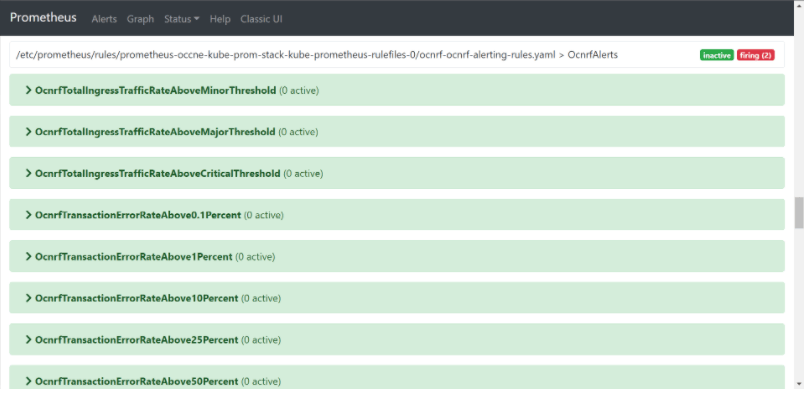
Note:
The Prometheus server takes an updated configuration map that is automatically reloaded after approximately 60 seconds. Refresh the Prometheus GUI to confirm that the NRF Alerts have been reloaded.Validating Alerts
After configuring the alerts in Prometheus server, a user can verify the same by following steps:
- Open the Prometheus server from your browser using the <IP>:<Port>
- Navigate to Status and then Rules.
- Search Ocnrf. OcnrfAlerts list will appear.
Note:
If you are unable to see the alerts, it means the alert file is not loaded in a format that Prometheus server accepts. Modify the file and try again.
Update NRF alerts for OSO releases
This section describes the configuration of alerts for NRF in OSO.
For configuring alerts in OSO, see Oracle Communications Cloud Native Core, Operations Services Overlay Installation and Upgrade Guide.
2.2.3.4.1 Disable Alerts
- Edit NrfAlertrules-25.2.202.yaml file to remove a specific alert.
- Remove complete content of a specific alert from the
NrfAlertrules-25.2.202.yaml
file.
For example: If you want to remove
OcnrfTrafficRateAboveMinorThresholdalert, remove the complete content:## ALERT SAMPLE START## - alert: OcnrfTrafficRateAboveMinorThreshold annotations: description: 'Ingress traffic Rate is above minor threshold i.e. 800 mps (current value is: {{ $value }})' summary: 'Traffic Rate is above 80 Percent of Max requests per second(1000)' expr: sum(rate(oc_ingressgateway_http_requests_total{app_kubernetes_io_name="ingressgateway",kubernetes_namespace="ocnrf"}[2m])) >= 800 < 900 labels: severity: Minor ## ALERT SAMPLE END## - Perform Alert configuration. For more information about configuring alerts, see Alert Configuration section.
2.2.3.4.2 Configuring SNMP Notifier
This section describes the procedure to configure SNMP Notifier.
- Run the following command to edit the
deployment:
$ kubectl edit deploy <snmp_notifier_deployment_name> -n <namespace>Example:
$ kubectl edit deploy occne-snmp-notifier -n occne-infraSNMP deployment yaml file is displayed.
- Edit the SNMP destination in the deployment
yaml file as
follows:
--snmp.destination=<destination_ip>:<destination_port>Example:
--snmp.destination=10.75.203.94:162 - Save the file.
$ docker logs <trapd_container_id>2020-04-29 15:34:24 10.75.203.103 [UDP: [10.75.203.103]:2747->[172.17.0.4]:162]:DISMAN-EVENT-MIB::sysUpTimeInstance = Timeticks: (158510800) 18 days, 8:18:28.00 SNMPv2-MIB::snmpTrapOID.0 = OID: SNMPv2-SMI::enterprises.323.5.3.36.1.2.7003 SNMPv2-SMI::enterprises.323.5.3.36.1.2.7003.1 = STRING: "1.3.6.1.4.1.323.5.3.36.1.2.7003[]" SNMPv2-SMI::enterprises.323.5.3.36.1.2.7003.2 = STRING: "critical" SNMPv2-SMI::enterprises.323.5.3.36.1.2.7003.3 = STRING: "Status: critical- Alert: OcnrfActiveSubscribersBelowCriticalThreshold Summary: namespace: ocnrf, nftype:5G_EIR, nrflevel:6faf1bbc-6e4a-4454-a507-a14ef8e1bc5c, podname: ocnrf-nrfauditor-6b459f5db5-4kvt4,
timestamp: 2020-04-29 15:33:24.408 +0000 UTC: Current number of registered NFs detected below critical threshold. Description: The number of registered NFs detected below critical threshold (current value
is: 0)There are two MIB files which are used to generate the traps. The user need to update these files along with the Alert file in order to fetch the traps in their environment.
- ocnrf_mib_tc_25.2.202.mib
This is considered as NRF top level mib file, where the objects and their data types are defined.
- ocnrf_mib_25.2.202.mib
This file fetches the objects from the top level mib file and based on the alert notification, these objects can be selected for display.
- toplevel_25.2.202.mib: This defines the OIDs for all NFs.
Note:
MIB files are packaged along with the release package. Download the file from MOS. For more information on downloading the release package, see Downloading the NRF package.2.2.3.5 Alert Configuration in OCI
The following procedure describes how to configure the NRF alerts for OCI. The OCI supports metric expressions written in MQL (Metric Query Language) and thus, requires a new NRF alert file for configuring alerts in OCI observability platform.
The following are the steps:
- Run the following command to extract the .zip
file:
Theunzip ocnrf_oci_alertrules_<version>.zipocnrf_ociandocnrf_oci_resourcesfolders are available in the zip file.Note:
The zip file is available in the Scripts folder of CSAR package. - Open the
ocnrf_ocifolder, in thenotifications.tf file, update the parameterendpointwith the email id of the user. - Open the
ocnrf_oci_resourcesfolder, in thenotifications.tf file, update the parameterendpointwith the email id of the user (replace test@gmail.com with the email id of the user). - Log in to the OCI Console.
Note:
For more details about logging in to the OCI, refer to Signing In to the OCI Console. - Open the navigation menu and select Developer Services. The Developer Services window appears in the right pane.
- Under the Developer Services, select Resource Manager.
- Under Resource Manager, select Stacks. The Stacks window appears.
- Click Create Stack.
- Select the default My Configuration radio button.
- Under Stack configuration, select the folder radio button and upload
the
ocnrf_ocifolder. - Enter the Name and Description and select the compartment.
- Select the latest Terraform version from the Terraform version drop-down.
- Click Next. The Edit Stack screen appears.
- Enter the required inputs to create the NRF alerts or alarms and click Save and Run Apply.
- Verify that the alarms are created in the Alarm Definitions screen (OCI
Console> Observability & Management>
Monitoring>Alarm Definitions)
provided.
The required inputs are:
- Alarms Configuration
- Compartment Name - Choose name of compartment from the drop-down
- Metric namespace - Metric namespace that the user provided while deploying OCI Adaptors.
- Topic Name - Any user configurable name. Must contain fewer than 256 characters. Only alphanumeric characters plus hyphens (-) and underscores (_) are allowed.
- Message Format - Keep it as ONS_OPTIMIZED. (This is pre-populated)
- Alarm is_enabled - Keep it as True. (This is pre-populated)
- Alarms Configuration
- The steps 6 to 16 must be repeated for uploading the
ocnrf_oci_resourcesfolder. Keep Metric namespace as mgmtagent_kubernetes_metrics (This is pre-populated).