Log In to Oracle ILOM Using a Remote Ethernet Connection
You can log in to the Oracle ILOM web interface or CLI remotely using one of the network ports on the server.
You need to know the IP address or host name of the service processor (SP) to log in to Oracle ILOM remotely. If you do not know the IP address of the SP, see Troubleshooting Oracle ILOM.
Note:
To enable first time login and access to Oracle ILOM, a default Administrator account and its password are provided with the system. To build a secure environment, change the default password (changeme) for the default Administrator account (root) after your initial login. If this default Administrator account has since been changed, contact your system administrator for an Oracle ILOM user account with Administrator privileges.
To prevent unauthorized access to Oracle ILOM, create user accounts for each user.
For procedures to change the root password and create user accounts, refer to Oracle Integrated Lights Out Manager (ILOM) Documentation at Servers Documentation Systems Management.
To improve response times, disable the web browser proxy server (if one is enabled).
- Establish a connection to the Oracle ILOM web interface or the CLI.
-
To establish a connection to the Oracle ILOM web interface:
-
Type the IP address of the server in the address field of your web browser and press Enter.
-
On the Oracle ILOM login screen, type your user name and password, and click
Log In.
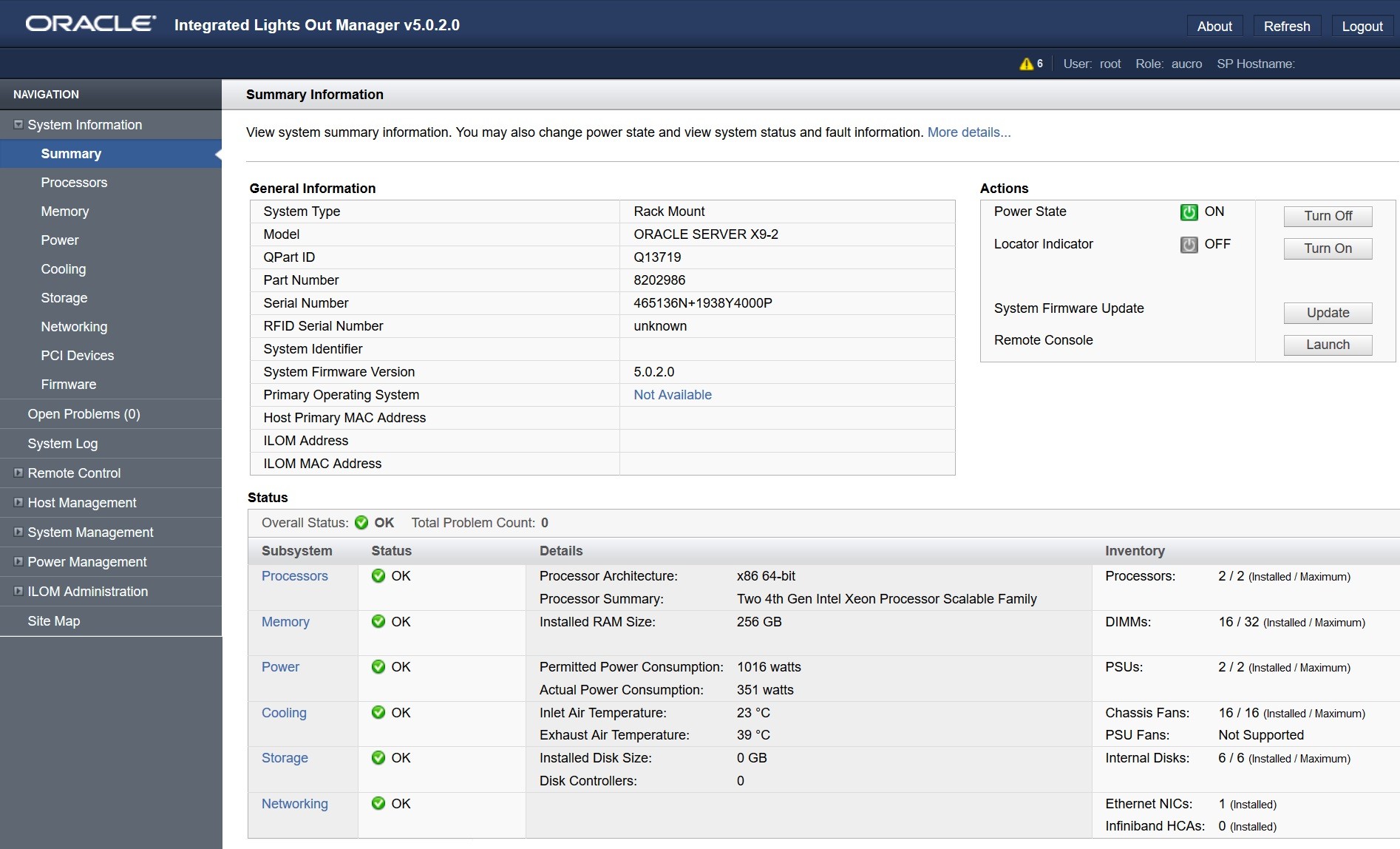
The Summary Information page appears, indicating that you successfully logged in to Oracle ILOM.
Figure 7-1 Summary Information Page
-
-
To establish a connection to the Oracle ILOM CLI:
-
From the command line, initiate a secure shell session, type:
sshusername@hostnameWhere username is the user name of an Oracle ILOM account with Administrator privileges, and hostname is either the IP address or hostname (when using DNS) of the server SP.
The Oracle ILOM password prompt appears.
Password: -
At the Oracle ILOM password prompt, type your password and press Enter.
For example:
Password:changemeOracle ILOM displays the default command prompt ->, indicating that you successfully logged in to the Oracle ILOM CLI.
-
-