8 Replace the Air Baffle
This section describes how to service the air baffle.
You must power off the server before servicing the air baffle. The air baffle must be in place during system operation. Remove the air baffle to lift the Motherboard and access the motherboard handle. For more information about replaceable components, see Illustrated Parts Breakdown and Replaceable Components.
Caution:
To prevent the system from overheating, ensure that the air baffle is correctly installed before powering on the system.Caution:
You must disconnect all power cables from the system before performing these procedures.Remove
- Prepare the server for service.
- Power off the server. See "Power Down the Server".
- Disconnect the power cords from the power supplies. See "Disconnect Cables From the Server".
- Extend the server into the maintenance position. See "Extend the Server to the Maintenance Position".
- Attach an antistatic wrist strap to your wrist and then to a metal area on the chassis. See "Take Antistatic Measures".
- Remove the server top cover. See "Remove the Server Top Cover".
- Remove the air baffle by lifting the baffle up and out of the server. Lift up the air baffle in the rear at a 50 degree angle, and slide slightly rearward to clear the air baffle tabs that prevent the front of the baffle from lifting up.
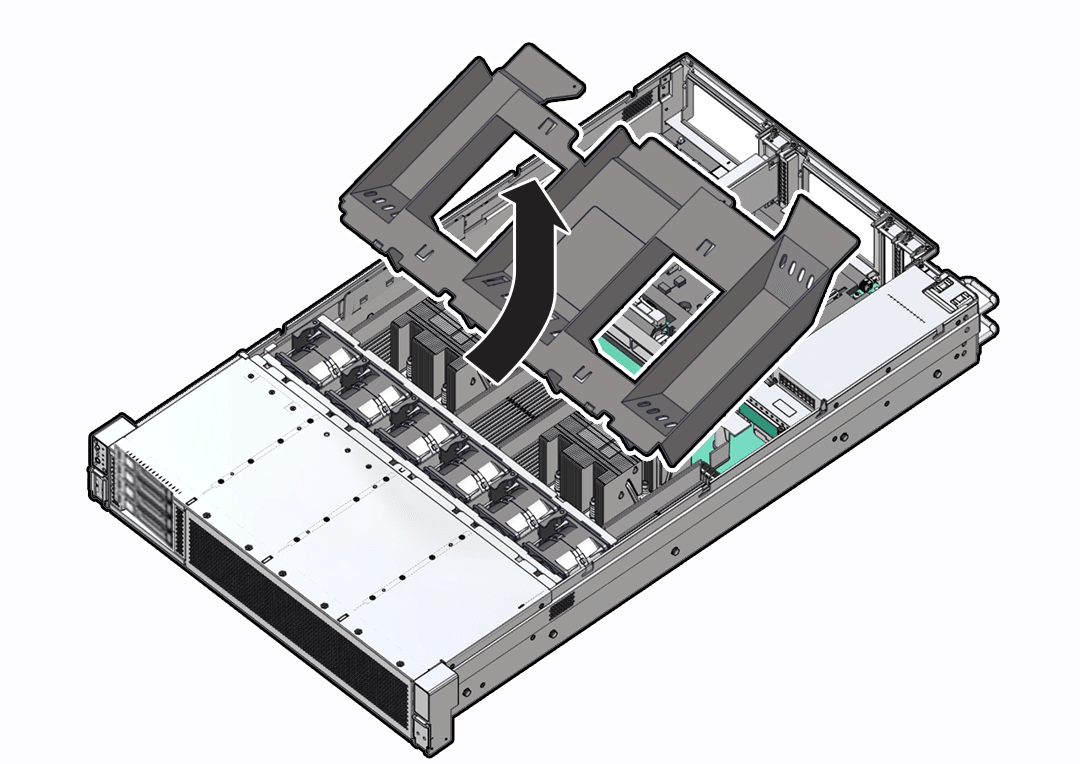
- Set aside the air baffle.
- Consider your next step:
- If you removed the air baffle as part of another procedure, return to that procedure.
- Otherwise, continue to Install the Air Baffle.
Install
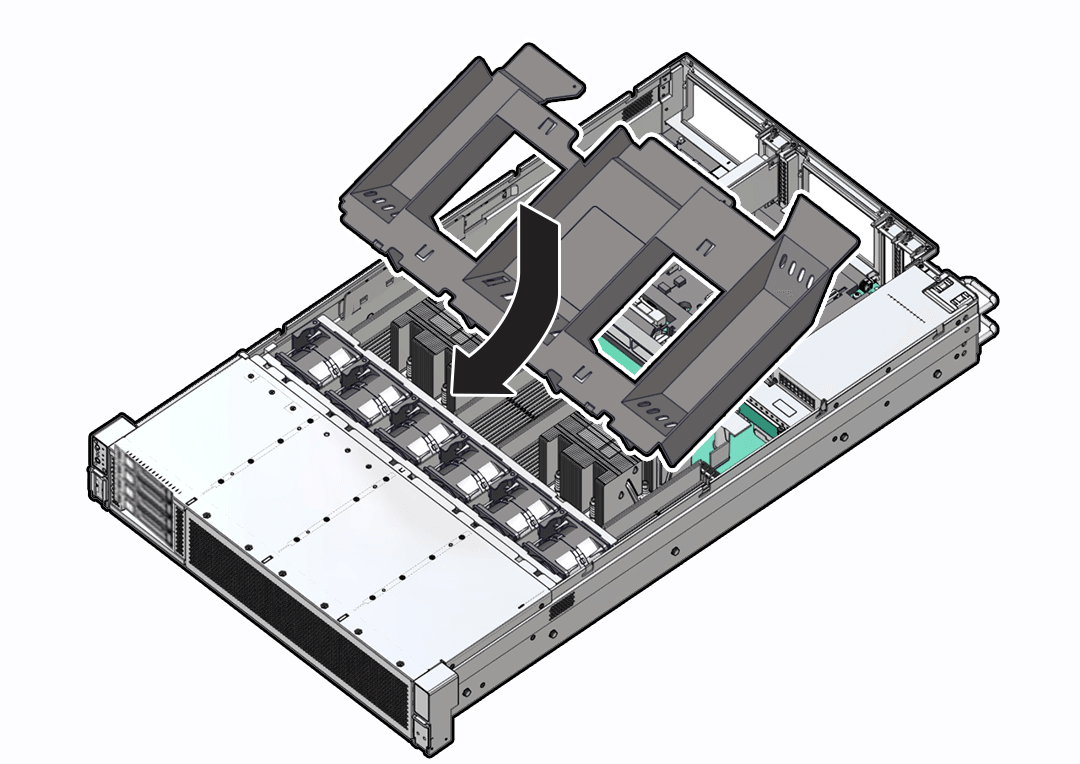
- Install the air baffle by placing it into the server and lowering it to its inserted position.
To install the air baffle, the baffle must fit around the processor heatsinks, then lifted up about 50 degrees. Locate the tabs on the air baffle so that one tab on each side is under the lip of the fan tray, and the others are on top of the fan tray.
- Consider your next step:
- If you removed the air baffle as part of another procedure, return to that procedure.
- Otherwise, continue to with this procedure.
- Return the server to operation:
- Install the server top cover. See Install the Server Top Cover.
- Return the server to the normal rack position. See Return the Server to the Normal Rack Position.
- Reconnect the power cords and data cables to the server. See Reconnect Power and Data Cables.
- Power on the server. See Power On the Server.
- Verify that the power supply AC OK LED is lit.